Streaming audio file player action

I have an audio file loaded in the streaming audio file player.

I have put a marker where my scrolling lyrics and chords (via Chordpro) should start.

But what action should i start??

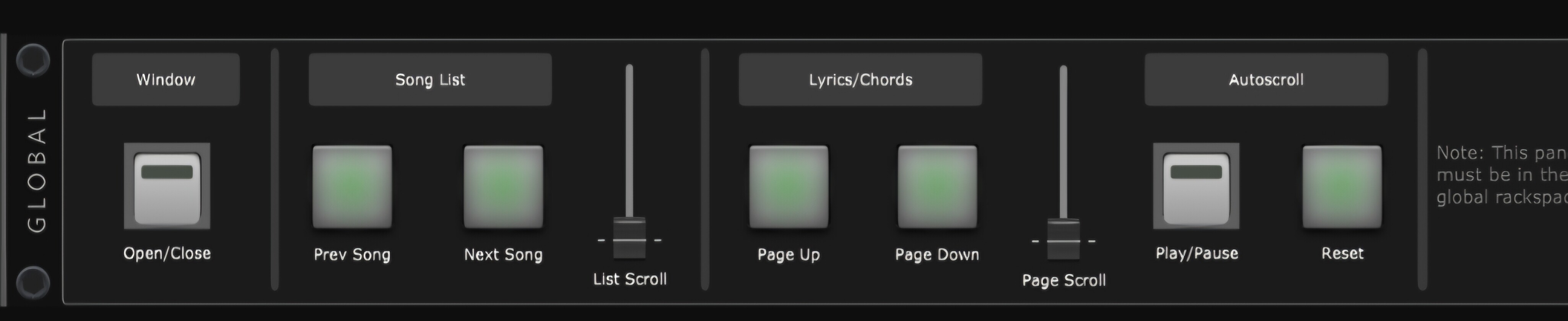
My lyrics are operated via Song Lyrics Chords Editor and I use the downloaded rackspace for start, stop, show, autoscrol etc.

Kind regards

Ron

What is the downloaded rackspace?

Where did you download it from?

from here Paul, the GP community

Up till jow i started the scrolling lyrics with the play/pause button….after that i assigned a start/stop pedel to that funtion.

But i hope that it is possible withe streaming audio player to put a marker that will start the scxrolling lyrics

Ok, I can see you’re using my Lyrics/Chords extension. There is a global widget to start/pause the scrolling, which is in your screenshot. You can set a marker action in the SAFP to send a value to a widget. In the action settings you will need to select the tickbox for Global widget, and you should be able to select the widget handle from the drop down list.
1 Like