In “automatic” mode, it will keep the old behavior, where songs will be automatically ordered left-to-right, top-to-bottom. Then below that, you can override this by assigning any song/part/variation/rack you want for that widget. This allows you to lay things out however you want, without being limited to a single page.
I’ll also add a widget to display Gig Performer text labels. I think having dedicated widgets for displaying the current song/part/variation/rack would be good too. Even though the user can set it up themselves with a text label, this seems like a pretty basic feature that users shouldn’t have to program themselves. (edit: actually it might be easier to just add a “current song” option to this list, so we don’t have too many widgets)
I’m combining these new features with support for multiple GP instances into a new release. I think I’ll have a first beta for all these changes before the end of the month, with a final version soon after
May be the text label is more flexible, since you can decide to show different thing, not only current song. For instance I would also like to use this features to show the song selected by the audio player.
Any chance for this one ? Could be useful for long song name
For instance the song Don’t let me be misunderstood, is currently shown as DLMBM, which is smart but not so immediately readable.
The idea was to implement both! I see the use for a text label, so I’ll add that for sure. But I think we shouldn’t require the user to set up a text label just to see the current song name, we should also have a direct way to do that. Especially because it pairs so well with the next/previous buttons to create a compact song selection widget.
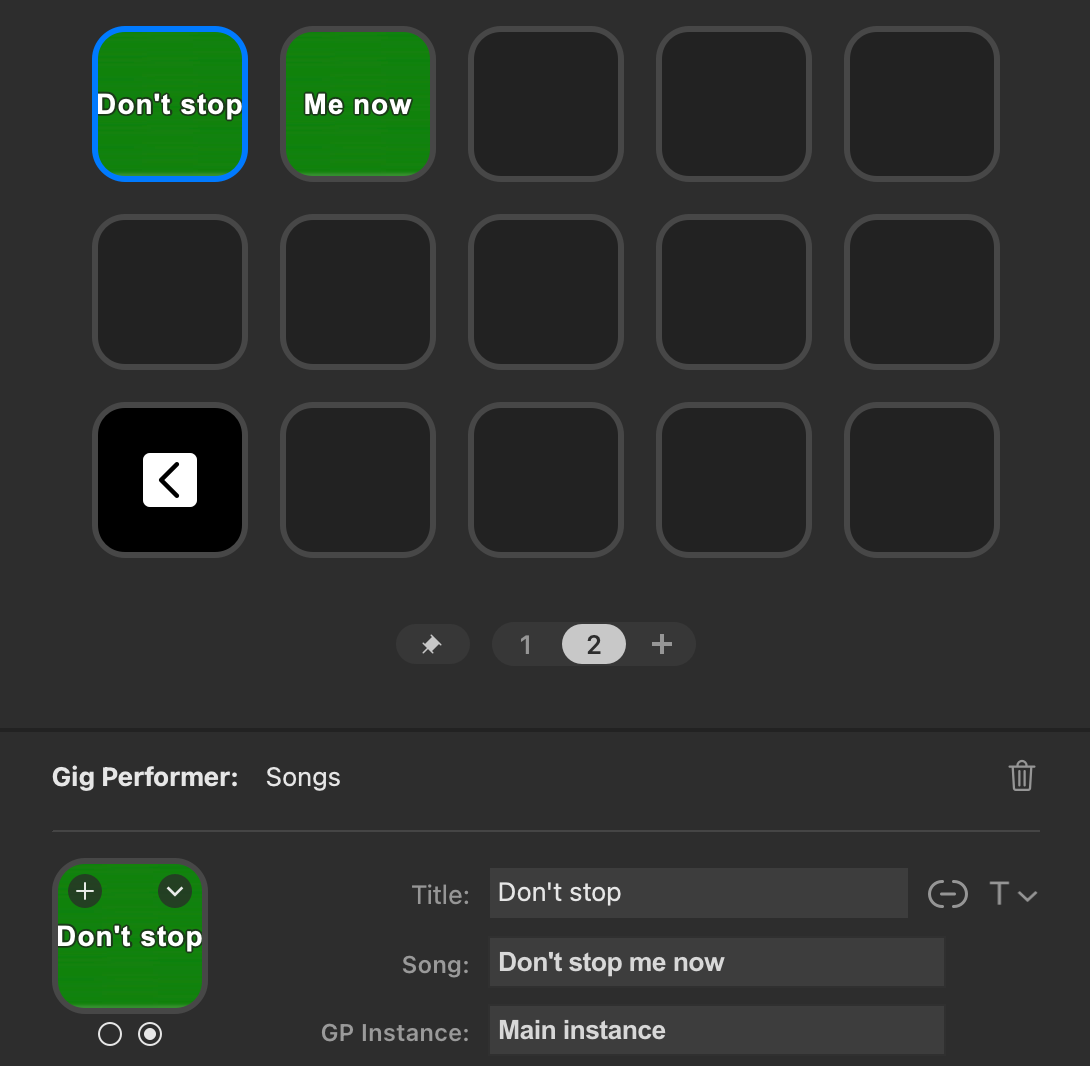
With the new updates, you can do this for songs/parts/rackspaces/variations using the new feature to have a widget fixed to a single song. Create two song widgets for the same song in a row, and overwrite the Title property manually:
For text rendering, we depend on the StreamDeck’s own ability to do so with titles, so I couldn’t really program it in any way that looks better than this.
It is a good solution, but honestly don’t think I will go again for a widget for each song approach, having the availbility of the new “compact song selection” widgets. If there’s a chance to extend to at least 1x2 or 1x3 the new born “current song” it would be appreciated. I wouldnt even care too much if, reading in a 1x2 or a 1x3, part of the title is hidden by the plastic grid separating the buttons (chassis?) on the Elgato streamdeck. I mean, the same that happens when a picture is shown. Not a problem at all to me. Always better than PDLMBM acronym