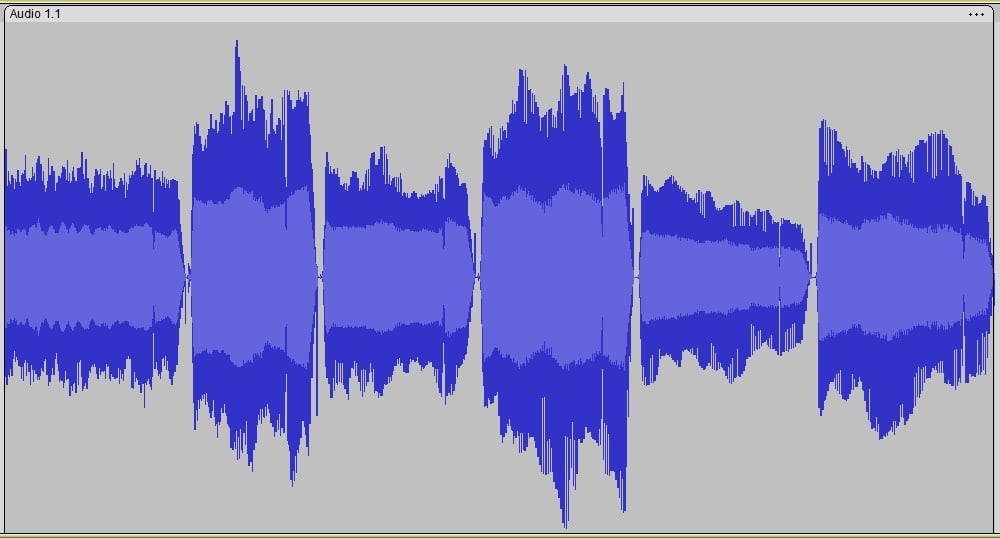
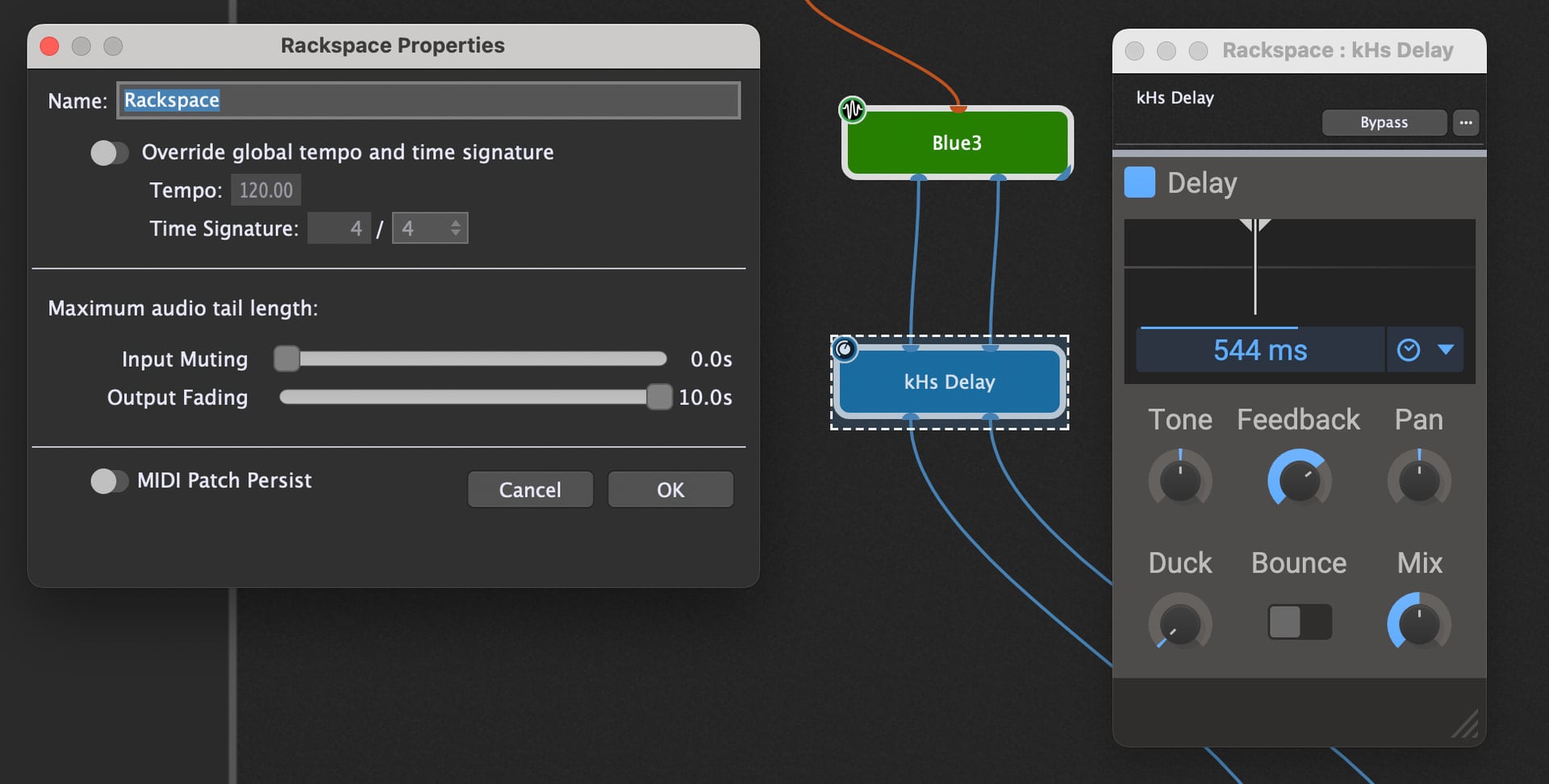
What - Input Muting & Output Fading Settings would you recommend to (a) get rid of the Gap and (b) allow the Delay from the 2nd / 4th / 6th clip to Spill-Over ?
Maybe it would be better to use effects like delay and reverb in the global rackspace, so they were always active but independent from rackspace switching and would just process everything that’s coming in from any local rackspace. That should absolutely prevent any audio gaps.
The downside would be that you’d probably couldn’t use the nice internal effects of all the amp-plugins (i.e those from NDSP).
Ok - turns out I still have 5 days left on my NDSP X Plugin Trial.
I can now confirm the “gap” and “spillover” issue is with Two Notes Genome - using a Genome Stock Amp or NAM Block - same either way..
I just re-loaded my Trial Rabea X NDSP Test Preset with 8 Racks and an 8 Rack Scuffham S Gear Preset [which I own] etc… switching and spillover between them is instant and glitch free and that is with Predictive Loading ON.