this is written with the support of chatGPT as my English is not as good as I wished it would be.
 Issue Report: Song Parts do not switch in Setlist Mode despite correct incoming Program Changes
Gig Performer version: 5.1.4
macOS version: macOS (Mac mini, Apple Silicon)
MIDI source: StageTraxx 3 on iPad
MIDI transport: Bluetooth MIDI via MIDI-MTTR (iPad → macOS)
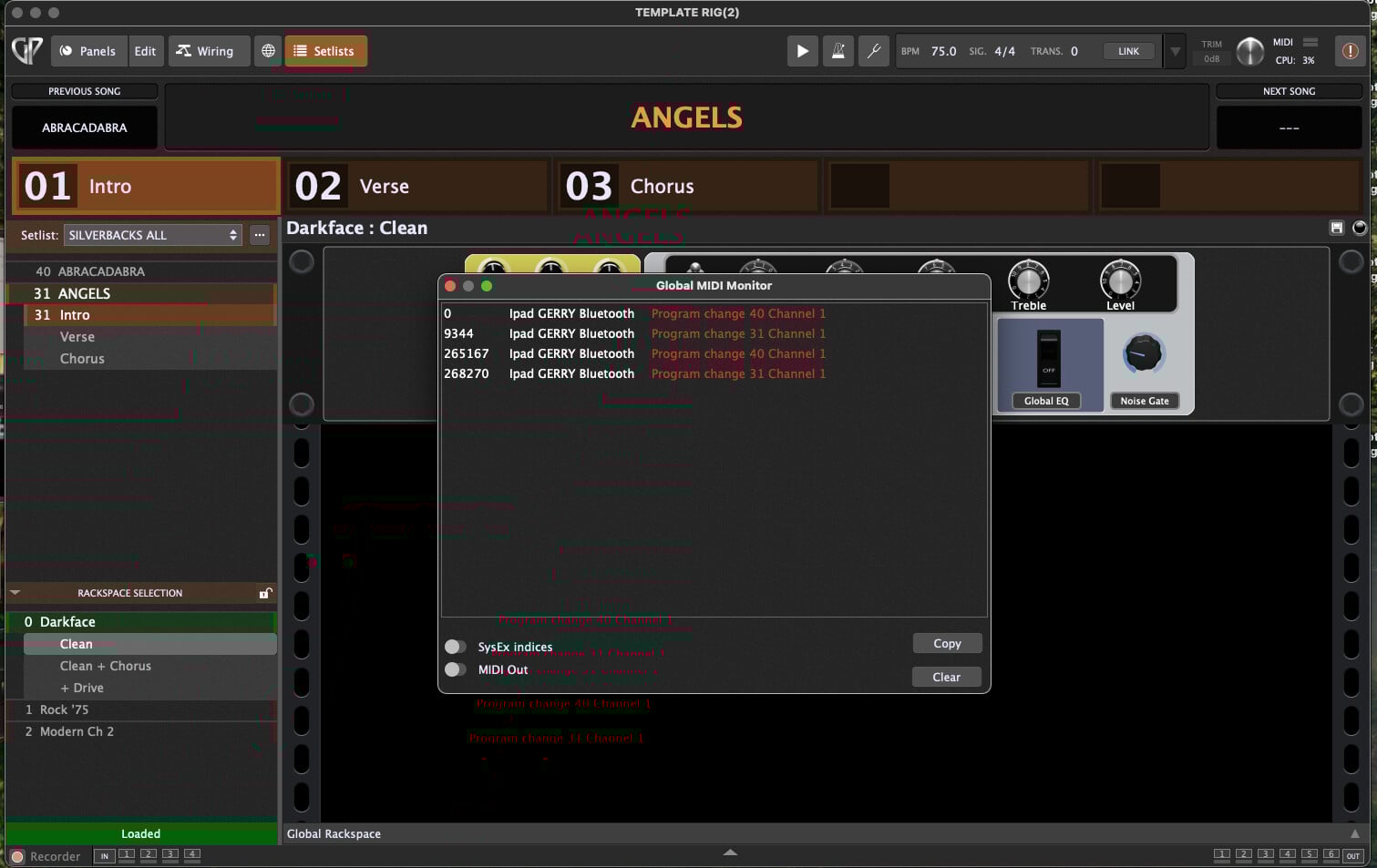
Verification: Global MIDI Monitor in GP shows correct Program Change messages
Hardware used:
-
iPad (USB-C) running StageTraxx 3
-
Mac mini (Apple Silicon) running Gig Performer 5.1.4
-
Bluetooth MIDI using MIDI-MTTR (iOS + macOS versions)
-
No other MIDI hardware involved
Audio hardware: RME Babyface (not relevant to the issue)
Problem Description
When running Gig Performer 5.1.4 in Setlist Mode, Song Parts do not change in response to MIDI Program Change messages.
I am using StageTraxx 3 on my iPad to send Program Change (PC) messages when I switch songs in ST3. The MIDI routing iPad → Mac mini is handled by MIDI-MTTR, and the connection is stable.
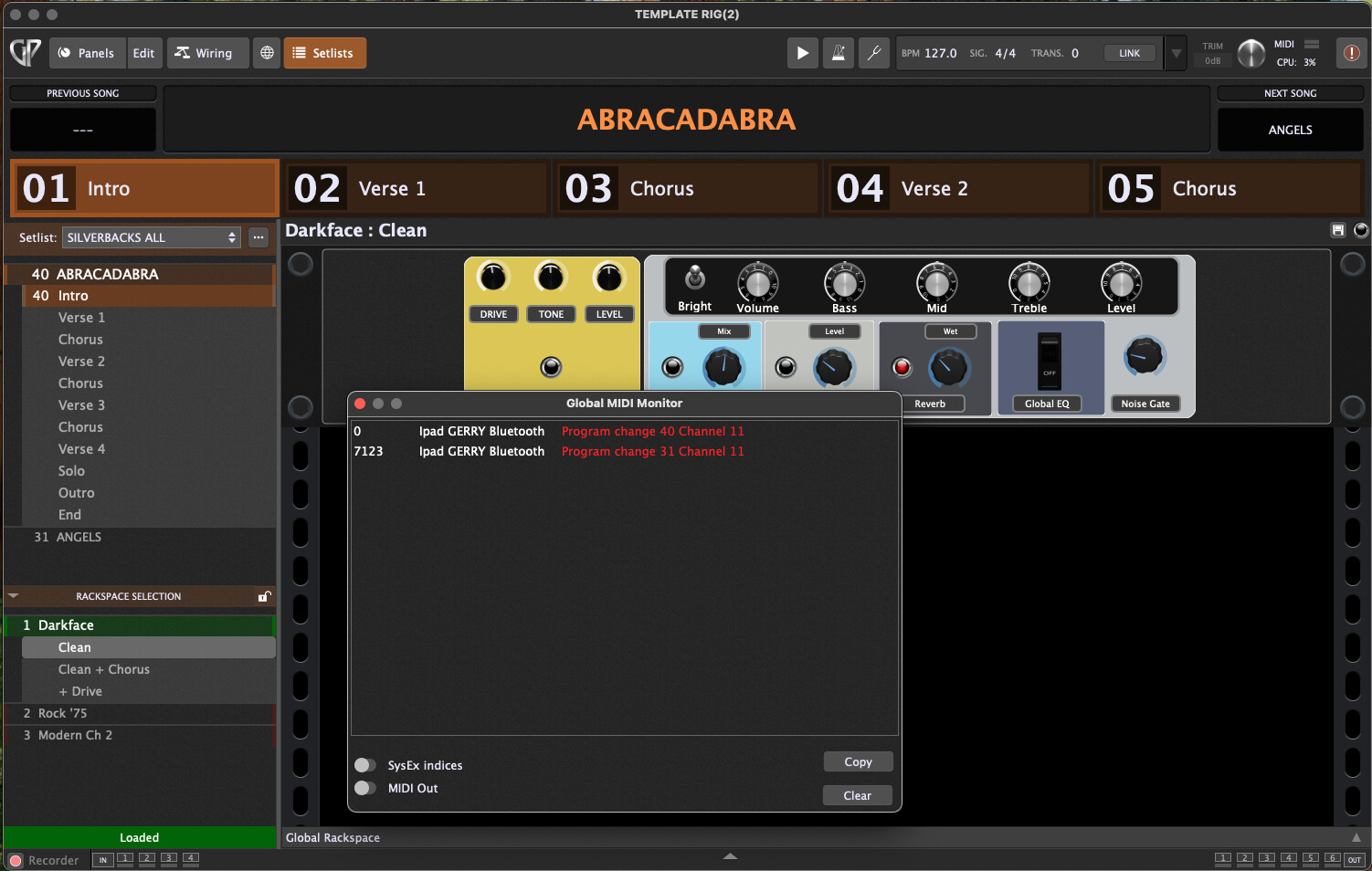
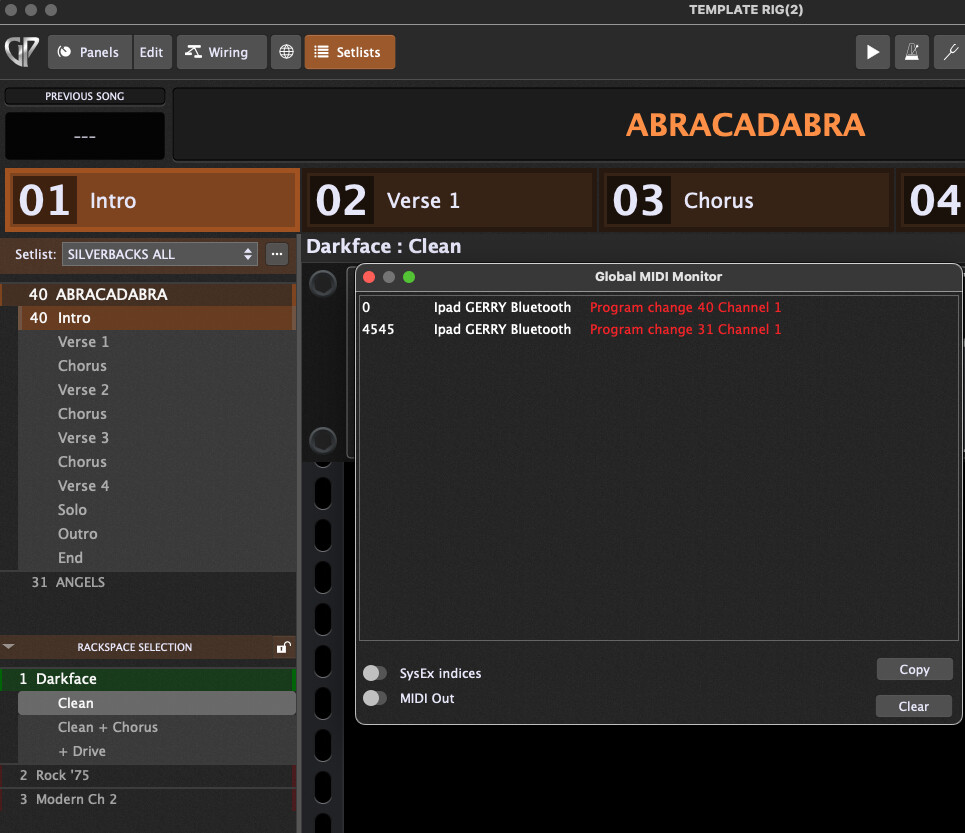
In Gig Performer, I open the Global MIDI Monitor, and I can see all incoming Program Change messages exactly as expected:
-
PC numbers are correct
-
They appear immediately
-
No filtering or blocking is occurring
-
The messages originate from the expected MIDI port
However:
 Despite the correct Program Change messages arriving, Gig Performer does NOT switch the Song Parts in Setlist Mode.
No Song Part is activated, no Song changes, and nothing in the Setlist UI reacts to the incoming PC messages.
Current configuration
-
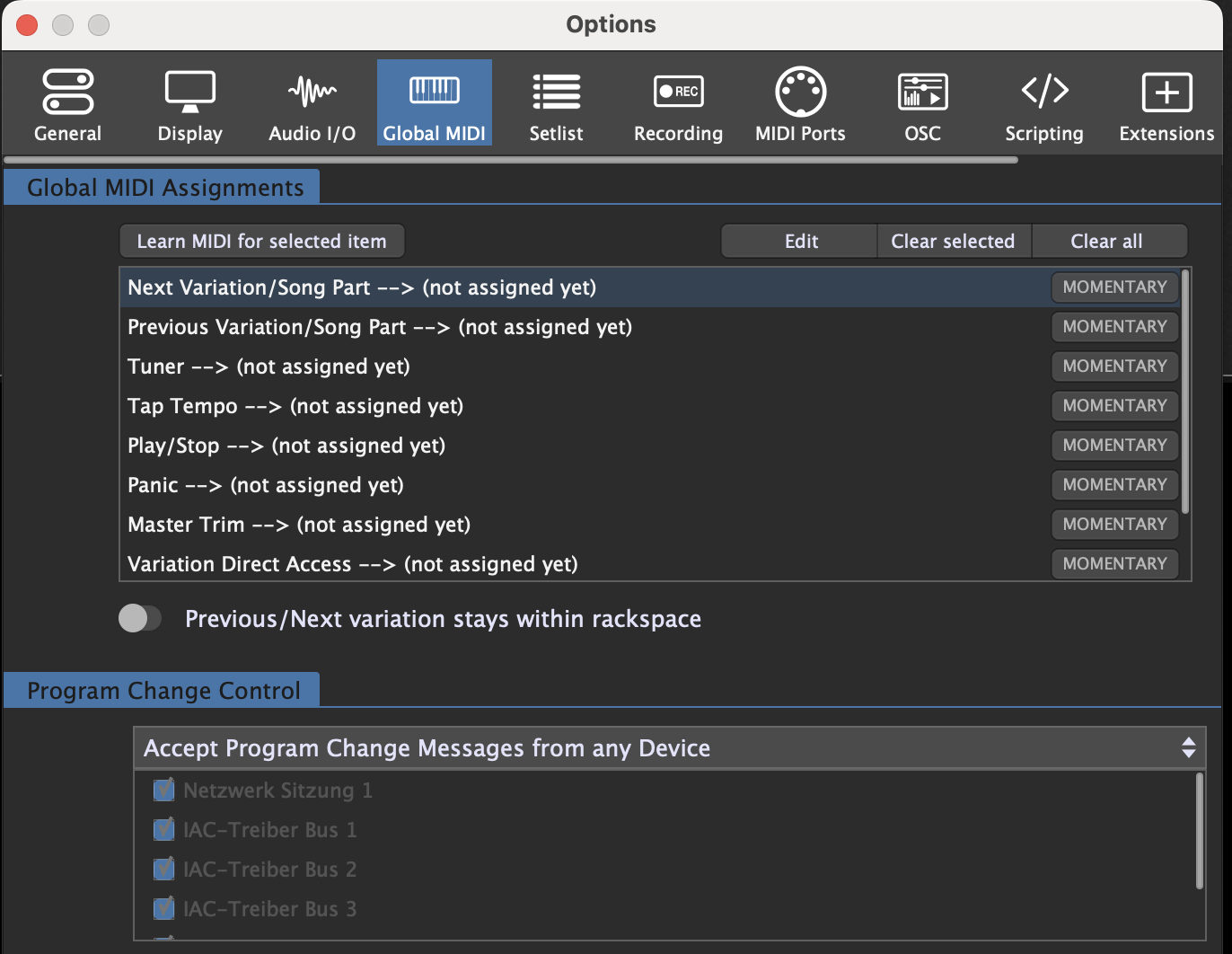
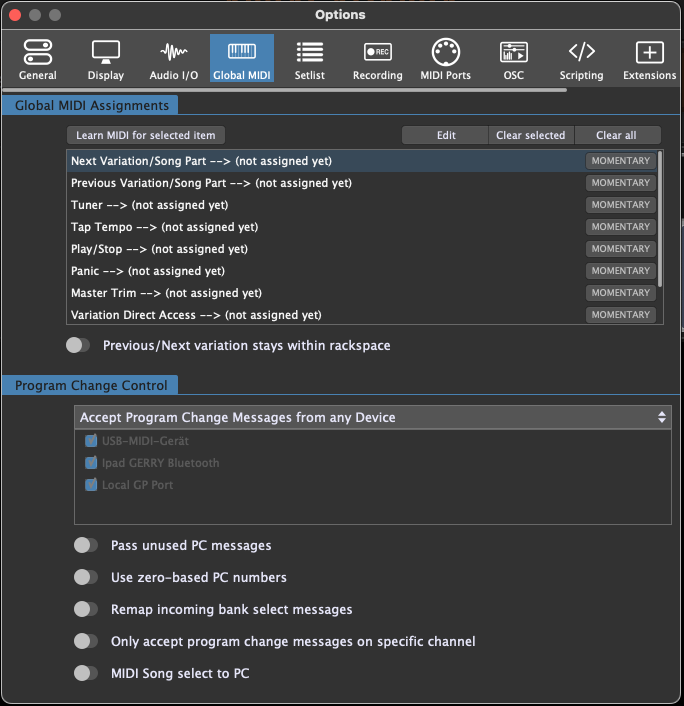
In Options → Setlist, I have NOT enabled any special MIDI assignments except selecting the correct MIDI input ports.
-
I have NOT assigned Next/Previous Song or Song Part functions to MIDI.
-
The Song Parts themselves are correctly created (Intro, Verse, Chorus etc.) and linked to valid Rackspaces/Variations.
-
The Songs are visible and selectable manually.
-
Switching Song Parts manually works correctly.
-
Only the MIDI-triggered changes do not work.
What has been verified
-
Program Changes arrive
- Verified in the Global MIDI Monitor
-
Correct MIDI ports are enabled
- Only the Bluetooth MIDI port from MIDI-MTTR is active
-
Setlist Mode is active
- I am working in the Setlist view, not Rackspace view
-
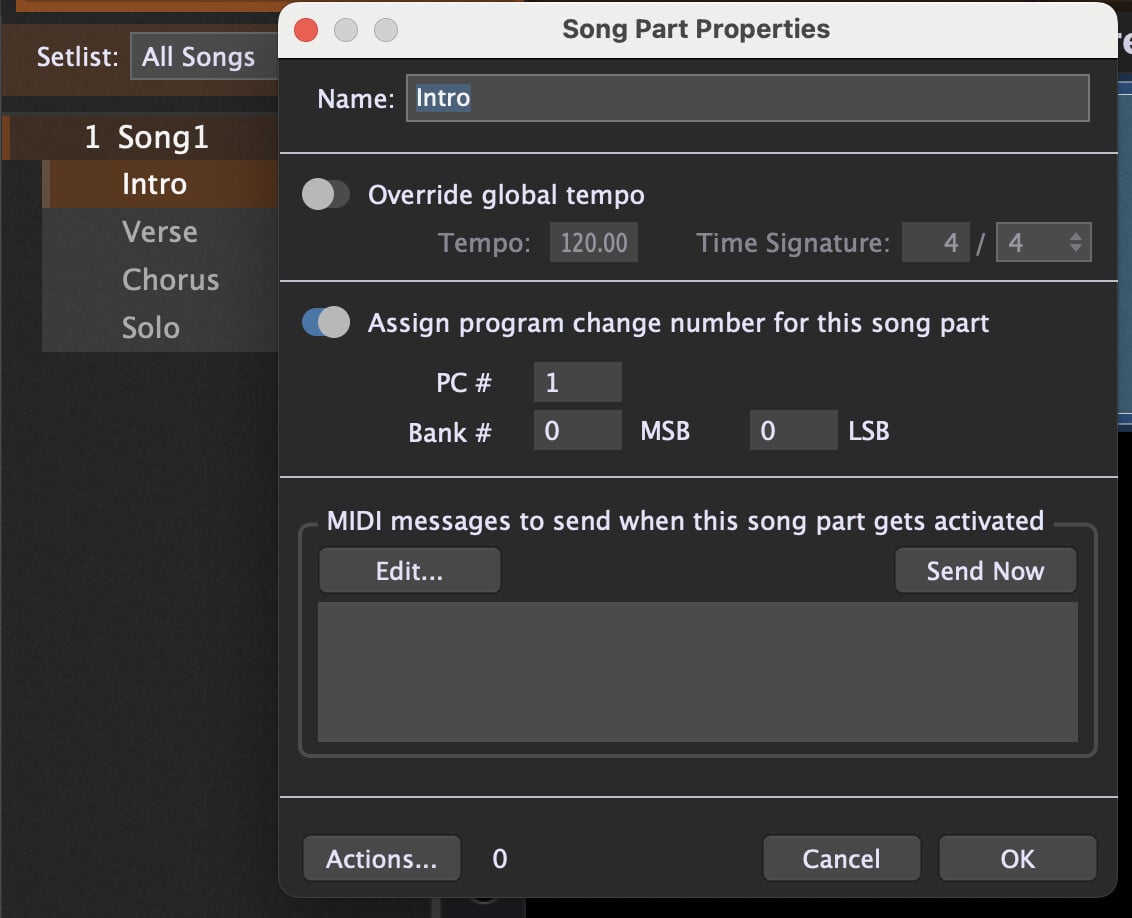
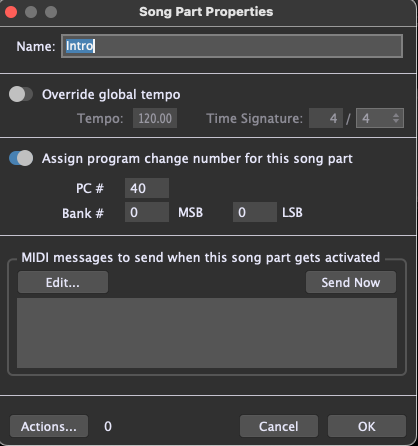
Song Part PC metadata exists
-
PC numbers, MSB, LSB are visible inside Song Part Properties
-
But assigning those values does not cause GP to react
-
-
No MIDI filtering
-
No scripts, filters, or MIDI blocks are used
-
Global MIDI settings are untouched except port selection
-
-
Rackspaces are correctly assigned to Song Parts
- The audio works and manual Song Part switching is functional
Expected Behavior
Gig Performer should:
-
Respond to incoming Program Change messages
-
Select the corresponding Song or Song Part in Setlist Mode
-
Trigger the associated Rackspace/Variation
Actual Behavior
-
Program Changes appear in the Global MIDI Monitor
-
No Song or Song Part changes at all
-
UI does not react to incoming PCs
-
Setlist remains in the current Song/Part unless changed manually
Request / Question
Could you please clarify:
-
Whether Program Change–based Song/Song Part switching is still supported in GP 5.1.4
-
Whether additional configuration is required beyond enabling MIDI ports
-
Whether the PC/MSB/LSB values inside the Song Part Properties are still used for triggering, or only for metadata
-
If this is a bug, an intentional change in GP 5.1.x, or a missing mapping
-
How to correctly map incoming PCs to Song Parts in the current version
Thank you in advance for any guidance.