Hello Gig Performer Community. I am using the CE-1 from Paint Audio (which is a PC that uses the Melo Audio TS Mega as its audio interface) to run gig performer. I recently had a baby, so I haven’t used the program for months. When I came back and ran the updates to both the OS and the application, I lost all audio output in Gig Performer. I can see the audio input is active and connected to the output, but there is no activity on the output audio-wise or from the indicator lights in Gig Performer. Before I start rolling back updates, is there something I’m missing?
Don’t know that device but I would hazard a guess that the audio driver might not be working
There’s a lot of (maybe) silly stuff I’d look into. Are you sure your amplification source (headphones, speaker, mixer) are all set up and connected right?
Any difference if you trigger a note within the plugins’ virtual keyboards.
Pull out and reset cables to/from audio interface…..Turn off and on…[Maybe not be fully relevant with internal audio interface, but….).
Oh, when I do updates, OSC often turns off. So, I would lose audio from plugins in the Global Rackspace that were connected via OSC. (Might not be relevant, but….)
Thank you for the replies. Let me add more details. The device I am using is the CE-1, from PaintAudio, the company that makes the Midi Captain, which is a Windows 11 PC with a built-in 4 channel audio interface. The interface is built on some version of the Melo Audio Tone Shifter Mega. The drivers are up to date. I confirmed the hardware parts are working by testing the Windows audio successfully and using a Midi Guitar 3 standalone application to successfully output instrument audio. I also tried Cantabile Lite and it worked.
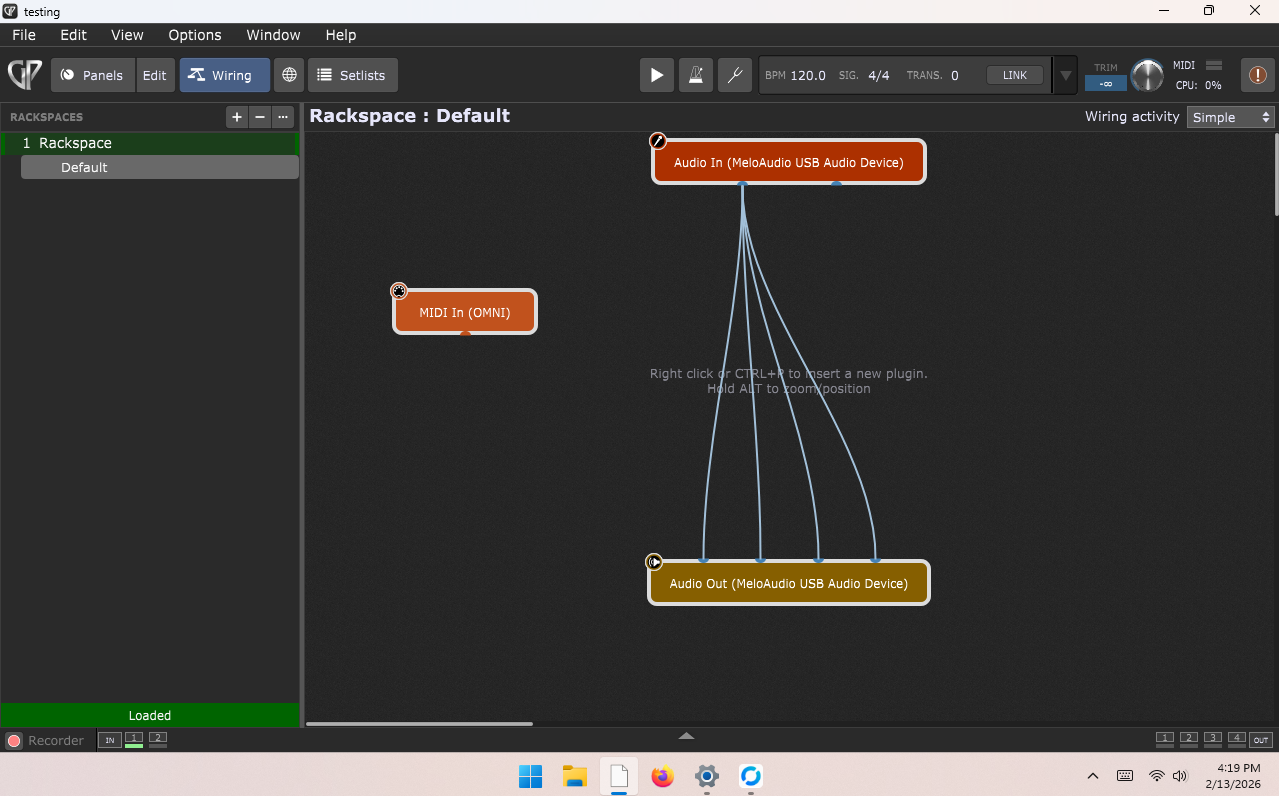
When using Gig Performer, the signal is clearly traveling from the illuminated input block for the given channel, and going down the lit cable, but all of the output block stays dark.
I tried updating the drivers. The other plugin hosts working with the same setup suggests the problem is in Gig Performer.
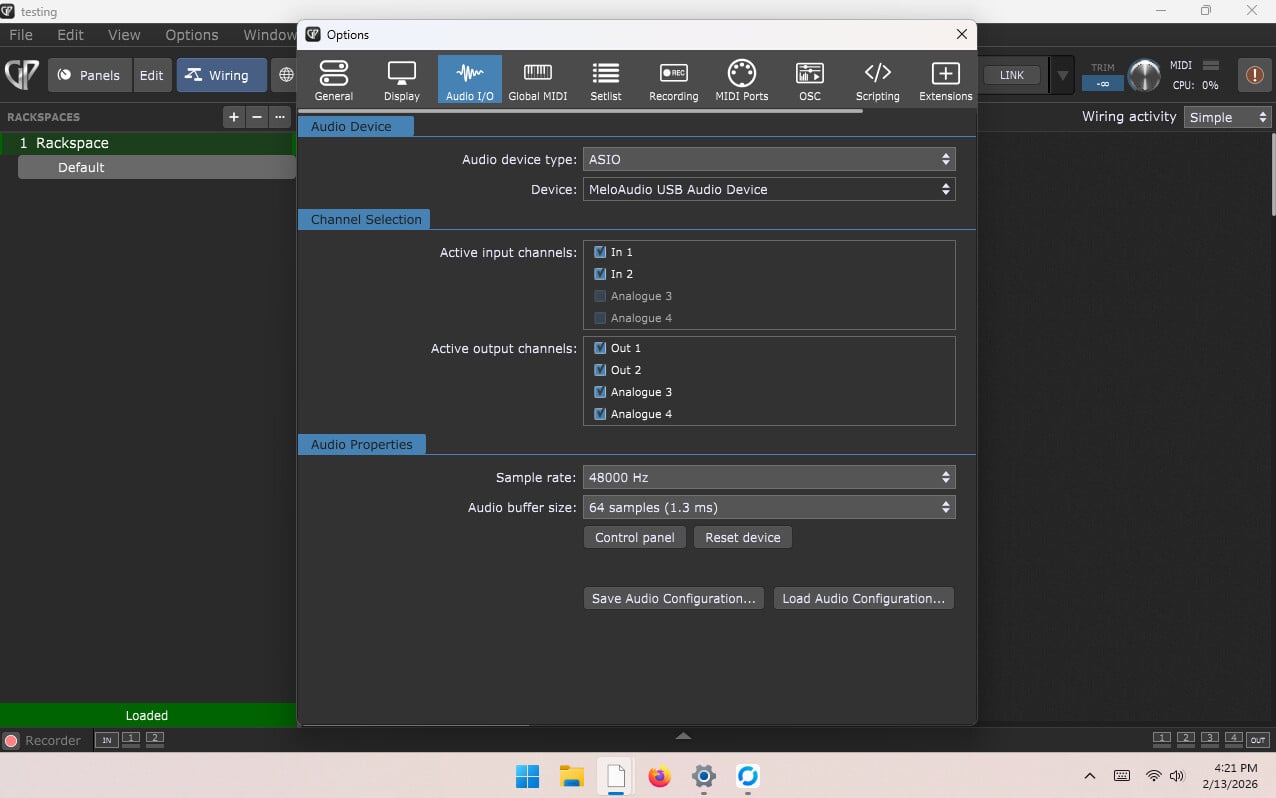
Please post the screenshot of Audio Options in Gig Performer.
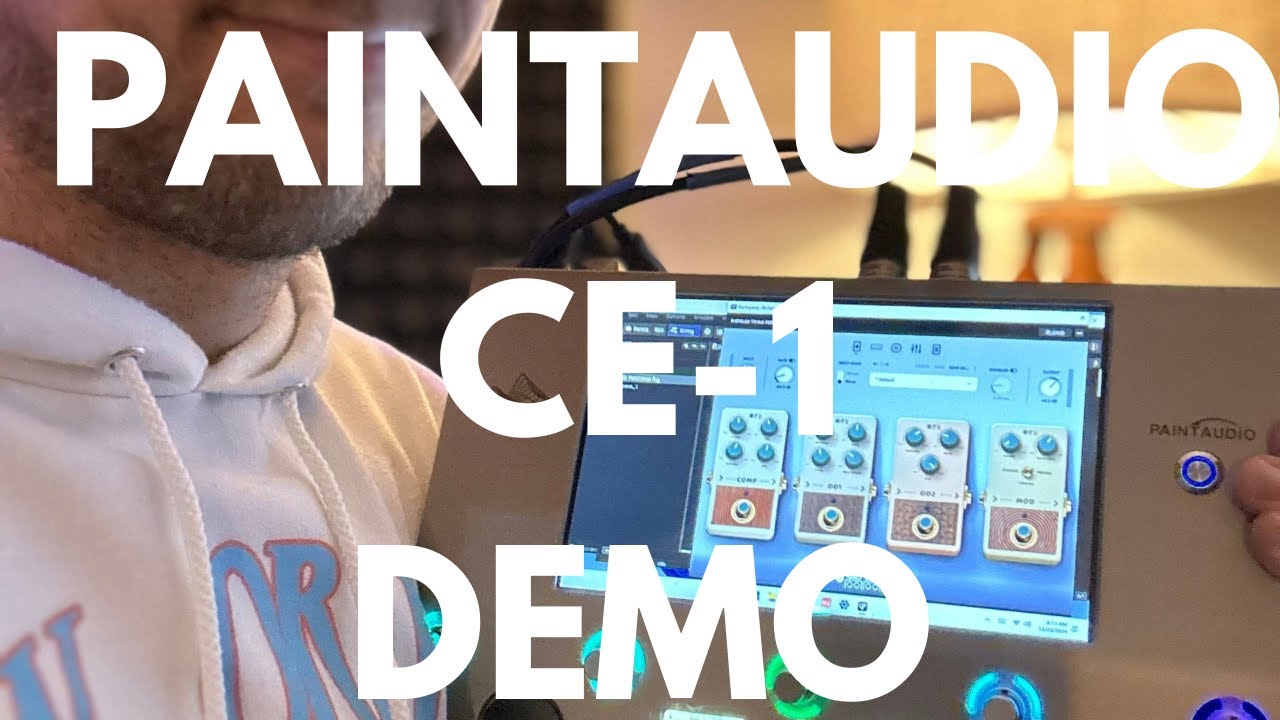
The guy in this video is using that device with Gig Performer.
I will when I get back to that computer.
It worked for me previously. My issue is that it’s not working now and I don’t know why.
Something changed.
You need to figure out what changed and when.
Examples:
(1) System stuff:
Windows update, new software installation that corrupted system data or replaced DLLs, firmware update, driver update, …
(2) Gig Performer configuration stuff
Master Trim configuration, Audio Options misconfigured, etc.
–
Please post GP Audio Options screenshot.
Do you use OSC for anything?
I do not use OSC.
Some things to try(one at a time, to see if it works):
- Double-click(open) your Audio Out block. Make sure the volumes aren’t zeroed out.
- Try changing buffer size to 128.
- Try changing sample rate to 44100.
- Try setting the Audio device type to Windows Audio, Exit, close GP. Restart GP, change Audio type back to ASIO > MeloAudio USB.
- Uninstall your MeloAudio audio drivers. Restart. Re-install MeloAudio audio drivers.
- Uninstall GP. Restart. Re-install GP. Restart.
Your Master Trim is “minus infinite”.
Thank you everyone for you’re help. It was the trim.