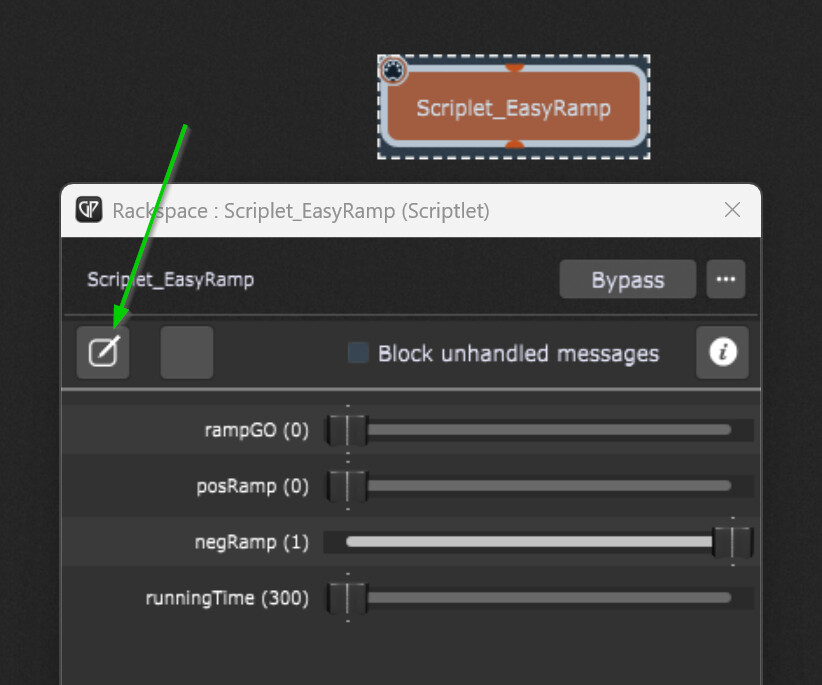
The scriptlet in the gig file provides a simple set of parameters for automated “movement”.
There is one parameter climbing from 0 to 1 and another going in the opposite direction (1 to 0).
You can also set the running time within the parameter’s value change will be done.
And there is of course a parameter to get the ramp-generator (timer) running.
To make use of those automated values (i.e. for automated fading), link two knob/fader widgets, while one is parameter-bound to the scriptlet and the other to some plugin’s parameter you want to control (i.e. a mixer volume).

Best if you save the scriptlet from the wiring view as a “Favorite” (right click, “Save as Favorite”) so you always can easily insert it into your own projects (right click in wiring view: Favorites…).
Easy Ramp.gig (77.1 KB)
EDIT:
The difference to the “Auto Move” scriptlet is the much finer resolution, especially with short runnig times.