I have sound that goes thru a Mutron fx and is very sensitive to velocity. However, for whatever reason it requires a very light touch in the lower octaves and much heavier touch further up. So I was just curious if there may be a way to scale the velocity sensitivity across the keyboard?
1 Like
With scripting that would be doable
Sorry to be so lame as to have to ask, but would someone be able to help me with a script for that? It’s beyond my understanding.
I was thinking and maybe it can be done via clever routing
Velocity.gig (34.1 KB)
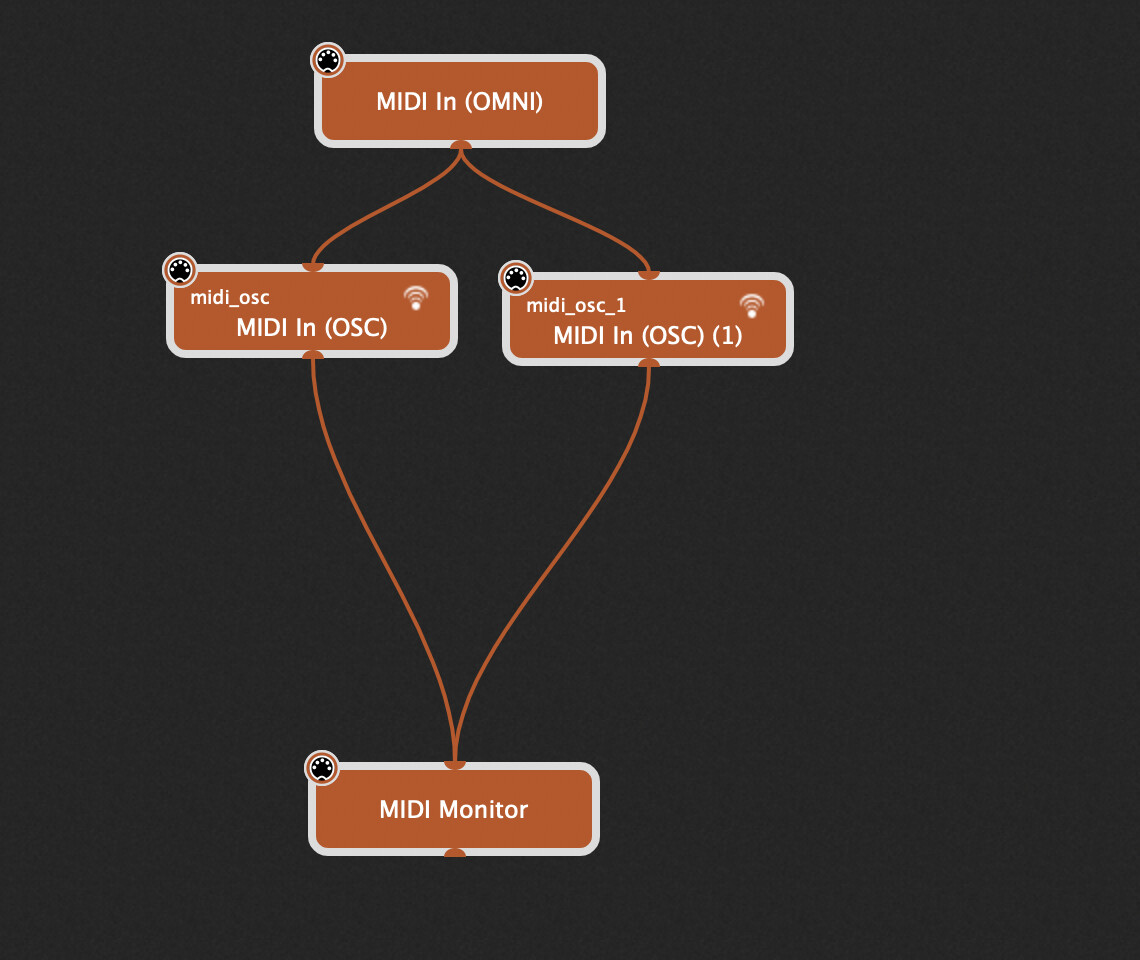
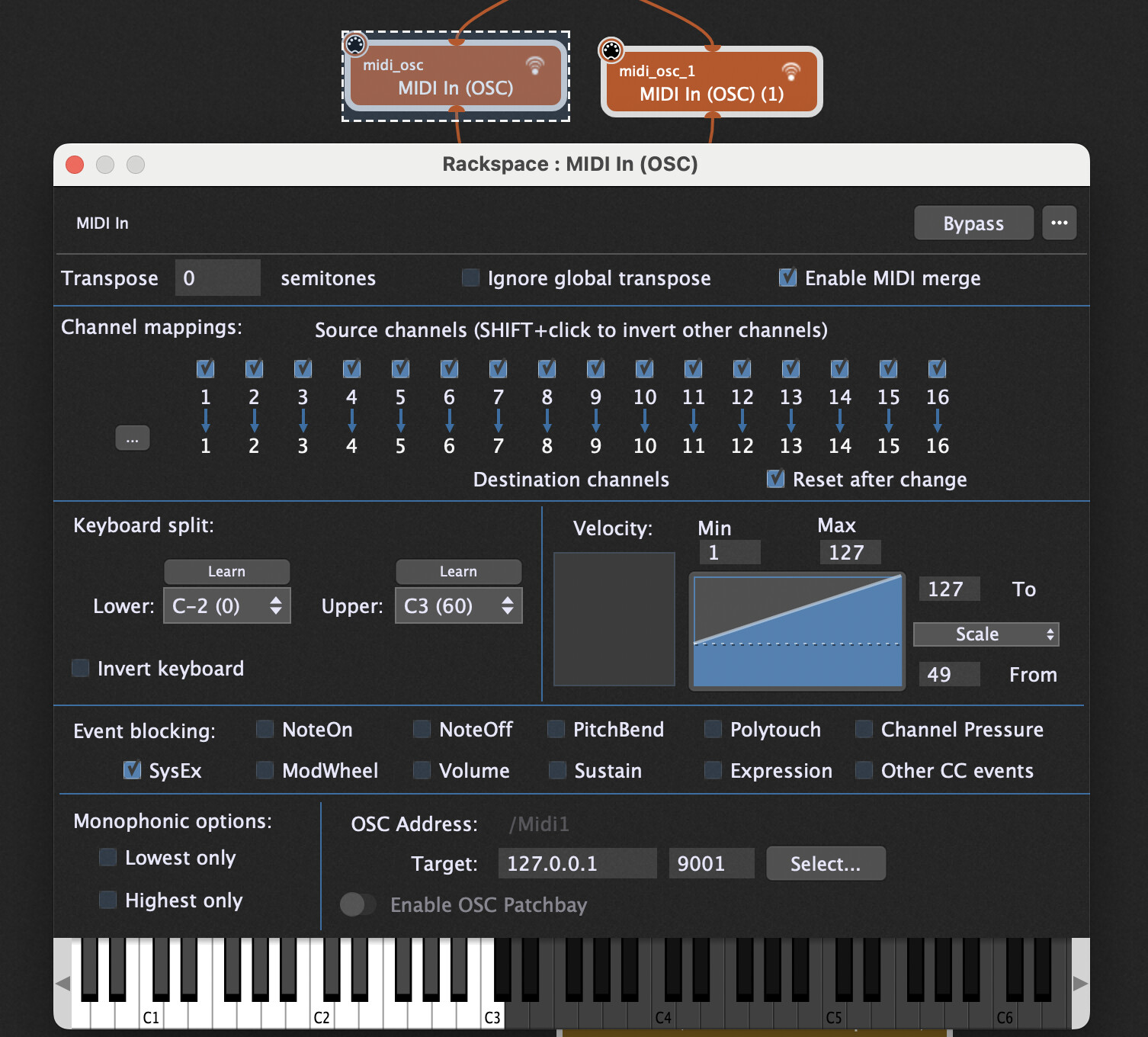
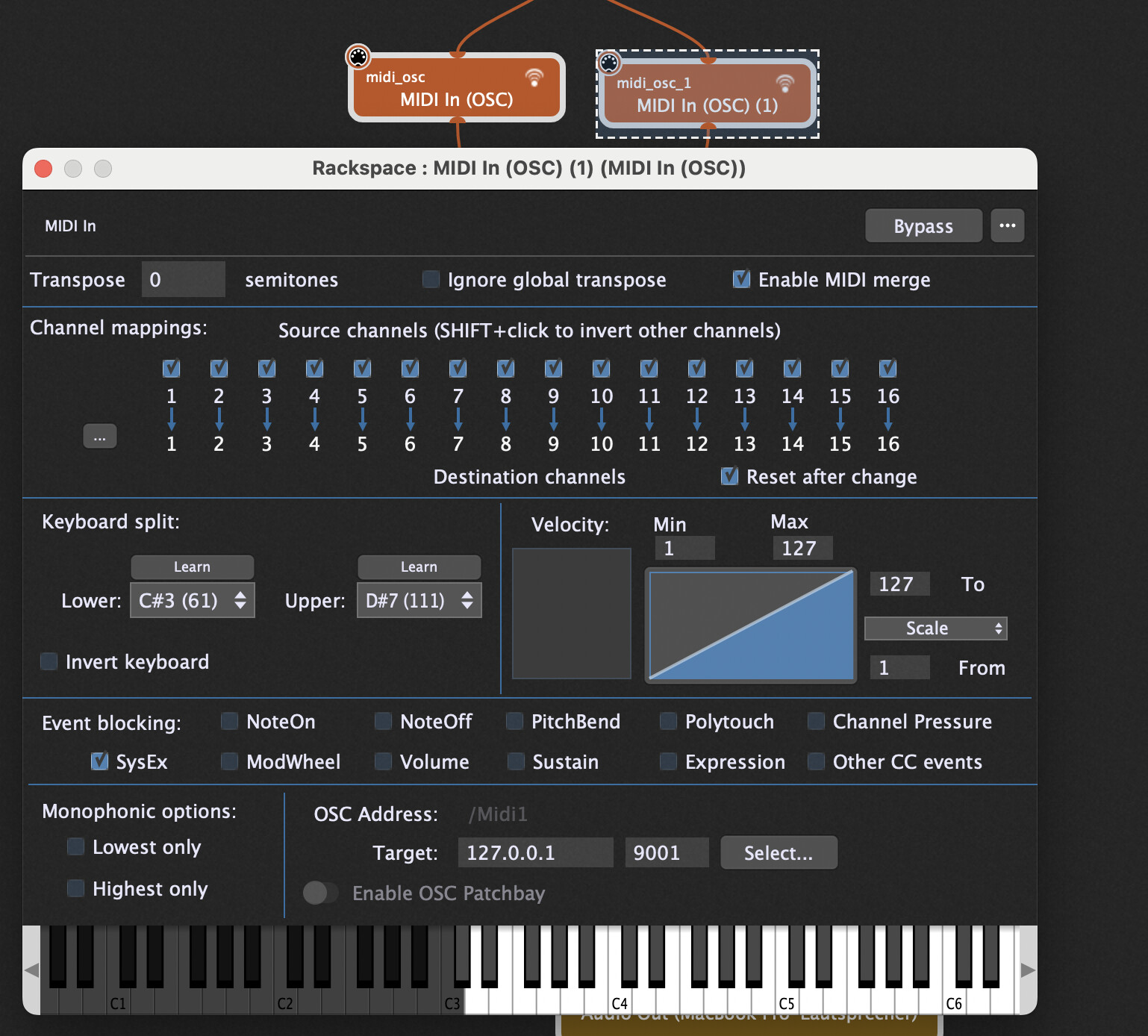
The idea is to enable the “Enable MIDI merge” feature of a MIDI IN block.
So just connect a MIDI OSC MIDI In block, enable MIDI merge and set a scaling curve for the MIDI In Block.
Also the Range is defined for each OSC MIDI In block.
This example shows how to define 2 different scaling curves.
Important: Do not Use MIDI In (OMNI) for the helping MIDI In block as you would get double notes etc, as in general try to avoid MIDI In (OMNI).
I’ll give it a try. Can’t thank you enough!!!
1 Like
I just saw that the Low range needs a much lighter touch than the upper.
Adjust the curves accordingly in the MIDI In OSC plugins.
Another option would be to use multiple MIDI in plugins for the same keyboard with corresponding splits defined and custom velocity curves.
I made something similar before… try this, maybe it’s exactly what you’re looking for:
https://community.gigperformer.com/t/scriptlet-velocity-adjuster-set-4-zones-for-velocity-correction/
1 Like
Ok I guess ideally I was hoping for something that would just smoothly (I guess by note… or two) bring down velocity values from 100% to a lower % as you moved down the keyboard.
But @pianopaul I do understand I can pretty much achieve that with multiple inputs and splits… and probably will be fine with a wider range than just by note or two. I guess it would still be a lot of inputs and splits though and I’m assuming that wouldn’t be particularly taxing or potential for problems? If so should be just what I need, thank you!
@schamass thanks for that! If it works well enough with just 4 zones for me that will be perfect. But I’m not quite understanding if it will work with the velocity returning to “normal” at the edges of each range. So in my case, where each range meets it would be at normal or 100% or I guess whatever it is set to in main setting. And that would mean velocity would actually be going up and down as I moved through ranges?
Doing that directly from the GUI is on our list for a future improvement.
2 Likes
dhj said: “Doing that directly from the GUI is on our list for a future improvement.”
Yeah, I was kind-of hoping for an app that would allow you to Velocity-Curve (or at least offset) input velocities “per note”.
Y’know, Sometimes the unruly note(s) are on your Midi Controller side of things-and sometimes it’s on the instrument plugin’s sample mapping/programming, and that is quite often not addressable from the plugin’s editor.
(I do kind-of, have that functionality in Pianoteq Pro right now- but no other plugins I own, have this ability.)
It would be cool if this modification functionality could be integrated into GP! Also it would be another interesting Selling Point for GP!
Probably won’t be per note - just an easier way to combine a split with a velocity curve so you could more easily define different curves for different areas of the keyboard. I’m not sure we want to be in the business of “repairing” keyboards or buggy plugin mappings.
1 Like