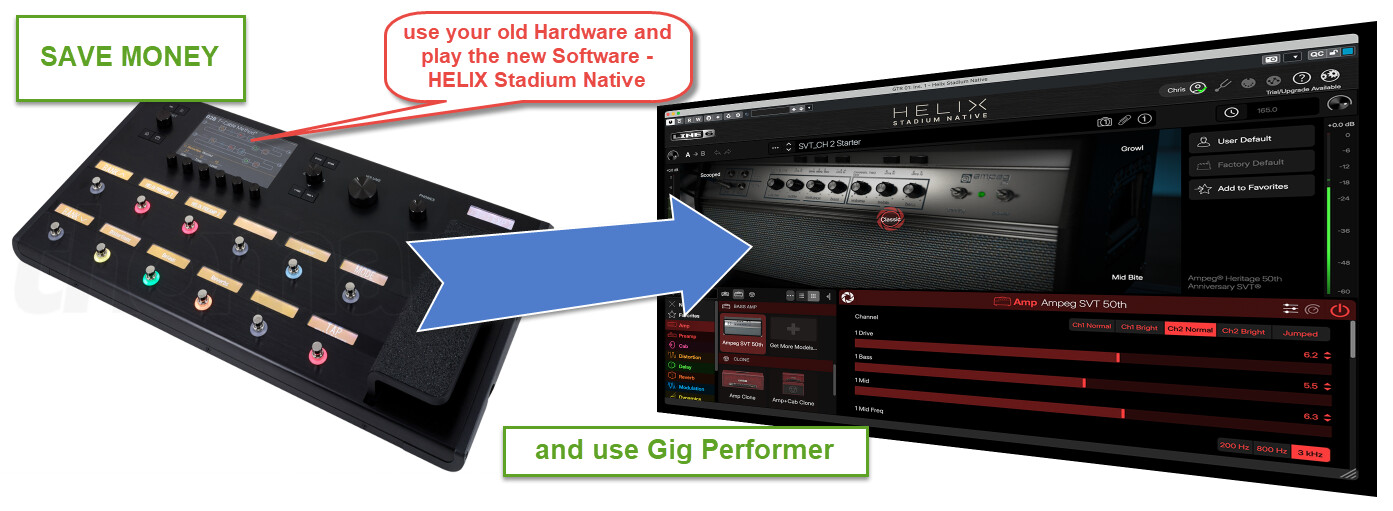
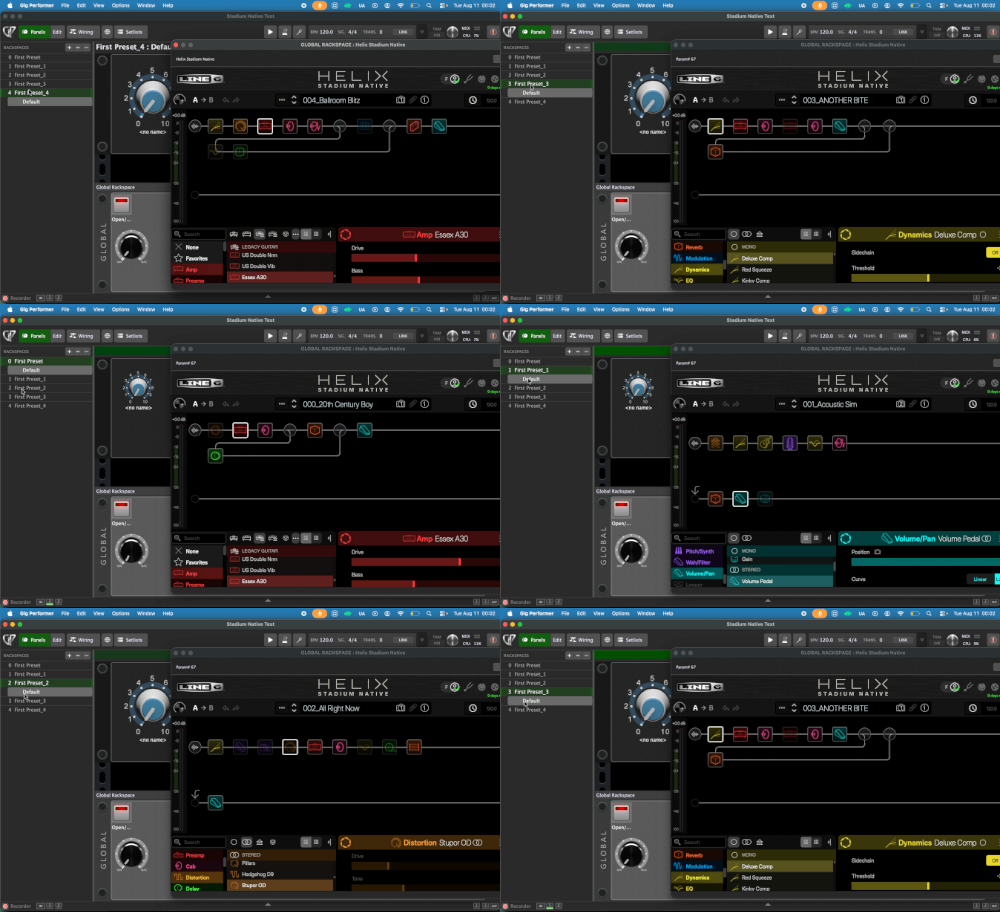
My personal tip - if you don’t want to change your Hardware Helix to Stadium - save money and get HELIX Stadium Native and use it with your old HELIX Hardware … so in my case, I have a Helix Floor + Helix Native and now Stadium!
Use your existing old HELIX and, via Gig Performer, run HELIX Stadium Native (https://line6.com/helix-stadium-native/) and you’ll have a dual-guitar setup… via USB, you’ll get your direct guitar sound into Stadium Native, and if you want, play your lovely classic old HELIX sound at the same time… THIS IS AWESOME!
I don’t have to change my Hardware HELIX and use Stadium!
There is a 15 -day trial for Stadium Native. But also a Helix Stadium Intro License, this is available for free.
I’ve checked out the demo and I’m perplexed that Line 6 removed preset selection via MIDI program changes from the AUv2 – probably AAX too. I had assumed that if Native ever got an update, it would be applied to all plug-in formats. Nice visual upgrade, though.
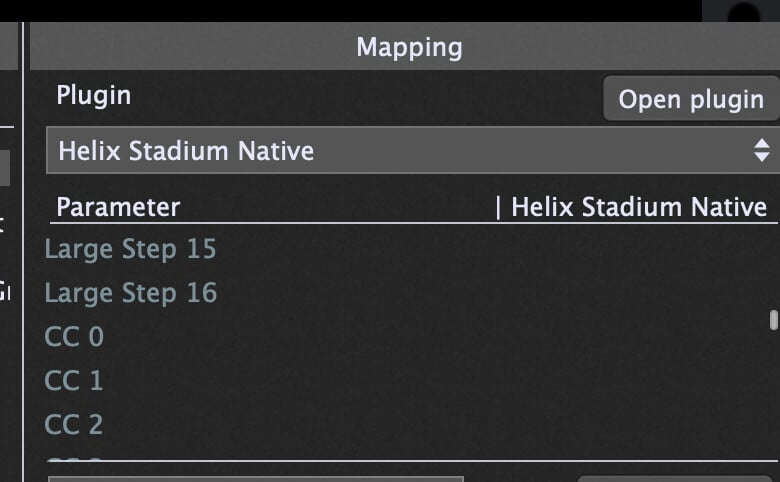
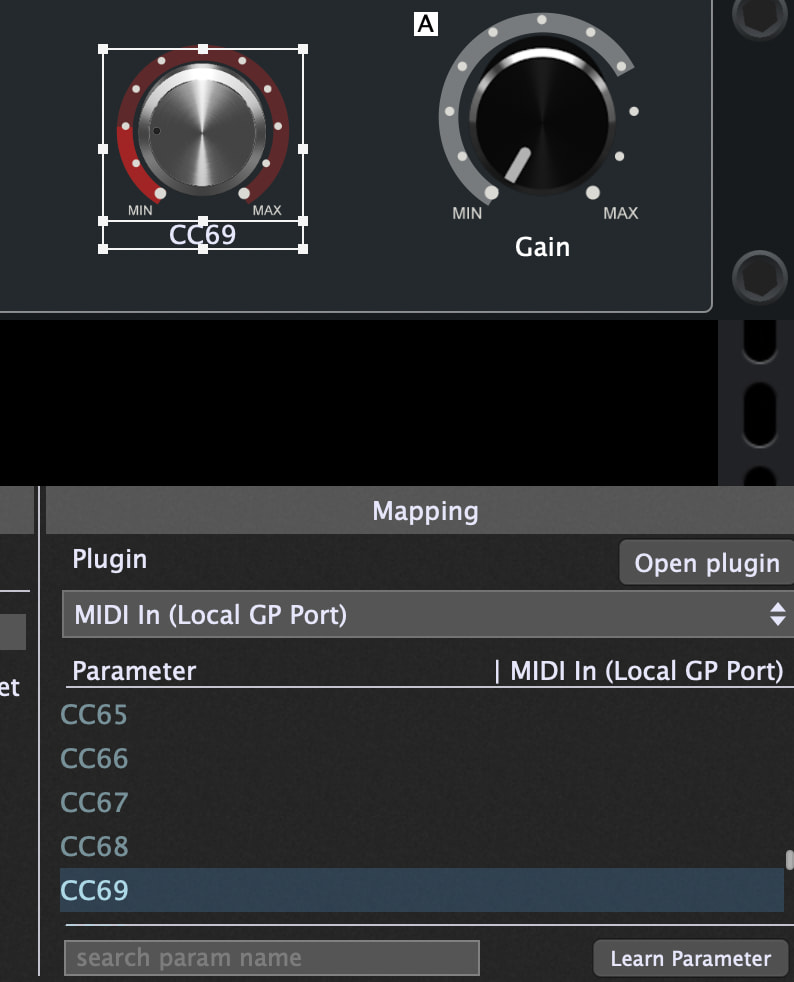
In the AU and VST3 you can send CC commands … ex. for Snapshots CC69 not only on channel 2 I used for the AU a MIDI IN Block to send, and it’s working! Check the Manual.
Yes, the first thing I did was read the manual and then I physically tested the plug-ins to confirm. The Snapshot mechanism is intact (hurrah!), but preset selection via MIDI PC has been axed.
Okay, but I don’t use a preset selector—I prefer to use multiple instances of the plugin.
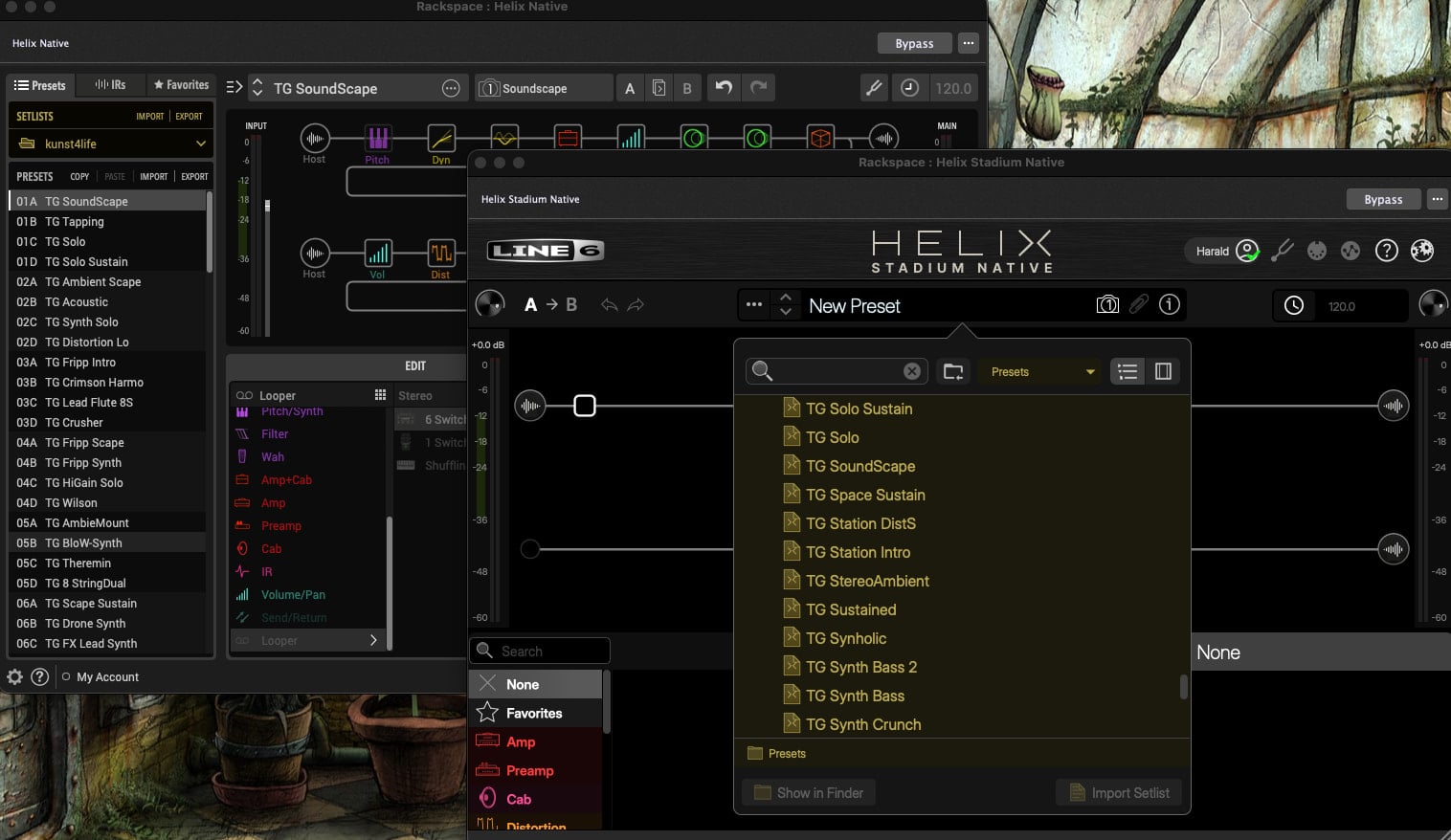
I think this has to do with how presets are handled—in the old HELIX Native, there’s a sorting function labeled 01A, 01B, 01C, 01D, 02A …, whereas in Stadium Native, presets are sorted alphabetically.
Indeed, and besides, it goes against the ethos of “optimal” GP use. But I spent a long time working on GP5/Helix Native integration and this would break a large part of it. It probably doesn’t matter to most GP5 users.
I still have an old HELIX Floor and Helix Native, and I just bought Stadium Native now for €99, but only so I can continue to enjoy the newer software and sounds in the future, since there won’t be any more updates for the old systems. Upgrading the hardware wouldn’t be cost-effective for me, but Stadium works very well for my needs!
I too have the OG Helix and native which work for me quite nicely. The fact that the Stadium native doesn’t support MIDI PC changes, to me that is a step backwards. After the trial ends for the SN, I don’t think I will be buying it… to have to manually click to select a preset is a real letdown when I use GP5 the OG Helix hardware and BandHelper for automation.
Sound wise, I find the new plugin very similar to the old one, with noticeable improvement on the effect section.
OK… I believe I have managed to overcome the MIDI PC preset change lack of. Done a short test using only 4 presets and so far it works for me.
It took me all day (with Gemini), perseverance paid off. Connecting through USB between my android phone and the MacBook, I used BandHelper to send MIDI PC commands to GP5 using my existing setlist. Used the Helix Stadium Native AU version., not sure if it would make any difference using the VST3 or not.
The plugin resides in the global rackspace, which it is ideal for me. How ti works:
Rename the Stadium Native preset with a prefix of “000_” ie: 000_First Preset, 001_Second Preset, and so on
Create and save GP5 User Presets, Open the plugin, select your first preset and click on the tree dots at the top right, then click on Save User Preset, these only need numbers.
After that, you only need to duplicate the local Rackspace as many times as needed and change the widget (Knob) preset number. That’s it.
I don’t really know what I am doing, I am not that clever, but with Gemini and allot of perseverance, it seems that it works great for me. The settings in many sections of GP5 are from my previous Helix Floor setup, that works great using the OG Helix Native.
If people want to try it, I can upload the Gig file which has only 4 Rackspaces for testing, you can adapt it for your purpose but Use it at your own risk.
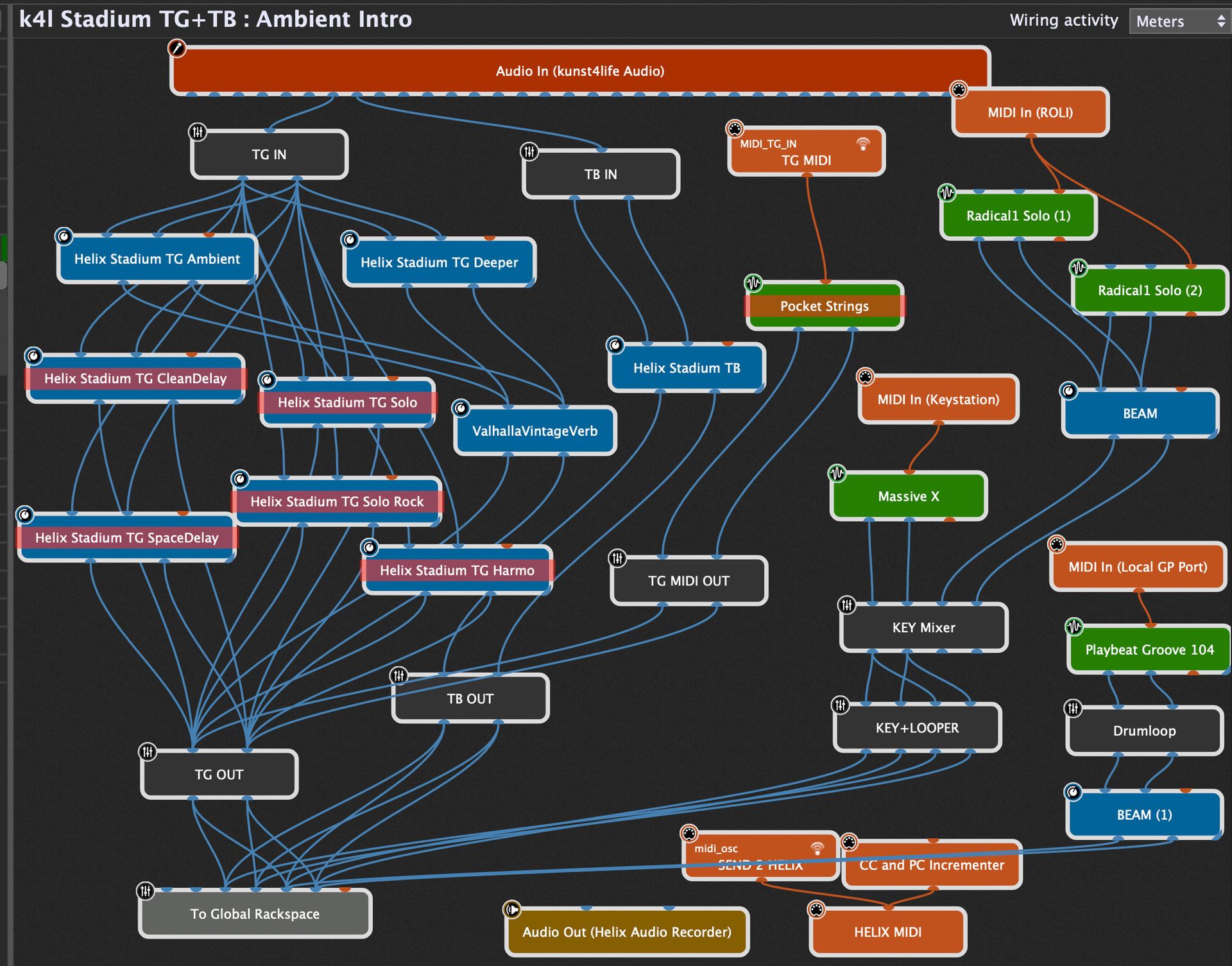
Everyone has his own workflow … I’m using more instances of the Native Plugin - so patchnames etc. are not really a problem and I can use more sounds/FX at the same time …
I don’t really understand what you’re doing there. I couldn’t find a mechanism to use a knob in Global to scroll the GP user presets I created with numeric prefixes. It looks like that’s what you’re doing. Or did you just place an instance of Helix Stadium Native in each rackspace? I’ve been away from regular GP5 use for a while and I’m starting to forget how to use it!
I linked the knob from the Global Rackspace to one on the local Rackspace.
I was just communicating with Gemini and it helped me create the link.
You need to create an Handle name for the Global knob, then in the local rack space create a knob widget and assign that name you gave from the global widget (knob).
Gemini also created a small script that I added to the global script editor.
I think it might be better for me to upload the test Gig file if I am allowed to upload it.
I am not that good creating scripting and often working by trial and error, until I resolve it… …or give up! This time it worked.
There is only one instance of the Stadium Native (AU version) plugin, in the Global Rack space.
Once I created the first local rackspace,
I simply duplicate it as many times as needed, the turn the local knob to select the GP5 User presets I created previously and saved them on my computer.
Turning that local knob it will move the global knob at the same time, selecting the saved user presets.
Then MIDI PC can (if needed) change the SN presets. You must save rename your SN presents with a proceeding number, so, “000_First Song” will be the equivalent of my Helix Floor hardware 01A, “001_Second Song” will be the same as 01B and so on…
If you’re using GP presets to change the Helix presets, then it doesn’t matter what the Helix presets are called. It’s only if it helps you visually to have them with the same prefix.
Technically, a GP Preset is saving/recalling the state of the plugin, not a Helix preset. I would be surprised if you don’t need to resave the GP Preset whenever you update your internal Preset in Helix.
You are right! I don’t need to rename the Stadium Native Presets. I was following Gemini instructions, trusting higher intelligence, or so I thought.
This is what I do now for utilizing Helix Floor structure and still utilizing BandHelper as before without modification to it:
Load Helix Native for presets reference.
Load Stadium Native.
Add a new Local Rackspace, name it like the preset on the hardware (01A Dreadlock Holiday).
Search for that preset of my imported user presets on the Stadium Native and select it.
Save it in GP5 User preset as a three digit number (this matches the Rackspace number).
Rotate the local knob to match the User Preset number I previously saved.
Add 7 more variations to the rackspace. BandHelper will send the MIDI Program Change and the CC 69, 0-7 to change the snapshots in Stadium Native.
Rinse and Repeat.
I just wish Line 6 would have given us a pain free experience in transitioning from HN to SN. Common, Line 6, Please implement MIDI PC Changes on the Stadium Native!
I have created 128 local Rackspaces on the Gig file. Quite a few of them are named after presets from my Helix Floor.
BandHelper will change the Helix Stadium Native presets and Snapshots smoothly.
One thing to bear in mind is that you will need to choose your preset with the Local Rack’s Knob. If you need to add variations simply duplicate the default variation so to have the same amp, You can of course create a new variation and assign it a complete different Preset if you like.
I hope it will work for you.
I have changed the Statdium Native plugin from AU to VST3. This make more sense, as I now have a Windows backup system if needed. The software works the same in both formats.
I have now duplicated My Helix OG Hardware user presets, one Rackspace equal one Preset, so I have 128 local Rackspaces to reflect the USER 1 setlist.
I have assigned EXP 1, 2, 3 and the Toe Switch to GP5 widgets.
Glad I kept the OG Hardware as now I use it as a full MIDI controller for Stadium Native.
So, Bandhelper sends the song preset to Helix HW via Bluetooth, Helix Floor then sends its MIDI commands through USB to GP5.
My guitar is plugged in to the XR18 Mixer, not the Helix. As the GP5 have the same Presets as the hardware, I could simply plug the guitar to the Helix Floor as a backup device if ever needed.
The majority of the local Rackspaces are empty, a few have Midi Guitar 3 on them. Stadium native operates from the global Rackspace.
Running at 128 Samples everything seems very stable. Happy days!
I like to use a wireless dongle and IEMs, it gives me movement freedom if I decide to stand up and as I have mobility issues it is easier to switch the receiver on and off from a sitting position than bending down to reach it at floor level. But yes, one can just use the traditional cable to the Hardware if so desired.