Hi Everybody, just been getting this warning about my RME UCX recently. ( see attached) I have been using the ucx
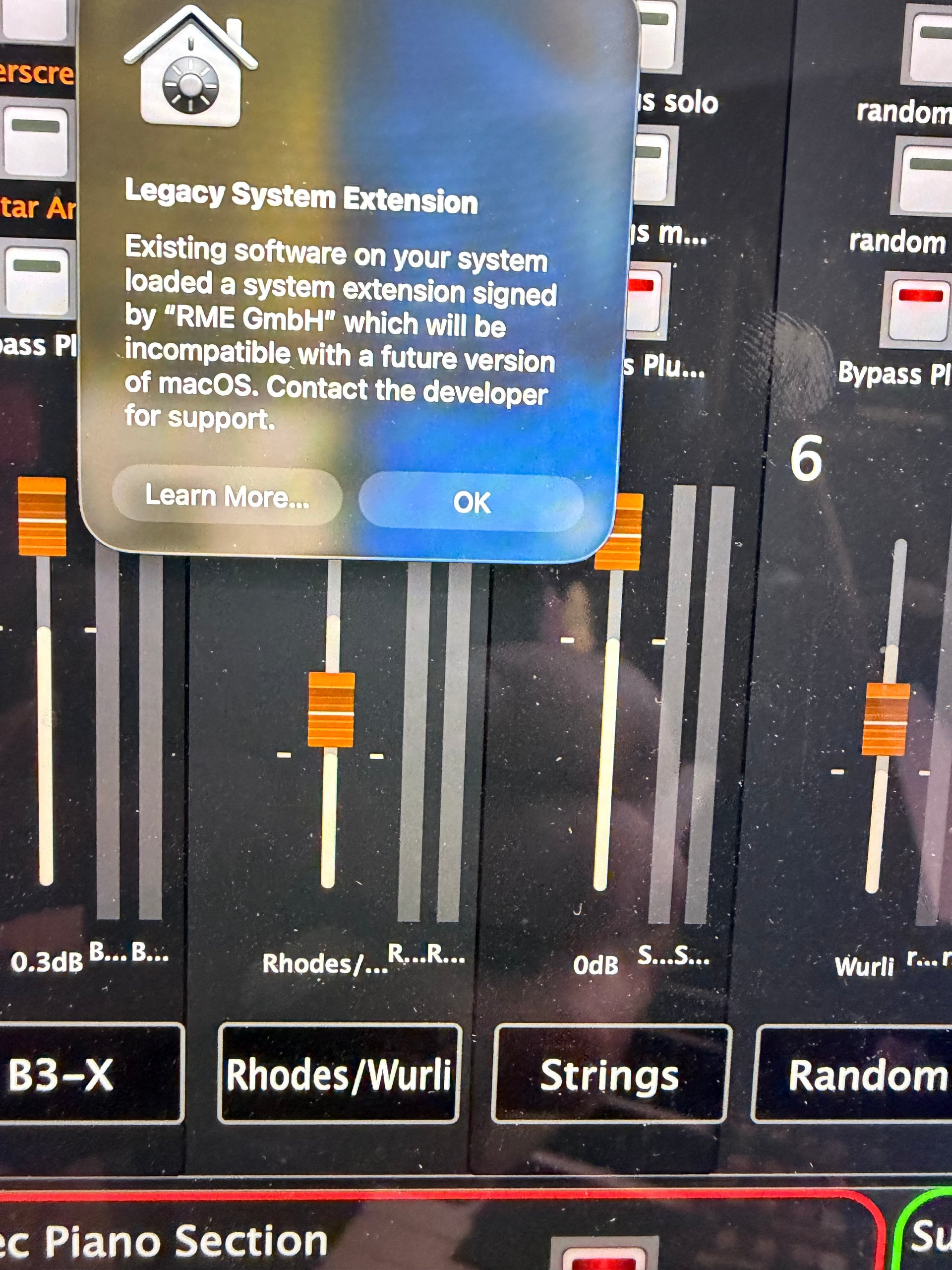
trouble free for many yrs and just want to know if I should be worried.
For the current OSX you are using that is OK
You are using the old RME Apple Kernel Extension drivers - AKA “Legacy System Extension”. In 2019 Apple introduced new security features and RME developed new drivers known as their “DriverKit” drivers for MACOS. The old Kernel Extension drivers still work, and users can still install them (but the process is more difficult), but various forums speculate that at some point Apple may require all third party vendors to comply with the new security requirements. The warning you are receiving is an indication of that.
RME has a great video that explains this, the differences between the two sets of drivers, and why they recommend their users to upgrade to the new DriverKit drivers.
The link to the RME driver software download page is HERE. After selecting your product, OS, Driver or Firmware, you get to the page below (screenshot) where you can select either the new or old driver. NB - latest RME versions were released just a few weeks ago. (The screenshot is for the Fireface UCX USB drivers, what you see will vary by your product selection.)
As has been pointed out extensively in the community, there is always some risk with updating your software. If you are happy with what you have and the way it works, you might as well keep using your existing drivers until forced to change, if that ever happens. But, now you know what the warning you are getting means.
Thank you for that clarification I’ll keep using it for now as is
has anybody been using the new driver kits and are they stable
I have used them and they are working.
But I am on Intel Mac 2018 and face the T1 Chip Bugged USB2 Interfaces (I am using UFX II).
So at rare times I get short glitches.
With the"old" extension and the driver kit - make no difference.
The difference between the two is that the kernel extension drivers operate at the kernel (lowest) level of the OS, but the Driverkit drivers operate in the “User space”. The bigger concern when they were introduced was that they would not be as low latency as the “kext” drivers, but since Sonoma and up, RME says their internal testing shows no practical performance or stability advantage to the old kexts in normal use. Apple’s DriverKit/user‑space approach improves overall OS stability: if the audio driver crashes, it should not take down the kernel, which is one of Apple’s motivations and which RME echos. Although there have been some extreme edge use case issues, for most users on Apple Silicon and current macOS, though, RME now recommend DriverKit as the default choice, especially given Apple’s deprecation of kexts.
