I’m fairly new to GP but absolutely loving it. I notice that when I drag the bottom right of the GUI to resize, it doesn’t just expand the window it also scales everything in the rackspace. Is there a way to lock the size of the rackspace? That way I could make the window bigger and see more of my rack. Currently it has the opposite effect. By the time I’ve made the window as big as my screen my rack is so huge and I can no longer see most of it so I have to scroll. Kind of the opposite of what I need to happen. Am I don’t something wrong here? Thanks.
On your touchpad - squeeze two fingers together to zoom out or spread the two fingers to zoom in.
Thanks, what if I don’t have a touch pad?
Are you referring to the Wiring view or Panels view?
If Wiring view, there are various menu options for zooming the size of the Wiring view window.
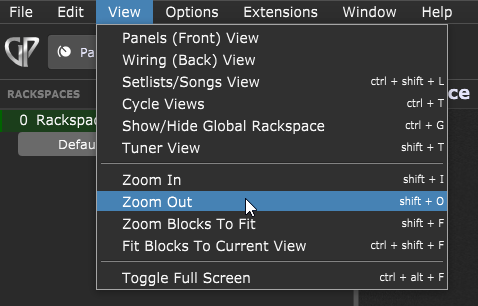
If you’re referring to Panels view, then the displayed widget/panel size is directly related to the size of the main GP window. i.e. when you make the main window larger, the widgets increase in size, when you shrink the window the widgets shrink in size.
Are you on Mac or Windows? On Mac, hold down the “option” key. On Windows, hold down the “ALT” key. At this point a “Zoom” menu will appear in the upper right corner of the Rackspace work area. Keep the key held down while adjusting the zoom.
[blog] How to make various elements of Gig Performer bigger
Some tips that might be helpful.
–
You joined the forum in 2019. 
I believe he said he is talking about the rackspace area. I know what he means because I struggled with this space as well when I first jumped in, and in fact, I still often times find myself trying to zoom in and out like I do with every other windows apps by holding down Control and rolling the mouse wheel. I am quickly reminded that we cannot resize (zoom) the contents within the rackspace to make it all fit.
If find this pretty frustrating especially considering the fact that all the elements within the rack space are resizable, but only when you change the overall window size. I’m trying to get my head around why its been made so that you see less of the rack space as you expand the window rather than more of it. I’m ending up having to keep the window half the size of my screen just so I can see what I’m doing. It would be great if they would allow you to resize the rack space independently from the window like you can do in the wiring view. I love the wiring window and the flexibility of routing and stability is fantastic.
Thanks but that doesn’t happen for me. Nothing appears at the upper right corner of the rack space when I hold down Option.
Could you post a couple of screenshots indicating the problem? I’m now trying to figure out exactly which window you’re looking at.
Cause that option is used in the wiring view, not the panel view
In the first screenshot you can see that I have made the GP window smaller and I can see more of my rack space widgets. In the second screen shot I have made the window fill my screen but as you can see, a lot less of the rackspace is visible, so I’m going to have to scroll a lot to see all my rack space.
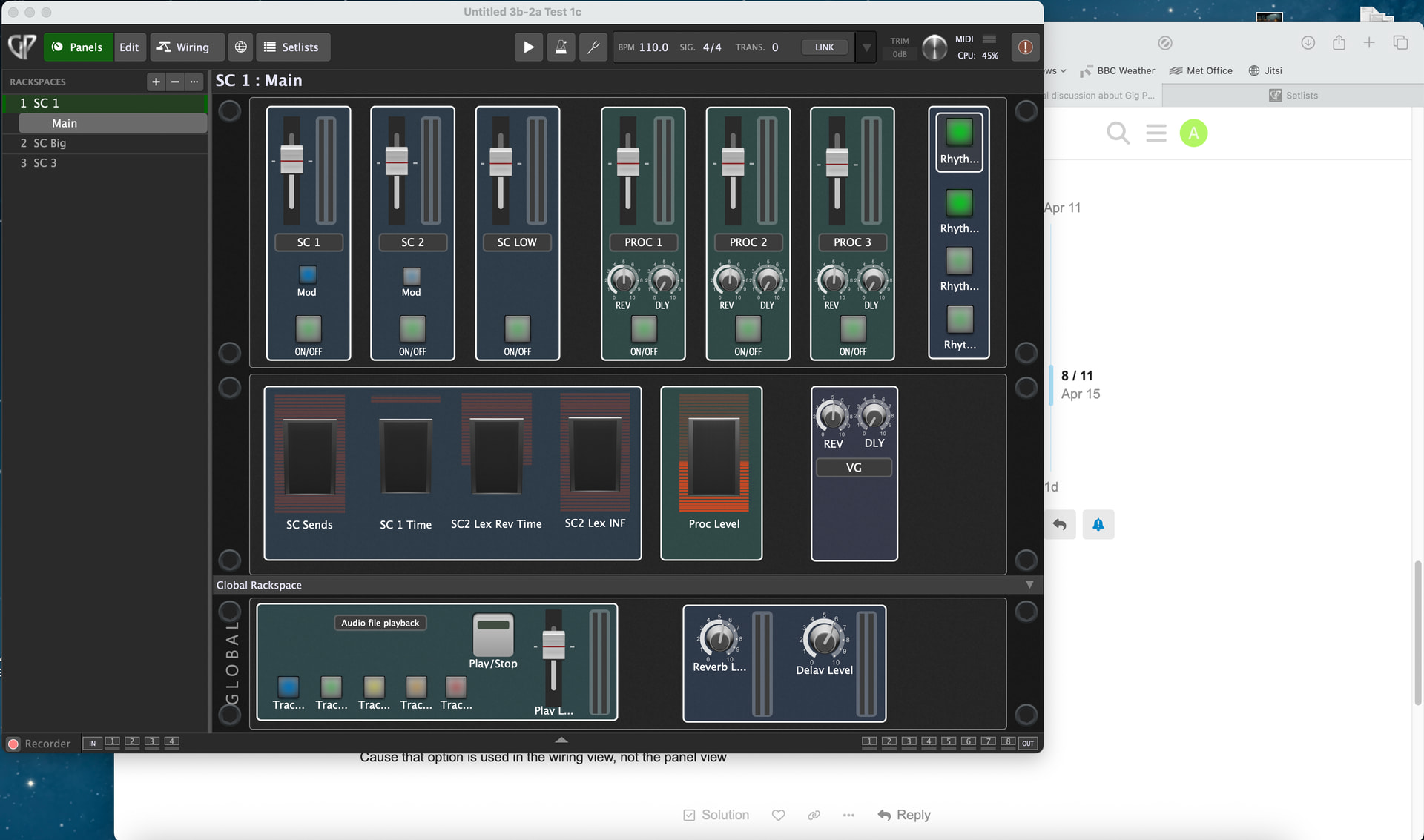
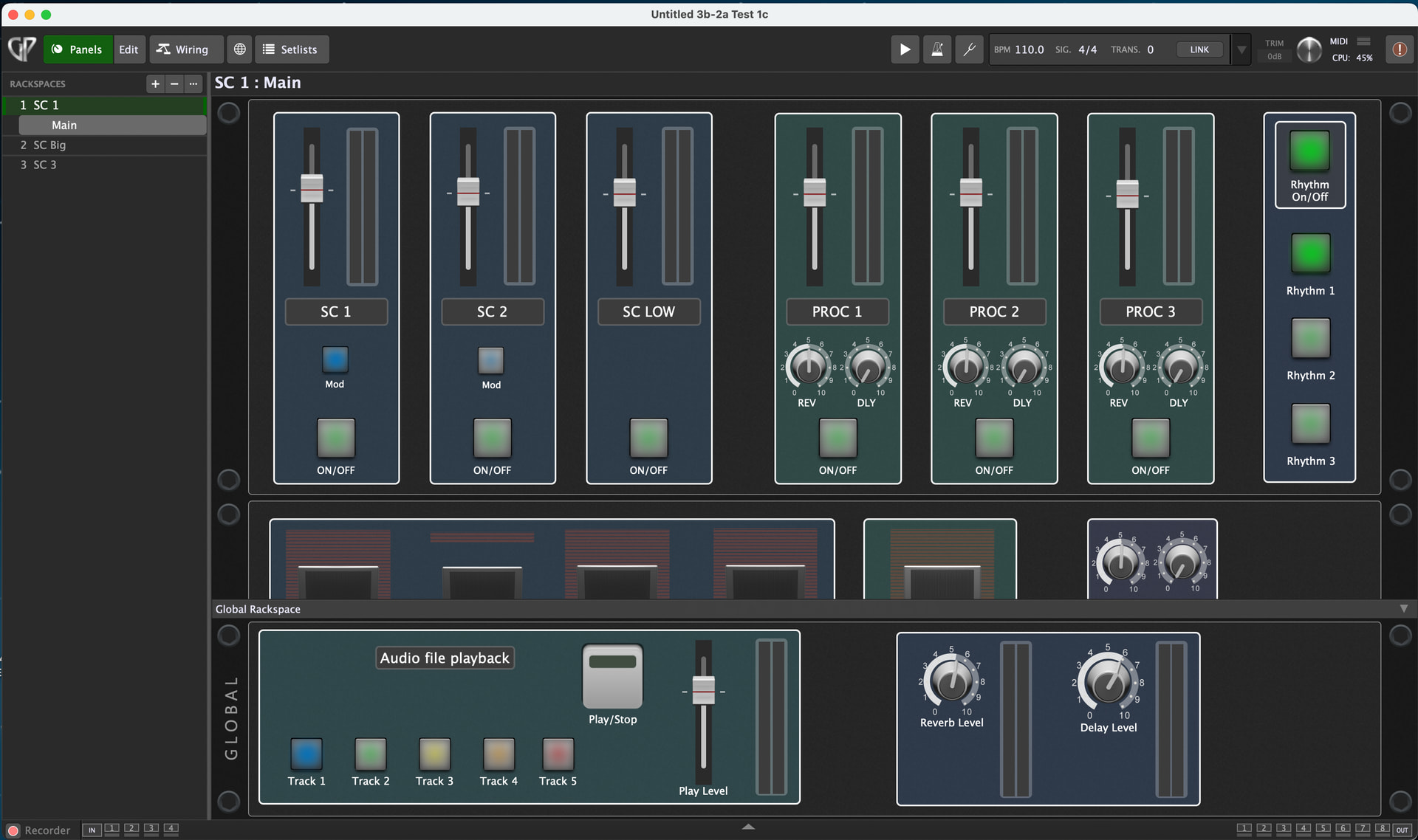
Right, you’re talking about the panels in Panel view.
As I mentioned above, the displayed widget/panel size is directly related to the size of the main GP window.
The oddity is in how the panels behave when you extend the window horizontally, but I assume the resizing is done in order to preserve widget/panel layouts. Since there is no horizontal scrolling of the panels, they have to be resized as you change the size of the main GP window in order to guarantee no widgets could be ‘hidden’ outside a scrollable area.
Adding horizontal scrolling of the panels would allow for the type of view you are looking for since the panels/widgets wouldn’t have to be resized as the main GP window changed in size, but that would be a new feature request. Not a bad idea.
What would be great would be a preference which simply separated the widget sizes from the window size and the same zoom function the wrring view has. That way people with big setups like me (even the first screenshot only shows half my setup) could zoom out to see all their widgets at a glance. That would be so much easier than try to scroll while I’m playing.  How do you make a feature request?
This is the category for Feature Requests.
https://community.gigperformer.com/c/feature-requests/18
Thanks but it looks like either that url is not longer active or it’s an area I don’t have access rights to.
That area is available for users that have been active for a longer time. Discourse does that automatically.