Is there a way to simply replace an already marked up MP3 file in the Media Streamer?
If not, can you please add it as a feature request? (or point me to where I can make feature requests)
Scenario: I will mix up my tracks in my DAW and then export it to an MP3 file where I then put it in Media Streamer and add markers and such.
Many times, when I listen to the final mix of me playing and singing along with it in GP, I say to myself, “I should increase the harmony vocals a tad, or lower the snare”, or whatever, and I go back into my DAW, make those changes and do another export.
I have not been able to figure out how to swap out the media files in Media Streamer and keep the markers and such intact.
Ohhhh, so GP doesn’t package up the song files and store them into a GP folder/file? Are you saying the original location of the MP3 files is where GP points to?
I never knew that. Glad I asked because sometimes I move my MP3’s around or free up space on my laptop. Here I thought once I dragged them in, they were a copy of the originals, packaged up into the save or something.
Glad you guys are working to improve Media Streamer. While I love it and find value in it, I wish it didn’t feel so disconnected from other aspects of GP. In other words, I wish it would be a part of the setlist songs, where when I select a song in the setlist, it loads that MP3 and it load the lyrics/chords, and it is all bundled within that song for easy saving and retrieval.
But maybe I’ll someday find the reasons and better appreciate why you guys made it the way you did. I just haven’t discovered that yet, being a noob and all
God no - audio files can be huge - GP supports regular uncompressed wav/aif files as well so a 3 minutes wave audio file at 44.1k is almost 16Mb - we’re not going to mess with them - we just store references to the location.
And that’s a perfect example for why we don’t do any packaging!
First of all, you don’t load MP3 (or other files) on the fly – the goal is to have everything preloaded so as to reduce the risk of a problem with the file system during your show.
So put the streaming file player in the global rackspace. Add all of your MP3s to it. Then use a song part action to select a specific MP3 track.
Because everybody wants to do it differently so for the most part we’re providing the tools in the most flexible way possible.
Hey, thanks you for your responses - very helpful.
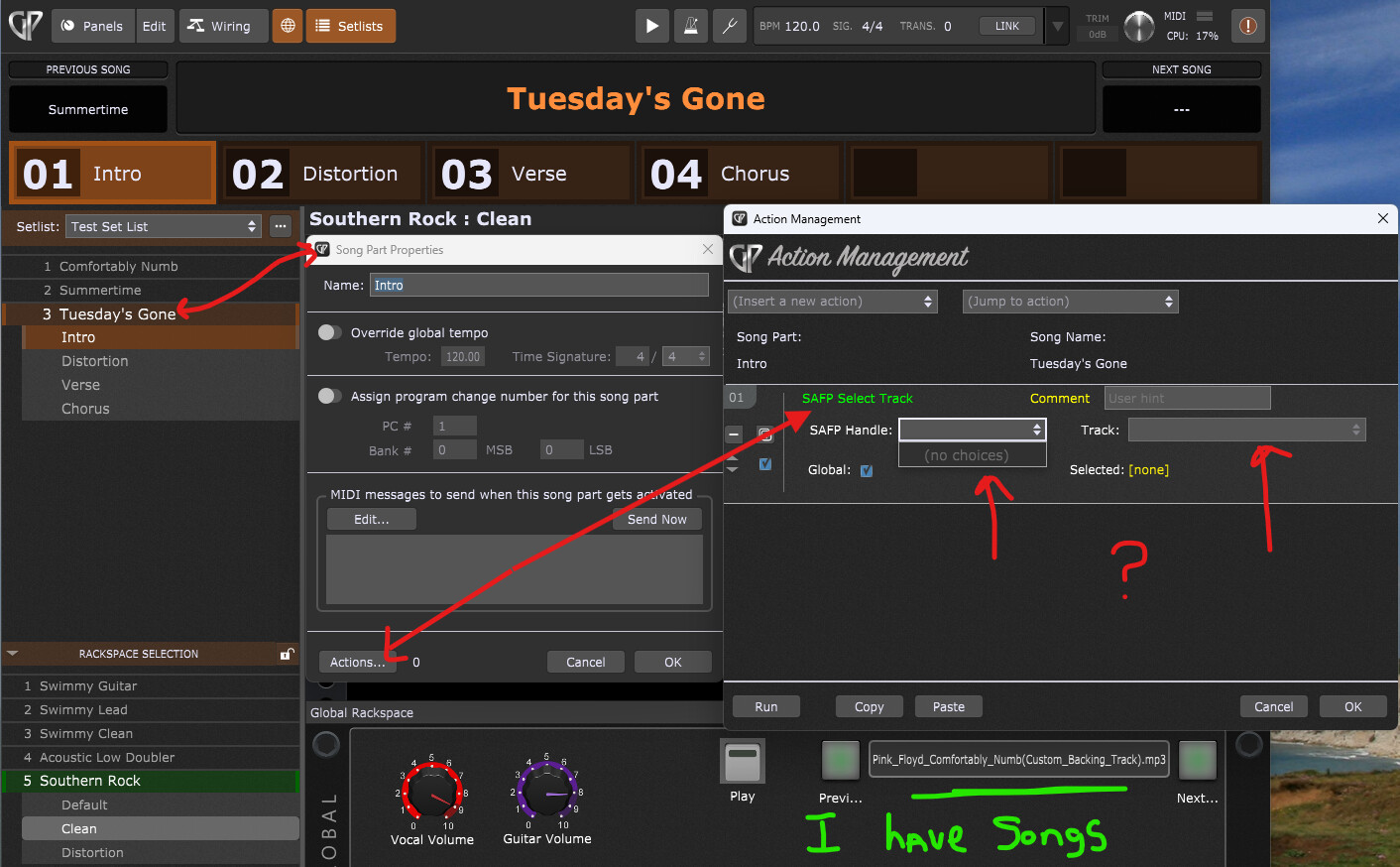
I do have a question on this process - From a setlist song, I’ve been trying to create an action to select the song located in the global media streamer, but I can’t seem to get it working. Nothing is showing in the pulldown. Am I using this incorrectly?
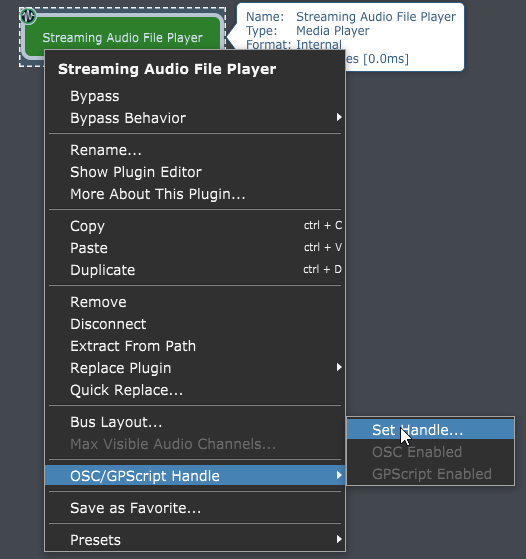
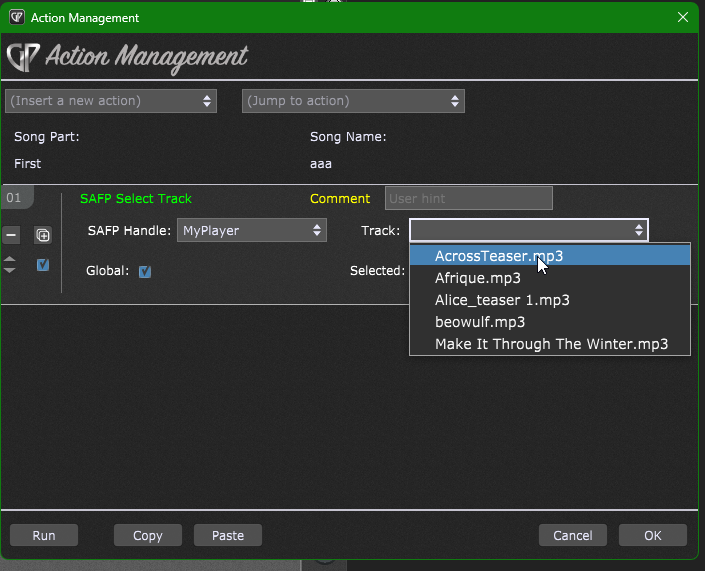
You have to give your Streaming Audio File Player a handle. Then that handle will show in the SAFP Handle field of the action menu and your track list will then be listed in the Track field.