Helix Native 3.8.2 (tested both VST3 and AU versions)
I have three buttons mapped bidirectionally to Helix Native parameters 16, 17, and 18 (labeled “Switch 1”, “Switch 2”, and “Switch 3” - these are FX on/off switches). In Helix Native, I have 3 FX blocks mapped to these parameters, and those FX states are automated using snapshots.
What works:
Clicking buttons updates Helix Native pedal states
Clicking pedals in Helix Native updates button states
Manual parameter changes sync perfectly in both directions
Changing presets in Helix Native properly updates the button states
What doesn’t work:
When I change Helix Native snapshots (parameter 36), the FX pedal states change inside the plugin, but the mapped buttons don’t update to reflect the new states
What I’ve tried:
Listening for parameter 36 changes and attempting to refresh buttons via script
Polling parameters 16, 17, 18 (Switch 1, 2, 3) with GetParameter() (always returns 0.0, even when pedals are on)
Adding timer delays to account for processing lag
Tested both VST3 and AU versions with identical results
Concerning behavior with “Refresh Widgets from Plugin” button: When I click the “Refresh Widgets from Plugin” button in the plugin editor, it does the exact opposite of what the name suggests - it sends the current widget states TO the plugin rather than updating the widgets FROM the plugin. This seems like either a bug or the button is misnamed. Why would a button called “Refresh Widgets from Plugin” overwrite the plugin’s actual parameter values with stale widget states?
I see similar behavior with snapshot changes in Ableton Live (switch states don’t update when snapshots change), but Ableton doesn’t have a “Refresh from Plugin” capability. That’s exactly what I would have expected to fix this issue in Gig Performer, but it appears to do the opposite.
The core issue: Helix Native doesn’t seem to fire parameter change events when snapshots change FX states internally, and GetParameter() doesn’t appear to read the actual plugin parameter values independent of widget values. Oddly, preset changes work fine.
Is there a way to force buttons to resync with their mapped plugin parameters, or read actual plugin parameter values from script? Or is this a Helix Native limitation I need to report to Line 6?
I can’t upload my files to share as I am a new user but I have included some links to a video showing the issue and my gig file.
Tried both and it did not change the behavior. Thank you for this though. I am still not clear what this does vs hitting the same “refresh widgets” in the plugin menu but I appreciate the insight.
Thank you PianoPaul. I have seen this article but from what am seeing it is not behaving as described. I say this because when I doe the manual refresh it pushes the widget state to the plugin, not the other way around.
It’s possible that the plugin is not reporting the correct values to GP. Once the values are pushed to GP, the widgets are adjusted accordingly—which in turn is then sending those ‘new’ values back to the plugin, thereby changing the values inside the plugin.
Any thoughts how I could test that theory or kind of “force” gp to repoll the plugin’s fx on/off state after a snapshot change. I’m not oppossed to working on the scripting. I was working on this w/ an ai tool last night but I don’t fully understand gp scripting language yet so it was like I was poking in the dark.
Both of these statements seem to confirm it’s an issue with the plugin.
All GP can do is interact with the plugin API, and your test with the script function GetParameter is proving that the plugin API is returning the wrong value.
In saying that, there are a number of users in this forum who use Helix Native, and a number of discussions and shared gig files that successfully use snapshots.
FWIW I get this same issue on my system (Intel Mac, macOS Ventura).
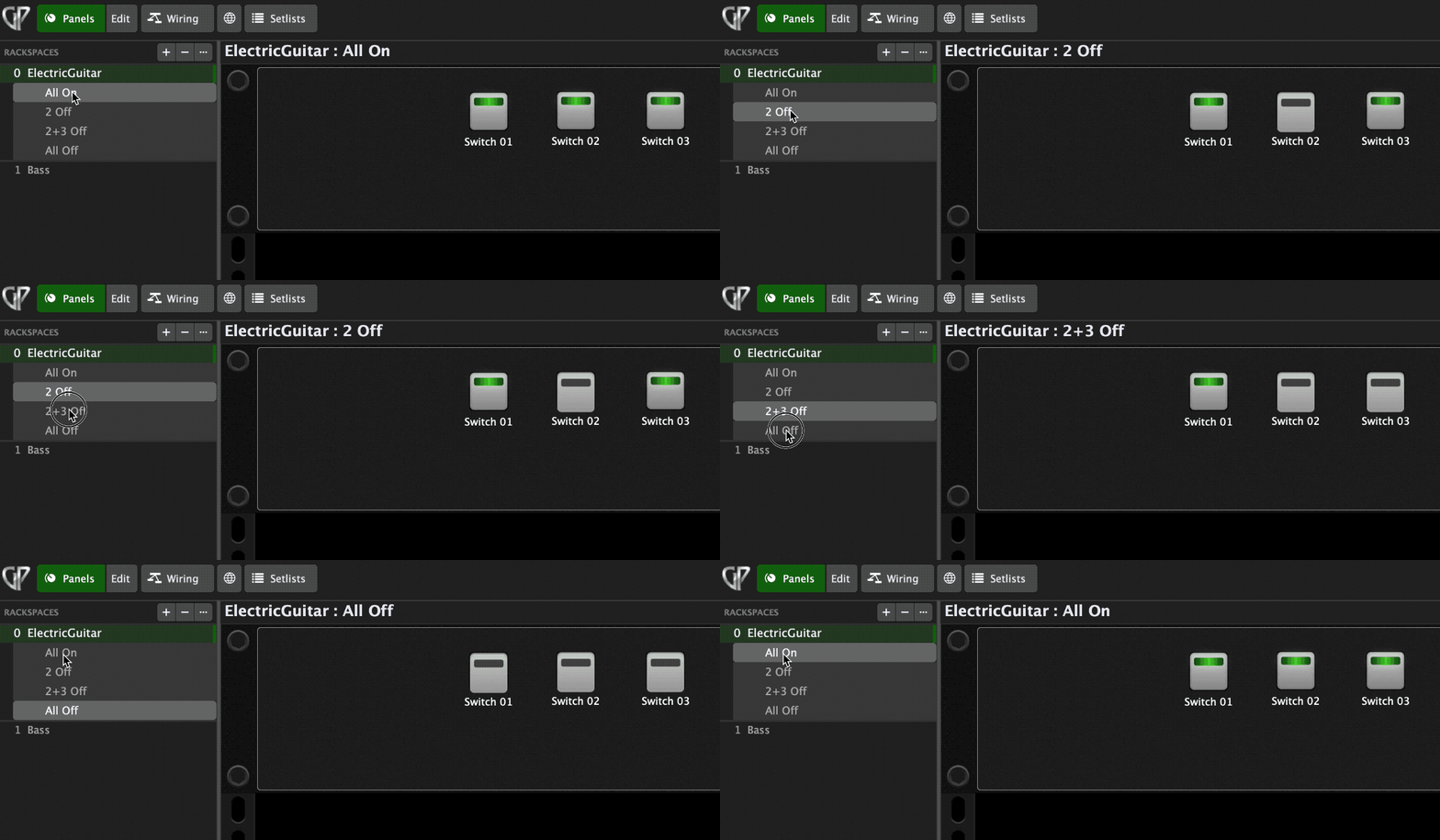
As an alternative, also consider that the Helix snapshot concept can be replicated by creating different variations that do your different combinations of on/off:
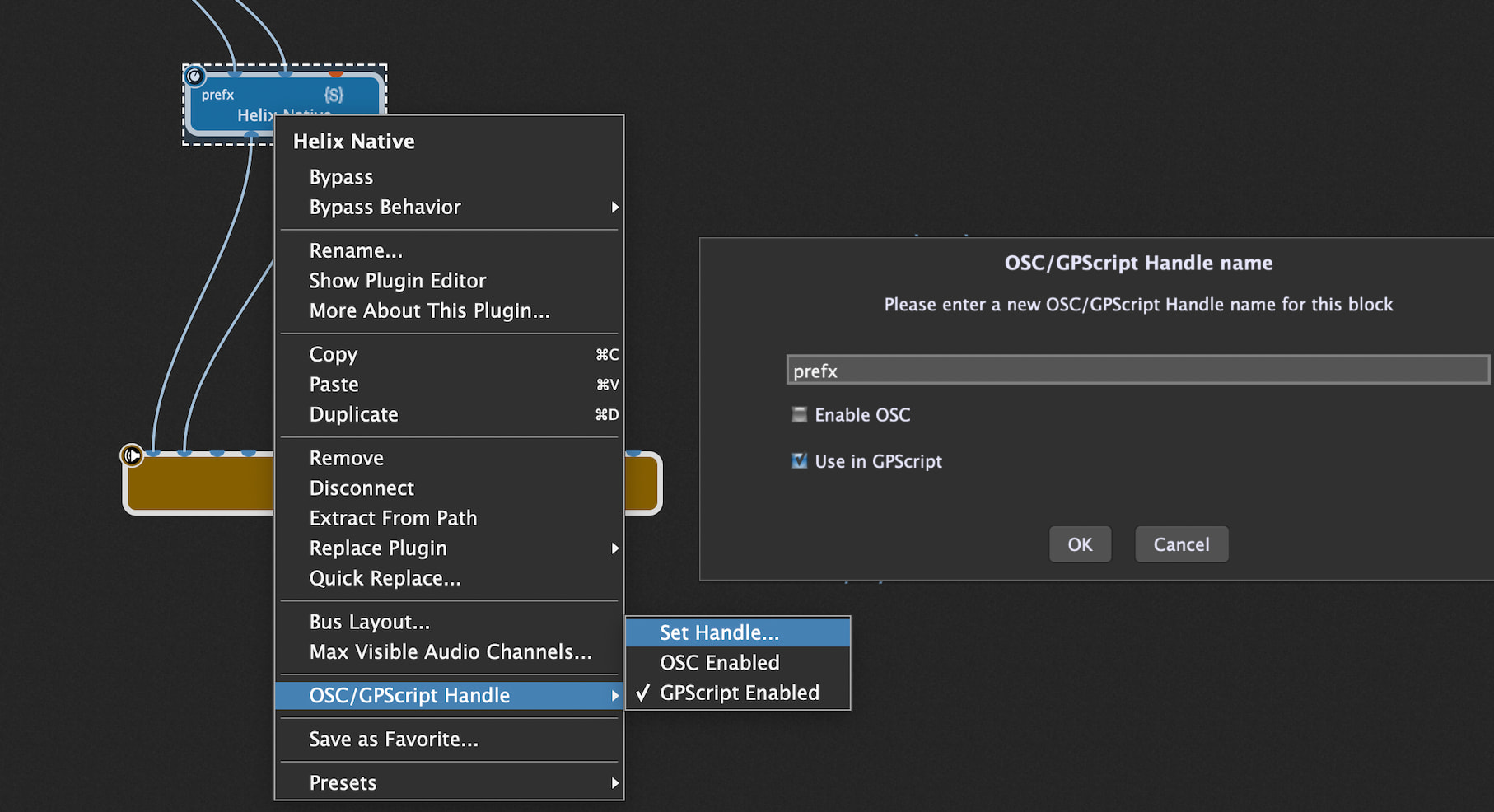
Also, not sure if you’re just starting out with GP and scripting, but your rackspace script was not functioning because you hadn’t added a ‘handle’ for the Helix plugin:
Yeah the script handles and scripting there is some leftovers from playing around with some other things to make snapshots work. You are correct they aren’t relevant to the test files I submitted.
I agree in that it seems like an issue w/ the plugin. Its just weird that this seems to be the only time the plugin doesn’t broadcast those values and I had hoped the “refresh” button would do the trick. Then it did the opposite which made me scratch my head. Playing around with scripting I was trying to do some delayed polling of the parameters (700ms after adjusting a snapshot) and that didn’t even really do the trick. Really odd.
I have essentially decided to do what you suggested. Abandon snapshots and move to variations. The downside to this is in helix native you can automate up to 64 parameters with a snapshot. However variations I’m a bit more limited in that I can only assign widgets to 16 switches & 16 knobs. (It goes back to 64 if I used widgets to midi into native but then I lose bidirectional sync of the widget) Its not awful I was just trying to configure this in a way where I would have to use as few instances of helix as possible (making load times shorter & making my presets more “portable”).
In the end my rigs are not that complicated to warrant this much work and I should probably just play the guitar. I’m not skilled enough for this much rig as it is . I appreciate the assistance from the community.
If ever you needed more than 16 knobs and switches, you could also have another instance of Native that you connect in series, and have the additional fx in that second instance.
It’s been a while since I tried Helix Native, but to me it seemed like a typical guitar all-in-one plugin like Th-U, Amplitube, Guitar Rig, etc. They tend to be quick to load and light on resource utilization, so I suggest assuming multiple instances is not a problem until it becomes a problem.
I have more that 50 instances of Th-U in my guitar rig and the loading time is about a minute.
It’s pretty common for people to obsess over minimizing how many instances of a plugin they have in their gigfile. Most of the time it’s a misguided concern. Unless the plugin is 1) loaded with a lot of samples that take a lot of ram and a lot of time to load, or 2) they are CPU hogs because of how they are coded, it’s generally not worth working hard to design around imagined resource limitations.
In my “baseline” guitar rackspace (that I copy as the basis for other rackspaces) I have two completely parallel soundchains, and each one has three separate instances of TH-U. I generally use different instances for the input fx, the amp sims, and the cabinet sims.
I never use the snapshot or preset functions in Th-U. I’d rather let my ram and CPU do what they’re there for than expend a lot of my own effort so they can lounge around.
So I’ve essentially found my work around for this so it isn’t by any means a show stopper but I would like to understand a bit more what’s happening under the hood (I have a very strong technical background in IT & scripting & some light dev work). When we do the “refreshwidgetfromplugin” in script or in the UI what is actually happening? Reason I ask. To add to the above scenarios which are still all true, if I were to take change a snapshot then assign a widget to a parameter that has never been assigned before. It is able to recall status of that parameter fine. Knowing this I even was working through the scripting language to remap plugin parameters on button press to see if I could “trick” it into working.
When you map a new widget to a parameter is there something “special” on how it recalls parameter data from the plugin? If the answer is no then why does this work?
Once again my questions are coming from a “wanting to learn more” perspective.
Finally, there seem to be some things I can do within the plugin that gets it to jumpstart/broadcast all its parameters. (Recalling a preset) They seem to only function via mouse click interaction with the plugin. Are there any function in GP script that work like a macro/recorded action where I can simulate keystrokes or mouse clicks into a plugin UI?
I can’t speak to this specific problem with Helix Native, but…
Plugins are supposed to report parameter changes to the host through the API. That API might be VST2, VST3, or AU. Sometimes programmers make mistakes and sometimes as a result the parameters don’t get reported.
You can ask a plugin to report a specific parameter value, and usually it does, but sometimes it reports it incorrectly because of a coding problem in the plugin. Again, this is an error in the plugin. You can also ask it to report all parameter values, and again, in this case you mentioned it sounds like Helix is reporting them incorrectly after a snapshot change.
What you described sounds like coding errors in Helix Native. You could mention the problem to Line 6 and perhaps they would fix it.
My guess is Helix has some kind of “buffer” between the storing of parameters that effect the sounds (which would be important to the real time audio processing thread) and what data is exchanged through the API. We could call these the “audio thread” (real time) and the “messaging thread” (non-real time, no particular hurry). When you trigger a snapshot it sounds like Helix is instantly updating the parameters accessed by the audio thread (because you want the sound to change instantly) but not it’s not triggering the “messaging” thread (for lack of a better description) that communicates that to the API.
The weird thing is that even when you query Helix through the API it’s reporting back the old value (before the snapshot change), which is why I say there’s probably some kind of buffered state that’s not getting updated until you touch the parameter in the Helix GUI with a mouse click.
Not that I’m aware of, and not sure how well that would work.
I appreciate the links and the insight. Using some of the print commands I can see that very issues. Its reporting back the wrong parameter post snapshot change. I am 100% agreement that this is a plugin thing not a gig performer thing and in no way am I faulting GP. I’m using this as an oppty to learn and just dig in deeper. I’m also checking out bome midi trans to simulate a mouse click or two to kind of force it to publish the right parameter value. Once again I’ve got my work around and this isn’t really critical. I’m just playing around now and trying to see what I can and cannot make it do.

 . I appreciate the assistance from the community.