I’ve been struggling to get this to work - despite watching a few videos - so could benefit from some advice please.
I wish to play a synth-plugin based Rackspace from my MIDI keyboard as normal, and for the MIDI I generate and the resulting Audio that GP generates, to be recorded into Ableton Live (to a MIDI track and an Audio track respectively).
If someone could summarise the required configuration to do this, I would appreciate it. I know my way around GP and Ableton, but obviously not Relayer just yet.
I did try that but failed at the first step. ‘Audio In’ is not used in any of my rackspaces as I am using MIDI only. In my case, should the Relayer be connected to the outputs from my plugins (e.g. via an Audio Mixer, which is what is normally fed to my ‘Audio Out’)?
I’m wondering if that article is more for a guitarist?
Also, do you need separate Relayer ‘send’ plugin instances to send MIDI and Audio (i.e. one for sending the MIDI and another for sending the Audio, set to different Relay values?)
I am lost:
Do you want to record the audio generated by the plugins in Gig Performer into Ableton Live?
Or do you want to record MIDI through Gig Performer in Ableton Live?
I want to record (in Ableton) both a) the MIDI I play on my keyboard, and b) the resulting audio (generated by the plugins in GP). This is so that I can edit the MIDI after I’ve recorded it (quantising etc). Ideally the MIDI will be in one Ableton track, and the resulting audio in another. In this way I will be able to send the entire Ableton project (with the audio) to a friend who does not have Gig Performer, or the plugins I used to generate the recording. The MIDI won’t be much use to him (only me) but the audio will be. I guess I’m wanting to regard GP as just a single MIDI plugin (like e.g. Keyscape) in my DAW (if possible).
The problem you will have is that MIDI is received/routed/handled differently in DAWs, specifically in channel strip systems. In GP of course, a plugin block that produces both audio and MIDI has separate pins so you can easily route audio and MIDI to different places. Channel strip models don’t easily (if at all) let you do that so you need to use multiple plugins (one for MIDI and one for audio) and insert them in the appropriate places.
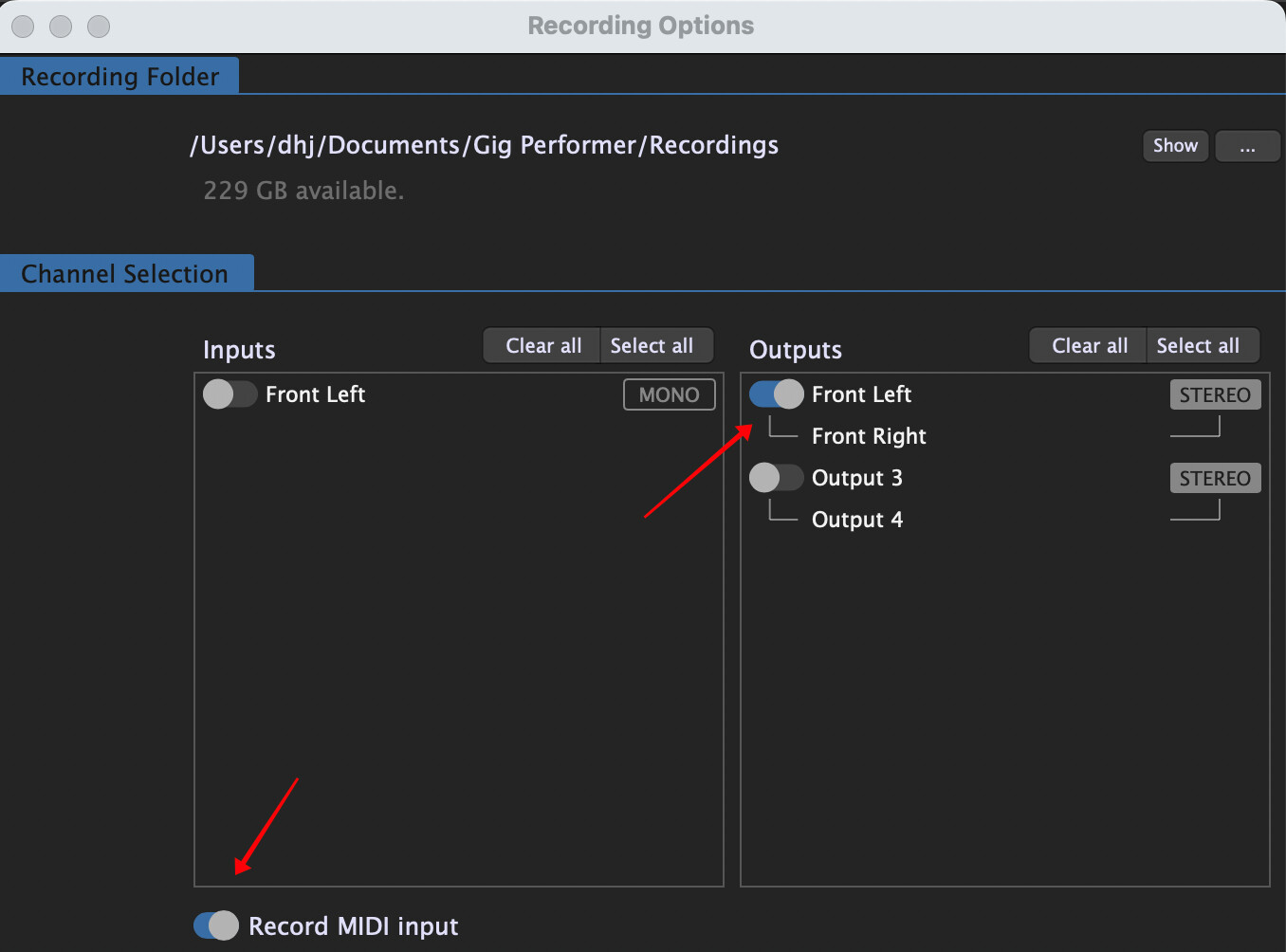
Why don’t you just record the the output of Gig Performer to wavefiles and record also the MIDI data (for yourself) and then drop the audio wave files into Ableton
Thanks @dhj That does sound a lot simpler to setup.
One last question, is it possible to get GP to start that wavefile recording automatically (i.e. the moment a midi note message is received), or do you have to manually start the recording and then hit play on the DAW? Just trying to avoid any cropping/editing of the wavefile (unless necessary).
Although I now know how to record my MIDI input within Ableton Live, and push this to GP to trigger sound (which I then record in GP to a Wav file in real time)…
…it seems that the Relayer plugin cannot be attached to an input of the existing MIDI In blocks (as they don’t have an ‘In’).
This means that the Relayer (which is bringing in the external MIDI) has to be connected directly to the MIDI plugins in my Rackspace.
That’s an issue for me as I will lose all the config that I’ve added to the MIDI In blocks, such as keysplit filtering, velocity filtering, and transposition. Whilst I’ve worked out how to re-create the latter using a Transpose block, the first two aren’t obvious to me.
I just want to record simple MIDI in Ableton, and for that MIDI to trigger my Rackspace as if I were playing my MIDI keyboard in realtime. However, it seems like that’s not currently possible - only part of the Rackspace can involved in that concept.
Actually - they can, as you can enable a MIDI Merge input port for MIDI In blocks - but you shouldn’t do it that way. A GP Relayer plugin should be viewed the same way as any MIDI In block - it’s a source of MIDI messages and should be connected directly to synth plugins
So where would you suggest the keysplit filtering, velocity filtering, and transposition (currently in the MIDI In block) should live (as it isn’t available in the Relayer plugin)?