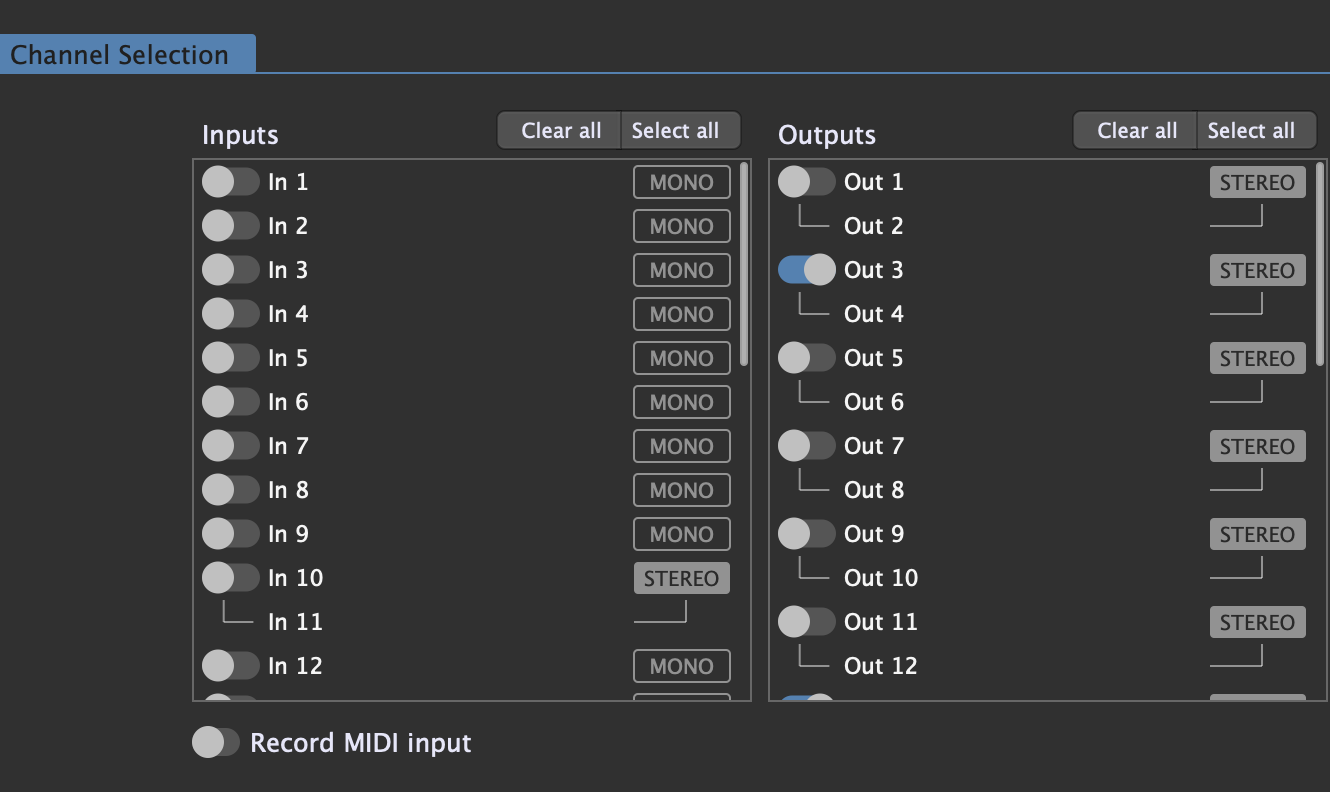
I’m trying to record outputs 3 and 4 as a stereo wav file on my Mac. I think I’m following the right process, but for some reason, the wav files show up as zero bites, and they’re not playable.
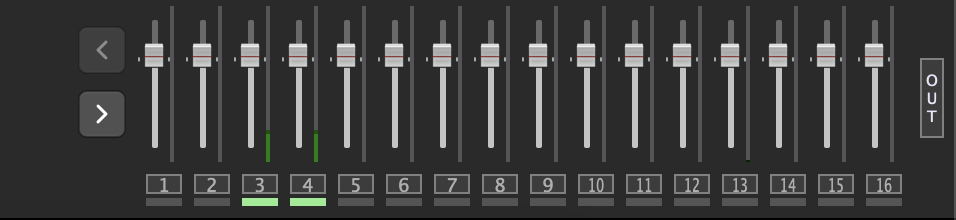
I’ve made sure that I’m getting audio out of 3 and 4:
I just tried that, but it gave me the same result. Basically, what I’m trying to do is to record a backing track from the Karafun Karaoke app on my mac, along with a mic from my UI24r interface so I can record people’s Karaoke performances. The Karafun app doesn’t have any routing in it, and by default it just plays through outputs 1 & 2 of my interface. That’s why I have it routed from input 1&2 on the interface to 3 & 4 on the outputs.
The audio routing all seems good, because I can hear everything through my speakers, but the recording just outputs those empty files for some reason. I’ve tried recording several minutes of audio, and it still results in the same zero byte wav files.
Yep, I think that’s what I’m going to do. I was hoping to record directly on my mac because it would be a little bit easier to access the files, but I guess it’s easier just to record to a USB stick on the ui24r.
To make this to work, you need to route audio between apps, i.e. from Karafun to Gig Performer. Check out Blackhole – BlackHole: Route Audio Between Apps
When you feed audio into Gig Performer. it will then effortlessly record it. Give it a shot.
When you install Blackhole, look at the Karafun audio settings and select blackhole.
Then create an aggregate device on your macOS combining your audio interface and Blackhole.
Start Gig Performer and process your sound further any way you like and record your dry/wet audio streams.
I think the issue is related to the fact that patching is a littlebit tricky on UI24r.
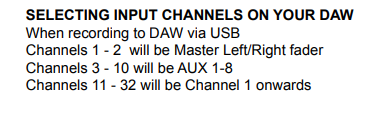
DAW Input Channels 1+2 are Master Out, 3-10 are Aux Busses
So the Input Channels are starting on 11.

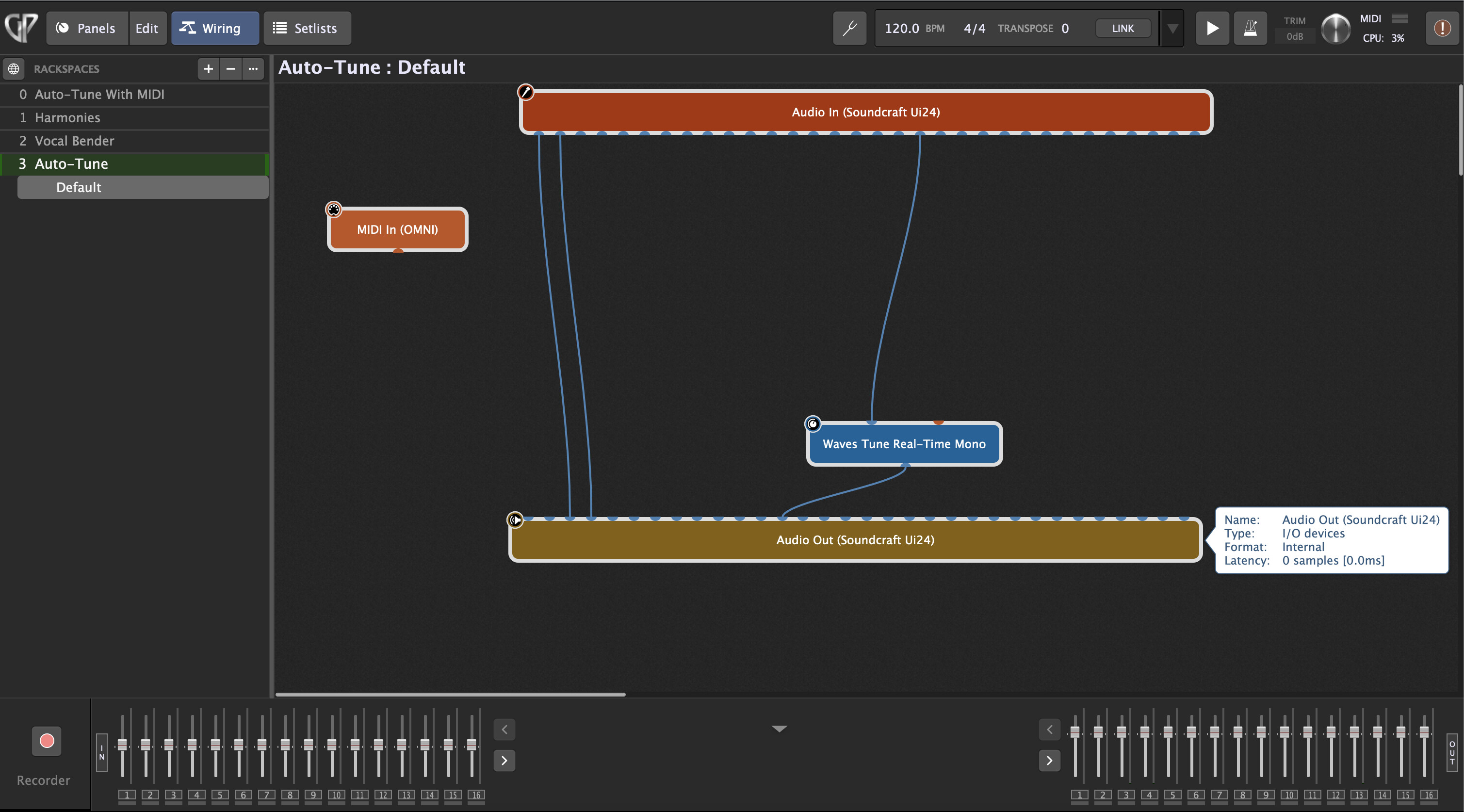
 Basically, what I’m trying to do is to record a backing track from the Karafun Karaoke app on my mac, along with a mic from my UI24r interface so I can record people’s Karaoke performances. The Karafun app doesn’t have any routing in it, and by default it just plays through outputs 1 & 2 of my interface. That’s why I have it routed from input 1&2 on the interface to 3 & 4 on the outputs.