With a special M4L device that is doable
You mean a M4L device that does not exist to your knowledge, but could theoretically be built?
Yes, exactly
That is unknown territory for me. The gp learning curve will be more than enough to start with. I will stick to arrangement view and locators for now, assigning the locators to hardware controllers for song selection ans start/stop.
In this scenario I would assign a PC command to empty ableton clips on the arrangement view timeline, that are linked to song parts in the gp setlist view.
Or would this be possible via osc too, so as to have the nice language and bar/beat linking to gp?
I have a similar setup to Pianopaul’s, except I use the Arrangement View in Ableton. Each song contains multiple locators, each linked to a song part in Gigperformer. I built an M4L device that receives the song name and song part name from Gigperformer via OSC and then jumps to the corresponding locator in Ableton. This allows me to switch between song parts at will during a live performance, for example, if the singer comes in late or a chorus is repeated spontaneously. It also works the other way around: Ableton advances the song parts in Gigperformer via OSC, so my live sounds are automatically switched at the right time during a song.
Here is how it looks in Ableton:

And here is the corresponding Setlist in Gigperformer:
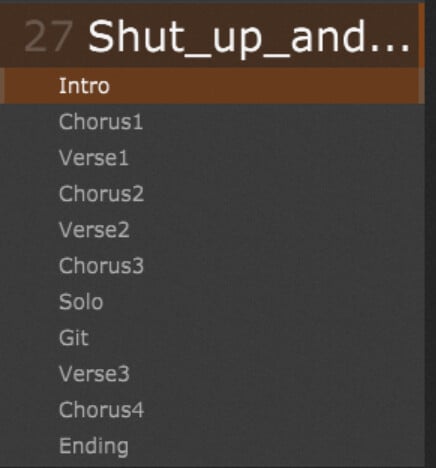
I’ve several hundred locators in my Ableton arrangement which are stored in a dictionary at startup so switching is very efficient. It looks like this:
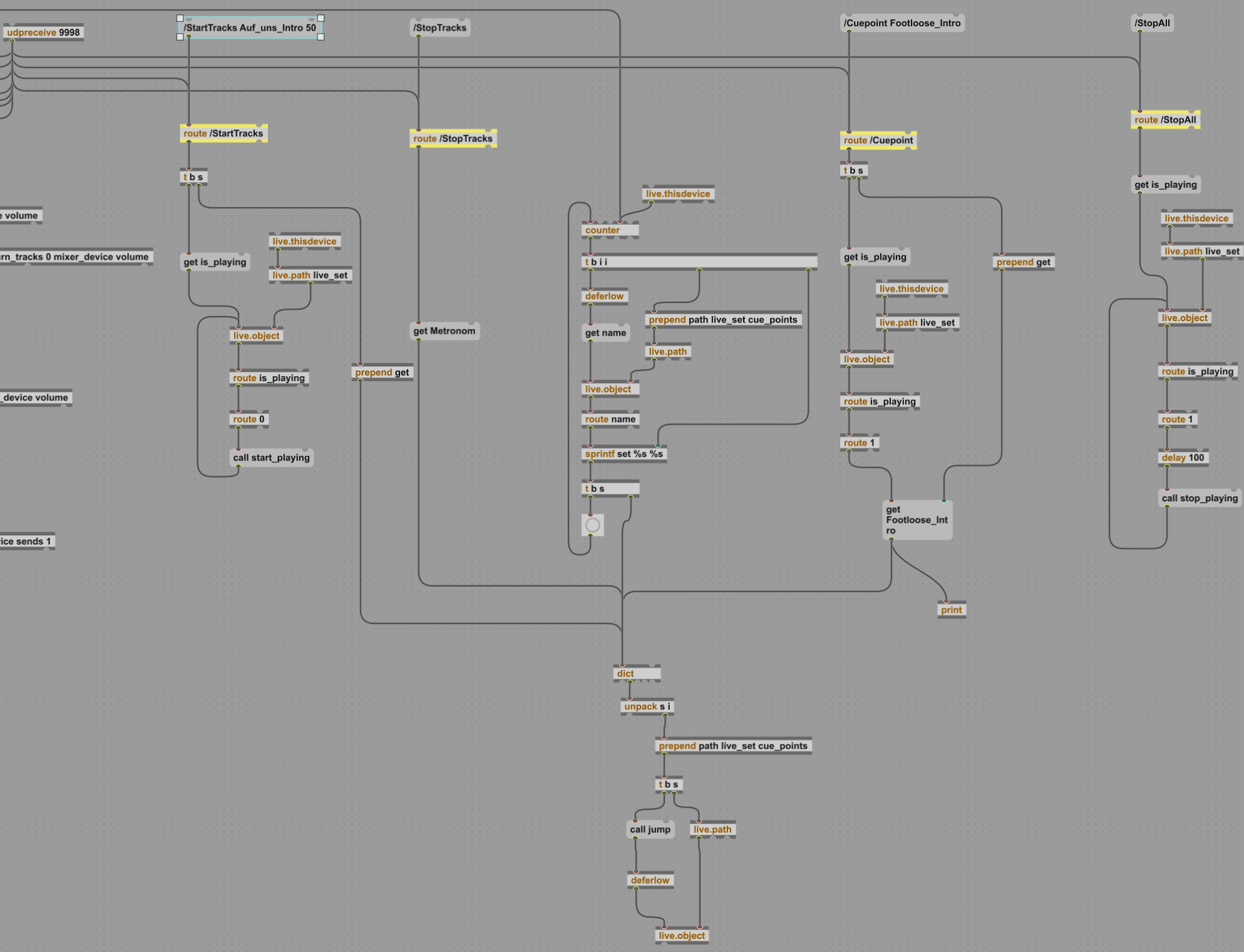
The script for starting a song in Gigperformer:
OSC_SetAddress(osc, /StartTracks)
                    OSC_AppendStringArg(osc, GetCurrentSongName() + "_" + GetCurrentSongPartName())
                    OSC_Send(osc)
And the script for receiving song part changes from Ableton:
On OSCMessageReceived(m: OSCMessage) Matching "/SelectedSongPart"
    var receivedValue: Integer = OSC_GetArgAsInteger(m,0)

    Print("Received song part: " + receivedValue)
    If (InSetlistMode()) Then
        If (GetCurrentSongPart() != receivedValue) Then
            songPartSetAutomatically = true //prevent cyclic set
            SetSongPart(receivedValue)
        End
    End
End
And the script for switching song parts during playing if the song is not played as planned:
On Songpart(oldSongpartIndex : integer, newSongpartIndex : integer)
var
    osc: OSCMessage

    Print("Songpart changed: " + oldSongpartIndex + " -> " + newSongpartIndex + " auto: " + songPartSetAutomatically)
    If (InSetlistMode()) Then
        If (! songPartSetAutomatically) Then
            OSC_SetAddress(osc, /Cuepoint)
            OSC_AppendStringArg(osc, GetCurrentSongName() + "_" + GetCurrentSongPartName())
            OSC_Send(osc)
        End
        songPartSetAutomatically = false
    End
End
I find this setup more convenient than using the Gigperformer SAFP because Ableton is better designed for a multitrack player.
Indeed. The locators are exactly what I am doing too now without gig performer linked yet. The rest of your solution seems exactly what I would need.
I just have one question. When you say “I’ve several hundred locators in my Ableton arrangement which are stored in a dictionary at startup so switching is very efficient. It looks like this:” => What is the image underneath, the schematic outline? I don’t understand what that is.
The image in my post is actually the source code of the M4L Device. M4L is a visual programming language where the program consists of messages, objects and connections, which results in this image. If you have the M4L License I could also provide you with the program as a file and you could adapt it to your needs.
Yes I have a m4l license. It would be much appreciated.
Many thanks to both of you for putting the effort in sharing the know-how. This post is a giant leap forward for me in understanding concepts I would never have grasped by reading the manual alone.
GigperformerGrabber3.zip (6.0 KB)
hello Hannes,
it has been a while since this message thread but upon completing mixing and mastering our album I wanted to sit down and finally starting building our live set in ableton and gig performer. But I do not get the thing working as I am e real noob still, both in m4l and gp. Could you give me a detailed step by step description as how to set it up in abletob, in gig performer and how to program 1 simple song with locators and only 2 recurring song parts “verse” and “chorus”. It would be so much appreciated. I am currently using the latest ableton live 12 beta version.
