Hello team
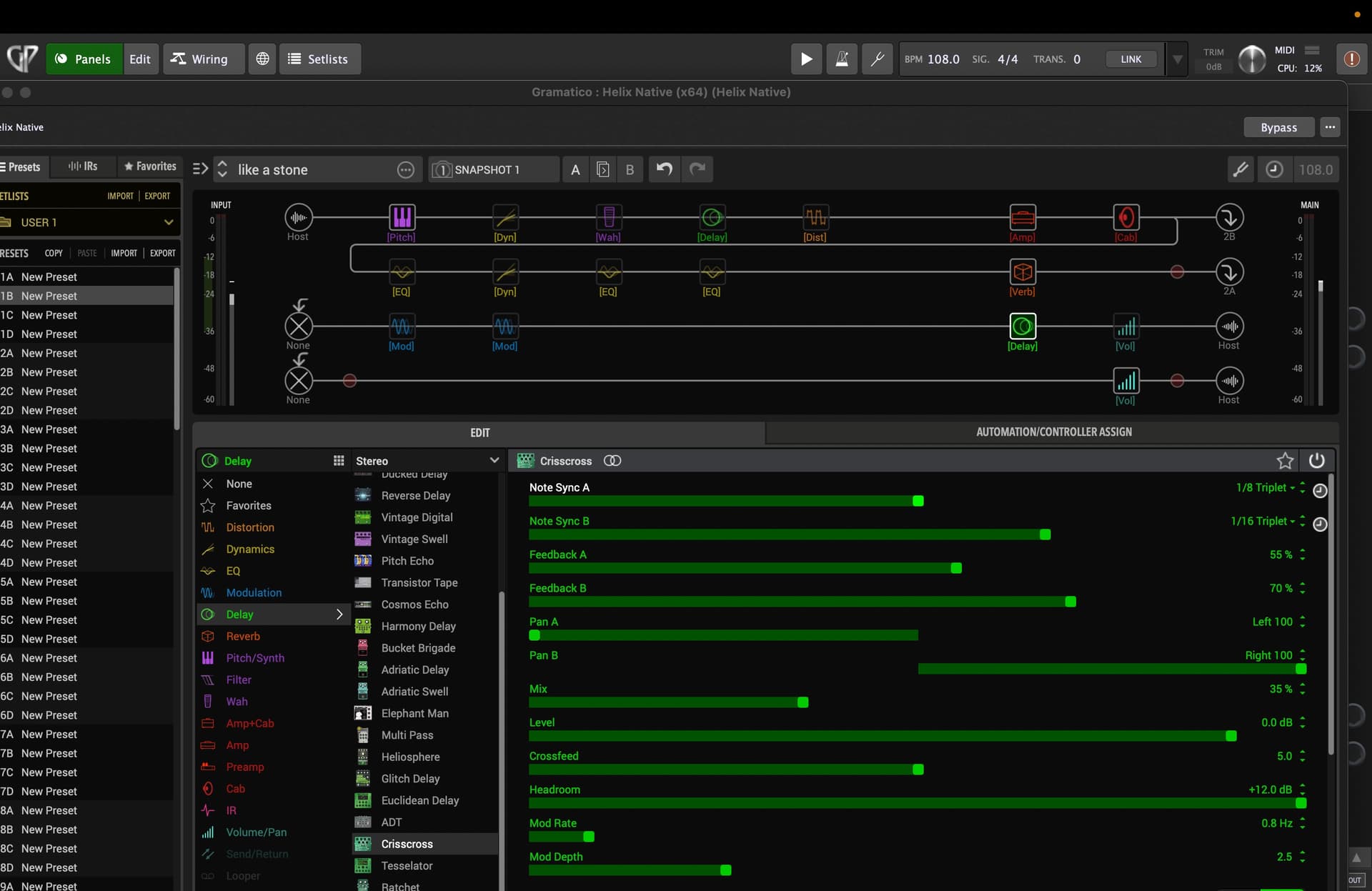
Probably this is out of scope, but wondering if someone know how to reach a toggle switch on line 6 helix native for some fx blocs, for example there is a delay called “crisscross” introduced in fw 3.15. this block has multiple parameters and the automation assign section shows every single parameters with the exception of a toggle with a clock shape for the time a/ note sync a and time b/ note sync b
That togle allows to change the delay time between ms/sec and note values according to the documentation.
Please check the attached screenshot foe getting a better idea about what i am talking about
Assigning knobs is not a probablem but it looks like the only way to switch this setting is by launching the plugin UI
Thanks!