I have sometimes problems with 100% CPU becuase of CPU hungry plugins, and I read about multiple instances.
However, before I change my gig file, I have some questions about this feature:
I have a 4 CPU, 8 core I7 laptop. Would it be best to split a rackspace over multiple CPU’s, at least for rackspaces reaching/exceeding sometimes 100% ?
I play in two bands, this would mean I have 8 gig files (4 for each band, 1 for each CPU), that I have to manually switch all 4 of them? (seems a bit cumbersome to me)
Many songs probably will not reach 100%, does it mean I should use a sort of ‘empty rackspace’ for songs which only need 1 CPU ?
In some examples I saw more isolated functionaly/split of multiple instance, but the only ‘issue’ I try to solve is the 100% CPU overload (where typically a few CPU hungry plugins are used in one rackspace).
It depends also how many notes I play simultaneously probably. I would have to do tests how much CPU they really use but I notice for some sounds it easily gets towards 100%.
I use 44.1 KHz, and 192 bytes buffer size. And I switched from a Behringer UMC204/404HD to FocusRite 2i4 audio interface (which helped a lot regarding pops/crackles).
Or maybe I should give an alternative ‘challenge’… In my previous Korg Kronos, I’m used to do some stacking/layering, upto 16 programs (like plugins). I’m glad GigPerformer does not have this limitation.
However, if every plugin uses 5%, 16 plugins * 5 % = 80% already.
Would it be useful to split these over two instances?
I don’t know what to suggest – I’ve often had up to 30-40 plugins in a rackspace and I’ve never gone beyond 40-50%
I don’t know how good are those audio drivers compared to the high end ones like those from RME and I also don’t know what kind of a computer you’re using. But I would never use a plugin that uses 80% of the audio CPU cycles (what plugin by the way?) as that just doesn’t sound like something suitable for real-time.
Sure, using multiple instances will allow multiple cores to be used but these days plugins that are that intensive tend to have their own multicore management.
I will do some more testing when I have time (sorry, really have a lack of it lately), to find out which plugins are problematic. Afaik some NI Komplete ones like MassiveX, Hybrid Piano (if I remember the name right), Super 8 and some more cause easily a lot of CPU.
I have now FocusRite and hope I don’t need again to switch, but my pops/glitches are over, so I’m sure the problem only lies within the CPU itself.
That may change my idea about it. I thought I read GigPerformer was runnign on one core including its plugins, but it seems the plugins themselves can be spread over CPU’s (cores), in that case it’s not a problem (luckily), and it’s just the CPU hungry plugins I have to prevent using.
Very interesting approach … for one sound effect at the end of a song I use a button to un-bypass it. I can imagine a volume fader/pedal would work better, and I could do that for some cases. I prefer using pedals instead of faders to keep my hands on the keyboard(s).
Thanks for this idea for bypassing (and activate it with the volume control automatically).
Regarding the CPU times: I currently indeed try to substitute those instruments for others less CPU hungry instruments. Still haven’t found exactly what caused it (effects, instrument/plugin itself).
I high likely will use different instruments. I play in a cover band, but luckily we don’t stick to the original sounds, so I can even use completely different sounds if other band members don’t complain (which they usually don’t ).
I think I like to prevent a multiple instance approach, as I would have multiple gig files to maintain and keep synchronized, also regarding saving/loading it will be more time consuming (manually)(.
I have a Windows laptop, a 5 year old Core I7 (6820 HQ, 4 cores/8 threads) with 32 GB and hope to able to use it for at least a year or so before finding out if I need something else. What started as a tryout to see if I could substitute my Korg Kronos for a VST approach is getting serious as I see almost everything is possible.
At least for the time being, I will then stick with a single gig approach and substitute instruments when needed. I probably need anyway some months to improve all songs to a state where I like the sounds, controllers, balance, effects and everything else (and learning more about some plugins, workflow).
@Funky40 This looks very interesting, and for places where I might run into problems I will going to use it.
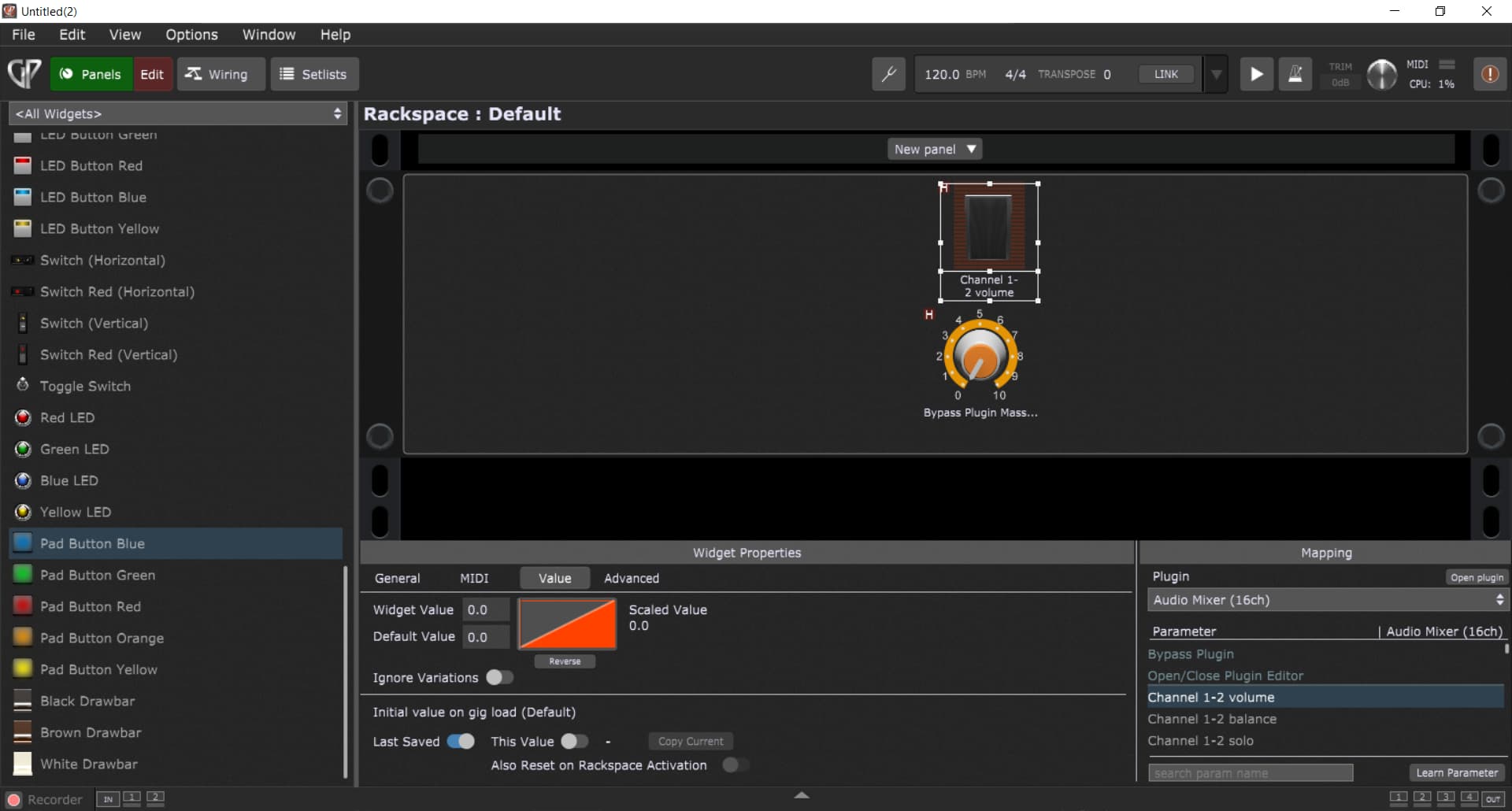
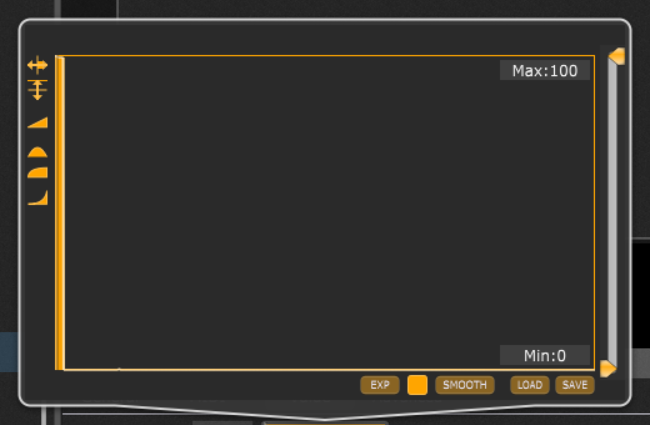
I just did a test with the first idea, bypassing one plugin when using an expression pedal for volume, and that widget coupled to a knob to actually bypass the plugin when the volume is at its lowest few %.
(note that the left part of the curve is at 100%).
However, I get hanging notes in the following use case:
Expression pedal/volume to 100%
Play notes (and hold them)
Expression pedal/volume to 0%
Bypassing of the plugin gets active
Release notes
Expression pedal/volume to 100%
The notes are still audible (obviously).
To fix this, I would need something like a ‘plugin context’ panic feature I guess, or is there another solution (besides not bypassing a plugin when playing)?
 ).
).