I won’t try to duplicate in words the full content of the video, but a few bullet points would be -
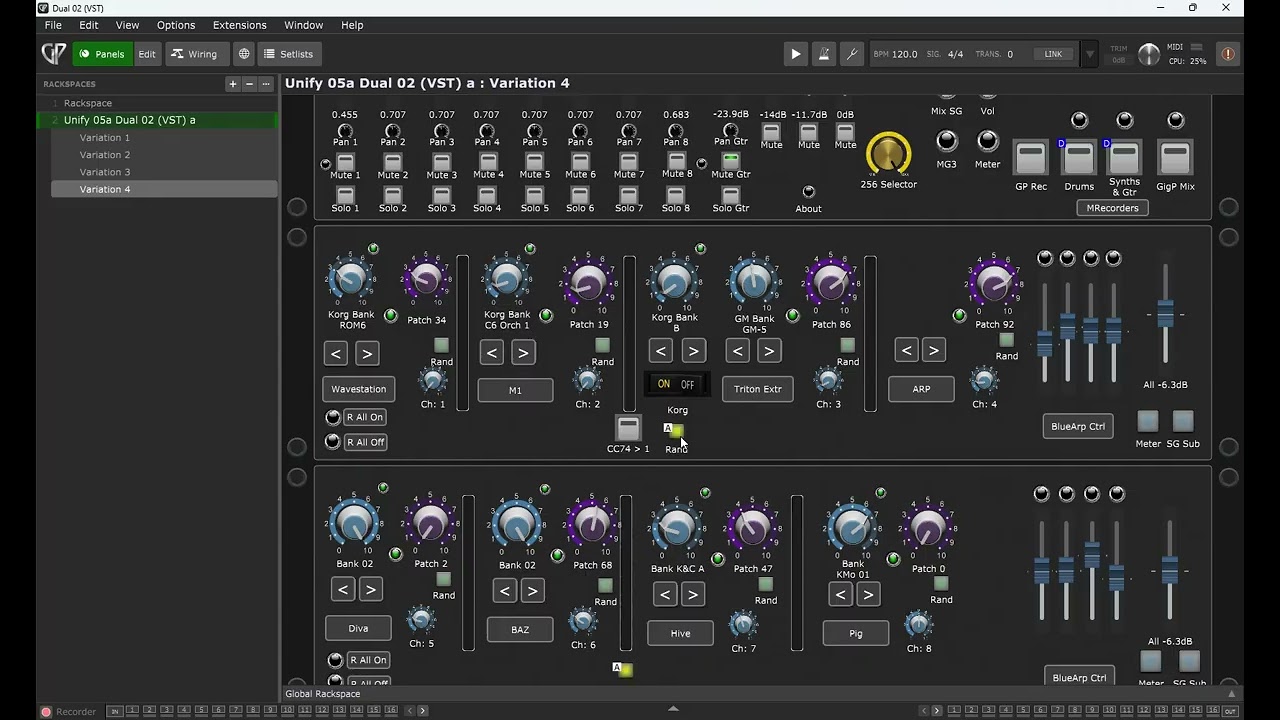
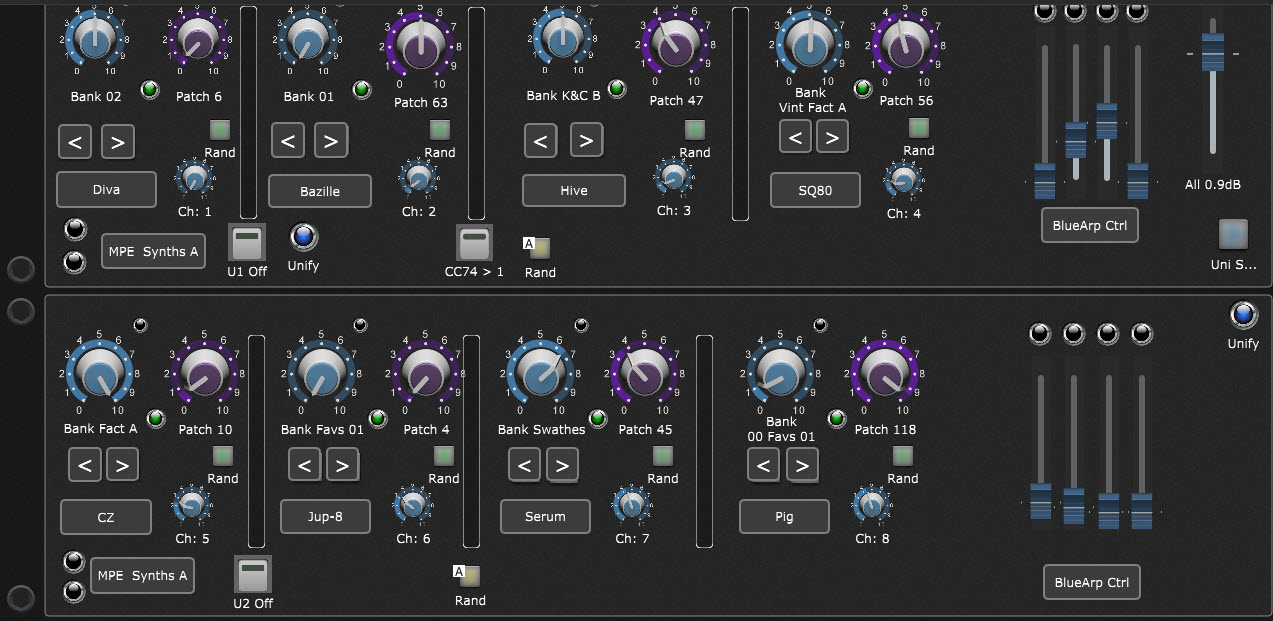
8-synths, in Unify (in GP) - Unify makes them savable and loadable as sets of 8, spreads out the processing load across multiple cores, offers access to argeggiation, and keeps the GP wiring diagram simpler than it otherwise would be.
Manual Bank and Program control for each synth.
Randomization - changing Bank and Program on any synth individually, any combination of synths, or all at once with a single button (or footswitch) press.
The ‘256 Selector’ knob. All combinations of synth randomization and muting instantly accessible from a single knob.
Mix and submix control, Melda Recorder control, BlueArp control.
For me, this represents the full realization of a kind of control I’ve wanted out of MIDI ever since I wrote MIDBoss for the Atari ST back in the last century. My sincere thanks to Gig Performer and Unify and Shane Dunne for making this possible.
Enjoy!
P.S. If non-responsiveness in the controls is ever observed, Options → Recompile All Scripts is the cure. Cheers!
As an avid Unify user and relative newcomer to Gig Performer, I greatly appreciate what you’ve done here! It’s been a goal/hope of mine to see how GP and Unify might work together to create worthwhile synergies,
and you have certainly done that! If you don’t mind, I had a couple of questions that would help me better understand how I might be able to incorporate the rackspace into my own GP and Unify setup.
First, your video showed how your rackspace utilizes the “MIDI Channel Filter” program that Shane Dunne developed.
I went to Shane’s GitHub site but wasn’t sure which file I needed to download, and which folder to place it in on my Mac.
Could you advise? I have very little familiarity with GitHub.
Second, I noticed that Shane’s Github site also includes a “MIDI PC Randomizer” program. I assume that’s unrelated and not required?
Last, I assume that you had to Unify all of the patches for the eight synths that are included in the rackspace.
And I further assume that the program change and MSB and LSB bank parameters that your rackspace generates
are in fact used to select from among those Unified patches, and have nothing to do with whatever PC and bank select parameters
the underlying synths might use to select patches stored directly in those instruments?
Any quick reply to these questions would be very much appreciated!
The releases for the related VSTs Shane has created may be found here:
I’m on Windows, so I can’t advise about Mac installation specifically, but I expect it is pretty standard. Also, there may be instructions in the .zip file(s).
Yes, Shane’s “MIDI PC Randomizer” is separate and not used in the rackspace here, but if you want to generate randomized PCs directly inside of a Unify instrument it is perfect.
Actually, I did not Unify any of the patches for the eight synths in the rackspace. What’s going on patch-wise is that scripts in GP are generating MIDI PCs which are routed via the wiring diagram into Unify (on separate channels for each synth) where the synths have been selected for (among other things) their ability to switch to new patches/presets in response to PCs. Depending on the synth, different steps may be necessary to enable/configure this.
For example, Arturia synths require that you copy patches into banks in a specific location which is responsive to incoming PCs. If there is no content in that location, then the PCs will do nothing. What’s provided here is working infrastructure, but will in general still require some investigation, knowledge and configuration for the user’s specific synths. Consider it a very elaborate example. Once the full path is understood, it can be straightforwardly adapted for any synth - provided that synth can be configured to respond to PCs in the first place (some, e.g. Falcon, cannot).
The script for each synth deals with PCs, and MSB and LSB bank parameters as that synth requires. These scripts, aside from working for the given synths, serve as general examples that can be adapted for other synths. In fact, they do have everything to do with exactly what the underlying synths need to see in order to respond.
Thanks so much for getting back so quickly with this thorough explanation. Now I understand it much better what you’ve accomplished. As before, great work!
Cool, that’s great, but I don’t have the Korg plugins, I use the Arturia plugins, and it doesn’t work. What should I do for the scripts?
Thanks for your help and response.
Attached is a .zip with all the selector scripts I’ve written so far, including many which are for the Arturia synths. The Arturia ones pretty much all follow the same format, so you should be able to use any of them as a guide for writing more if you need to.
Keep in mind: Arturia synths require that you copy patches into banks in a specific location which is responsive to incoming PCs. Nothing will happen unless you do!
Comments in the scripts themselves should identify manufacturers and any other necessary info.
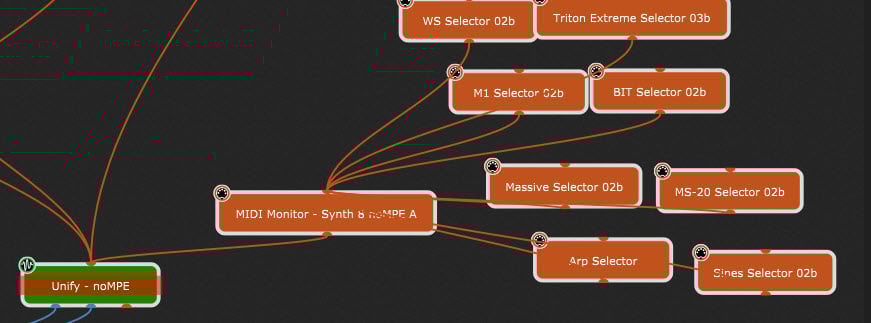
You can see that there are 8 selector scripts feeding into a monitor, and then into Unify.
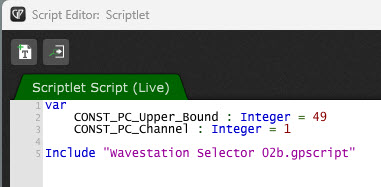
You can replace one, some, or all of the selector scripts. Each of the selector plugin boxes includes the selector script code that it is intended to run.
and update their labels. Those are the basic steps to redo with new synths-of-choice. It’s a bit of a dance, but once you get clear on each step, it actually can be done quickly enough to be worth it!
I always save the synth sets as both Unify patches and as .gppreset files for safety and reuse. When changing out a synth in Unify, leave the layers alone (because that’s where all the filtering etc. is) and change -only- the synth plugin inside a layer. I also recommend figuring out your desired naming convention in advance and using it consistently throughout. Otherwise, you can quickly wind up with many files and not know what they are later.