Laptop 2 I use for backup. If Laptop 1 crashes on stage, I can take very quick Laptop 2 to continue the show.
Thats the plan.
Laptop 1 and Laptop 2 has the same version of Gig Performer installed an the same plugins, I am using the same Midi-Keyboards.
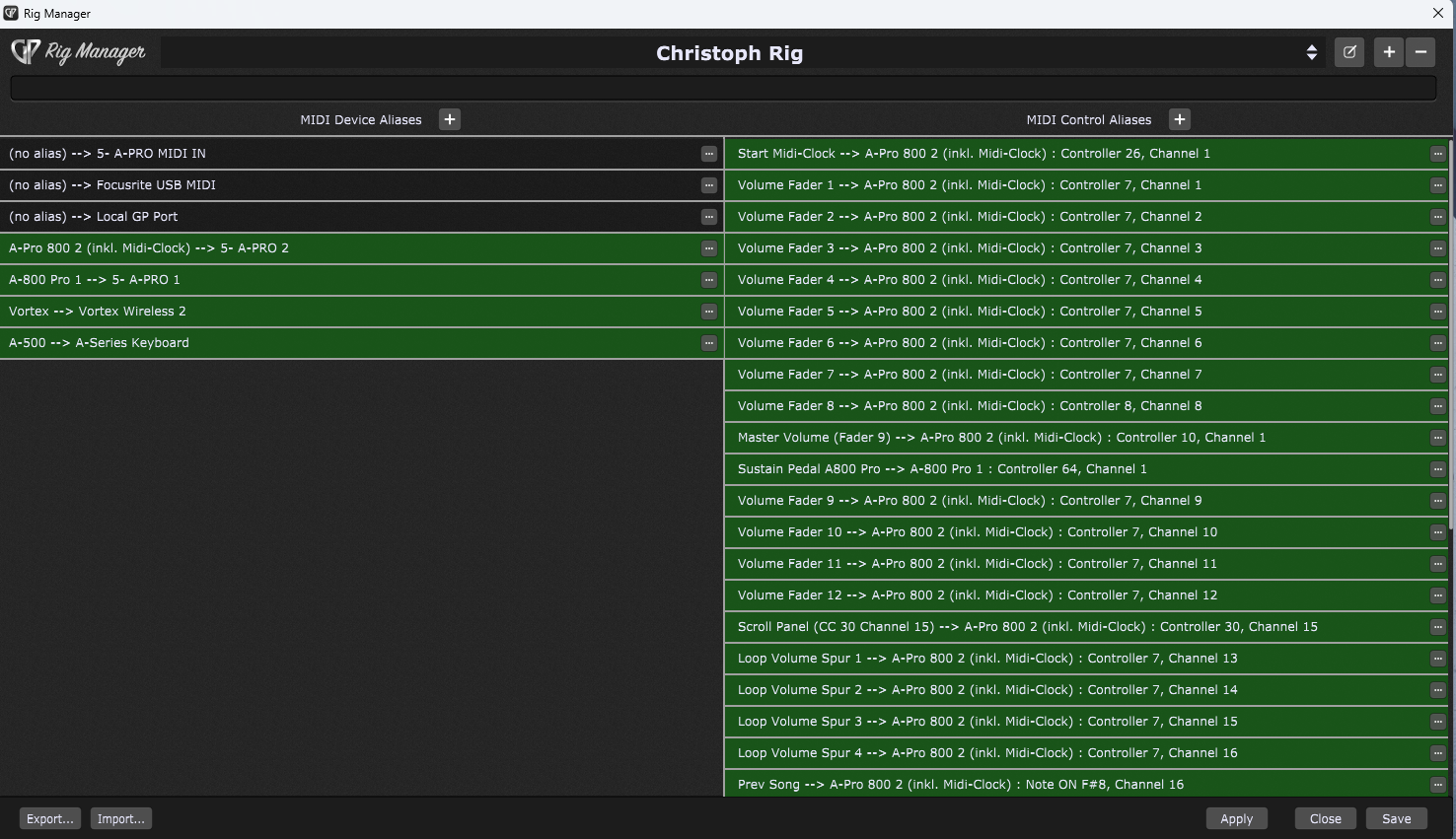
I have used the Rig Manager on Laptop 1 to make a quik change between different setups possible.
On Laptop 1 all works fine!
BUT: If I load the same Rig-Manager file on Laptop 2, using the same hardware Midi-Keyboards, I am able to assign the Midi-Keyboards to the virtuel Keyboards.
BUT I GET NO SOUND! It depends not on the audio-setup. Thats all fine, I proved this.
But on Laptop 2 the usb-Ports are different then on laptop 1.
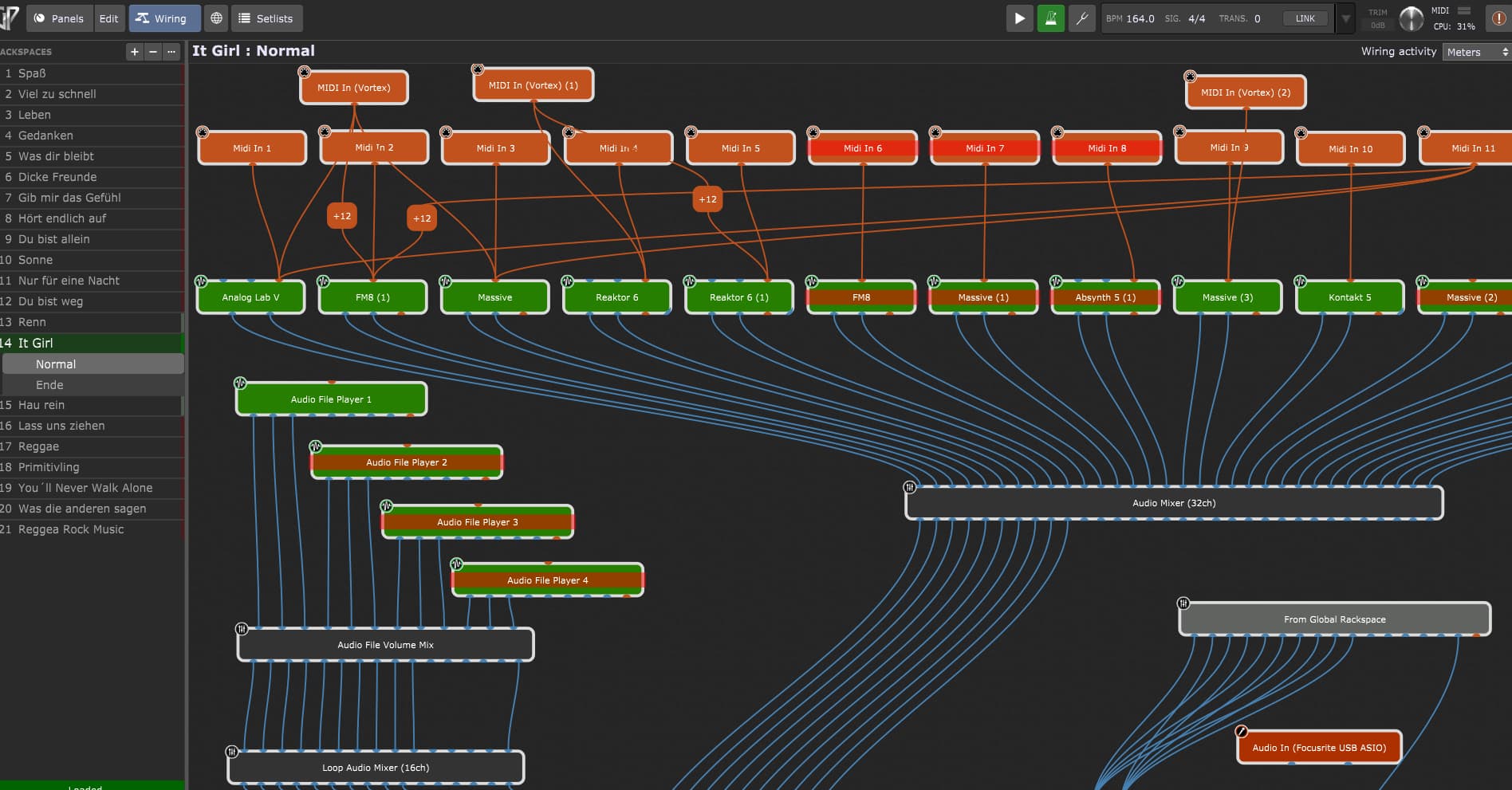
How can I solve this problem? All my faders, all sounds on the Midi-Inputs, mapped to different zones etc. dont work.
I hope, anyone could help me out with this problem.
What did I until now:
Importing the Rig-Manager File from Laptop 1 to Laptop 2
Associate midi-devices to the right port
pressing “aply”
saving file
I can see a light on the left Midi-Alias, if I press any key.
No trigger comes through all the midi-Inputs in every rackspace…
I have a similar set up (but I leave the 2nd laptop at home).
I use two keyboards.
In my case, I use different midi channels with my two keyboards and use midi in blocks for the correct midi channel. So, when they get swapped for some reason, I don’t get any sound.
If I am correct, its a pretty simple issue. The USB hub might have swapped the keyboards.
You could correct this in Rig Manager. But, I prefer not to change the Rig Manager controllers unless I need to.
Perhaps try changing the order that the keyboards are plugged into the USB Hub and make sure your keyboards are started before you start Gig Performer. (Alternatively, you could shut down both keyboard and try starting them in different orders. My impression is that keyboards are basically assigned to controllers in the order they are turned on (if GP is always running). If you keyboards are already running when you start GP, and you us a USB hub, my impression is the order is based on the the ports in the USB hub (it is sort of a proxy for when the keyboard is turned on).
So (I hope this is not too confusing). I would try turning off both keyboards and restarting them in a different order and see if that fixes it.
Alternatively, you can swap the ports they are plugging into int the USB hub.
Once you figure this out, you should try to follow the procedure the same way each time. (Or you could swap the keyboards in the Rig Manager as another option).
Make your MIDI In’s a Device Alias and use these in Rig manager assignments not the actual MIDI input devices. Then simply relearn/assign the Device Alias to the MIDI physical In’s for the Laptop 2. You should then be good to go.
I would suggest make a diagram (or take a picture) of the order the USB plugs in the USB hub(s) and do it the same way every time. (If you make a mistake there are easy options to resolve it, but better to just make simple, I think).