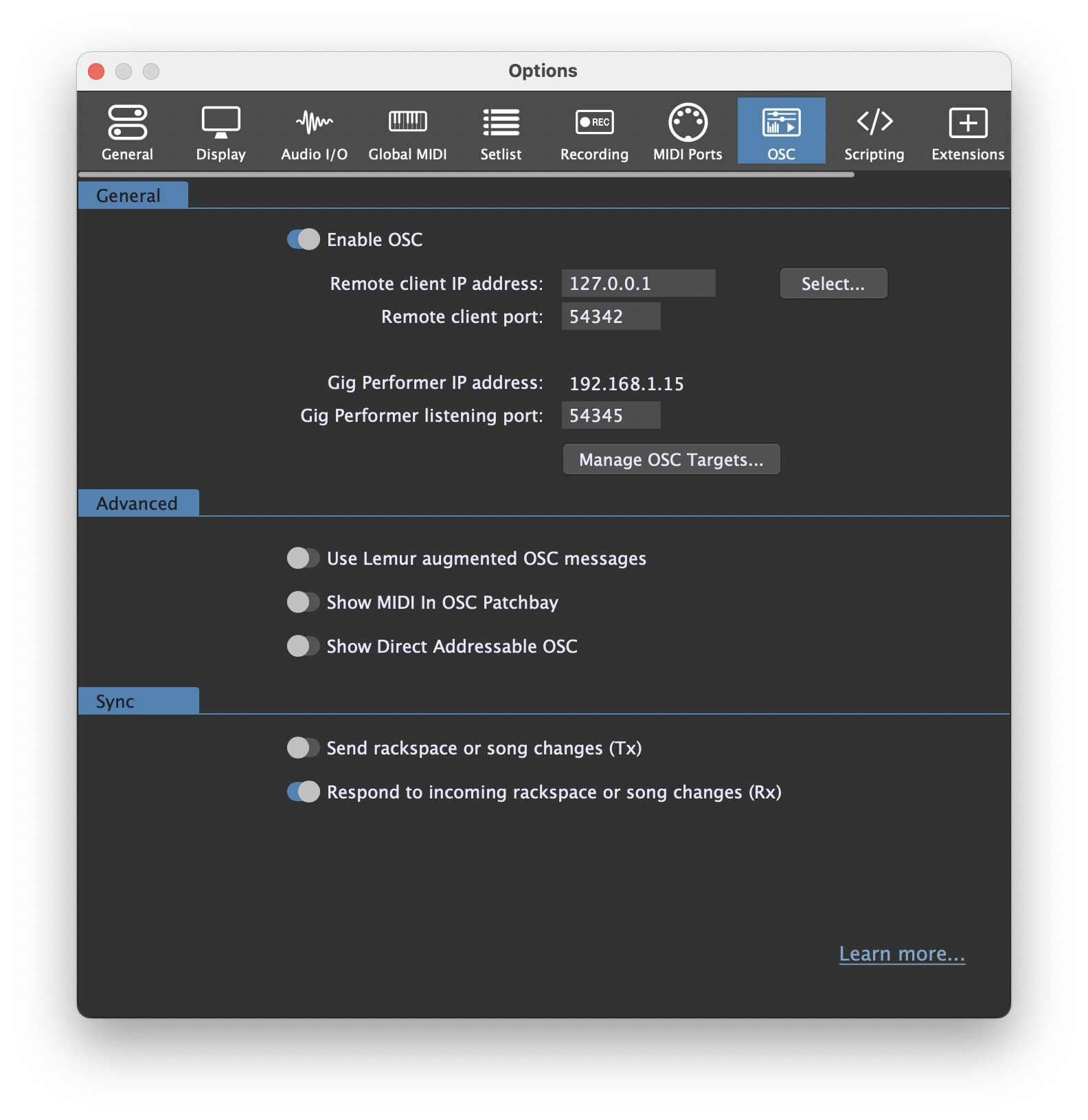
Hello to all. This is what I am trying to do for a live show:
I want to create 1 to 2 instances that will be synchronized to the main instance.
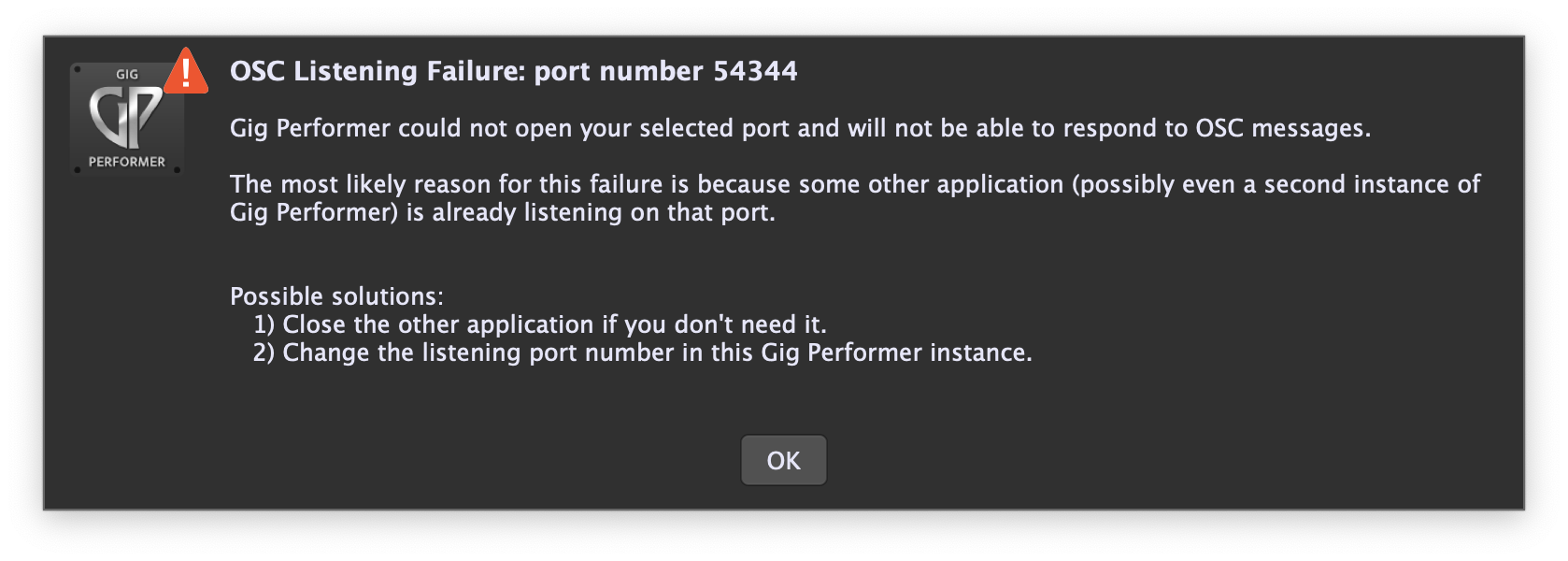
What I have done is create a show set list that are consecutive rackspaces; they are copied in each instance. Not the actual rack spaces with all content but as place holders. The idea is I want to go from rackspace to rackspace with the content divided between the instances to conserve CPU resources. I have already seen the videos about OSC but encountered this error message.
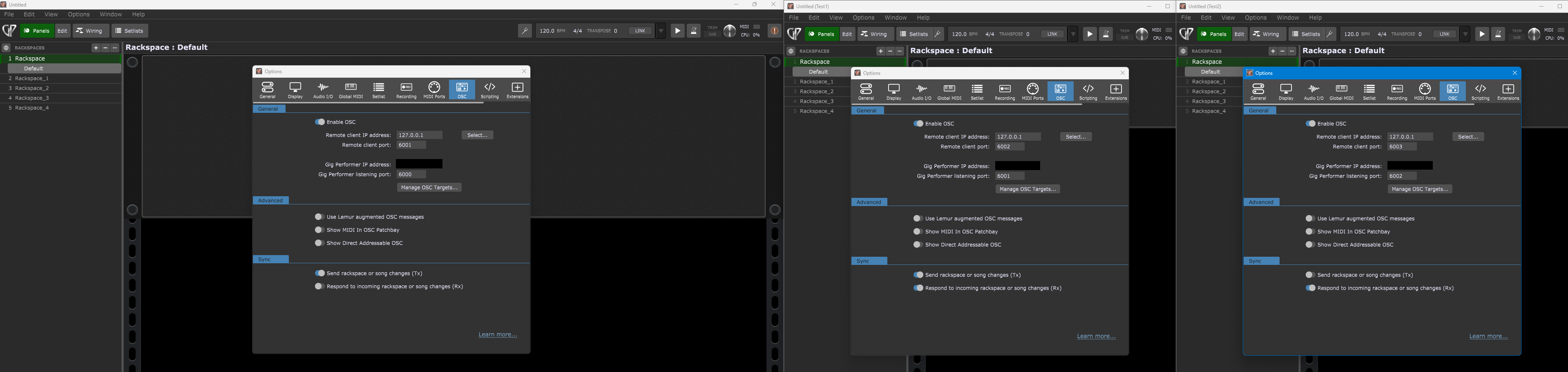
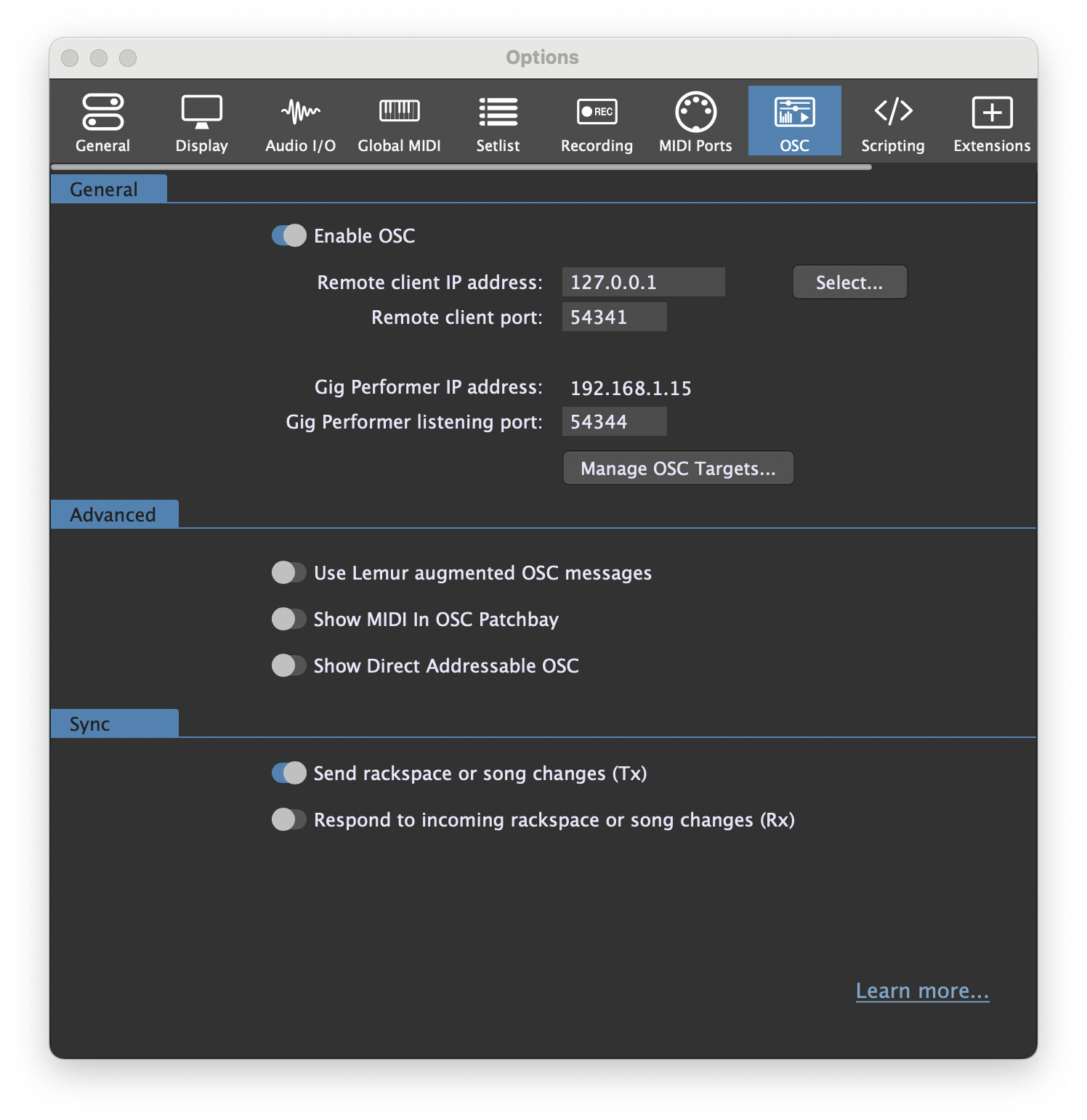
Ok, I have seen this video before. My question: Do I just change one digit of the listening port in the additional instance? As it is now the digits are the same.
ok, I’m still not getting the sync of both instances ie… when I advance Rackspaces in the main instance. it does not advance the rackspace in the other instance. Is there a button I press to implement these changes in the OSC window? I couldn’t find one so I just closed the windows. Please advise.
Wow, it finally works. thank you npudar. While I have you here, as a rule of thumb is it better to create more instances for cpu intensive rackspaces than to combine them in the extra instance I have currently? The only drawback is I have to many windows to see on a laptop screen during a show but would rather have that problem than having audio distortion. Appreciate your thoughts.