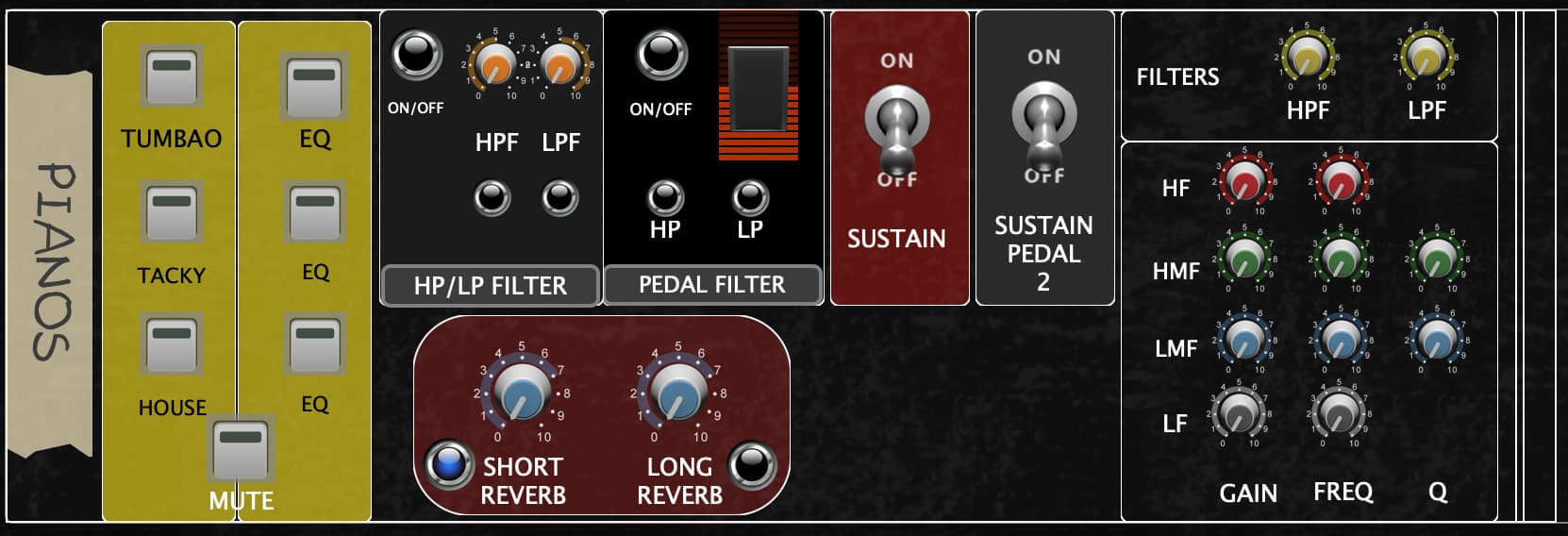
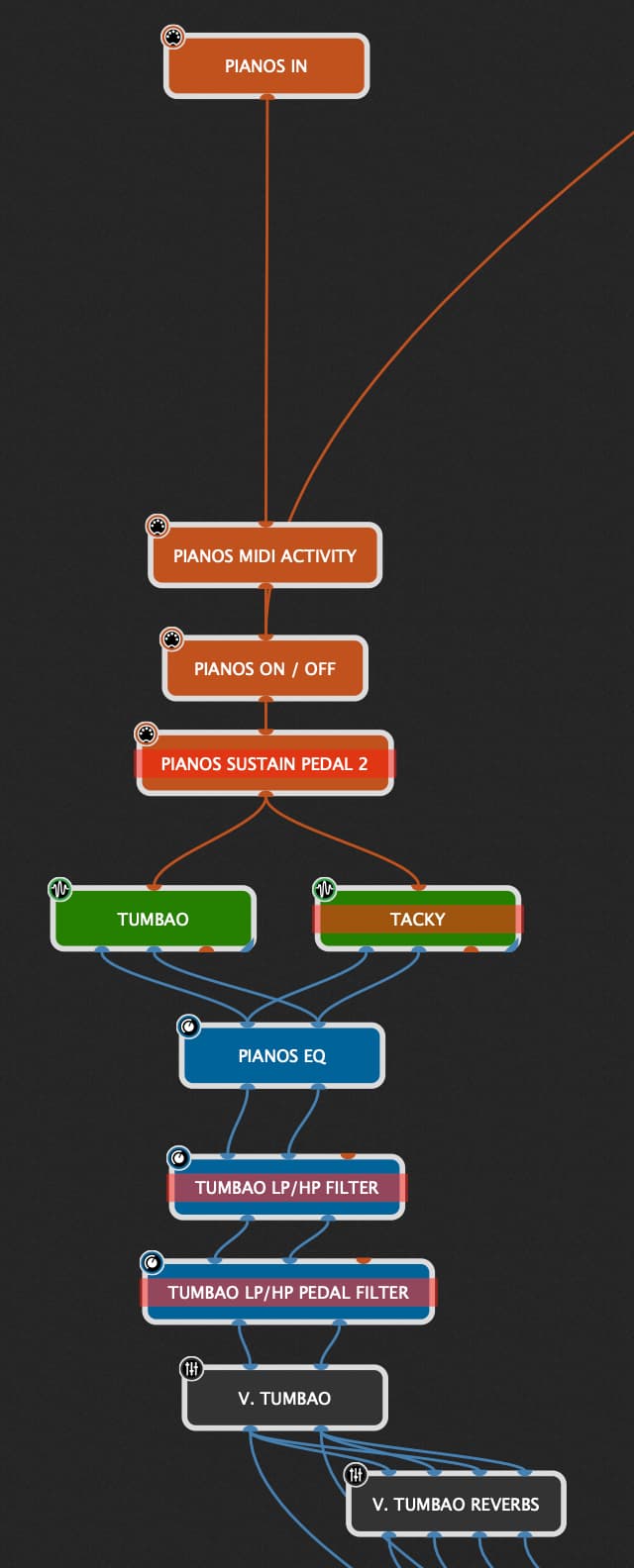
So, this is a panel I have been updating according to the functions I need as I go… I’ve come to a point where I’m needing to insert 3 EQ modules to accomplish things and I’m seeing that I’m going to have to insert yet another 2 if I go along this route.
So, I have 1 EQ to adjust LP / HP filter, variable for each variation… no hassle there.
I have a 2nd EQ to use in conjunction with an expression pedal, when I need to do a filter sweep for electro-latino style songs, for e.g…
and I have the main EQ section which is a fixed EQ for each style of piano.
Tumbao : almost classical but slightly brighter and light low end.
Tacky : very honky and bright.
House : well… housy…
In practice I am having to set up those EQ settings. in individual EQ modules and activate each one according to my needs.
My question is : Is there ANY way I can just activate the EQ widget according to my needs and have the EQ section on the Panel adjust the values I set according to that piano/eq combination?
Hi Miguel, am I right that the style of your pianos is not stored and recalled via the variations?
Otherwise I’d suggest to just also store and recall the widget values of the EQ in the variations, too.
Apart from this (maybe too easy solution) I can think of
Storing the settings in a preset that is recalled on a widget or variation change
Storing the widget values in an array and have them recalled on a widget or variation change
Knowing your thoughts on this, we can elaborate the possibilities further.
Ok… so, i use 1 single piano but I EQ it depending on the style of music… mainly 3 or 4 different EQ settings. I use Waves SSL G-Channel for this function. That’s 11 knobs that I actually use to refine the EQ of these piano sounds.
So… imagine I have 5 Cuban Merengue style songs, each with this piano EQ combined with another instrument : piano+accordion, piano+strings, piano+pad… And I want to add a new variation with another instrument combined with this piano EQ, Every time I start a new variation I want to just press 1 button and have it recall this piano EQ. Right now, I’m having to adjust the EQ knobs one by one. So the idea is to have just 1 button to “set” that combination of knobs without having to adjust the one by one every time.
The same with the other 3 or 4 eqs I have in this rackspace. I just want to press 1 button and have recall each EQ according to my needs.
That would mean I’d have to load 3 or 4 independent EQ modules, each with its EQ settings and bypass the ones I don’t need… But that is what I wanted to avoid
If I am understanding this right, maybe just create different variations for all the different permutations. You set could set up widgets so each parameter had the value you you want. You could bypass plugins if you want in some variations.
Then when you are playing a song, you could just switch among the variations. (I could be missing something).
I understand your struggle with the variations in this specific case. And while there might be many solutions (as you see from the comments), this one could help and be pretty little work to do:
You need to have a handle assigned to the tacky piano widget. The EQ plugin also needs a handle.
var
    TACKY : widget
    EQ : PluginBlock

On WidgetValueChanged (newValue : double) from TACKY
   If newValue == 1 then
        LoadGPPreset(EQ,”TackyEQ”)
   End
End
This will load the EQ preset “TackyEQ” that you have previously saved when switching to the tacky piano.
Please note that this function is marked as risky, but there are multiple users here using it without any problems.
Ok… This is scripting… Something that I have not yet got in to… I know I will have to, eventually… But for now I have no idea where to start.
Thank you for the suggestion.
Our tour starts on the 1st February until October, so I cannot start learning such functions right now. I will try and get acquainted with scripting during the summer and get my hands on it as soon as the tour finishes because I know I am missing out on great things for not knowing how to script.
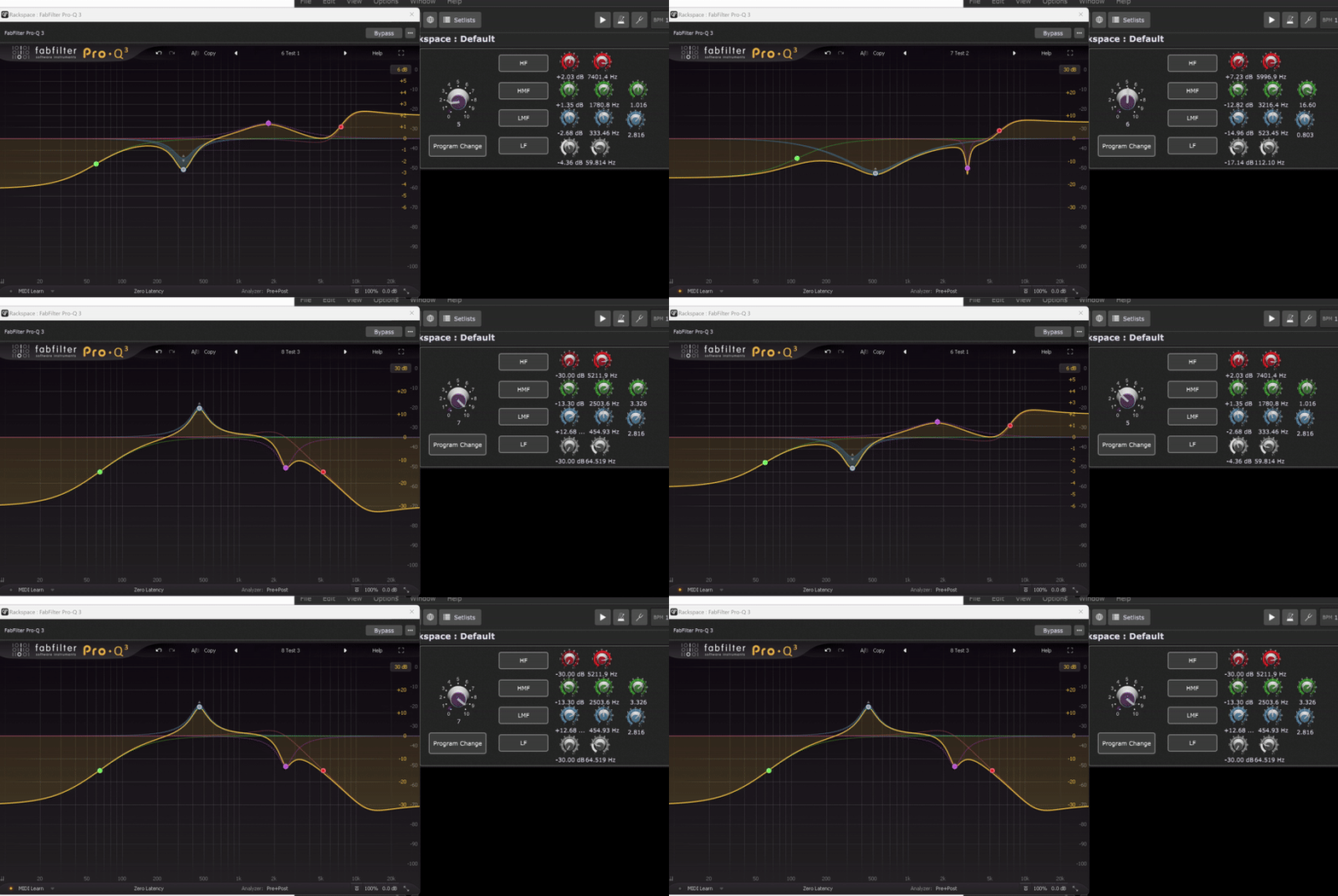
I think I might have achieved what you’re looking for using Fabfilters Pro-Q3.
Pro-Q3 let’s you change user preset with program changes, so I mapped a widget to PC on an Midi In Block that’s connected to Pro-Q3. (I know it’s not recommended to send program changes to plugins, but if it works, it works )
All your Frequency, Gain and Q widgets get updated once you change the preset using your PC-knob.
This might be achieveable with other EQ-plugins as well.
Let me know if this helps.

 )
)