I downloaded your extension, and it works great, I’ve been trying to read up on it with post here, but I figured I would ask directly, since I’m getting a bit confused.
I was able to learn and use the Track left and right arrows to work the rack-space up and down.
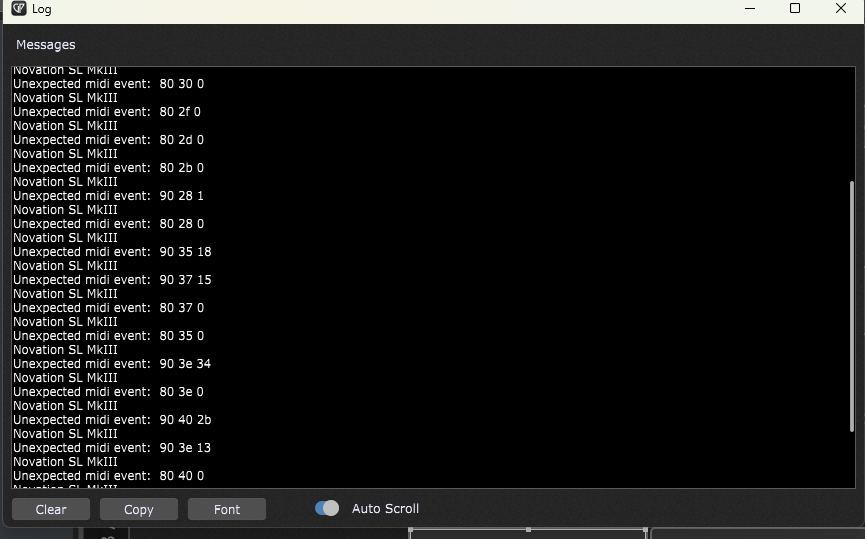
But I wanted to use the pads, and they are currently sending midi notes, instead of commands, is there a way to change those, for trigger one-shot samples, maybe directly to specific rack spaces, etc?
I know how to do it when using the Novation program, but I also love using your extension, was hoping to do both
Have you loaded and looked at the example gigfile?
To trigger one-shot sample with a pad you would first create a widget that triggers the sample you want. Then you would set that widget’s name based on which pad you want it to be linked to.
The pdf document in the github repository describes how everything works, but it may be easier to just look at the example gig and how the widgets are named in that to make them work.
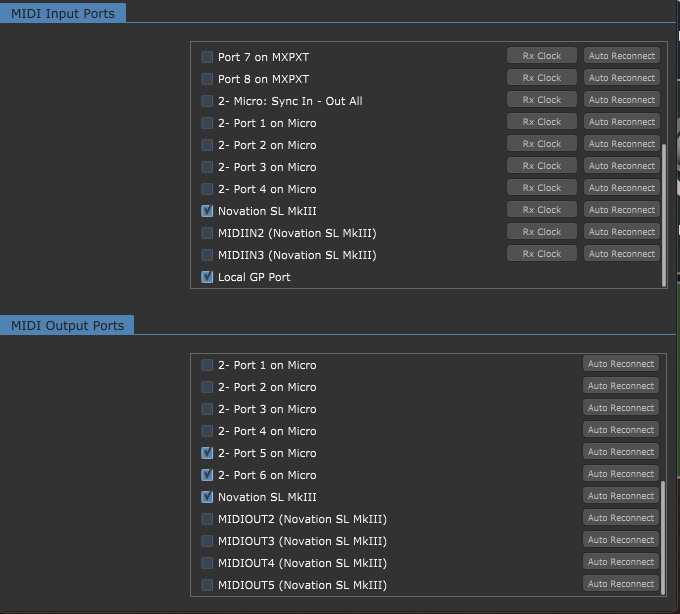
Sorry for the late reply. I just re-tried and am still having the same issue, I am in in-control mode and have the midi port engaged, but am still only seeing black on my KB. Here is a screenshot of my midi ports:
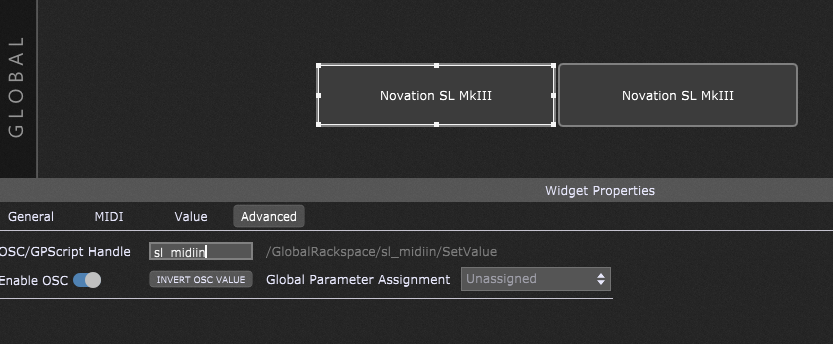
On Windows the SL MK3 “In Control” port is the second one on the list. Check the box to enable MIDIIN2 (Novation SL MkIII) and the MIDIOUT2 (Novation SL MkIII) and either delete the sl_midiin and sl_midiout widgets (so the extension will find the correct ports by default) or change the values to be the proper port names.
That did the trick, thanks. I just finished reading the manual as well. Now I’m just studying the example gig file and wondering how I should make my approach to my own custom setup. Are there any more template gig files?
My ultimate goal with your extension is to be able to map most (not all) params on the Diva VST. We had a back and forth about it earlier this Fall, on this thread: Best Practice for recurring Rackspaces and VST Mapping
I don’t have any other example gigs that would make it any clearer. Most of my keyboard rackspaces are really simple these days.
I would suggest starting with laying out your Diva panels, recognizing that the SL-MK3 can only show 8 knobs at a time, so organizing your panels as much as you can into logical sections you want to display together. Show me a rackspace and I can probably give some widget naming and/or organization ideas.
I have uploaded the beginning of the Diva gig file. Its in the second rackspace. I have a few questions:
To change color of the panel and corresponding info on MK#, do I edit the adv tab on the hidden text widget of each panel?
I have copied your panels to ad more rows of knobs, but dont understand how to activate the newly made panel, so that it is registered by the MK3 and is selectable via the keyboard up/down arrows, in the way that your example gig does.
Would a next step be to assign each widget to the corresponding Diva param?
Are there multiple banks of faders and buttons? If so, do they scroll along with knobs, or are they independent? If so, how do I scroll?
I have a mapped pad on the SL MK3 keyboard For the Name, for example “Piano mute_On_Off_m”, So the _m momentary function does not work, even if I release the Pad, it stays lit. Otherwise, thank you for your willingness. I am following your instructions
I assume you are using the latest download from GitHub? Can you screenshot a picture of the widget editor in GP showing both the General and Advanced tabs? Or upload the gigfile?
I have a mapped pad on the SL MK3 keyboard For the Name, for example “Piano mute_On_Off_m”, So the _m momentary function does not work, even if I release the Pad, it stays lit. Otherwise, thank you for your willingness. I am following your instructions
The widget you have there is named “sl_p_dfg_2” which will link that to the third pad.
To get it to behave as momentary you need to create a separate “parameter widget” which must be named “sl_pp_dfg_2”. (Note the second ‘p’ in the name.)
As explained in the manual, you should create these “parameter widgets” as text widgets. The widget Fill Color will control the color of the pad when it is on, the outline color for when it is off, and the caption will allow you to set the labels and the momentary setting when you append the _m at the end.
I also created parameter widgets, but I forgot to put them there. Your work is amazing, everything works for me as you write, but unfortunately this _m does not. I’m at my wits’ end.
I just noticed that my Novation is sending out CC0 instead of Aftertouch/Channel Pressure, I see that in the Novation software I can change that, but how to I incorporate that with your extension?