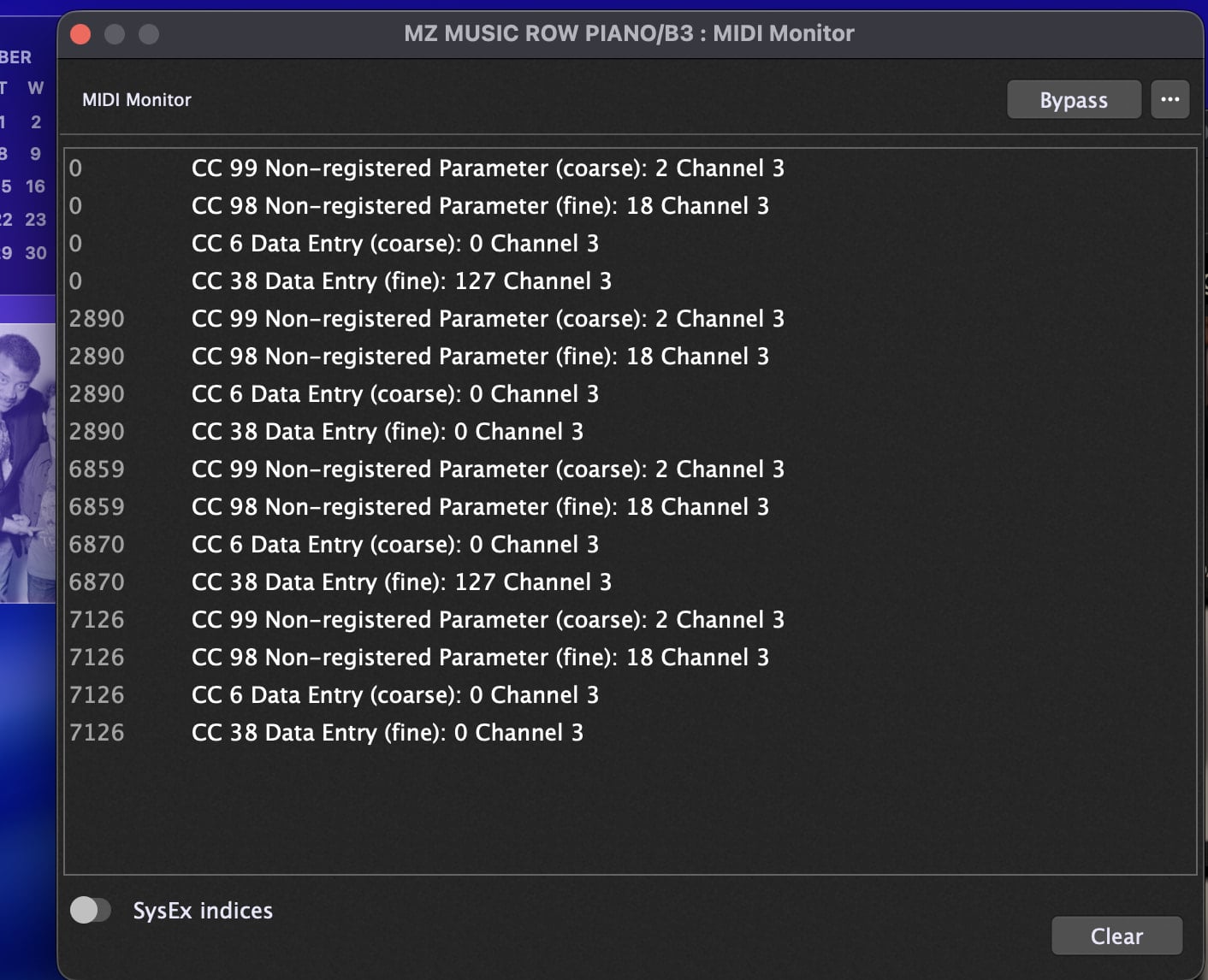
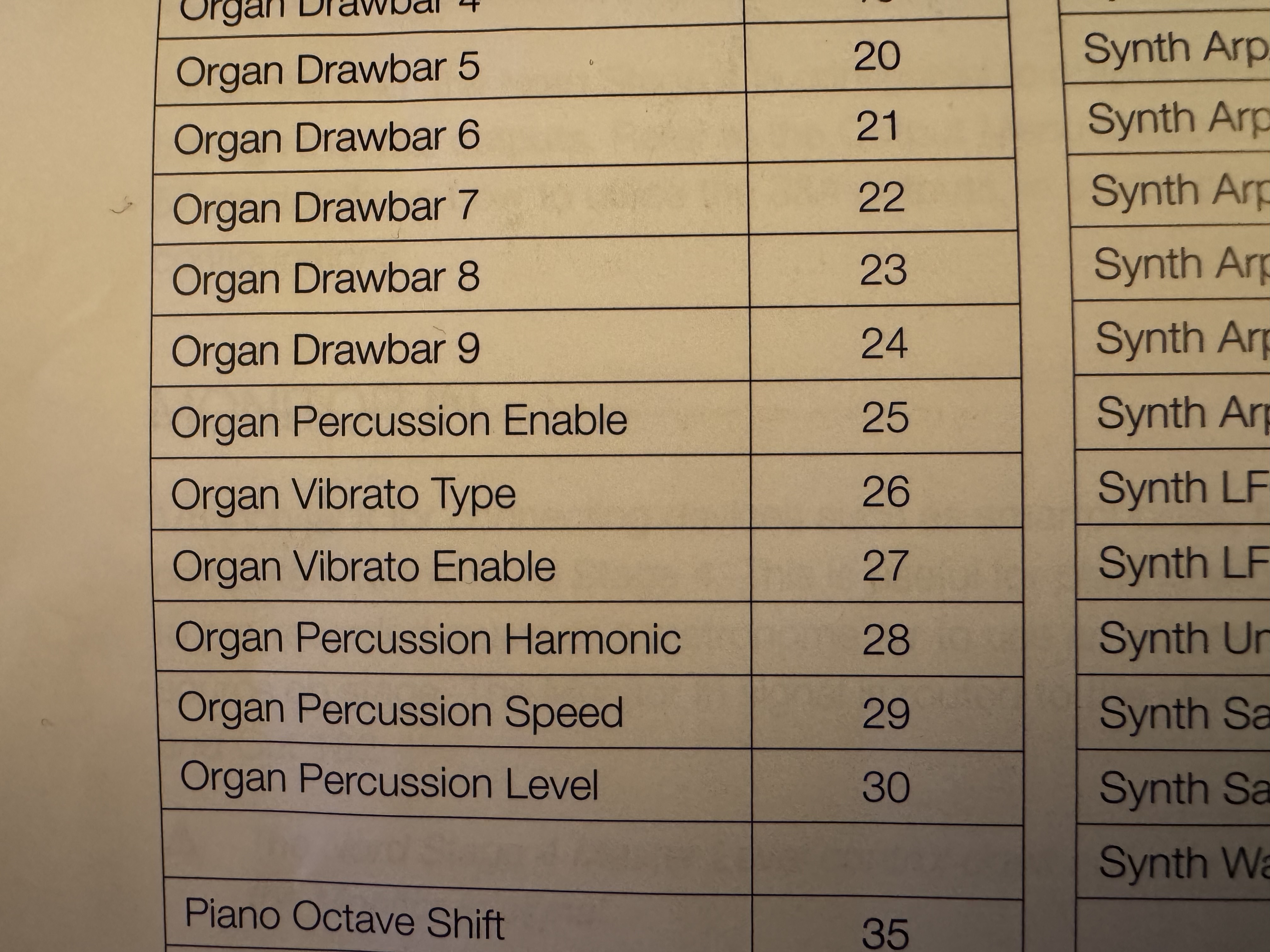
I just got my Stage 4 and and am discovering some strange issues that I cannot figure out. I was going into my rack spaces that contain BX-3, making sure that the controllers on my Stage 4 were consistent with what the Stage 3 had. For the most part, all the drawbars, Leslie, expression pedal, reverb and drive widgets were all functioning as expected. When I attempted to link up the percussion and vibrato controllers with the appropriate widgets, I discovered that when in MIDI Learn, the widgets did not see the controllers on the Stage 4. I. went into MIDI Monitor and discovered that the hardware controllers were not even transmitting their CC#s. I dug into the MIDI settings on the Stage 4, which are much more extensive and detailed than the 3, and made sure all the settings were set to the correct MIDI channel. On page 7 of these settings, you can edit the Control Change, giving you the option of editing the Control Change Type - CC or CC & NPRN and Device and Mode Change being Send, Receive or Send & Receive. My initial setting was CC Control and Type and Device Send only. I set the Type to CC & NPRN and then went back to the MIDI Monitor block. From there I toggled the hardware buttons and now CC#s were shown to be transmitting.However, the CC#s being transmitted were not what the Stage 4 manual showed to be the correct CC#s (see screenshot). Going back to GP and trying to connect the controllers with the widgets, I found that if I tried to set the Percussion and Vibrato Chorus settings to their correct CC#s, selecting any them out of Edit Mode only turned the Vibrato/Chorus widget on or off. I’ve attached a rackspace and attached a screenshot of the MIDI Monitor. Any assistance would e greatly appreciated. I’m on a Macbook Air, OS Tahoe and have not upgraded the OS.
As I mentioned, I set it to that just to see what the effect would be. In that setting, the controllers moved the widgets albeit the odd CC#s being sent. When in just CC mode, no controller data was sent to GP
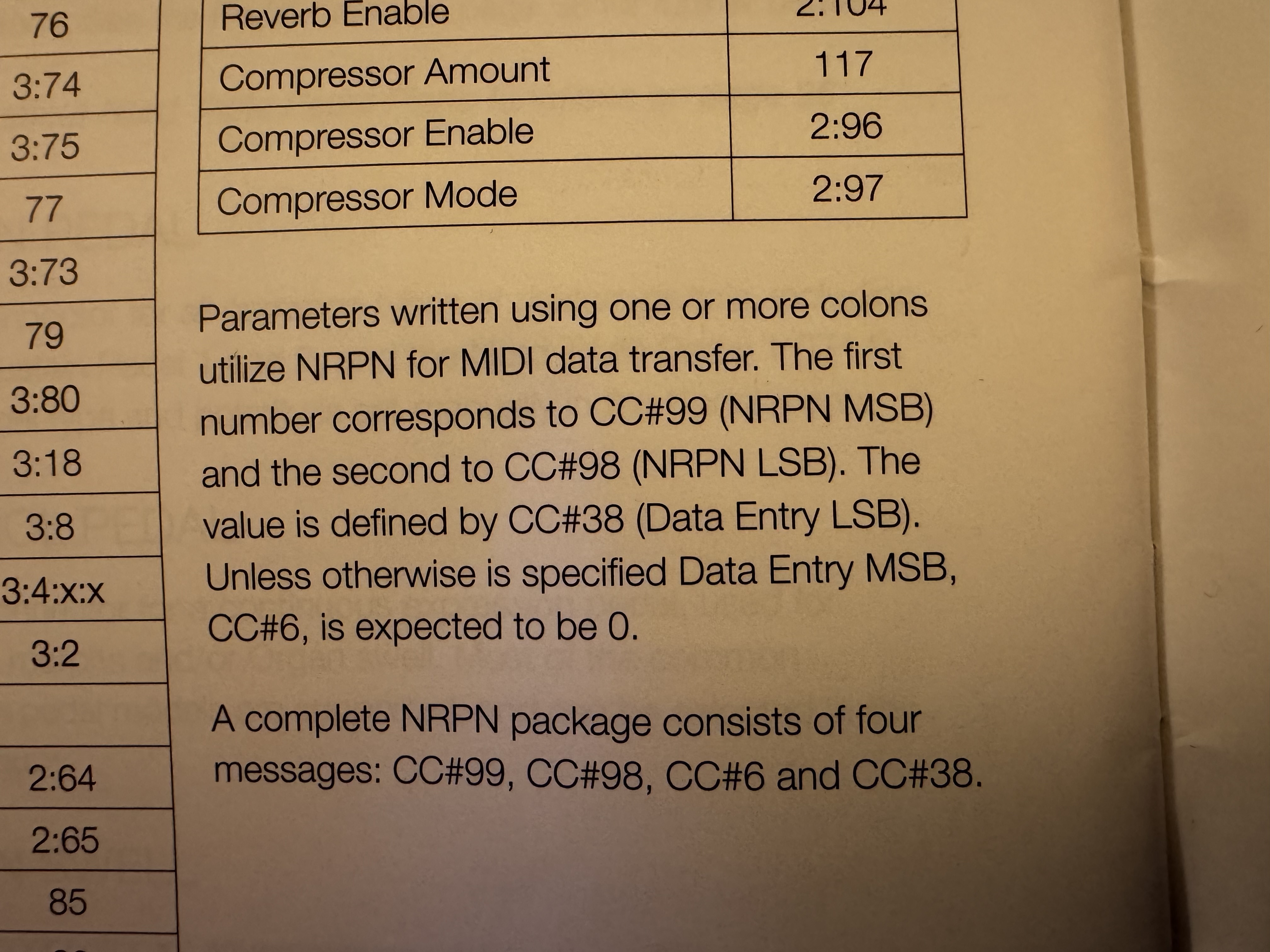
There is nothing odd about it.NRPNs are basically sequences of four CC messages with CC numbers 99, 98, 6 and 38. They’re designed to support a larger collection of parameters than can be managed by single CC messages.
GP currently does not have built-in support for NRPNs though it is possible to use GPScript to recognize them and convert them into single CCs, useful if you only need a few (you can basically map them up to to 128 times 16 (I.e, 128 CC numbers per MIDI channel).
That said, if your controller can send single CC messages but GP is not seeing them, then something is wrong with your controller configuration.
It seems kinda odd that my controller can’t just send CC#s alone, but only when the CC&NPRN option is selected. On my end, it sounds like an email to Nord tech support. May be a possible software bug.
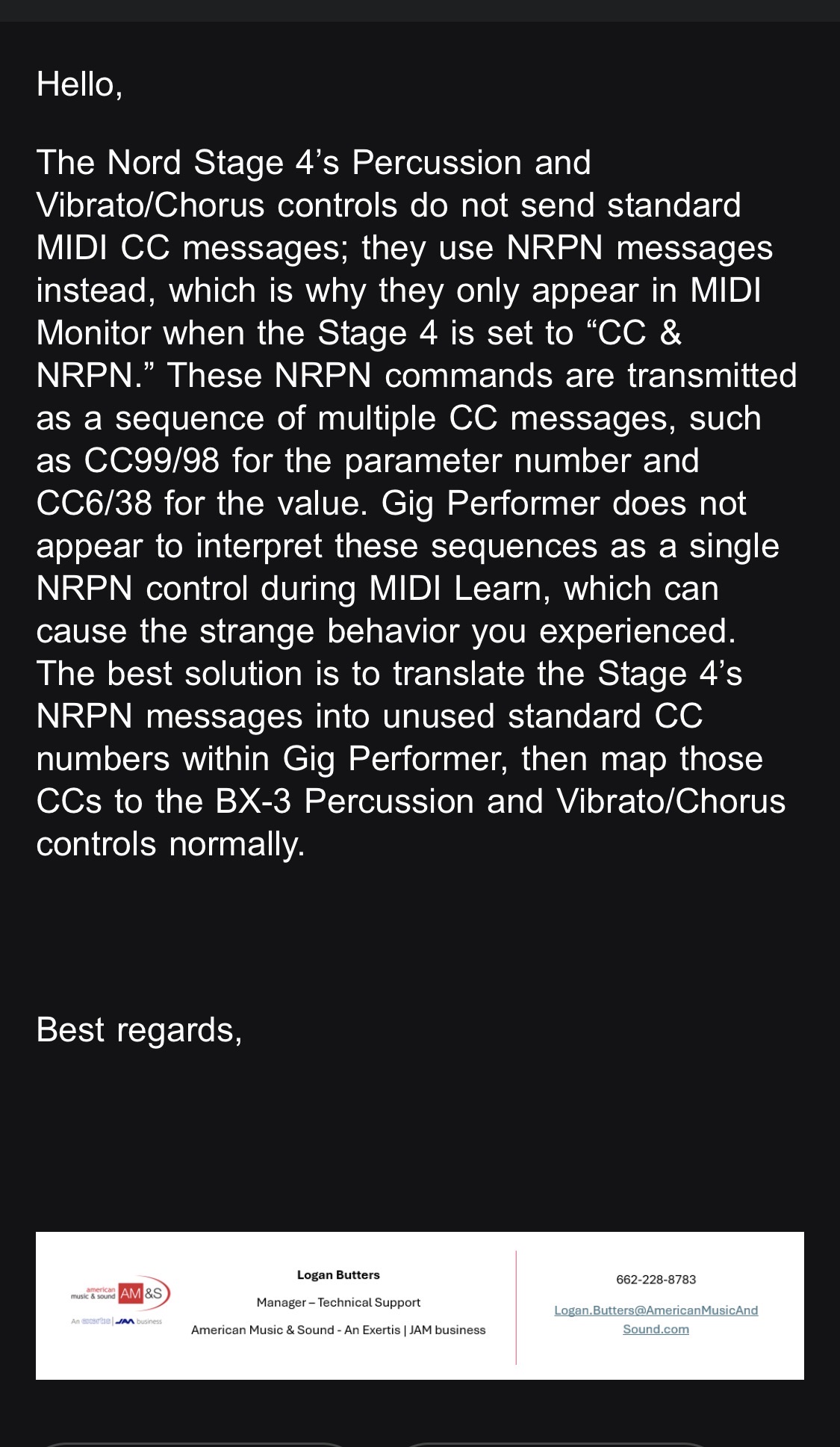
So an email to Nord tech support was responded with the attached screenshot. Subsequently, I replied with screenshots of the MIDI Controller List page (attached). The paragraphs did not exist in the Stage 3 manual. I’m hoping a response from them will clear in this NPRN question on my part.
That all being said, I went into the widget properties of the percussion and vibrato settings and confirmed that the Message type and CC#s were set to the ones stated in the manual, which were, I must add, the exact same ones on the Stage 3 sans the paragraphs describing the utilization of NPRNs and work as expected on my Stage 3.
So if I have to accept the fact and follow what tech support stated, how do, if at all, can I complete this workaround in GP4??? Thx.
Following with interest, since I aim at some stage to control BX-3 settings from my Hammond XB-2 which is too early a model to have supporting translators within BX-3, unlike some later Hammond Clone models. I use BOME MIDI Translator for anything like this (I’m afraid I haven’t got into the programmatic areas of Gig Performer) and am prepared for some work! I just checked that BOME MIDI Translator handles NPRN messages in case I’m ever involved in them.
Thx
I’ll download it and see if it solves my problem. I’m reaching out to my high level guy at American Music & Sound to see if this is an issue that the software developers need to address.
If a MIDI message has to be re-interpreted, then (per the suggestions already posted) you either can use GP Script or something like Bome MIDI Translator.