I set up a widget using System Actions to creat a Next Variation button in a rackspace… Works fine…Until I add the rackpace to a Setlist…Button does not work…Ideas?..Thanks
I guess this happens by purpose, since the setlist-mode is songpart oriented (which refer then to rackspace variations)… means, in rackspace-mode you will move through rackspace-variations, while in setlist-mode you would have to move through songparts.
Thanks!!..Problem solved by assigning the widget to System Actions: “Next” and not “Next Variation”…It works both in Rackspace And Setlist mode…Thanks again!!
Hmm… Not for me. What am I missing? I assign button to “next” and when I’m in setlist mode it selects next song. I want to be able to select different rackspaces and variations when in setlsit mode. The only reason I use setlist is to be able to switch song lyrics.
That’s not how GP works. Rackspace/variations are statically mapped to song parts. This is done when you are creating the song part. You can’t change those assignments dynamically.
Thanks dhj. I’m still confused. I don’t see what Ruben is doing differently than me. If the ability to change rackspaces or variations with a key command or button shows up in the future I will definitely upgrade. Also to be able to open/close the lyric window without a mouse would be nice.
You don’t switch rackspaces or variations in Setlist mode, you switch Songs and Song parts–which as @dhj stated are statically assigned to particular rackspaces and variations. That means if you want certain rackspaces or variations to be swtiched to, then you would create song parts and assign those rackspaces/variations to them, and that’s what you will be switching.
When you’re in Panels mode, that’s when you can switch between Rackspaces and Variations.
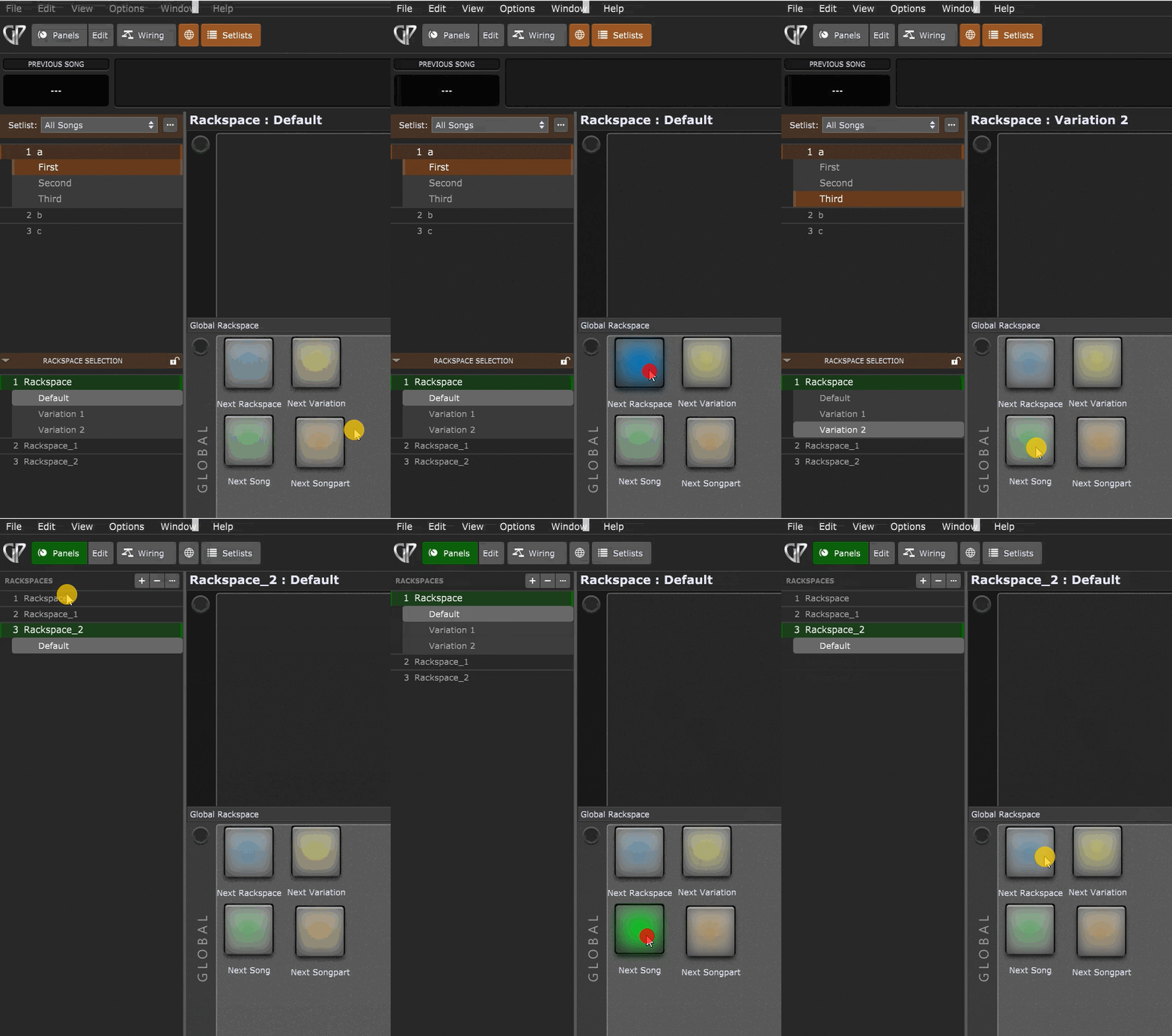
I understand. It’s just that my music is very improvisational. Each song is a starting point from which I might decide to suddenly switch to an organ sound for instance. The only reason I use the setlist is to have lyrics and written cues available to me. As it is I can use my mouse to switch sounds that weren’t planned. … Flash bulletin! I just found the hot key command J to switch rackspaces/variations. My prayers were answered! Now if I can find one to open/close the lyrics window. Thanks for your help!