I was trying to build my setup and stepped on an issue: trying to map the next/Prev rackspace (or part/song) on my Akai LPD8 pads, I understand that I can’t use PC for this (because I have only 8 pads); so I thought using CC, but next/prev rackspace gets triggered only when I play my pads at velocity > 70 (more or less). Is there a better way to setup this situation? Thank you
I might try Options>Global Midi and use Midi Learn and, when you use Midi Learn, touch the pad very lightly so it learns to be triggered at low velocity.
(If you use it to change songs/song parts, do this in Options>Setlist.)
(I have no idea if this would work, just saying what I might try. But, if you use “midi learn” at low velocity and it works, also check if it works okay if you hit it hard (full velocity).
Thank you everyone for the replies. Can’t mention more than two users:
@npudar thank you, I tried with System Action block and it works with Note ON parameter. I just can’t make it work with PC neither all the CCs I have on the 8 pads by default. Should I change them to other CCs (with Akai editor)? Or using the Midi Note ON parameter is a good idea?
to jeffn1: thank you, sadly it didn’t work. Same issue as before.
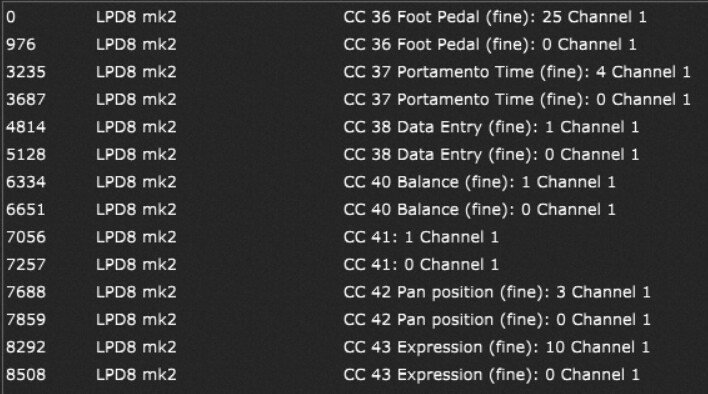
@dhj CC 36 and 37, sent and learnt. But it seems that CC36 is a continuous controller?
I am not familiar with these pads but if one of them sends CC 36 and another sends 37 then you should be able to just learn those. That said, do they send different values when you press and release or are they toggles?
But the thing is, I have to press with velocity > 70 to make them work as “next” and “previous” buttons - so the risk is if I wrongly press my next button softly, I won’t have any sound change
anyway, I found a way using NOTE ON and not CC nor PC. Is this the right way to use next/prev funcion? If there can by any “right” way, of course.
If the pads are programmable you should be able to program them so you generate a cc number with a value of127 when pressed and 0 when released. No intermediate values.
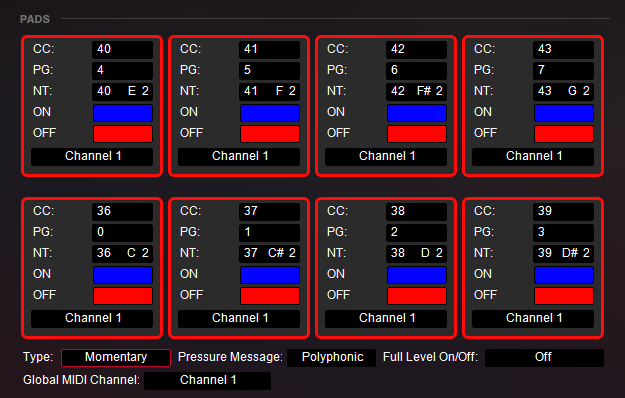
I have an LPD8. It comes with a programming application (for Windows anyway, mac I don’t know) and you can assign a PC, CC or note to each button. The knobs are also programmable. So pretty flexible.
Type: Momentary / Toggle
Pressure Message: Off / Channel / Polyphonic
Full Level On/Off: On / Off
Global MIDI Channel: from 1 to 16
yes, the pads are Momentary
yes, I tried sending Note messages and it works with Note messages. Yesterday I had my first gig and I used Note msg to change rackspaces, it worked fine
I don’t find a way to lock the velocity of the pads on a certain number or range, but I may be wrong on this.
Anyway, if using Note msg is a good way, I can stay with Note msg
Did you try googling for the editor manual? This is what I found:
Full Level On/Off: Activate or deactivate the Full Level feature. When “On”, pads trigger samples at maximum velocity (127) regardless of force applied.
Oh thank you so much! So this is what “full level" option is for. That’s great, so I think that next/prev function could be assigned either to CC or Note messages, whether you need to use LPD pads for sending CCs or Notes (for example, sending samples or loops).
What I would encourage you to do if you can is to assign a sequence of CC numbers to your pads, e.g. if you have 8 pads then configure them as CC 40, 41, 42,43…47
Then set them up so that when you press a pad (doesn’t matter how hard), it sends out the value 127 and when you release the pad it sends out 0
Then you can handle everything else from inside GP