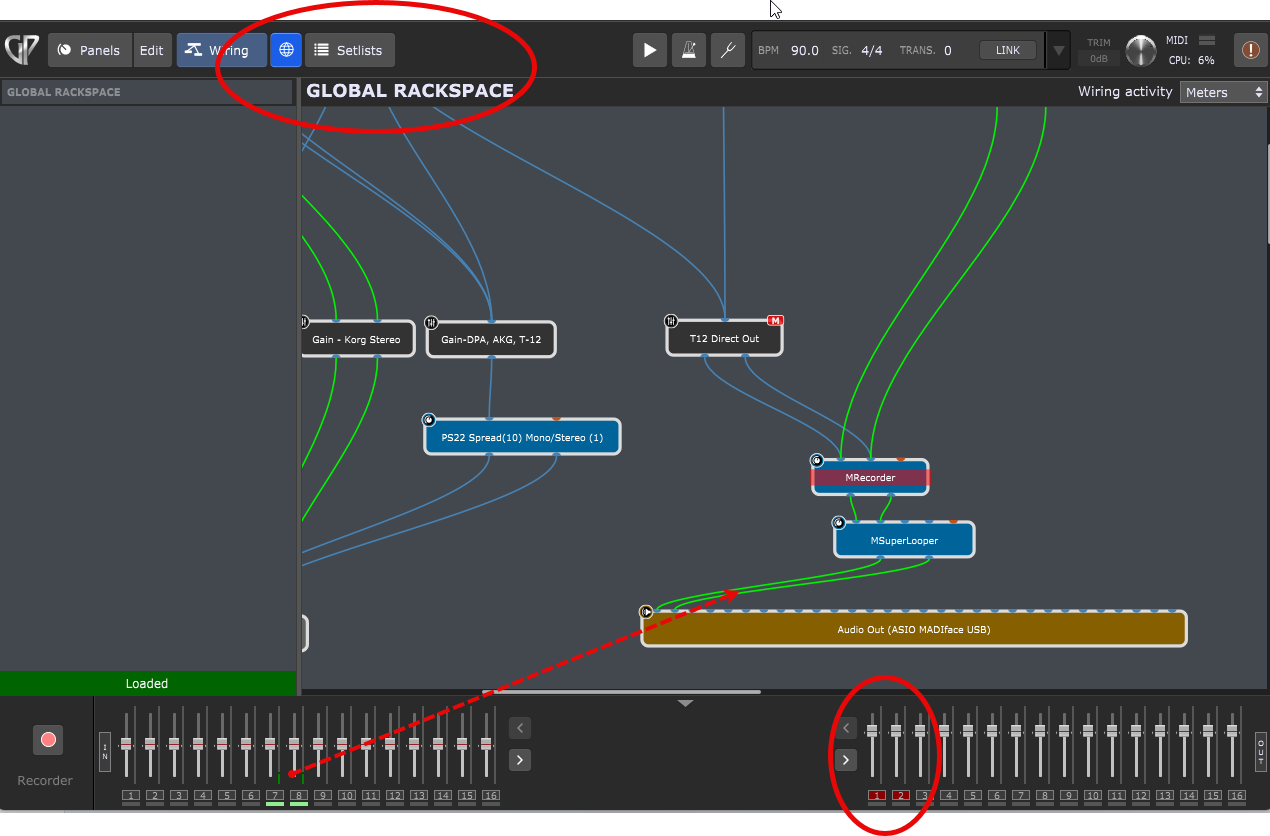
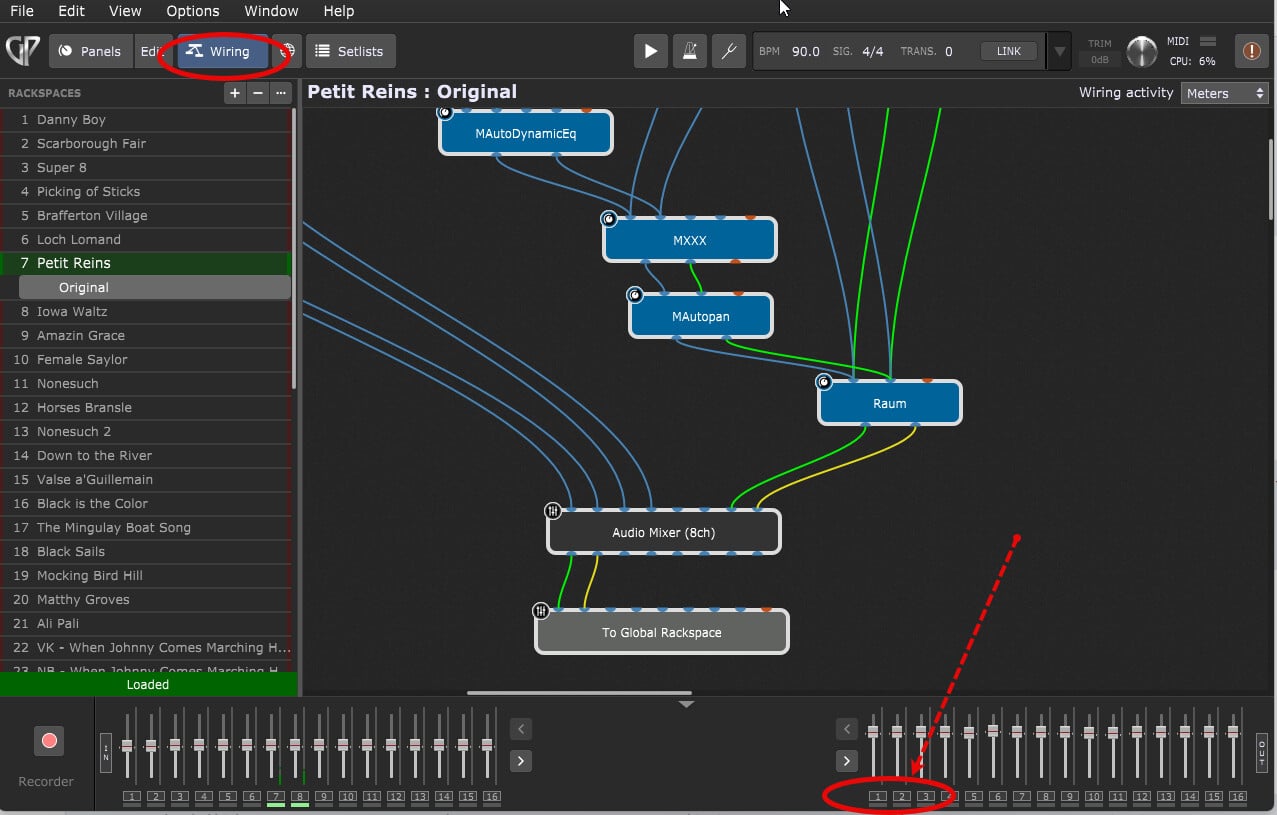
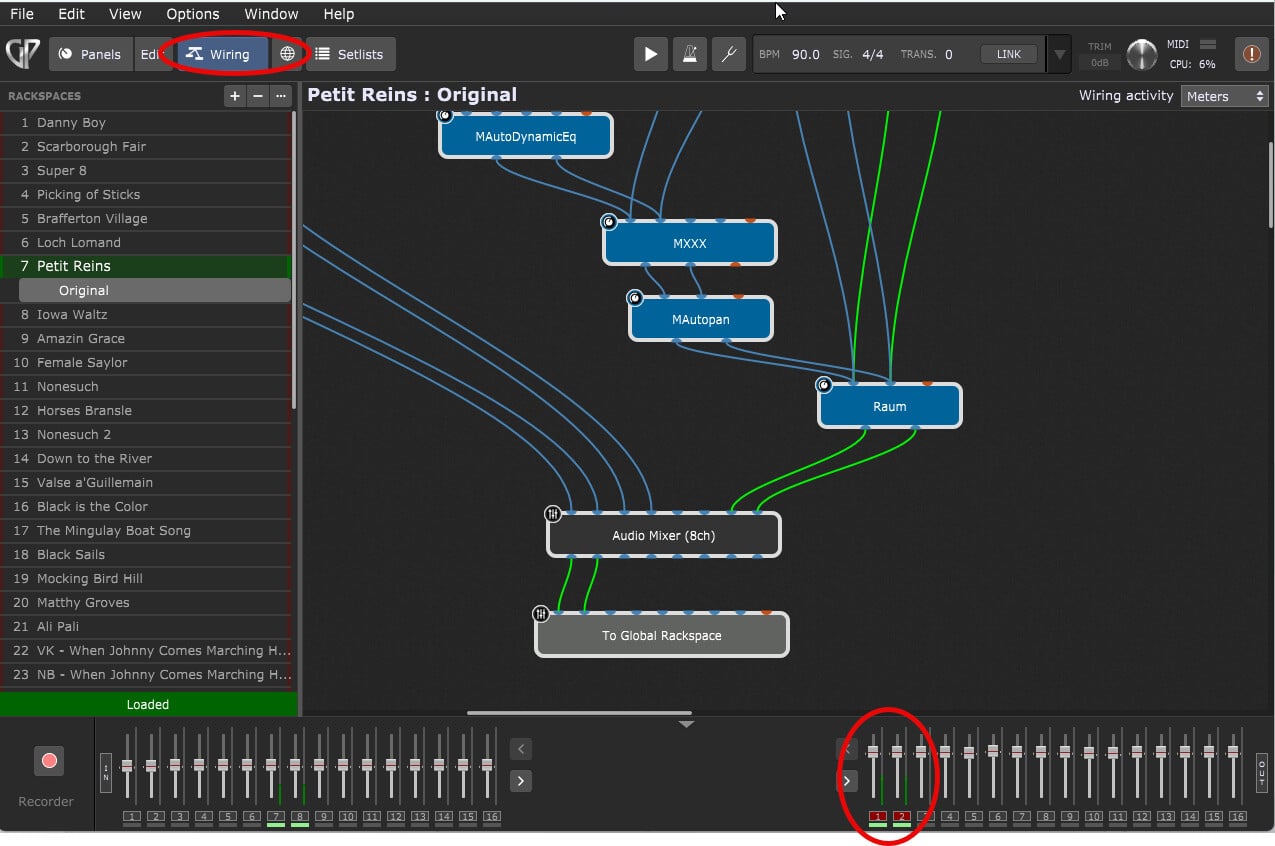
Summary: The main audio in/out channel mute/unmute buttons do not work when in Wiring view, nor status replicated when switched to Global view; the main audio in/out channel mute/unmute buttons DO work in Global view, but status not replicated in Wiring view.
I don’t know if the following behavior is a glitch specific to my computer and/or Windows, or if it can be replicated.
Detail/Description
In Global view, selecting the Audio In/Out (1 and 2 in the screen capture) mutes and unmutes the output channels as shown. See first screen capture.
In Wiring view though, what I selected in Global view is not replicated in Wiring view. The output channels appear to be unmuted. See second screen capture.
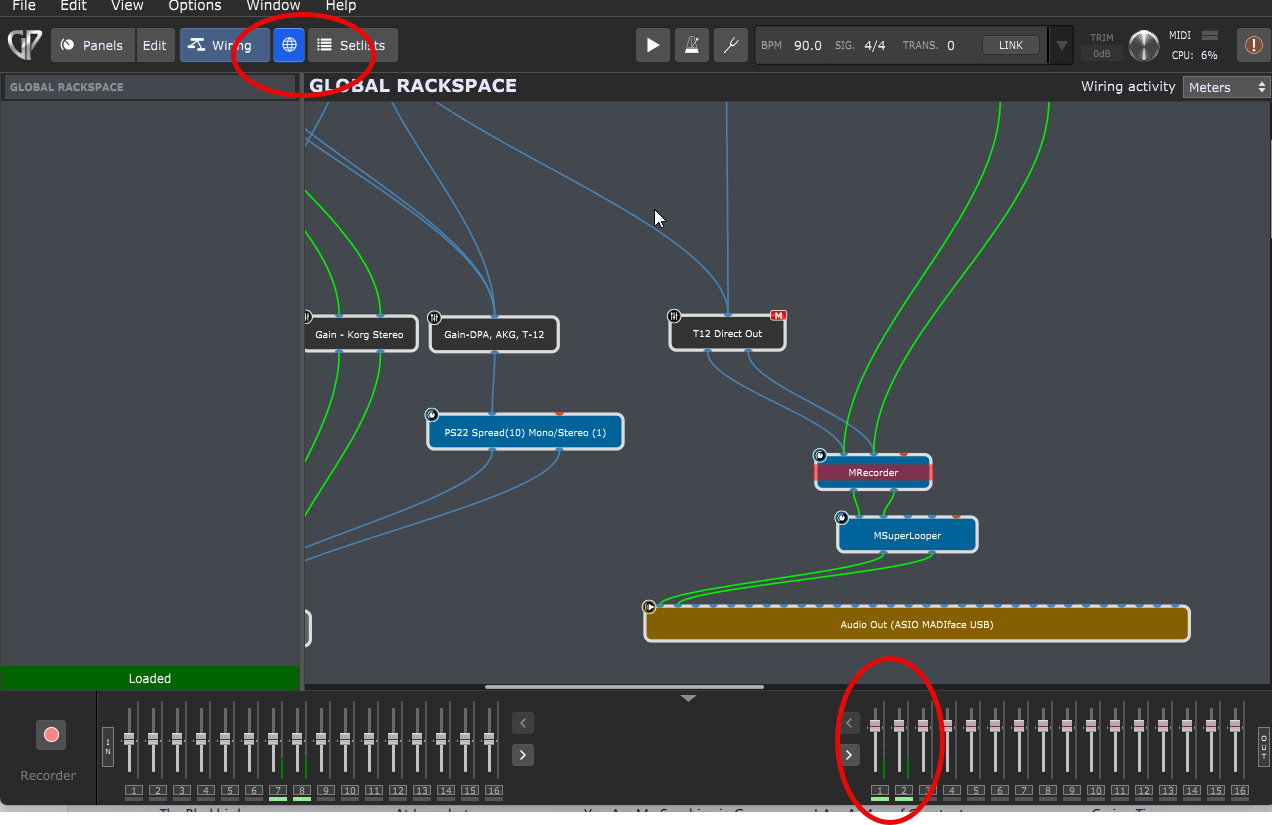
In the third screen capture, Global view, I have unmuted channels 1 & 2, see screen capture three, which are:
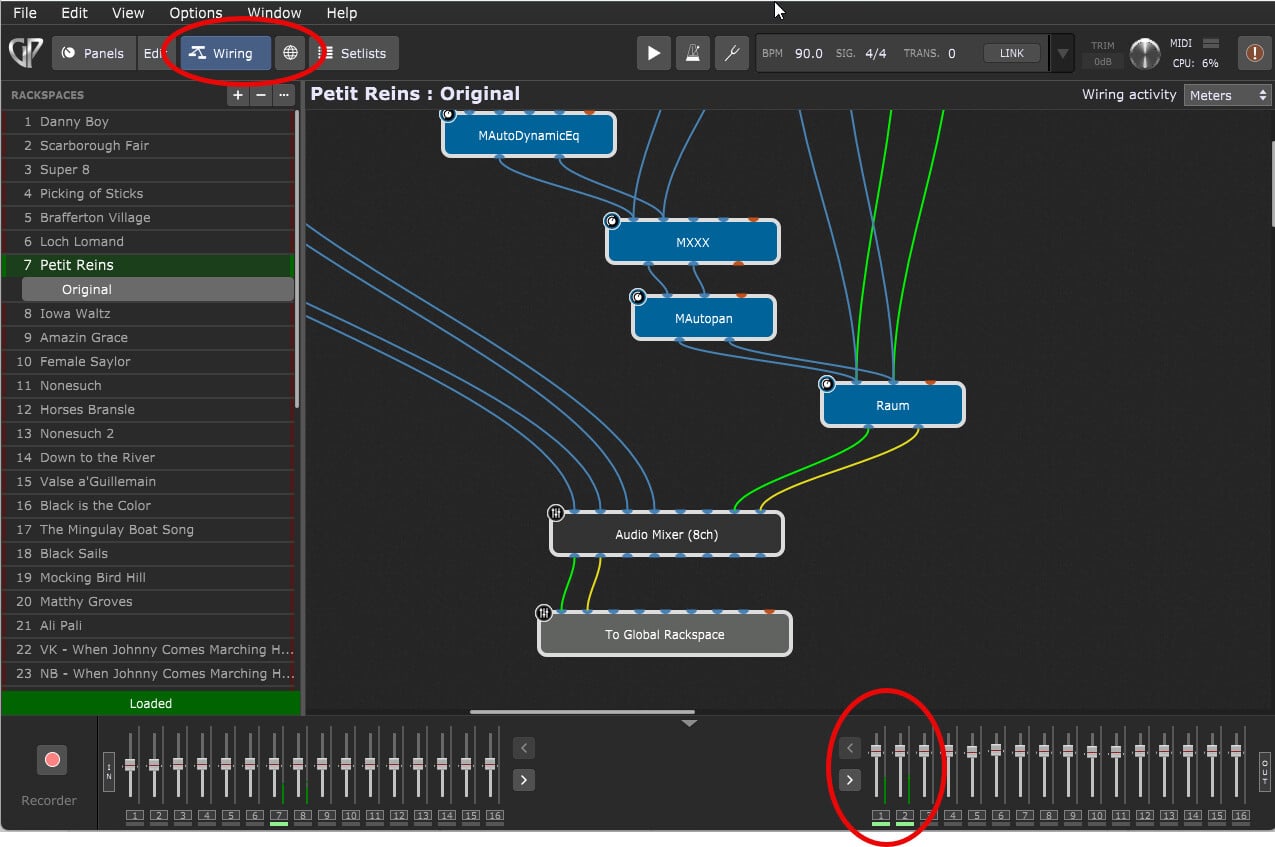
Shown unmuted correctly and active in the fourth screen capture in Wiring view.
However, if I mute channels 1 & 2 in Wiring view, they do not mute the audio as seen in the fifth screen capture, nor do:
Channels 1 & 2 in Global view have the muted status displayed in Wiring view as seen in the sixth screen capture.
I have checked this behavior for all the other input and output audio channels I have, all exhibit the same behavior: 1) muting/unmuting in wiring view has no effect on audio in or out, and the status displayed in Wiring view is not displayed in Global view; 2) Muting/unmuting in Global view does mute/unmute the appropriate channel, but it’s status is not replicated in Wiring view.
My question is if this is unique to me/my setup, or can it be replicated by someone else? Is it unique to Windows, or is it the same with Apple?
Thanks!