I have 3 or 4 plugins in the Global Rackspace. My CPU on a blank rackspace hovers around 5-7% CPU (on a pretty powerful laptop).
So, 7% with Piano V3 in the Global rackspace using a less powerful laptop does not seem too out of line to me.
I would remove Piano V3 from the Global Rackspace. It is a physucally modeled Piano. The big benefit of it is, it uses very little ram. So, to me, it is the type of instrument that should go in local rackspaces, as needed, rather than the Global Rackspace. Now, if you prefer a (low cpu, higher ram) sampled piano that you used repeatedly (to my ears, they sound better), that should go in the Global Rackspace.
So, I would try removing Piano V3 and see if that makes a difference.
And try lowering polyphony and turning off effects on your “weaker” laptop.
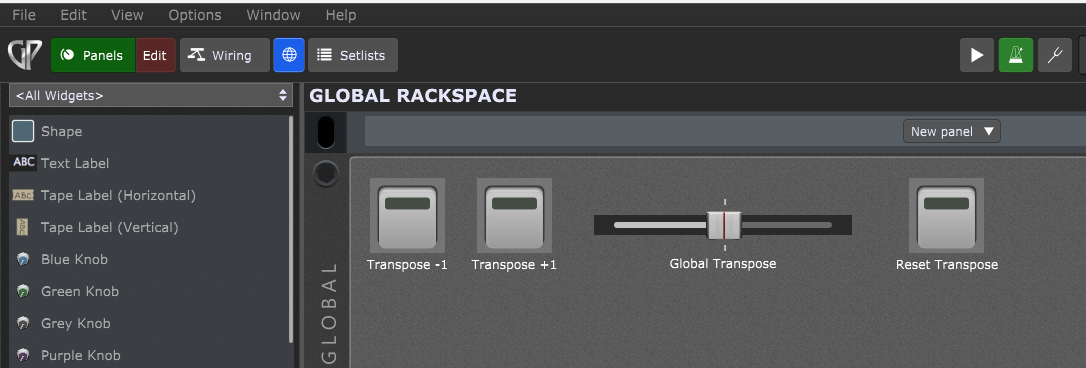
I’m sorry. Where are you seeing Piano V3 in the Global Rackspace? If it’s there somewhere, I didn’t intentionally put it there. This is all I’m seeing in my Global Rackspace…
Oh, DUH! I honestly have no idea why that was there. I just removed it and the CPU dropped 1% in the “Piano” rackspace (for example). Not sure this made any significant difference. So in doing more testing last night, I noted more specific specs of my 2 laptops. The 2019 Zbook has a 2.60GHz 6-core processor with 32GB RAM. The 2021 EliteBook has a 2.8GHz 4-core processor with 16GB RAM. The EliteBook didn’t glitch at all until about 90% CPU. I’m using the same interface with the same driver. I also completely removed my 3rd party A/V and about 8 other 3rd party apps I don’t use anymore - one of which had background processes. The Zbook still glitches at around 40% on the same test rackspace. The other difference here is that the EliteBook is running W10 Pro and my ZBook is running W11 upgraded from 10 Pro. I’m wondering if I should completely reimage the Zbook and start fresh.
I wonder if there is a bigger difference between the 2019 ZBook and the 2021 Elitebook and the 2021 machine (and later ones) than those stats suggest.
My impression is in the more recent intel chips the “turbo” feature really allows you to reach above the base cpu pretty much whenever you need it. With the 2019 machine, you might really be stuck at 2.40 GHZ, which is low.
But, perhaps you more computer savvy people (including the OP) might have more understanding of this.
OK, so after deleting the Piano V3 from the Global Rackspace, a bland Rackspace is now showing 0% CPU! Excellent. If I simply add a single CS-80 block, the CPU rises to 7%. Playing this single block causes the CPU to jump to around 21%. Adding a second CS-80 block brings the CPU (at rest) to 14% (7% increase). Playing both blocks together brings the CPU up to 43%. It’s here that mild crackling begins. Adding a 3rd CS-80 block brings the CPU (at rest) to 21%. Playing all 3 brings the CPU up to 65% and the crackling is so bad it’s unplayable. All 3 blocks have no effects and polyphony set to “3”.
I’ve tried them all, but currently running 41000 and 512. 41000 is as low as I can go. I’ve tried the buffer size all the way up to 2048. In face, running the buffer size at 2048 is WAY worse. Severe crackling in the 30% GPU range.
The same results for me using that plugin. I can get away with 2 of those blocks, but I do need to bring the polyphony down to 3. It would appear that playing multiple blocks of these on a single core for these processors isn’t great. I would suggest using separate instances of GP so that multiple cores can be utilized.
How is running multiple instances done in a simple way when I’ve got GP set up with my setlists. I’d have to click through the setlist within every GP instance, correct?
I’m not using MIDI and VST-Synths that much, but I tried out the Memorymoon ME80 (which is a CS-80 Clon). If I use 3 instances of this synth with 3 different presets it shows 1% CPU usage in idle and playing full chords it reads out at about 5% (All 3 synth running)!!
(Ryzen 5 5600 at 3,5Ghz)
I think this could be a faster solution to your problem, it costs “only” 40$, so this is not too much money if you want to use the CS80 more often. There is a fully functional trialversion at memorymoon.com.
Maybe you download it and try out if it keeps up with the arturia version and how this reacts on your cpu usage.
You made me look it up. Memorymoon also has a Memorymoog clone called the Memorymoon. I’m guessing that was their first plugin and they took the company name from that and it only became totally confusing when they branched out with the ME80.
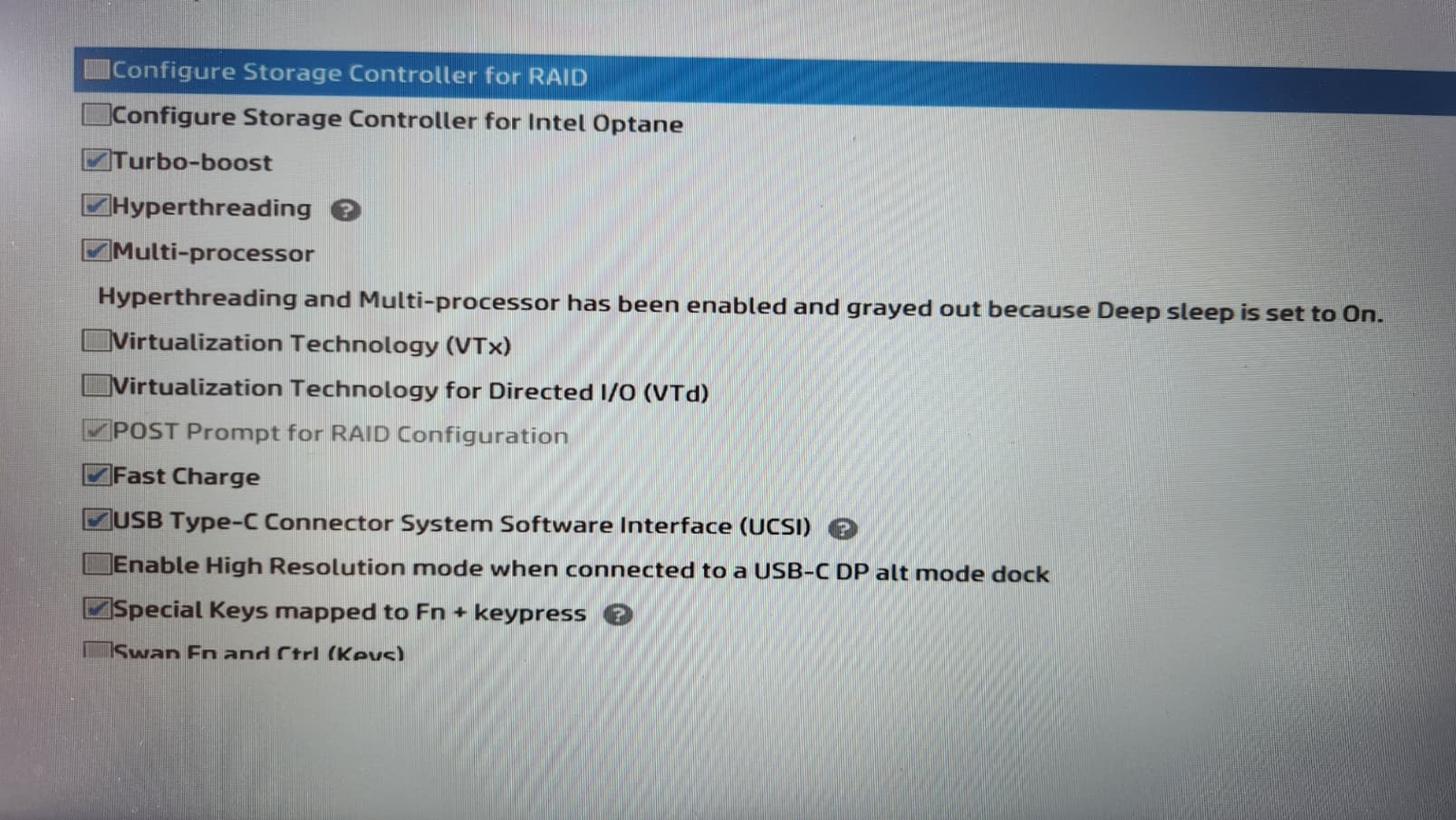
Have you tried switching off Hyperthreading in the Bios? The virtual cores that are added with hyperthreading are not as fast as the physical cores, so if GP gets assigned to run on a virtual core it will not run at full performance.
It sounds counter-intuitive to switch of HT since it will cost some performance, but for GP it might be beneficial.