I guess a quick description of how I set up my two board live rig, is needed before I dive into the detail. I use a 88 note weighted Roland Piano as the lower board and a 49 note semi-weighted CME controller as the upper board. There are no controls on the piano (wheel, bend etc.) only a pedal input. The upper board provides the control surface as a separate interface, but the sustain, mod wheel, pitch wheel and pedal inputs are on the same interface as the keyboard. I use a single sustain, expression pedal to control both keyboards and a next pedal.
Global Rackspace
In the global rackspace I have the following wiring.
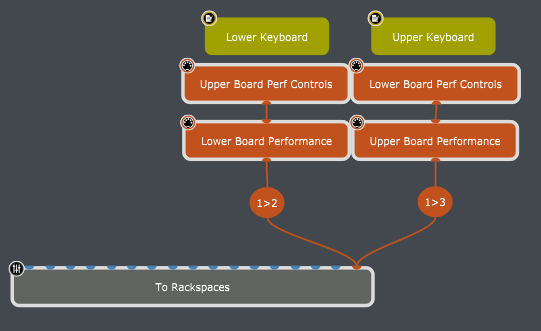
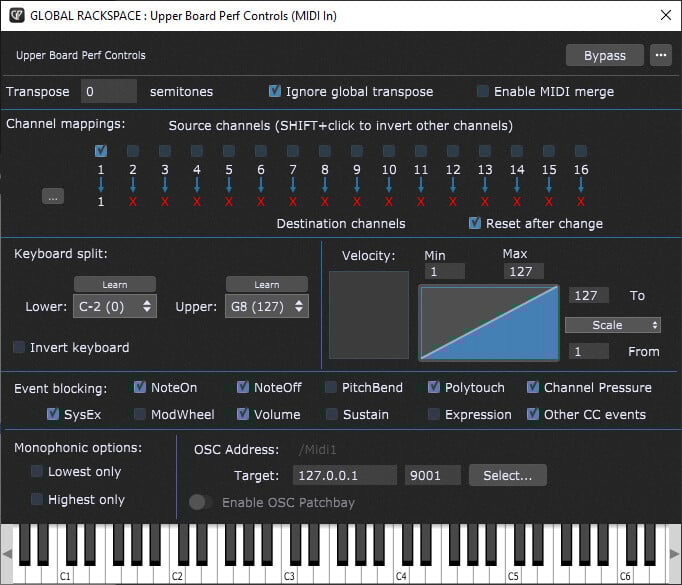
The MIDI input blocks, I have the performance controls from one keyboard merged into the input of the other. This allows a single sustain, pitch bend or modulation wheel to be used as if present on both keyboards. The MIDI upper input blocks (perf controls) have the event blocking set to block everything except the mod wheel, the pitch wheel, the sustain pedal and the expression pedal.
The performance block has the above controls merged to the incoming MIDI from the played keyboard (the Enable MIDI merge is checked). The other significant setting is that the Ignore global transpose is checked.
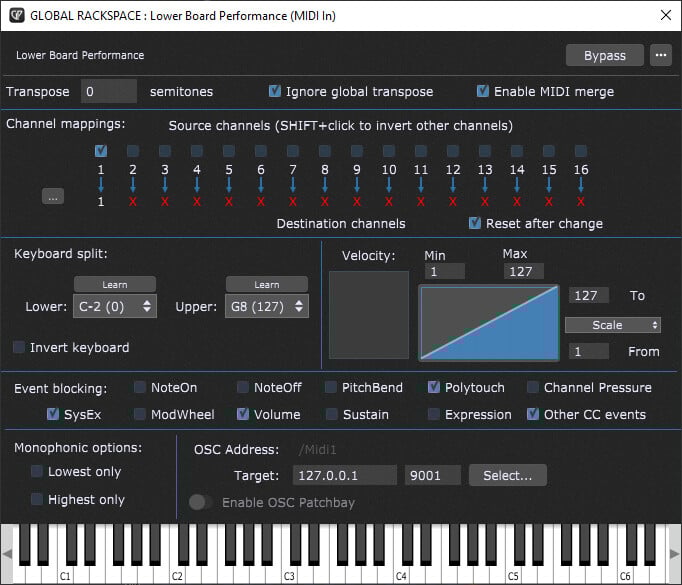
In addition to the controls merged, the notes and channel pressure is also enabled in this block. The result of this pair of MIDI inputs is that the only outputs are the notes, channel pressure (add polytouch if required), the mod wheel, pitch wheel, the expression pedal and the sustain pedal.
Finaly this washed output is chanalised and made available to the local rackspaces via the to local rackspace MIDI port. I use channel 2 for the lower Keyboard and channel 3 for the upper keyboard.
Local Rackspace
In the local rackspace I apply the same workflow for each. The Global Performance MIDI Outblock is simply a convienience. The MIDI input from the global rackspace is sent to the Local GP port (I know this is not technically required, but this keeps my MIDI wiring tidy).
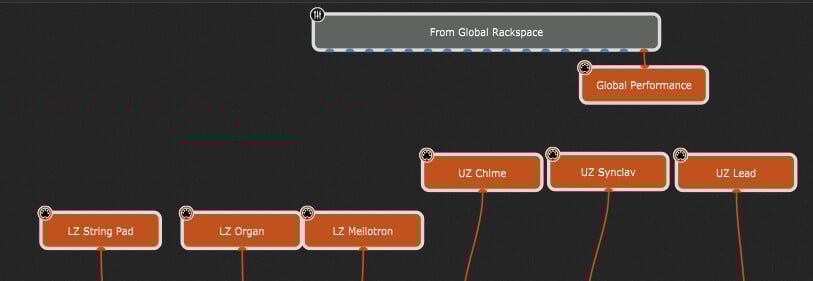
I have two MIDI In block favourites defined, using the Local GP port MIDI Input, one for the lower keyboard and one for the upper keyboard. these have the MIDI input channel filter set and are used repeatedly as the start point for defining the zones on the keyboards.
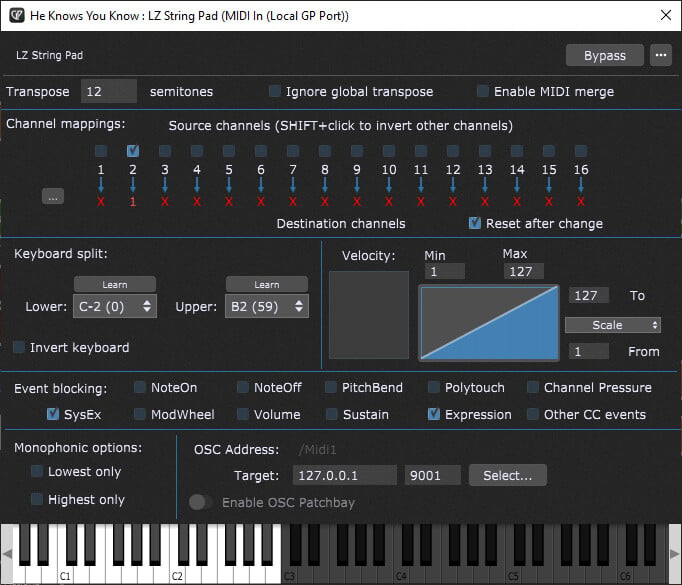
In this MIDI In block you can see that only MIDI channel 2 is enabled (lower keyboard) and that it is immediately changed to channel 1 and transpose is allowed. The note range is used to zone the keyboard. The Event blocking need now only be used to block only outputs from the “washed” MIDI stream that are not required.
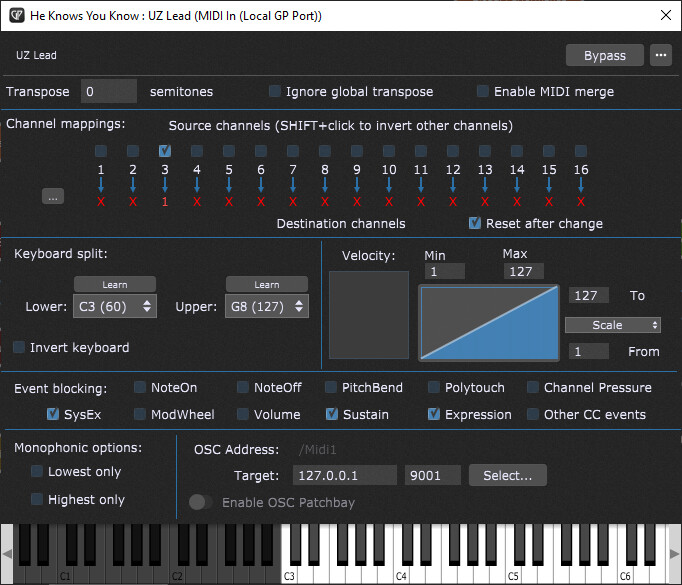
In this example MIDI channel 3 is enabled (upper keyboard). This block is also zoned for the keyboard. Significantly, the single sustain pedal is blocked. as this is a lead sound played over the strings.
By using this workflow ALL unwanted CC# messages are filtered by the global rackspace, channel 1 is restored before reaching the VST’s, and the fine detail of sustain, mod and pitch are quickly managed.
The local rackspace wiring remains clean and modifies easily from existing local rackspace wiring. To add further controls, for example to manually sweep a filter, these are added using rig manager control aliases and widgets that are explicitly mapped to the required control.
