today during show all of a sudden my midi stopped working.
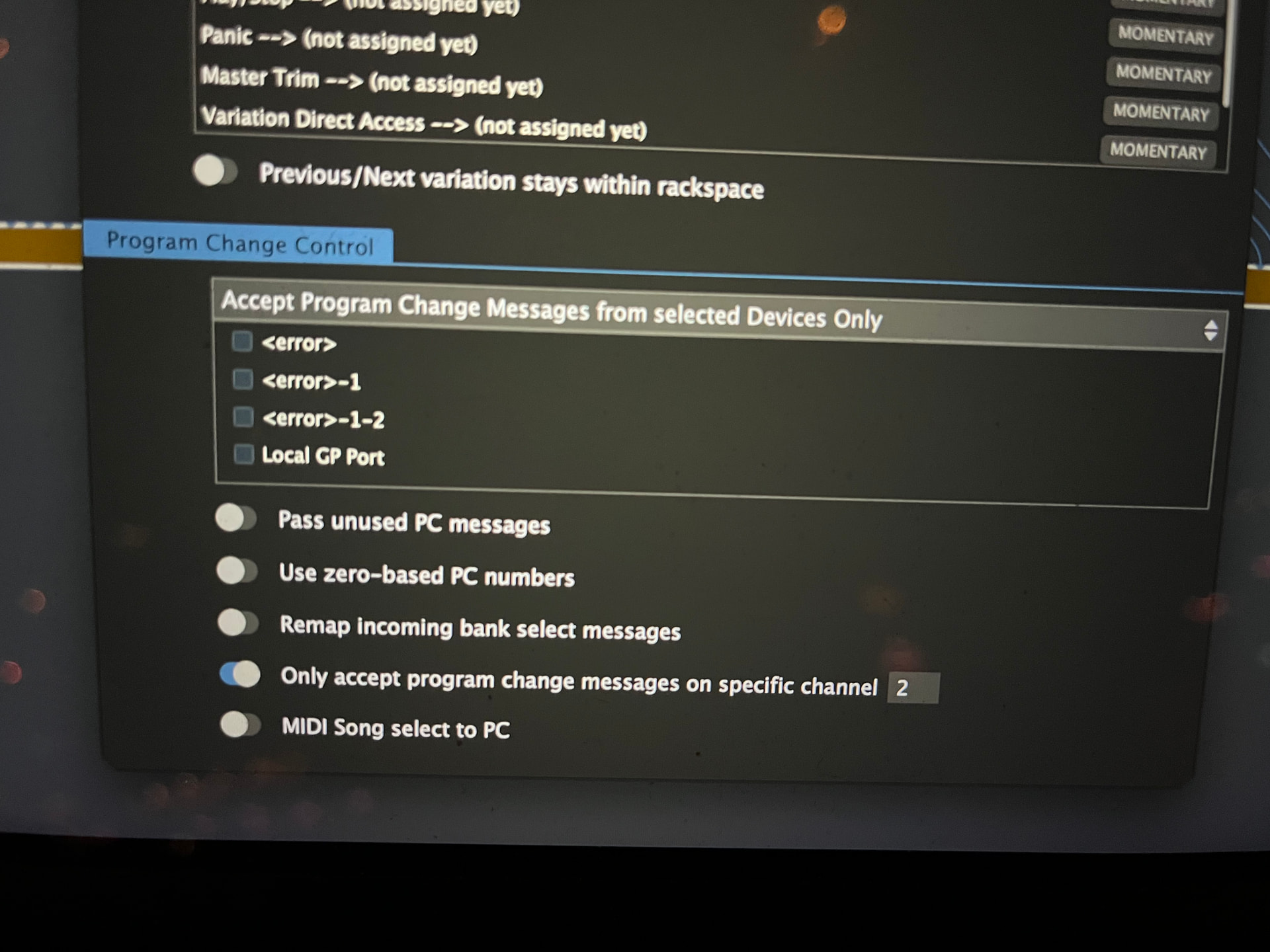
All midi in Ports turned into error!
Any idea anyone? Looks like the Apple midi driver crashed?!
Gigpeformer 5, osx
Checked cables/connections?
Powered midi hub? [Disclaimer: I don’t know much]
Jeff
" < error > " (or grayed-out/hidden) MIDI port in macOS Audio MIDI Setup typically means the OS detects a device is plugged in but cannot establish proper communication, often caused by driver conflicts, power issues, or incorrect routing.
Here are the steps to troubleshoot this:
(1) Immediate Fixes
.
(2) Audio MIDI Setup (AMS) Troubleshooting
~/Library/Preferences/ in Finder, and delete com.apple.audio.AudioMIDISetup.plist, then restart..
(3) Drivers and System Integrity
.
(4) Special Scenarios
Recent system update may cause this behavior.
Sorry a bit more info is needed:
I was using GP to autotune a live concert. It got it’s midi from a rtp midi connection with a playaudio1U (which was connected to a different MacBook with Ableton). All machines were connected to a Cisco 250 business managed switch.
The playaudio was set initiator to establish connection with the “tuner MacBook”
When the error occured I saw the midi Ports turn into error and the switch was overloaded (network storm). Don’t know what happend first
Thanx! All of my midi Ports (even the IAC driver) turned into error… so that’s why I figured it could be the Apple midi. Because I had to keep the audio outputs I wasn’t able to do a “sudo killall coreaudio” during/after show. Forgot the option sudo killall MIDIServer  (no idea of that works during show without restarting GP).
Need way more information
The only other thing that can typically kill CoreAudio is faulty hardware
Perhaps a loop? To avoid that you can enable stp on the switch. You use that switch standalone? If you use it connected to other switches then enabling stp could need more thinking through, especially if the other switches are not under your control.
Update: I’m able to reproduce the situation:
The Playaudio is set to initiator making a RTP midi connection to the Macbook. On the laptop side in the Audio Midi Network settings you can see the connection. When I unplug the ethernet cable and plug it back in, the connection remains but then the Playaudio makes another connection so the connection is double (you can see the connection twice). In a couple of seconds a connection error pops up and that’s when the Apple Midi crashes (and the error on all midi ports in GP).
I’ve tried this with different cables and different USB C Ethernet dongle/hubs.
This doesn’t sound like a GP problem. I have seen this kind of “duplicate” connection when trying to connect iPads to a Mac via wifi but I’ve never seen CoreMIDI crash as a consequence.