Okay, I understand your process better now. And I’m getting the same results as you, except:
The label is detected correctly, but it disappears very quickly.
The text value is displayed twice (on screens 1 and 2).
I think this is due to a different display management between an icon and an X-Touch.
So, questions: Is it possible to control or change the sent SysEx messages in MCU ? Is it possible to let the user control the displays (because with a script, I seem to have a conflict with the MCU extension)?
Another unrelated point: On an X-Touch, there are physical meters that don’t respond. Can they be controlled by the MCU? (Otherwise, I’ll start writing scripts myself.)
Thanks for this discussion.
There is no code in the MCU extension to control the meters. I assume the x-touch uses the standard MCU protocol for it.
Because the extension isn’t doing anything with them you could freely write to them without the extension interfering. The extension code is all open source, so if you can work in C++ you can feel free to make additions to the github repository.
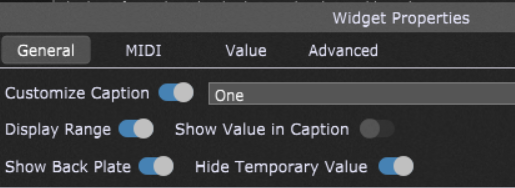
I think what’s probably happening is that you have your widgets set so that GP automatically writes the changing parameter values to the widget caption as parameters change. I think if you turn that off the problem will go away.
I think it would be easy enough for me to add an option so that the extension doesn’t write to the displays at all, which would give you full control of them from a script if you wanted to do it that way. Otherwise the problem is both your script and the extension will be making changes without a way to coordinate them.
On the top menu bar of GP there is a dropdown called “Extensions”. If you click that there will be an option called “MCU Extension” and under that you can choose among several pre-defined layouts. I believe the X-Touch is one of them.
All this option does is change the configuration of which buttons on the controller do what. There are three buttons for changing what is shown on the display (faders, knobs, or songs/racks) and buttons for separately moving forward and back through fader banks and knob banks.
I’m bothering you again. I’ve tried everything to address the X-Touch’s vertical VU meters through Gig Performer. I’ve tried tons of SysEx, CCs, etc., but nothing works. (I’ve tried with MidiOxe and Pocket MIDI.) Only Cubase using Mackie Control displays my VU meters correctly. Do you have any idea what instructions I could send to the X-Touch by associating my Left_Meter widget, which receives audio from my computer, for example? Thanks again for your help.
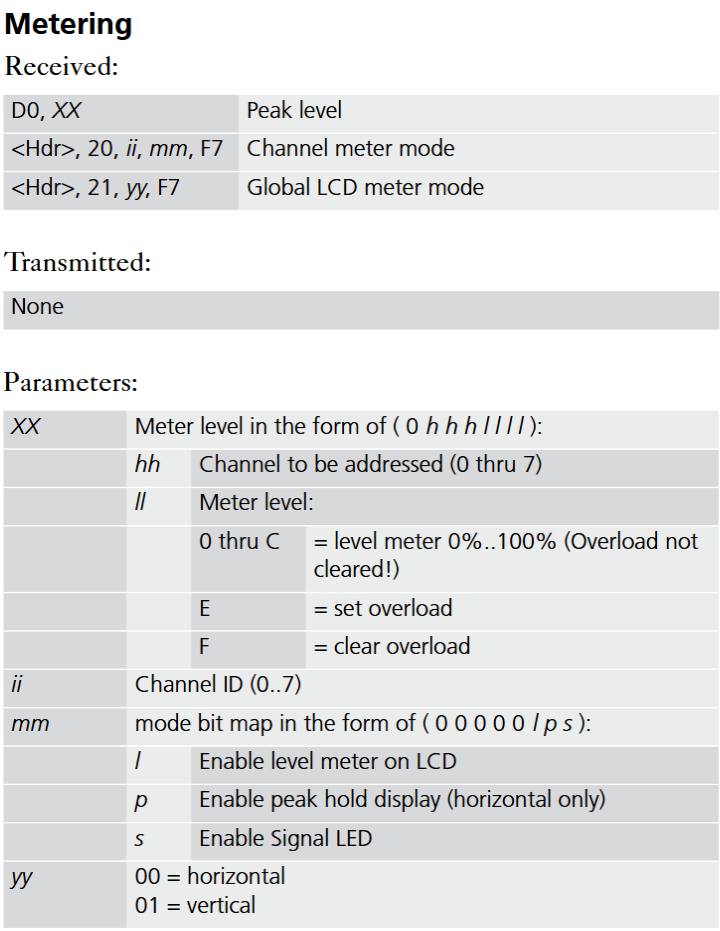
There is a protocol for setting an individual meter level and it automatically decays back to zero over a relatively short period of time. The decay rate is about 300ms per bar segment. If you want the meters to display a signal level then you have to have a routine that will update them at least 5x per second.
Once you have that part down the question is where do you get the data to send them.
Hi Vindes, after many hours of works, I found how to send Audio to the Led’s XTouch without your dashboard. If people are interested, I will create a special topic for that (It wasn’t easy at all , you need Scriptlet and other things, but it works perfectly). Good night from France.
I’m certainly interested. I know how to do it through sysex. What I don’t know how to do is specify an audio signal to monitor and sample its level at regular intervals in a way that’s practical.
If you have a good approach for that I’d be happy to either build it into the MCU extension, or maybe just make it a separate extension that could work with any MCU compatible device. Most of them have the VU meters.