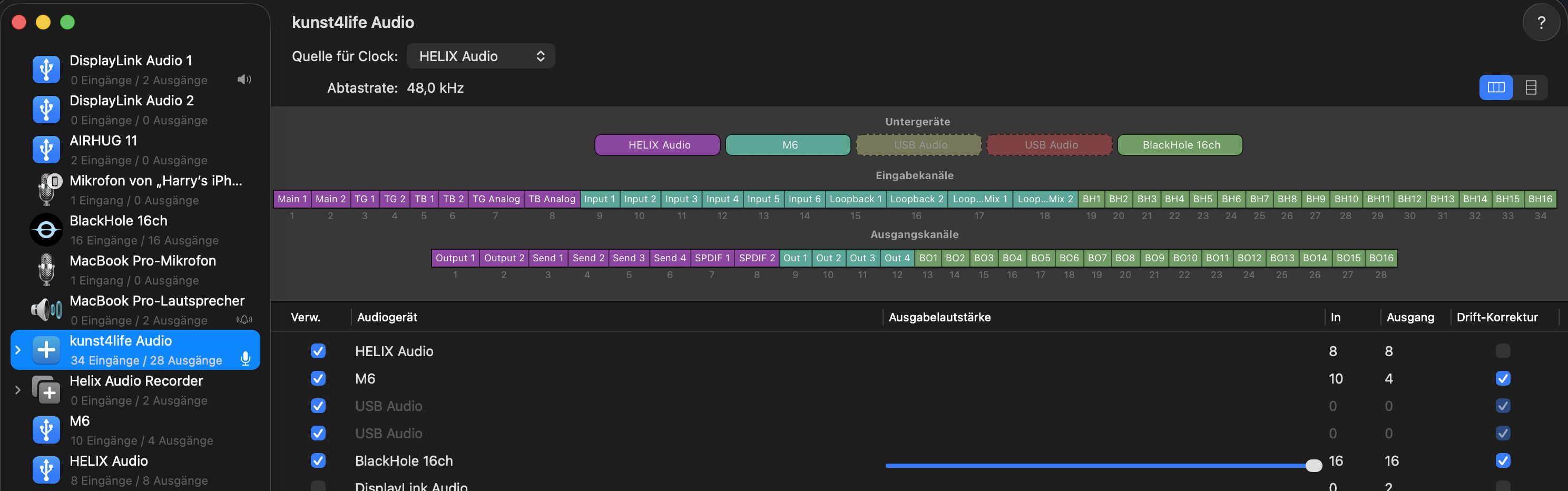
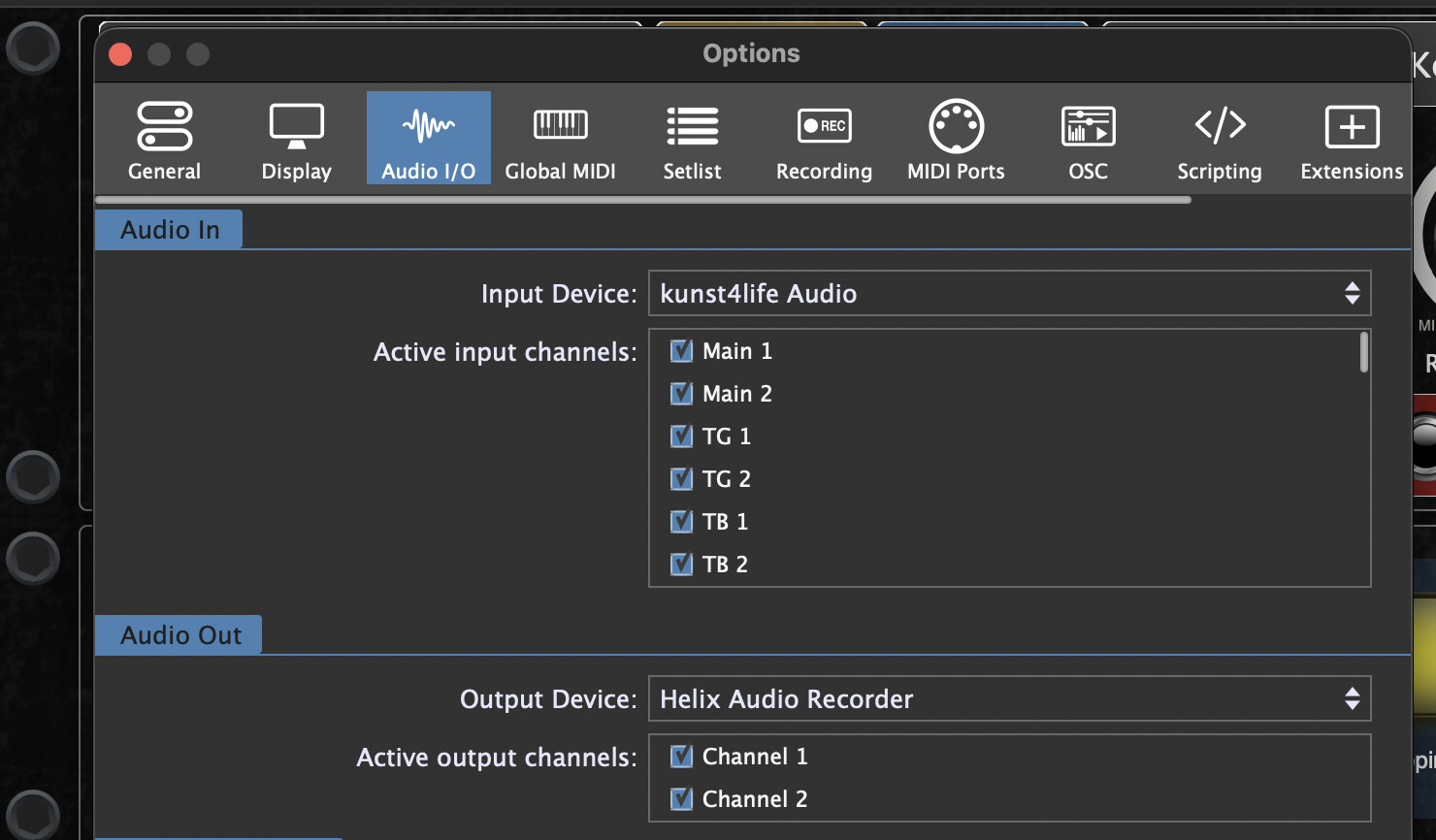
This might help some Mac users. In Gig Performer, it bothers me when interfaces are not connected because the dialog boxes with questions or virtual ports keep popping up.
I have therefore defined an aggregate device on my Mac and added Blackhole 16 at the end (see screenshot). The advantage of this is that if an interface is currently not connected, and the number of linked inputs is sufficient, Gig Performer starts without asking, as long as the Blackhole channels are enough. Later, if I connect an interface, it is automatically recognized and integrated. Similarly, if an interface crashes, I can turn it off and on again during operation.
I’ve had trouble in the past (Intel-era Macs) but it was usually with complex aggregate configurations where I needed a particular device to be dragged up from 44.1kHz to 48kHz to match multiple audio devices without flexible sample rates. These days, all devices have been upgraded and are natively 48kHz. On the M-series Macs, audio device aggregation works seamlessly, and in some cases, it actually helps keep variable-sample-rate devices locked at a particular sample rate when an application might try to change it.
Thanks for this, it is exactly what I need to get audio into GP from Stage Traxx. Can you screenshot a wiring view please and how you’ve wired it up? I assume you’ve put it into the global rackspace?
and for Recording my Performance I’m using the external standalone free Fusion Recorder - with separate channels: HELIX Main out 1+2, Guitar 3+4, Bass (5+6), clean Guitar (7), clean Bass (8), Mic (9) and all the other Channels Mics and GP (15+16) … :