I have a text box displaying the value of gain levels in db. I like to see that as I adjust it. Currently, If I have the song lyrics window open for instance, I have to make sure it is small enough not to cover this label widget. Is it possible (with scripting) to create a temporary pop-up window that would display this value as I adjust it (and it would be on top of all other windows) then disappear?
1 Like
Maybe this extension?
4 Likes
It most certainly sounds exactly what I am looking for, let me check it out! Thanks!
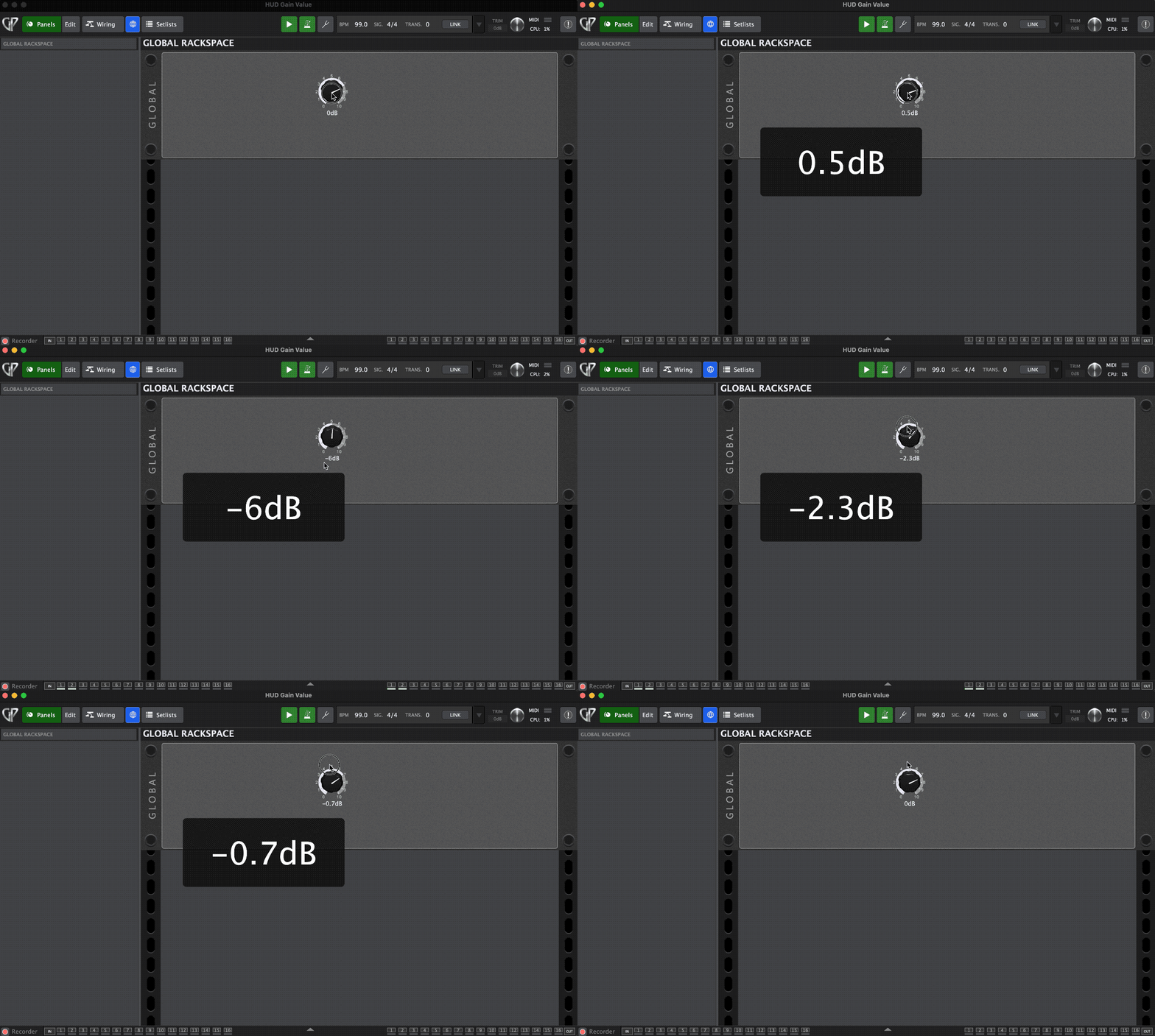
If you need some sample code, this just requires you to give your gain widget a handle of “GAIN” in the widget properties.
Var
  GAIN : Widget
  FontSize : Integer = 80 // Set default font size
  Duration : Integer = 1500 // Set default duration to display the window in milliseconds
  HUD_Size : Integer Array = [350,150] // Set default width and height

Initialization
  GPHUD_SetFontSize(FontSize)
  GPHUD_SetDuration(Duration)
  GPHUD_SetNamedPositionAndSize(“Center”, HUD_Size[0], HUD_Size[1])
End

On WidgetValueChanged(newValue : double) from GAIN
  GPHUD_DisplayText(GetWidgetLabel(GAIN))
End
7 Likes
That’s really nice -
2 Likes
Wow! That works super nice! Exactly what I hoped for!!! Thank you!
Nothing shows up under “extensions” in the menu. Is that right?
2 Likes
You know it’s good when the “boss” says it’s “nice”! 
1 Like
It’s nice to be a Preiss
But it is much higher to be a Bayer
Yes, that’s expected. It’s optional for an extension to register that menubar item. For example, there are no options or other settings for this extension that required a menu item.
Let me guess…you are Bavarian!
1 Like
I just had a gig with this extension and having this info pop up whenever I adjusted it, made such a huge difference! Even better than I thought it would be! Thanks again!
2 Likes
Glad you found it helpful!
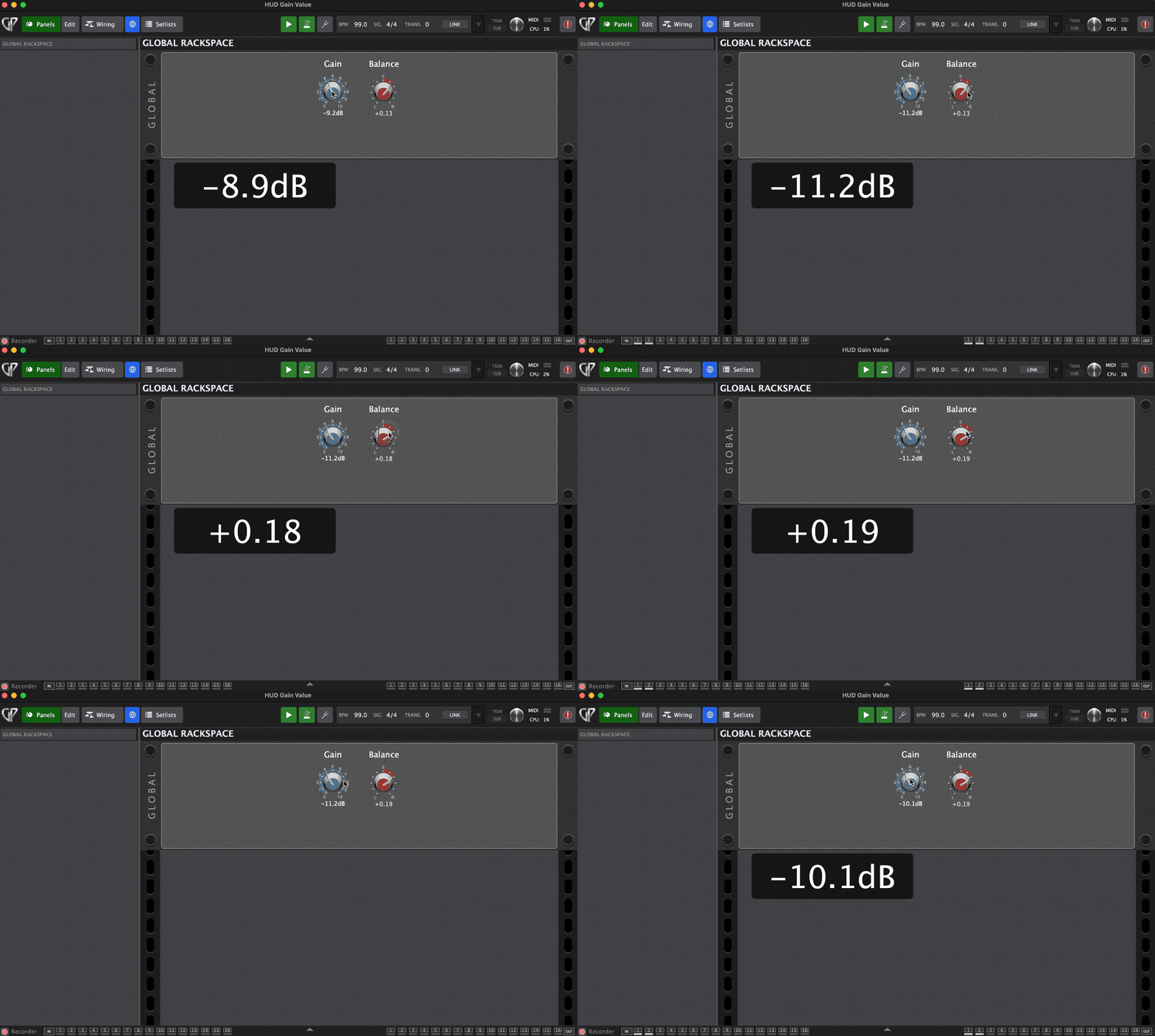
Also, note that it’s very straightforward to extend it to further widgets.
You can use the multi-widget callback like this:
On WidgetValueChanged(w : Widget, index: integer, newValue : double) from GAIN, BALANCE
    GPHUD_DisplayText(GetWidgetLabel(w))
End
4 Likes
Awesome!!!
1 Like
Nice! I am using it for two different widgets now, but with separate “on widgetvaluechanged” because I wanted to add text to display “guitar” and ”synth” after the values as a confirmation which one I’m adjusting.
This is WONDERFUL! Thank you!!
3 Likes
This is what I LOVE about this community! Rock On @rank13
3 Likes
Now that I’ve been using it on a few gigs, I am more and more in love with this HUD extension that delivers HUGE benefits live. It may seem like a small detail, but it took the guess work out of so many button presses and knob adjustments! I had implemented it to a lot more than originally asked for! Its really a pleasure to have!
4 Likes