I have 3 hard synths that I want to be able to send PC messages to via midi using a widget. I’ve been successful at sending a single PC using the midi out. When I click on a rackspace, the appropriate change is made for each keyboard.
I did add a rotary dial widget and am able to incrementally change programs, but it doesn’t always seem to increase by one (1). I would prefer to have two button widgets, one for increase and one for decrease, but I can’t figure out how to make that happen.
If someone could either point me in the right direction, I’d be most appreciative. I’m assuming this is something really simple to do and I’m just not seeing it.
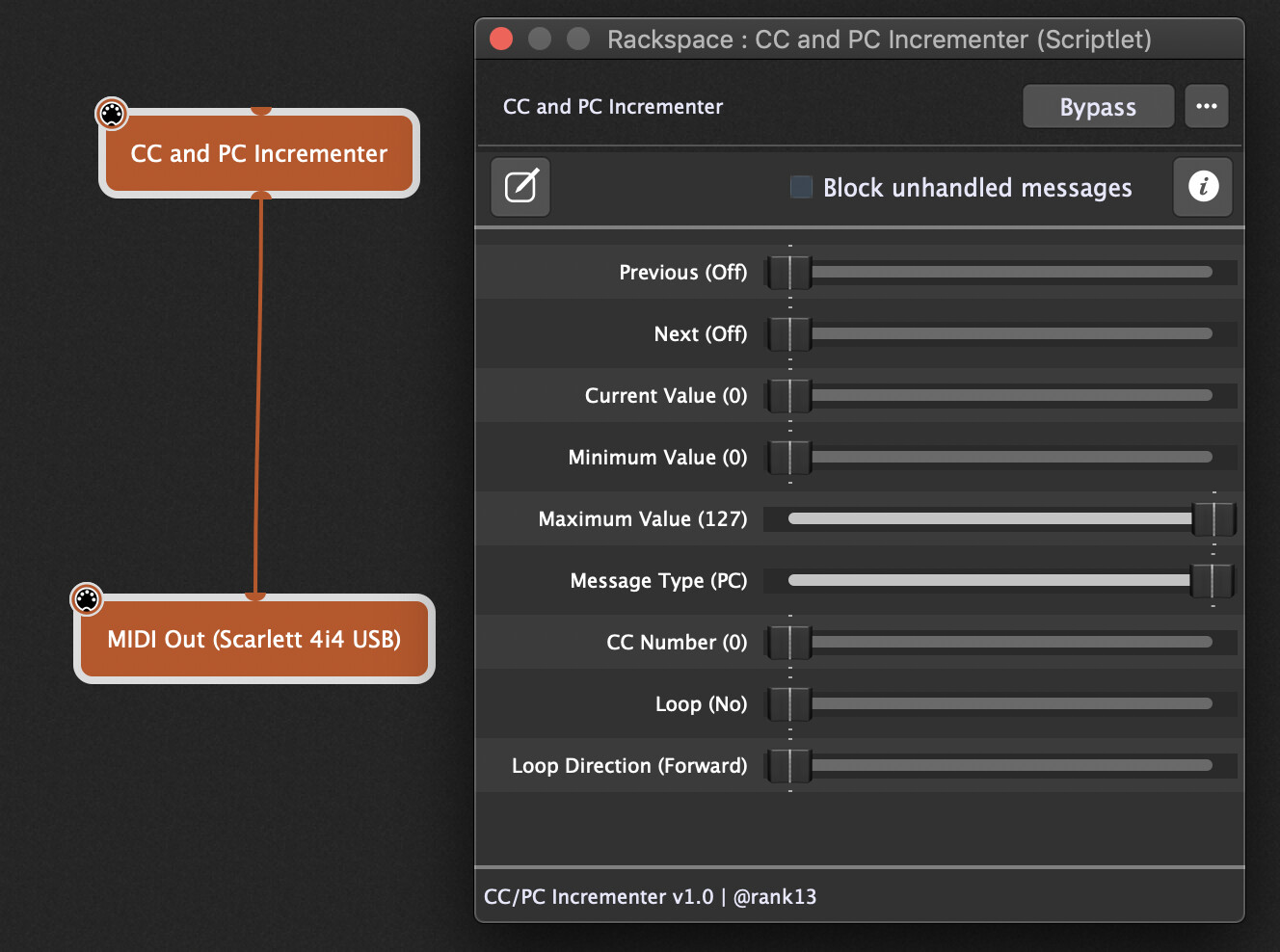
I’ve made a scriptlet that will increment/decrement either a CC or PC message.
Map the ‘Previous’ and ‘Next’ parameters to two button widgets.
It includes a few extras, such as being able to set the minimum and maximum values for the CC/PC you want to send. And also a loop feature, if you want it to automatically loop back around to the minimum value when you reach the last/max value (or you can set it to ‘ping pong’).
Thank you so much for this. I opened the script to see what it involved and it looks like you spent some time on this. I’m not a programmer at all and it would have taken me a VERY LONG TIME to ever have figured out how to do this.
After I got all my other midi in and out settings right, this works great!! One thing I notice is that I have to press each button twice to send the PC message. Is it possible to have it just send the PC with a single touch? I enabled momentary touch thinking that it may work with that option, but it didn’t.
Again, thank you. It is now part of my global rack space for my home studio so that I always have control of those hard synths.
You can use the LED switch, just make it momentary in the options. That’s the only difference between that and the pad style, which is already momentary by default.
Can this be connected to a virtual midi IN port? I’m trying to get incremental PC messages. I tried and its not working for me. I have buttons that are sending CC0 and PC messages to get me in the right bank (sound category in my case) and from there I’d like to send incremental PC messages from the last one I sent. Usually in my case, the PC message always starts with zero (first preset in the category) and from there a +1 PC message (1,2,3 etc) would be great.
Was your initial “CC0 and PC messages” you send working? So it was just the +1/-1 that was not working?
The scriptlet wasn’t updating its own ‘Current Value’ based on a PC message coming into its input.
I’ve changed that. You can see if the attached version works any better.
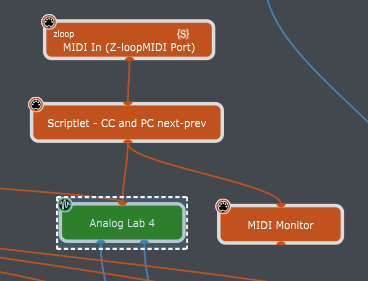
yes, my initial CC0 and PC message works. The way I have it wired is from the Midi In block, connected to your scriptlet, then to Analog Lab 4. I press my widget with CC0 and PC and it goes to the correct bank/preset, then I press the PREV / NEXT buttons linked to your script and nothing happens. I set PC in your scriptlet slider BTW. Again, this is a midi IN, not a MIDI out like for @sas. Does that matter? Thanks for trying!
No it doesn’t matter. The question would be whether Analog Lab always needs the back message sent along with the PC? Because the scriptlet only sends the PC part.
The scriptlet should work then. Have you mapped widgets to Prev/Next parameters in the scriptlet? Does the midi monitor show PC messages are getting to Analog Lab?