When I have created a rackspace, I save it with an appropriate name. But when I import it in a Gig this name is overruled by the one already in the Gig.
Example: I have a Piano/Organ rackspace already in. When I import Wurli/Organ it is renamed to Piano/Organ_1.
Thanks for the quick reply. . I did duplicate the rackspace and changed the plugin, but I do save them under a different name and import accordingly. It might have something to do with that?
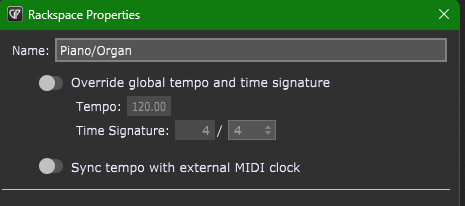
Got it! The issue is that if you doubleclick on the name you can change that. But apparently this is not the same as changing it in Rackspace properties, though it is the same window opening. A bit confusing, but either way thanks a lot for the help, it is solved now.
Yes, that works to change the name of the rackspace.
Double-click, change rackspace name, press Ok, export rackspace.
When you import this rackspace, it will have that name you just changed it to (so long as there isn’t already a rackspace with that name in your gig file).
Be sure you aren’t double-clicking the variation–that will only bring up the Variation Properties.