Import rackspace

Hi

Until now I have only been working in one big Gig file containing all our songs.
That works really well, but now I want to use some af the rackspaces from the Gig file in another Gig file.
Here comes my problem: When I push “Import rackspace” my PC always points at my “Documents” folder, and there is no rackspaces.
So - where is the rackspaces located, and can I import them directly into a new Gig file?

Hope you can help me,
John

Pretty sure you have to export them as individual rackspace’s first, otherwise they are all contained in the Gig file.

I think that’s right.

So, first just export the rackspaces you want available (I think you should be able to put them in any folder you want).

Then, in the Gig file where you want them added to, just import them.

Jeff

To add to what Jeff said, I would export all of them first, as its good to have a back up in case the main gig file gets damaged etc.

But, it can be a bit tricky in some cases.

If you use setlist mode, do you want to export each “song” instead?

But, I recently realized that when you export a song, I think it does not include the Global Rackspace (understandably).

I suppose that is the same if you export a rackspace (that is connected to the Global Rackspace).

But, it appears if you create a Gig file from a setlist, that does include the Global Rackspace.

So (assuming I am correct), these are details that have to be considered.

Jeff

Backup is always a good idea.
Relevant article: [blog] Gig Performer Maintenance: Save, Export, and Backup

Yes, you can export the Global rackspace like you can the normal ones, you just have to remember to import it again in the Global rackspace environment.

Ive recently exported all my songs for back up purposes for the first time, and all my rackspaces separately. I then realised that if I import a song, the relevant rackspaces also get imported which is quite cool, but these are within the song file and dont always match the exported rackspaces if I have changed anything. At least, that’s how I think it works.

Thank you very much all of you.:folded_hands:
I think I soon must look into some serious back-up.:grinning_face_with_smiling_eyes:

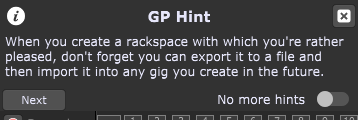
This popped up when I opened GP today

and I thought it apropos to this topic.