This video showcases how musicians can use a Streaming Audio File Player to automate effects and sound changes during a live performance.
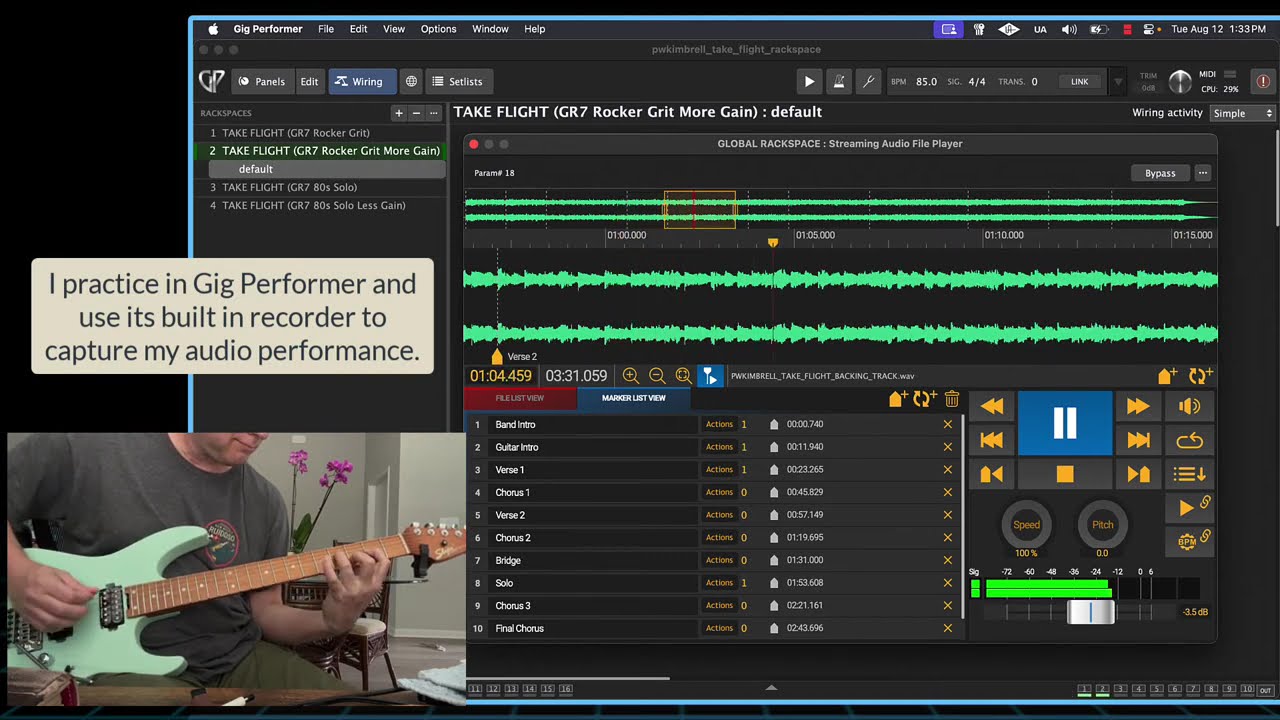
Key features explained in the video:
-
Backing Tracks and Markers: Gig Performer allows users to load backing tracks (viewable as waveforms) and insert markers at specific points (0:20-0:28).
-
Rackspace Automation: Using the Timeline Action feature, these markers can be configured to trigger different rackspaces—which contain specific plugin chains, amps, and effects (0:34-0:45).
-
Real-time Switching: The software automatically handles transitions between sounds (e.g., switching from clean tones to high-gain leads) as the backing track plays, allowing the performer to focus on playing without manual pedal-switching (0:50-1:24).
Performance Demonstration:
Following the introduction, the creator performs their original guitar instrumental, Take Flight, to illustrate these automated rackspace changes occurring in real-time (1:30-5:02).
The author (Patrick Kimbrell) expresses a strong enthusiasm for Gig Performer. In the video, he explicitly states, “Gig Performer 5 is awesome. I love this thing” (1:27).

