win10 x64 - How to setup MG3 HEX in GP5?
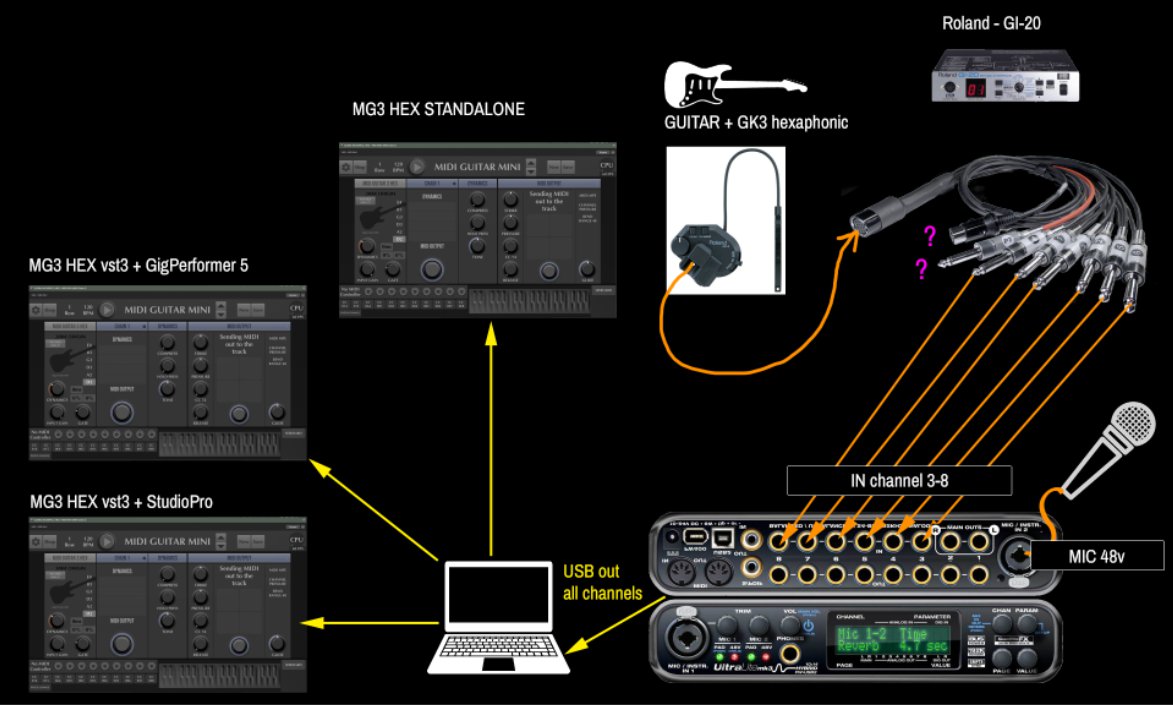
GK-3 —> Separate Strings Breakout Cable —> MOTU IN Channels 3-8 —> USB to PC
GigPerformer —> MIDI Guitar 3 HEX
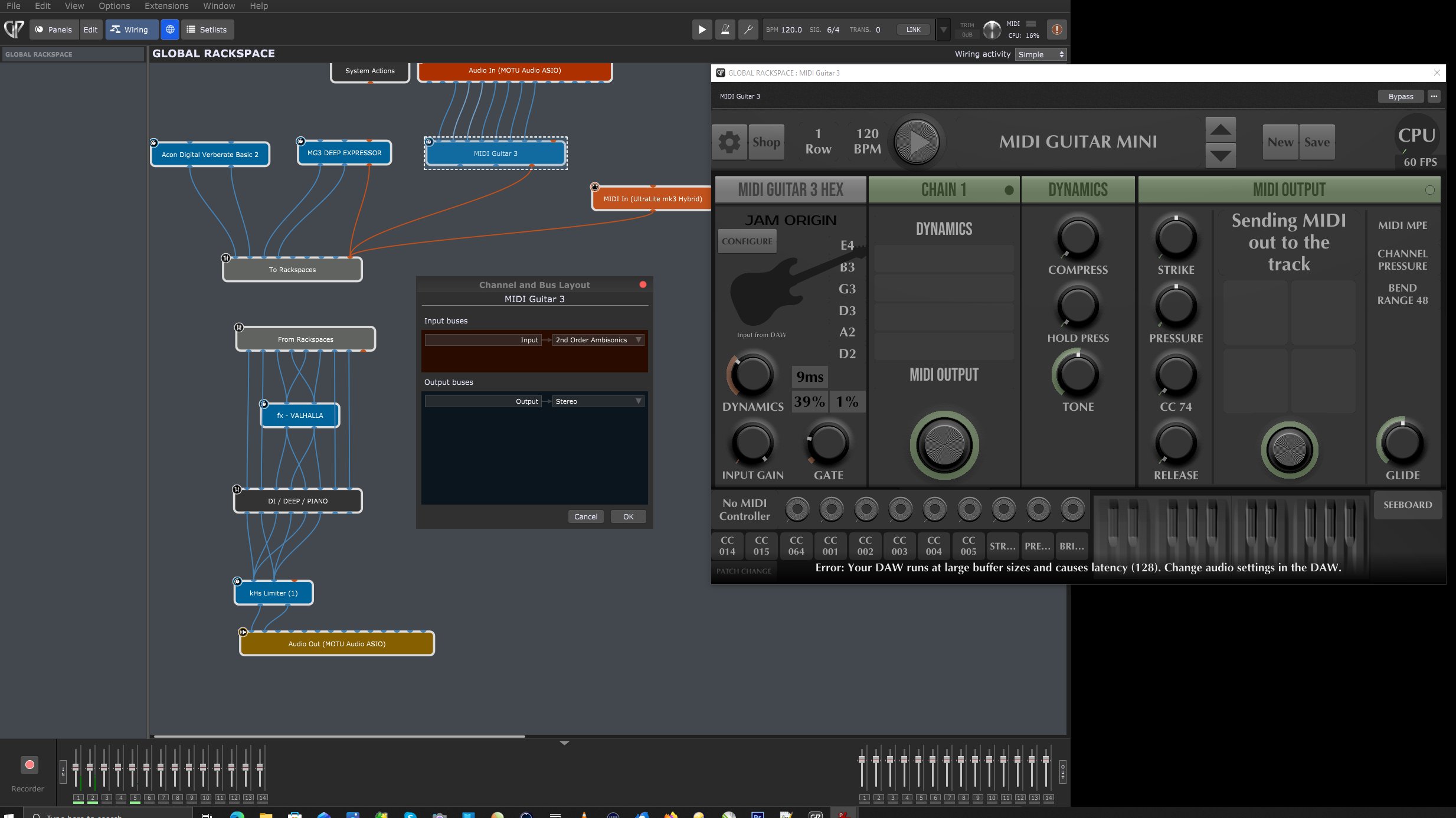
What problems are you having?
How to correctly set this up. I’ve Also tried the MG3 stand alone but not sure how to get GP5 to see it. So I’m trying it as MG3 HEX vst3.
Right now, Hardware per string input is working on channel 3-8, but MG3 only lights up on the two low strings (D2, A2)
Seperate Strings into MOTU Channels =
8 D2
7 A2
6 D3
5 G3
4 B3
3 E4
CURRENT ROUTING
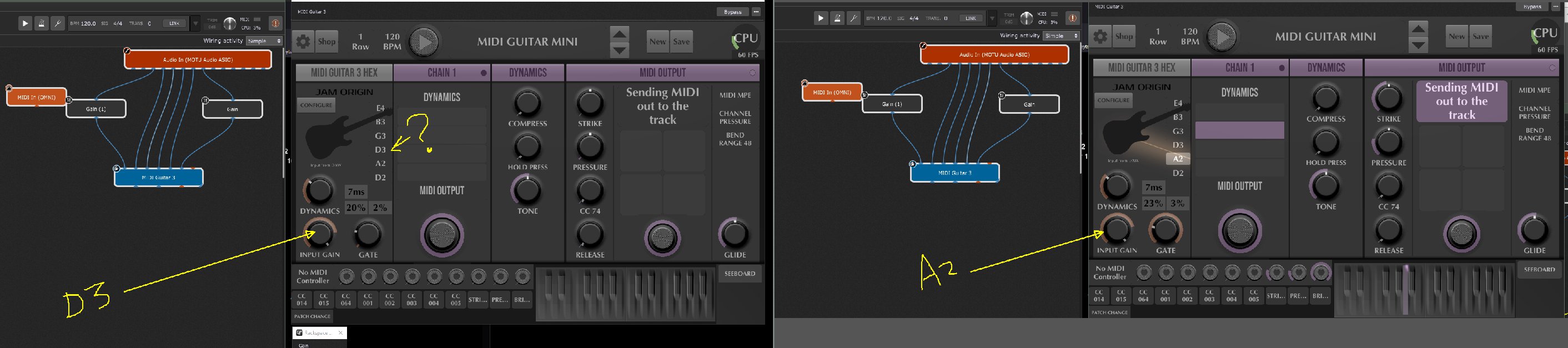
The screenshot in your first post indicates that your input channels at the MG3 plugin are not aligned correctly.
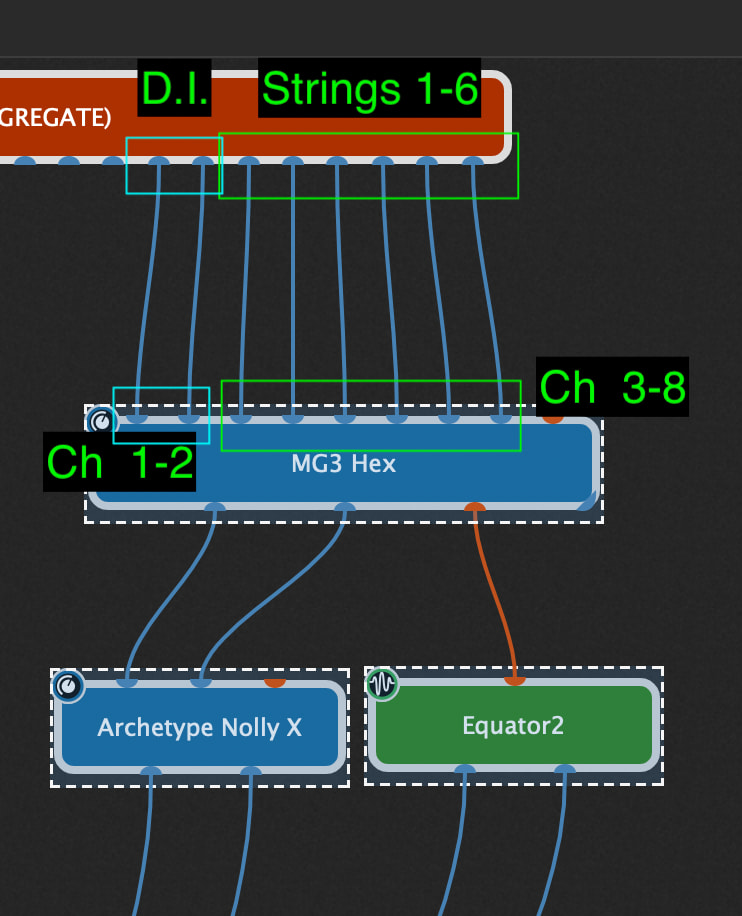
Feed each individual string’s audio stream from your MOTU to inputs 3 through 8 of the MG3 plugin. Channels 1 and 2 are reserved for regular mag pickup D.I. and you could duplicate it at each channel. I use an SY-1000 with MG3/GP5 and it looks like this, see below. In this setup, channels 1-2 are the stereo mix out from the SY-1000 but it’s configured to send dry mono guitar signals to MG3.
1 Like
In MG3, use a MIDI Output module (see the “MIDI Guitar Mini” factory preset). You send MIDI out over a virtual MIDI port creeated by MG3 (macOS) or via a MIDI loopback app on Windows. Tell GP5 to listen for the transmitting port.