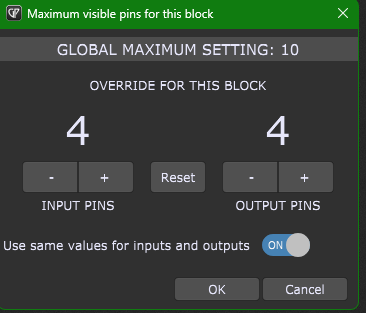
For instance, the block size for Kontakt stretches horizontally almost all the way across my screen. I don’t need to see 32 outputs. I only need 2 outs. Is there a way to resize this down smaller?
Thank you!
For instance, the block size for Kontakt stretches horizontally almost all the way across my screen. I don’t need to see 32 outputs. I only need 2 outs. Is there a way to resize this down smaller?
Thank you!
that’s awesome! Thank you, edm11 !!