Yeah, I was able to recreate this setup in my own Gig file by following the instructions and using the Global Rackspace. Really impressive stuff.
In the video John mentioned that bidirectional control isn’t working yet. I only need GP to select the song in Song Master.
In Song Master I have multiple versions of each song (original, live, my band’s cover). GP should always select the original version first. After that, it’s enough for me to use the “Playlist Prev” and “Playlist Next” buttons to jump between the other versions.
Now to my question:
How can I make GP select Song A in Song Master when Song A is selected in GP?
That’s a question for the Song Master developer.I would hope that one could send a program change message to it, either via MIDI or via OSC to select a song but I don’t know if he implemented that.
The easiest way is to mirror play lists in Song Master and GP. You can then just map midi messages in SM to go to the top of playlist, and goto next/prev song in playlist. A more advanced approach is to do what @npudar and @tripleB have done in script and capture SM’s playlist using OSC and GP script; this allows you to jump to any song in the playlist by name.
Thanks for your reply — it really inspired me to think further.
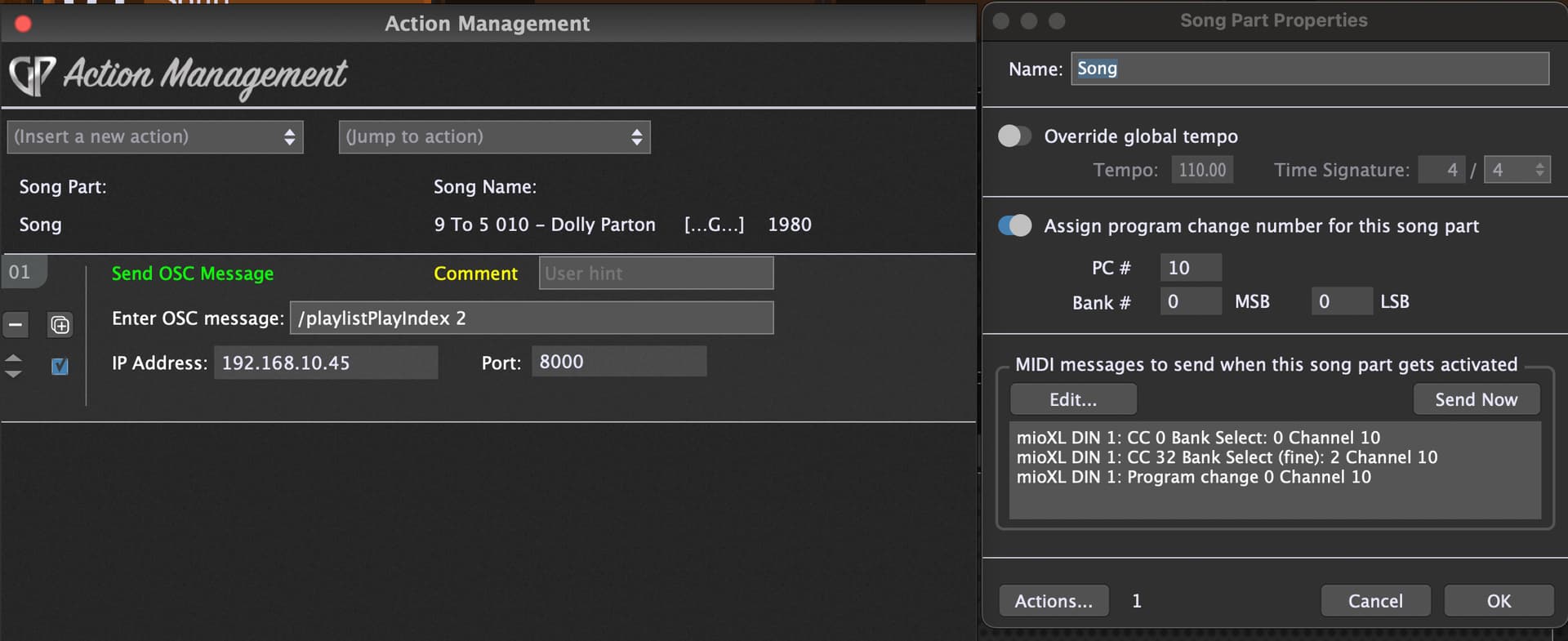
I found the function that allows GP to select the song in SM. However, the song name in GP must match the song name in SM exactly. That doesn’t work for me because my GP song names contain additional information.
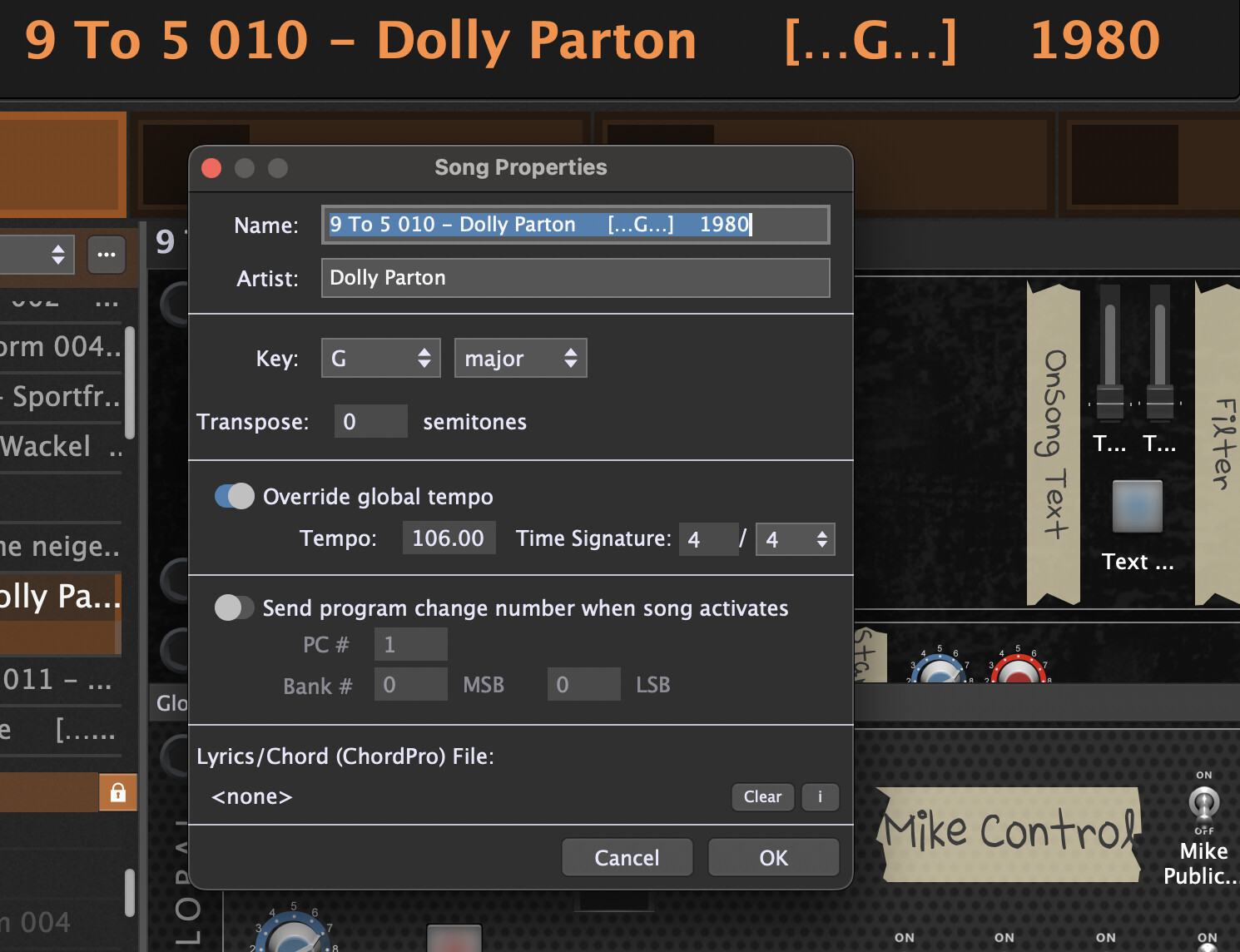
So instead of using the song name, I have to use the Program Change number.
This means: the song “9 To 5” is assigned to PC 10 in GP and should then select song 10 in SM (see image 1).
Another option is to send an OSC command from GP to SM when selecting a song in GP (image 2).
This method is fine for me — but is it the correct approach?
About the solo and mute buttons:
To mute or solo the vocals I need to send the OSC command “stemTrack4Mute” instead of “stemTrack1Mute”.
Is this a bug or is it expected behavior? Addendum: I’ve now noticed that the layout in the mixer is different from the audio track layout in the song window. And the OSC commands access the mixer.
In SM I can select the audio output in the settings, but I can’t route the audio into GP to process it further.
Is there a more elegant solution for this, or should I use a workaround with a virtual audio driver like BlackHole?
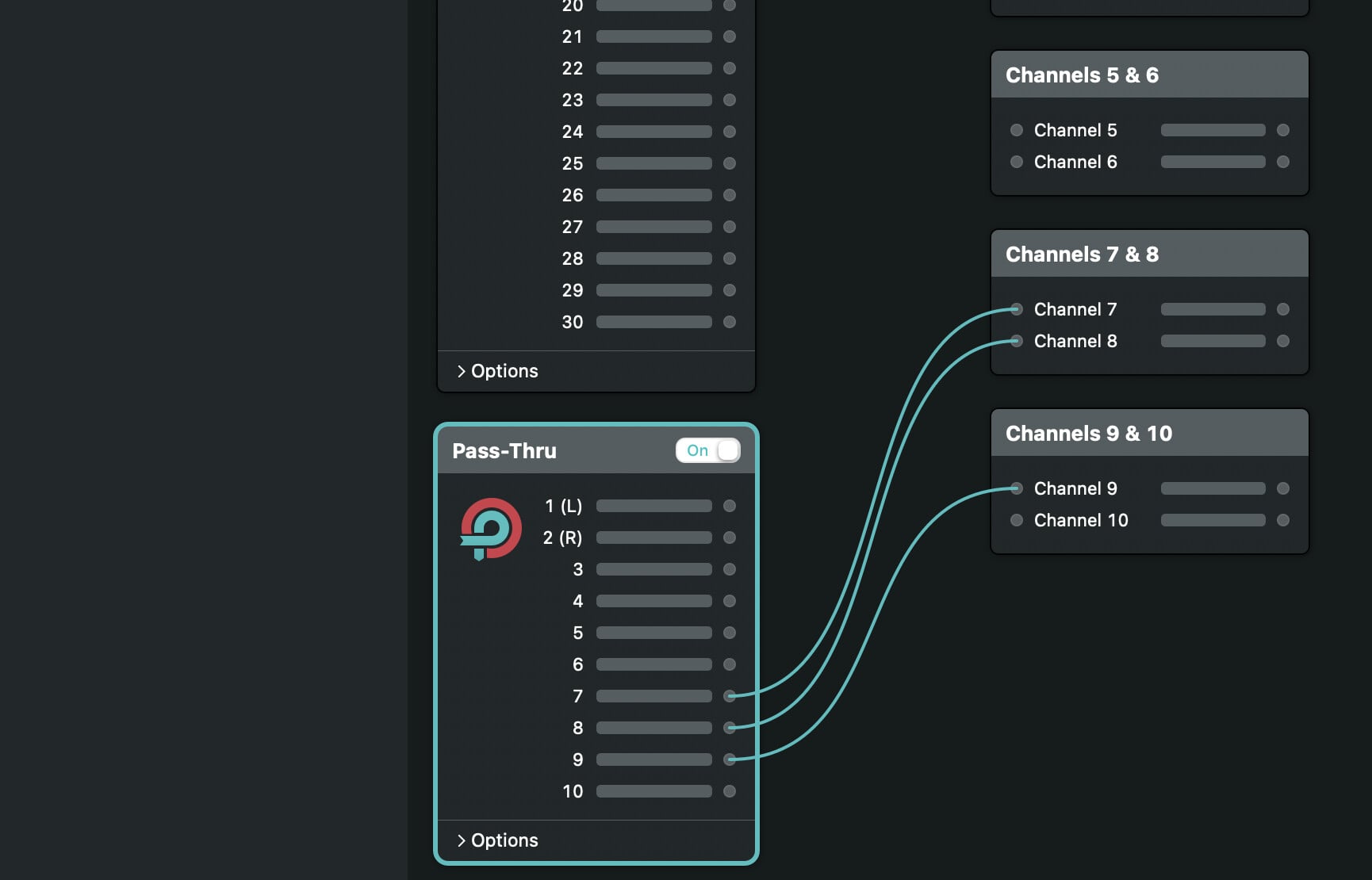
I recently installed Loopback after seeing many posts about it in the forums. It’s installed and visible in the audio MIDI setup. In SM, I can now configure which audio output (Loopback) SM should use. However, I still can’t get the signal into GP because GP only allows one audio interface. I don’t want to run two instances of GP. Here’s a workaround I’ve discovered:
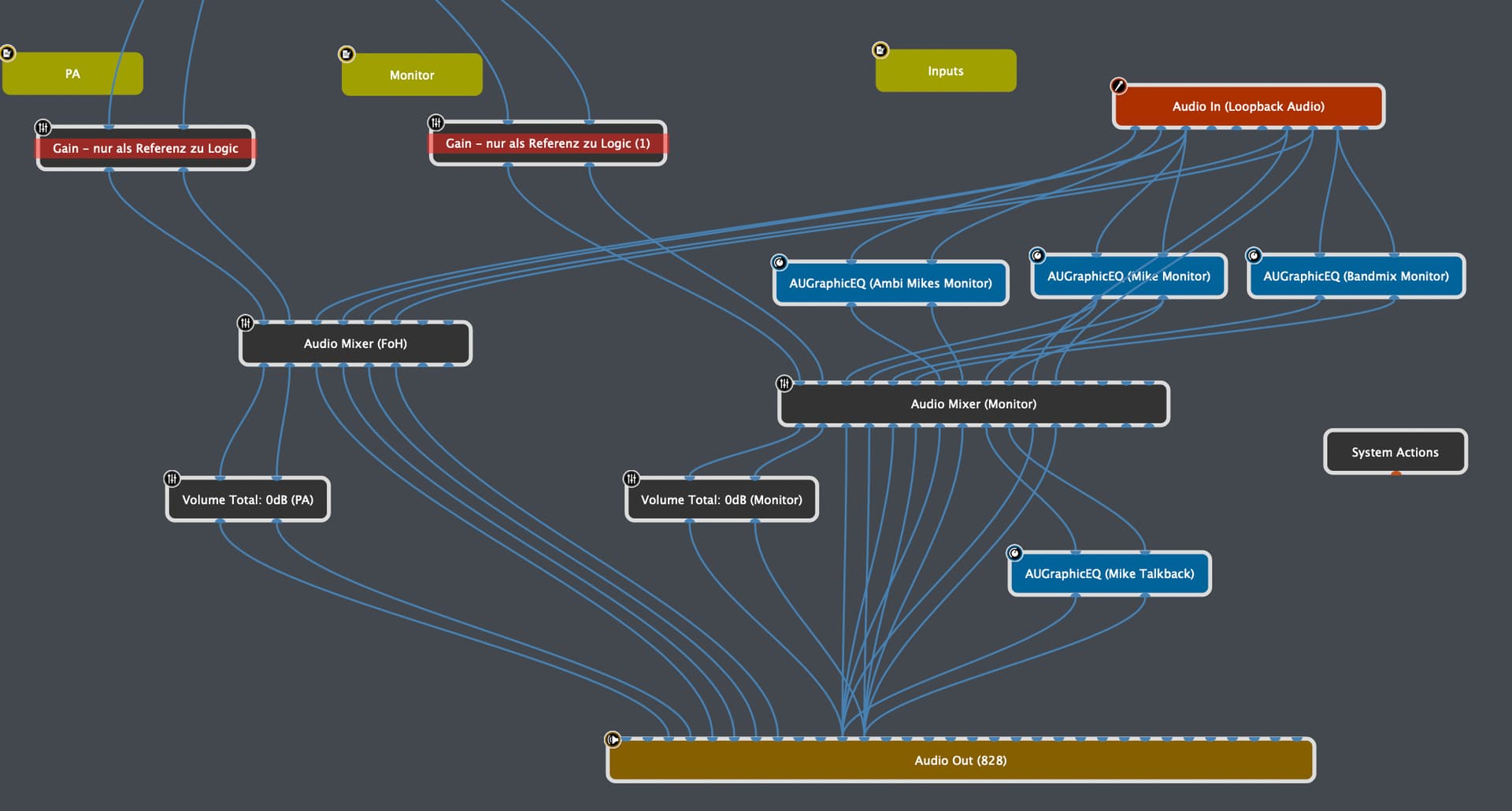
In GP, I set Loopback as the audio interface input and my Motu 828 as the audio output, because GP allows this. In the Loopback app, I then routed all the inputs from the Motu 828 to Loopback. This allows me to use this audio in GP. I hope I haven’t made a mistake here and need to test it extensively. I’ve spent five hours figuring this out using forum posts and ChatGPT. I hope other users can benefit from it as well.
@Maxxbom as you are on a macOS side of life: create an ‘aggregate device’ in Audio-MIDI-Setup with loopback and your audio interface. GP can use this and you gave everything you need!
I would go this way. Fortunatly, my Scarlett 8i6 already provides an internal loopback for this
No, not GP….it is the OS that only allows one interface to be selected (though you can use a different interface for input than for output). Think about it. The audio interface has a driver that traverses all plugins periodically and plugins render the next sample buffer during that period. What should a plugin do if two independent drivers call it?
As noted, in the Mac world, you can define aggregate devices (don’t forget to to configure drift) and in the Windows world, third party drivers like ASIOforAll allow multiple interfaces. The OS (at the driver level) will traverse all plugins once but with more ports available at the output.
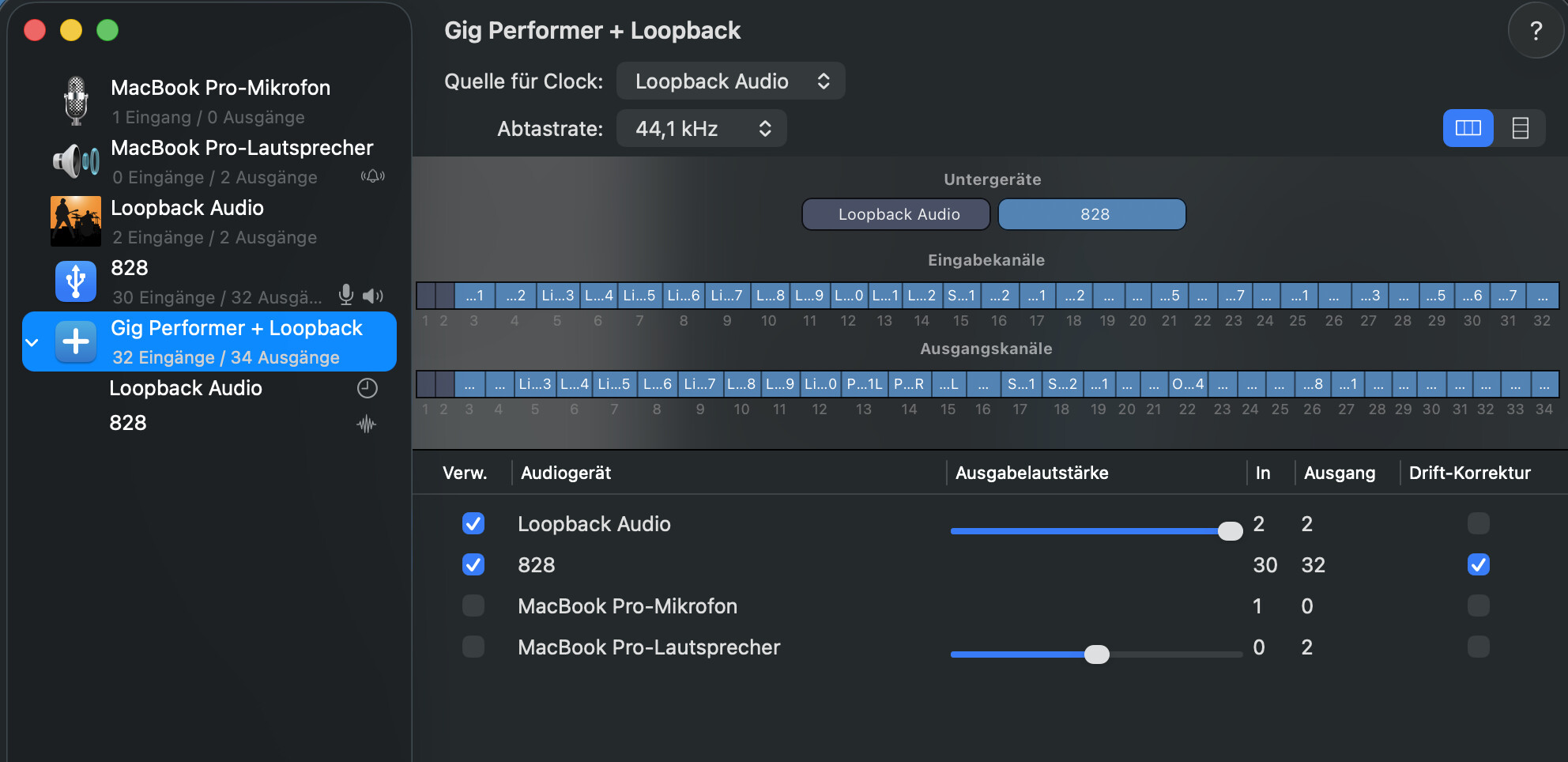
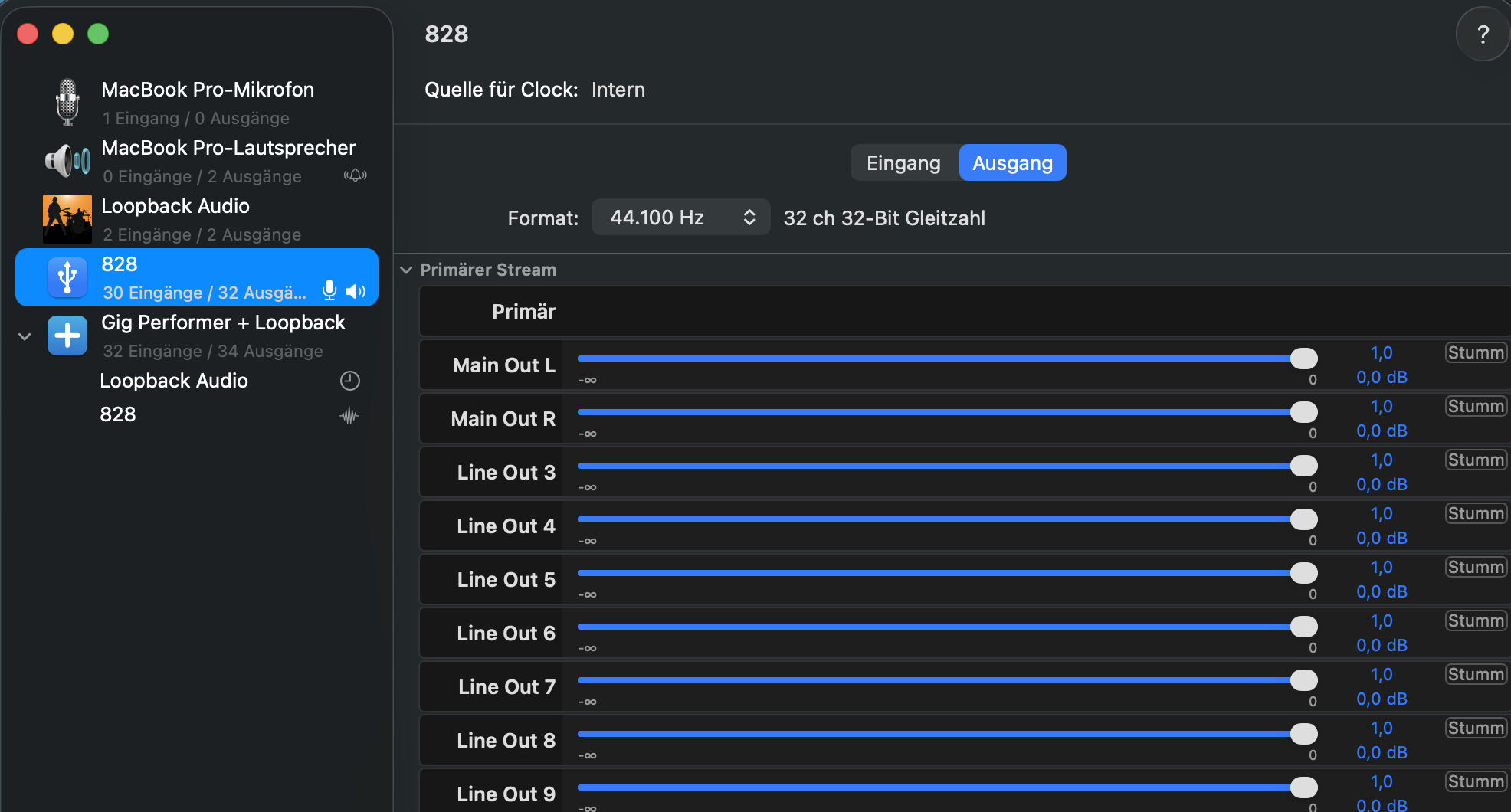
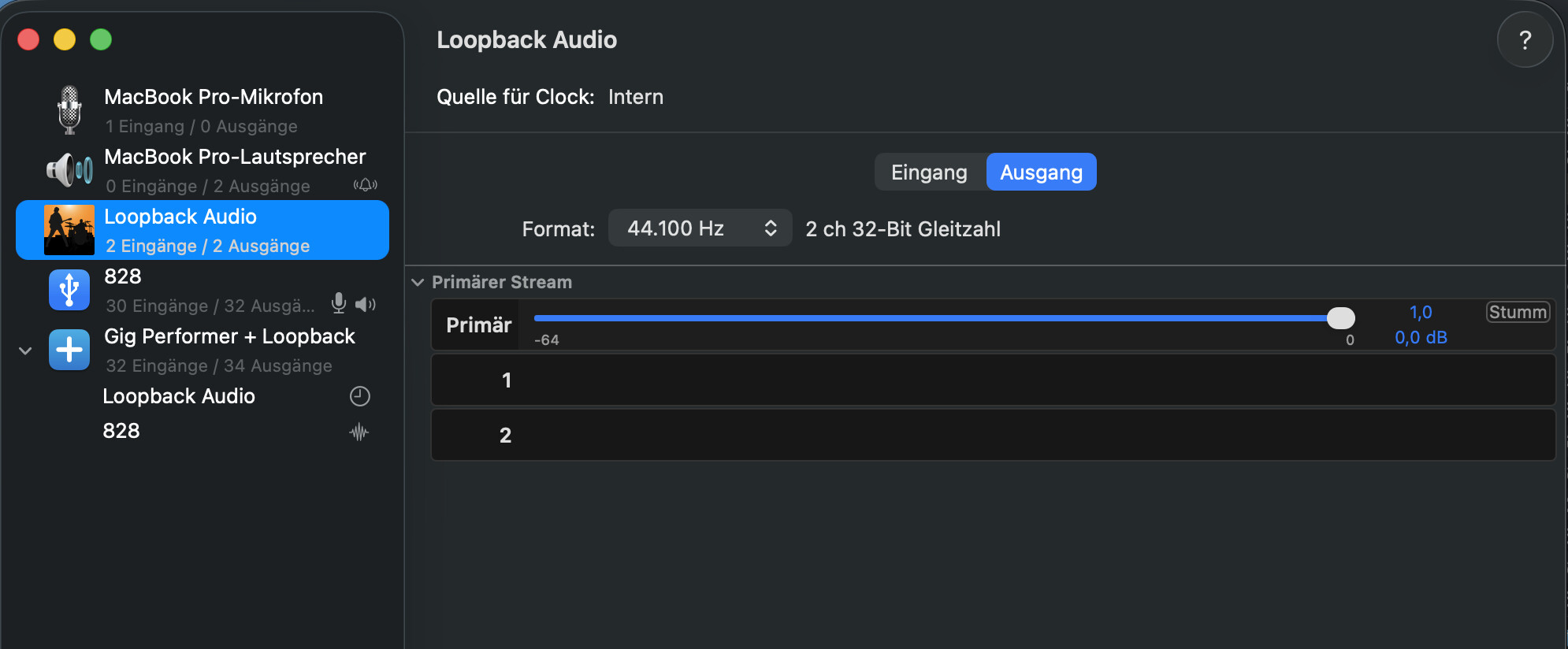
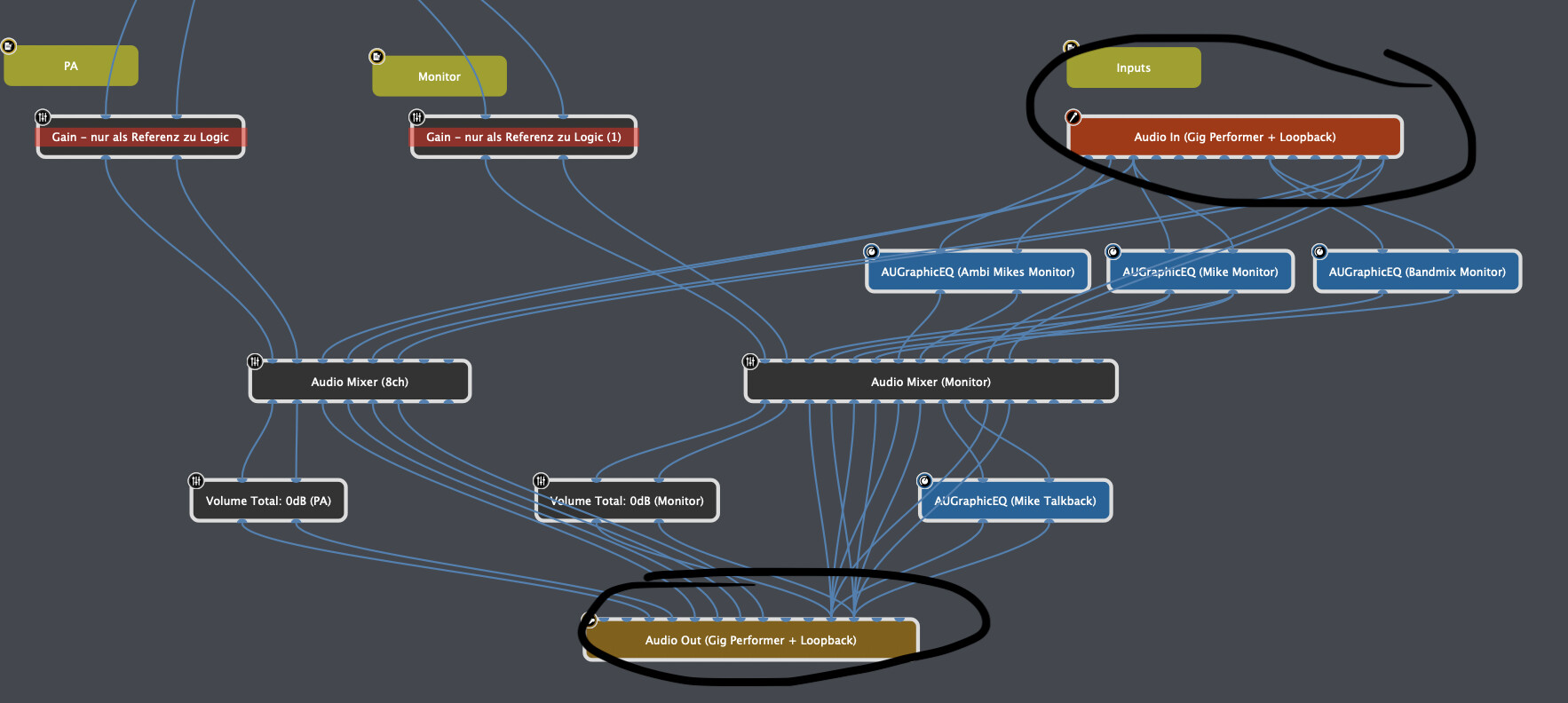
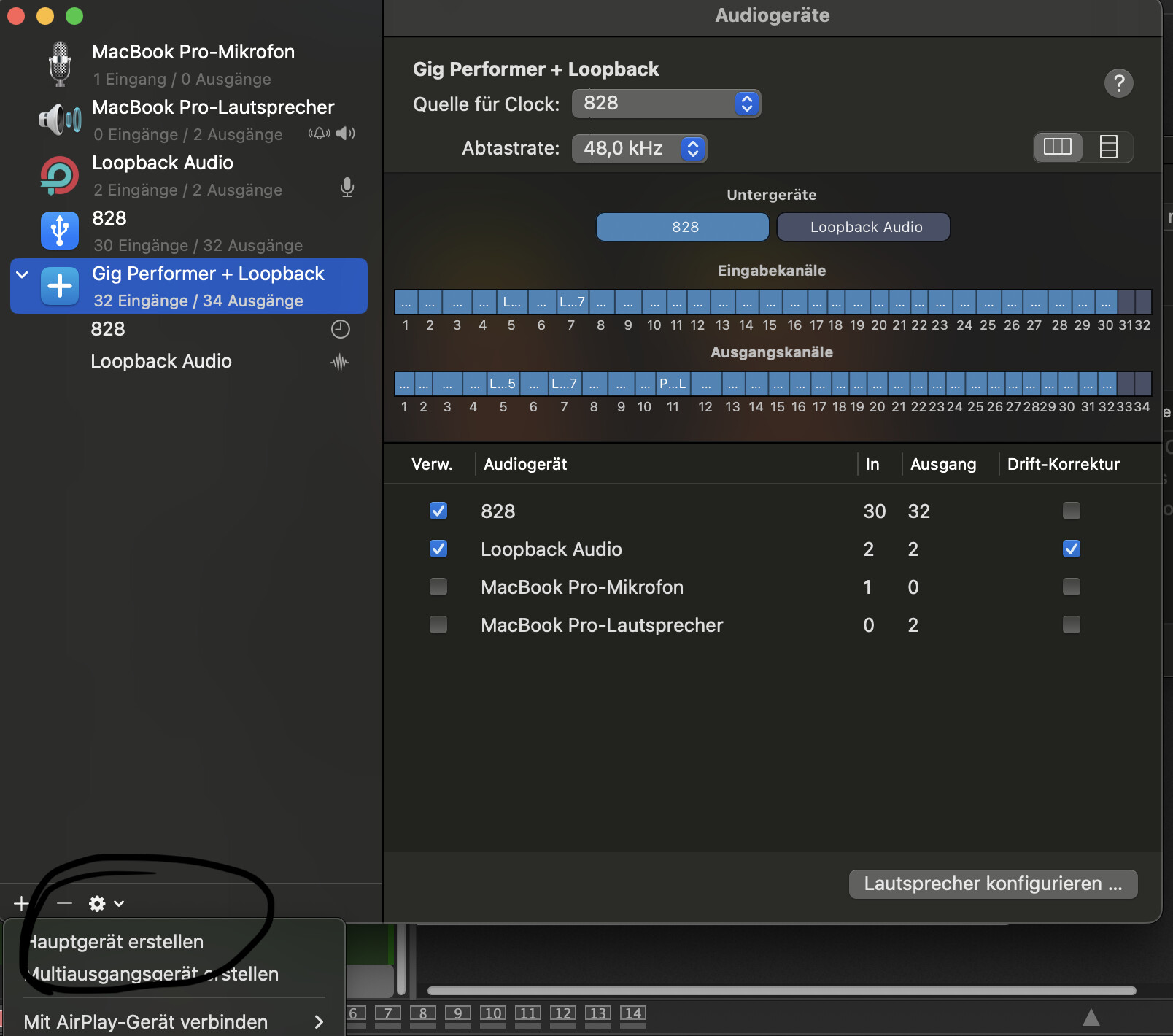
I’ve finally figured out what you mean by “aggregate device.” In my case, it’s called “Hauptgerät” (main device). I was able to create it as a standalone audio interface in the Audio MIDI Setup (named: Gig Performer + Loopback). It’s now also set up in GP. Apparently, Songmaster didn’t like it, and now I can’t play any songs there. The play button is unresponsive. Whenever I try to change the audio interface in the settings, it crashes. I’ve reinstalled Songmaster, but it still crashes. It also crashes when I try to close Songmaster normally. I then restored the old settings (in GP: Audio In - Loopback, Audio Out: MOTU 828). Suddenly, Songmaster worked again. I could access the settings again. In Songmaster, I immediately switched to the computer’s speakers. After recreating the aggregate device, I was able to access the Songmaster settings again and configure the aggregate device there as well. There must have been a conflict with the audio interfaces, since different ones were configured. This was quite a tough job for me, but thanks to you all, I was put on the right track.
I won’t delete the previous solutions. Perhaps they’ll be helpful to others.
ich hätte gleich ‘Hauptgerät’ schreiben sollen - ging mir vor Jahren ähnlich
I will check the next days and provide an example - In Songmaster you have to select the loopback device only!
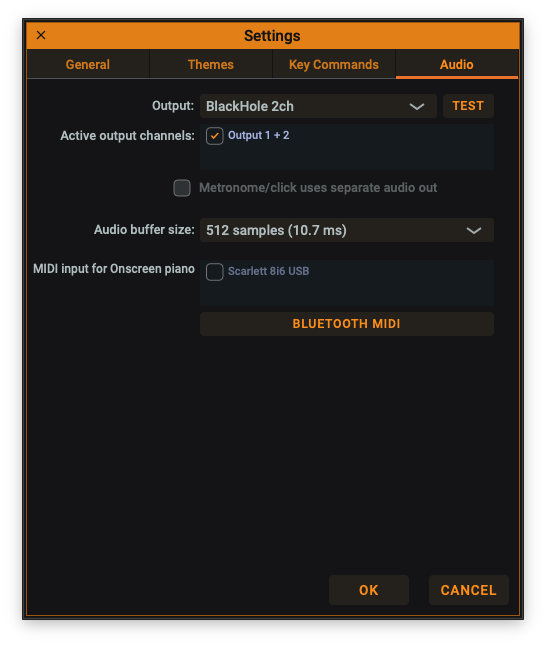
This definitly works! Besides the internal loopback of my Scarlett 8i6 I also use blackhole. I found this much more stable and predictable than Loopback on macOS…
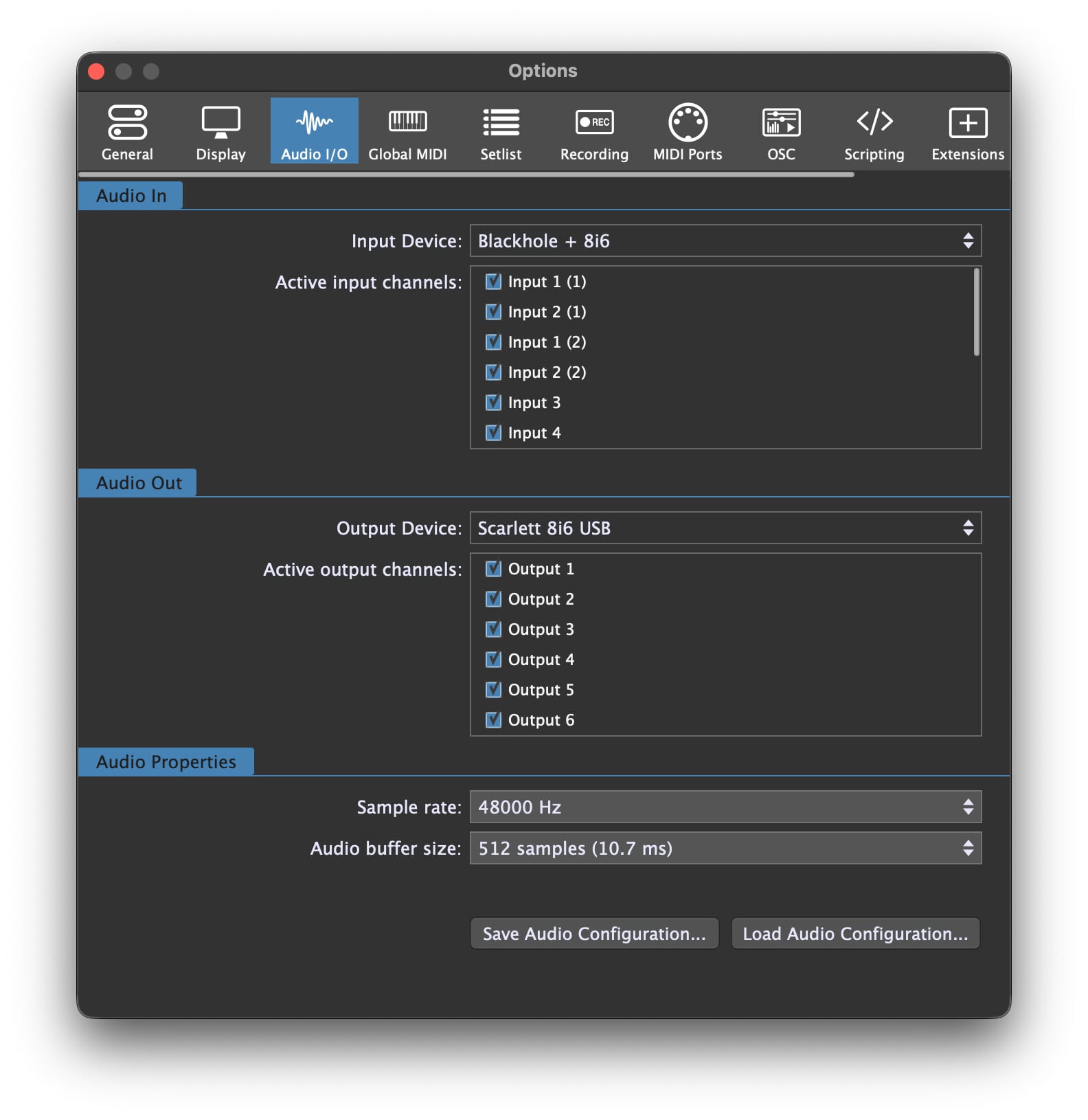
AND: don’t set the aggregate device on the output side, only on the input side!
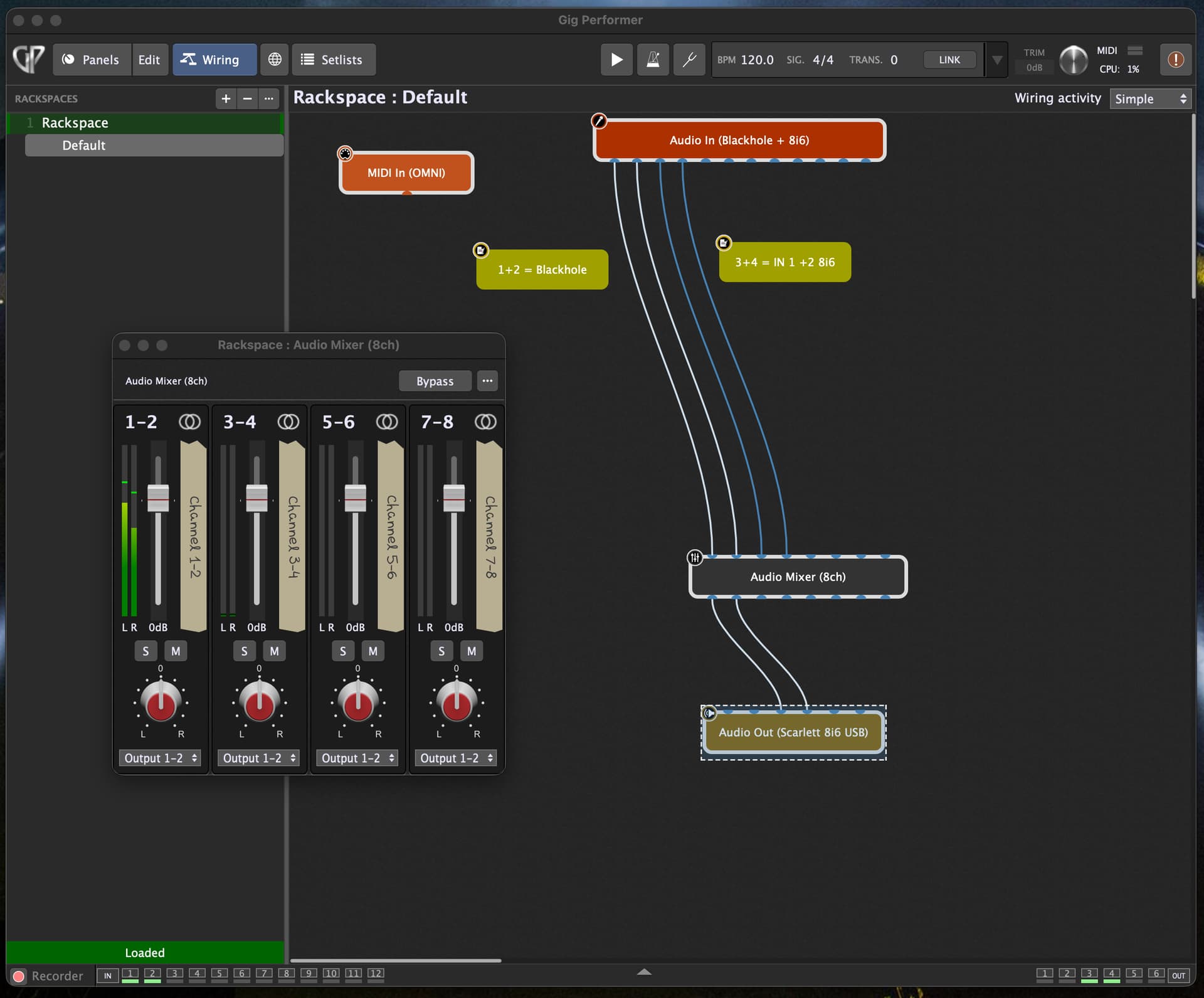
Thank you for this input and the excellent explanation. I’ve now changed my setup according to your instructions. The aggregate device () is now the input, and my Motu 828 is the output. I also rewired everything, since the loopback is now first on the aggregate device. Even though it went quickly thanks to your workflow, the time spent experimenting and troubleshooting has really deepened my understanding of the software and solidified my experience. This thread can now truly be marked as solved.
When I set up SM with your help back then, my audio interface was fixed at 48kHz.
SM worked – everything was fine.
After some discussions here in the forum, I changed the interface rate to 44.1kHz. Since then, SM hasn’t been working as expected. I’ve run some tests, and I hope the last one best describes my problem:
If GP is not running, Songmaster starts very quickly, and the audio interface remains at the set sample rate (whether 44.1 or 48). Songmaster’s play button works at both sample rates and starts the song.
I close everything.
audio interface: 44.1 kHz.
I start GP (the interface remains at 44.1 kHz). When I now start Songmaster (which also starts now very slowly), the interface automatically switches to 48 kHz, and the play button works in both GP and SM.
Now I set it back to 44.1 kHz using Cue5 (Software from Motu Audio interface) (this produces a crackling sound from the speaker), and neither the Songmaster nor Songmaster play button starts the song.
I’m still convinced that something is configured incorrectly, either in GP or in the Loopback routing.
Because without GP, SM can be started up much faster, and the play buttons work at both sample rates.
Do you have an explanation, workaround, or idea for this?




 ) is now the input, and my Motu 828 is the output. I also rewired everything, since the loopback is now first on the aggregate device. Even though it went quickly thanks to your workflow, the time spent experimenting and troubleshooting has really deepened my understanding of the software and solidified my experience. This thread can now truly be marked as solved.