My Use Case is an instance solely for very wonderful Organteq.
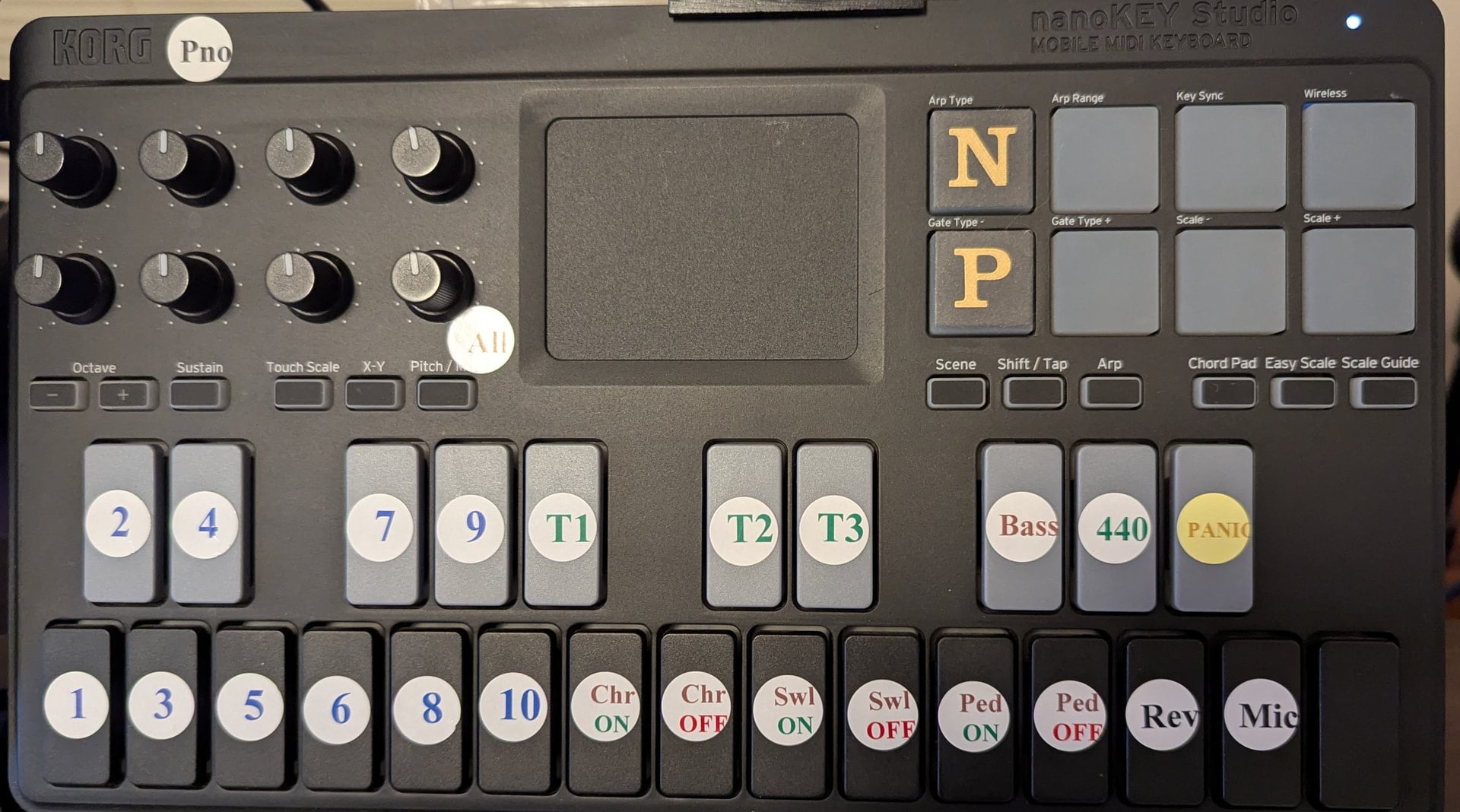
My rig has an old KORG nanoKEY Studio controlling Gig Performer, Mobile Sheets Pro and Organteq parameters (the score selection in Mobile Sheets changes the Song in Gig Performer).
I am used to using BOME Midi Translator for some messages, e.g. translating nanoKEY knobs to Expression messages. I’ve avoided coding so far. Microsoft’s MIDI 2.0 thankfully avoided the need to use BOME to make the nanoKEY usable with apps, which was my original reason for buying BOME.
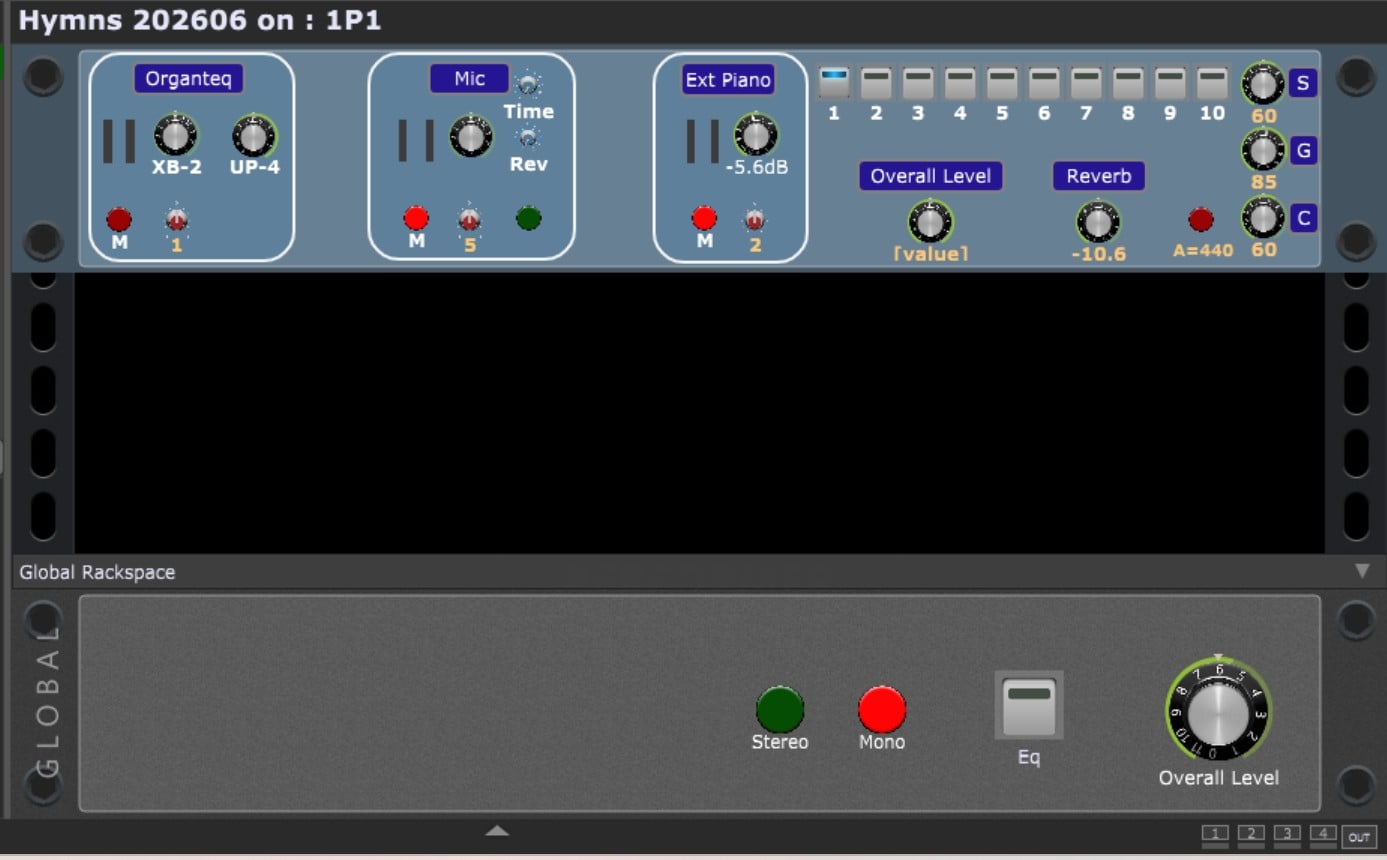
I have a single Rackspace with multiple Variations putting Organteq into the exact configuration required for the start of each hymn. I am able to select the initial Combination for a hymn (Organteq preset of stops and other settings) using the button Widgets in Gig Performer to ‘play’ the notes of the nanoKEY which in turn are the ‘learnt’ messages which change the Combination in Organteq.
The nanoKEY enables changes on-the-fly, but the important thing is to select the Next Song (‘N’ on the nanoKEY) in Mobile Sheets and have the sound be present with the correct registration (Combination including stops), expression settings of Swell, Great and Choir manuals (with reference to the fixed Pedal level), Reverb Mix - and, the subject of this post - the initial Overall Level after all stages in both the Variation and the Global Rackspace, i.e. immediately before the PA.
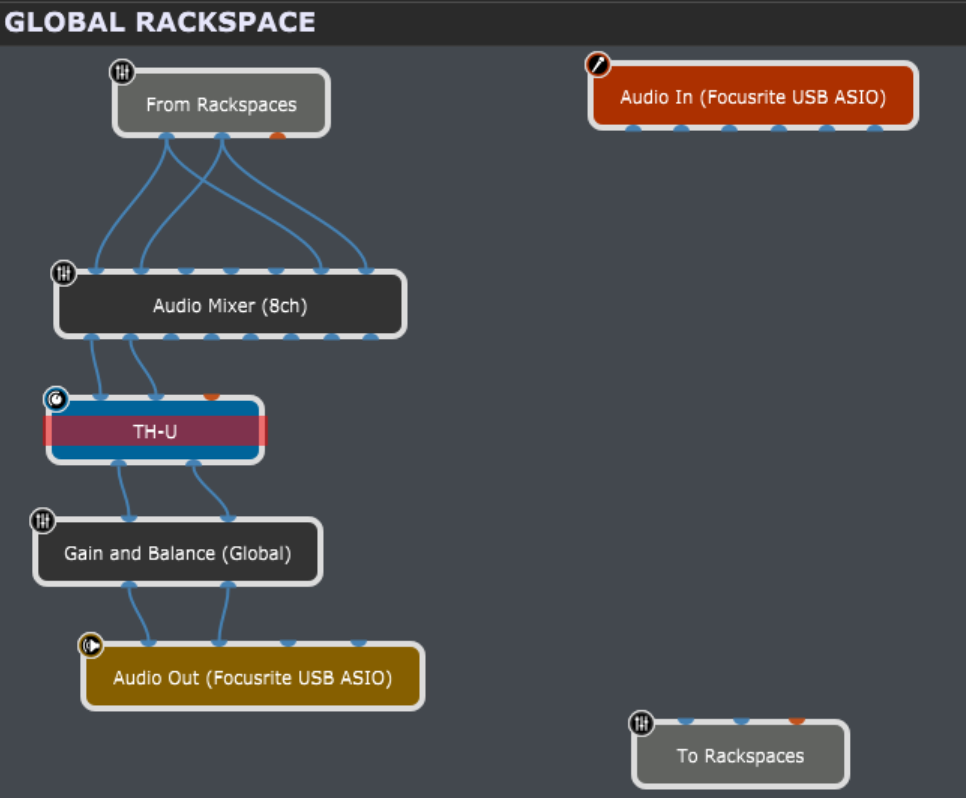
I haven’t come up with any way of making the Overall Level knob in the Variation set the Gain-and-Balance level in the Global Rackspace on selection of the Song Part (as a result of selecting the Song in Mobile Sheets Pro). The last knob of the nanoKEY controls this currently. The knob Widget on the Variation is unconnected at present.
I’d be grateful for any help - do get back if you need more information. I hope I’m not missing something too obvious (and I’ll have another go at centring the labels for the nanoKEY controls soon!). The Global Rackspace use of channels 7 and 8 of the mixer is David’s ingenious Mono/Stereo switching solution.