Help with Script - Spit Double Manual Channels into Upper And Lower With Inject into Rig Manager

I hava a Double Maual Crumar keyboard which outputs midi through 1 midi Port.

I nrrd an inject script that that will change upper channel 1 to channel 2 and change it to “Crumar Upper” in rig manager
and will change Lower channel 2 to channel 1 and change it to “Crumar Lower” in rig manager

this is the crumar script I currently use to split channels

var
CRUMAR_MOJO : MidiInDeviceAlias

On NoteEvent(m : NoteMessage) from CRUMAR_MOJO

If m.GetChannel() == 1 Then InjectMidiEventViaRigManager(CRUMAR_MOJO, m.WithChannel(2)); End
If m.GetChannel() == 2 Then InjectMidiEventViaRigManager(CRUMAR_MOJO, m.WithChannel(1)); End

End

but iI need something like this to work

If m.GetChannel() == 1 Then InjectMidiEventViaRigManager(CRUMAR_MOJO_UPPER, m.WithChannel(2)); End
If m.GetChannel() == 1 Then InjectMidiEventViaRigManager(CRUMAR_MOJO_LOWER, m.WithChannel(2)); End

but cannot get it to work.
thanks

Would you care to tell us exactly what doesn’t work? Are you getting script errors or are the messages not coming through or what?

on compile says

LINE 8 Identifier not declared :CRUMAR_MOJO_UPPER

Where did you define CRUMAR_MOJO_UPPER and CRUMAR_MOJO_LOWER?

I tried using var to define

In rig manager only one crumar midi input shows up

In the script they are not defined, why?

I have tried defining- the script compiles but I can’t get it work with rig manager- it only shows one crumar midi input

OK, is CRUMAR sending in different channels?
And what do you want to achieve?

Crumar has one midi output and sends on 2 channels and shows up in rig manager only as Crumar

I need crumar to show 2 inputs in rig manager crumar upper and crumar lower on 2 different channels

That is an issue for Crumar.
The Rig Manager can only use MIDI Devices wich are presented by the Hardware.

Ok thanks for looking

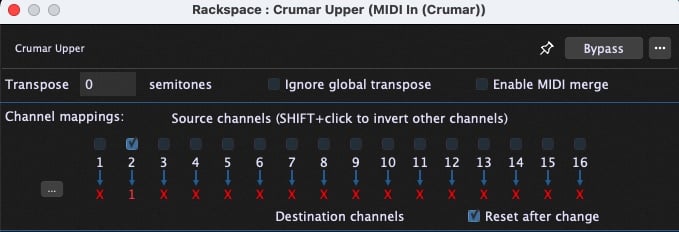
Why don’t you just use a single Rig Manager entry for the CRUMAR and then have two “tweaked” kinds of MIDI In blocks (saved as User Presets) that do the mapping
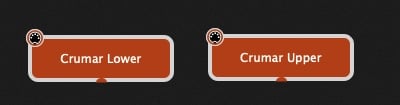
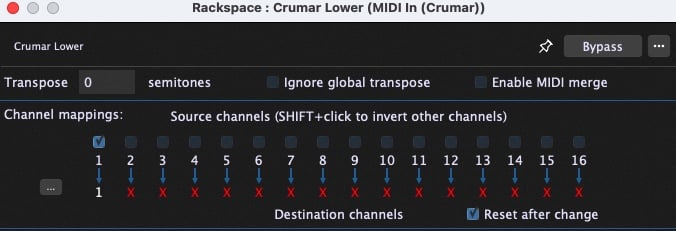
2 Likes

Hi

That’s what I’m doing at moment

Thanks

I have now made 20 rackspaces with midi in block template as suggested

But seeing as they are all named the same the midi in blocks cannot be changed when using two different keyboards for inputs.

I cannot change by input device or by name.

Maybe some sort of of inject script is needed?