I have been on the forums now for a few months. I (currently) do two big shows a year for a class I teach. This past weekend was our fourth semester and fourth show. This was our second show where GP and TotalmixFX basically ran the whole show off my Surface Pro 10 for Business. So far, I’ve been very happy with GP and all its features. Every time we have a show I learn and re-evaluate workflow and how things could be better implemented or streamlined. This will be the first of a few posts asking for help with best practices for GP.
The most pressing issue which reared its ugly head during the concert was an issue I already had a workaround for, but there were an unusual amount of technical issues before the show, and I had to go super Saiyan roadie to put out a bunch of figurative fires before the show and I was not able to do some of my pre-show checks.
GP runs basically everything - click track for IEMS (which uses the SAFP), individual backing tracks using AFP (sometimes two instances if I need more than 8 tracks), MIDI files that run the light show using MFP (all file players using sync and multi where applicable), VST3 synths, VST3 drums, and the lyric extension tool that goes to two monitors. I keep vocals, and compression/effects for vocals, on outboard gear, but ultimately go through TotalmixFX. I also have Chauvet ShowXpress running, OBS with OSC for OBS running (with GP triggering OSC to start videos at certain times), and I have TotalmixFX hosting for Totalmix Remote and have about 8 iPads running so each performer can control their own IEM mix. I also have a Samsung Galaxy Tab S8 running Second Screen so I can control all of this on stage or from wherever as needed.
I have been impressed by how well it all works together.
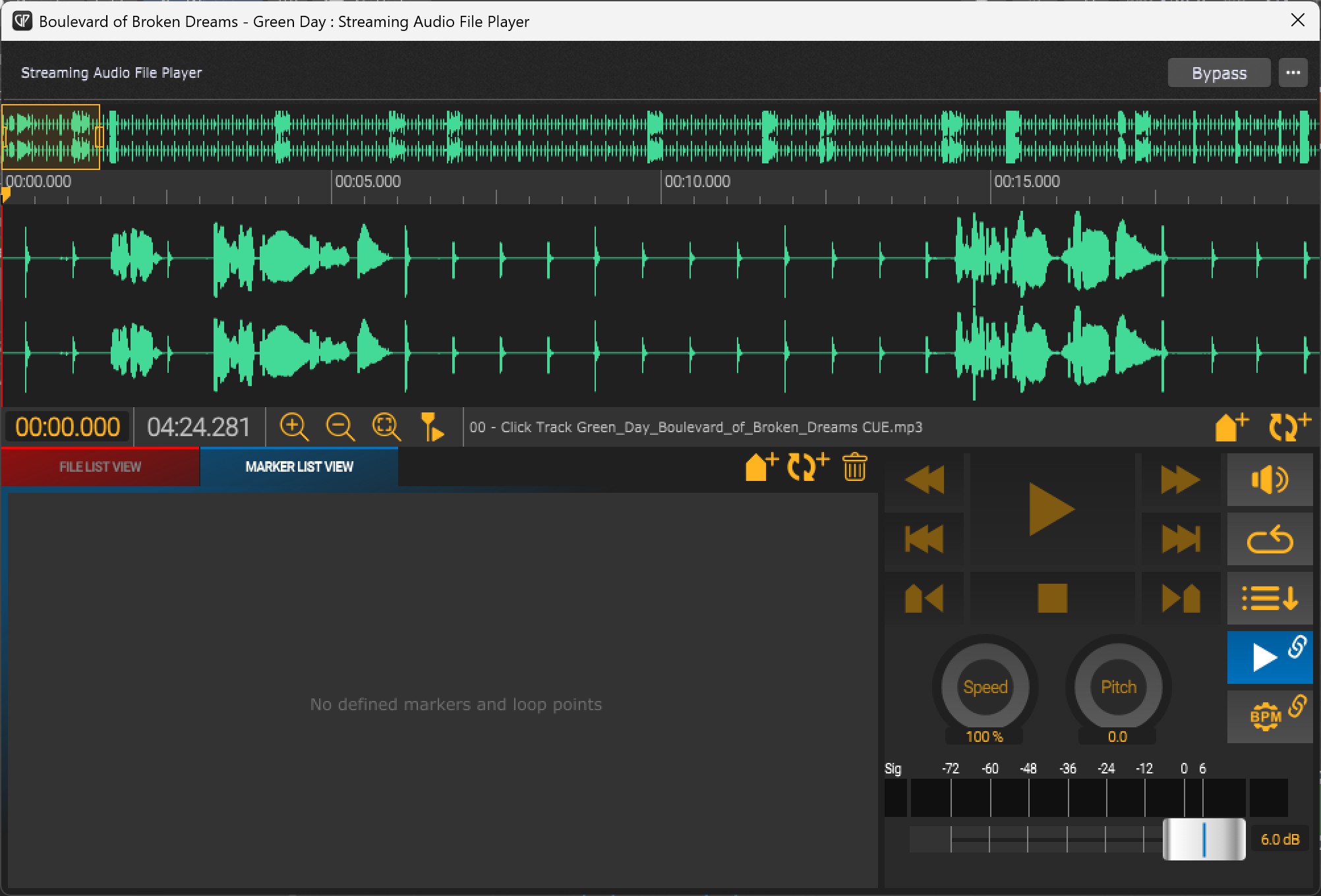
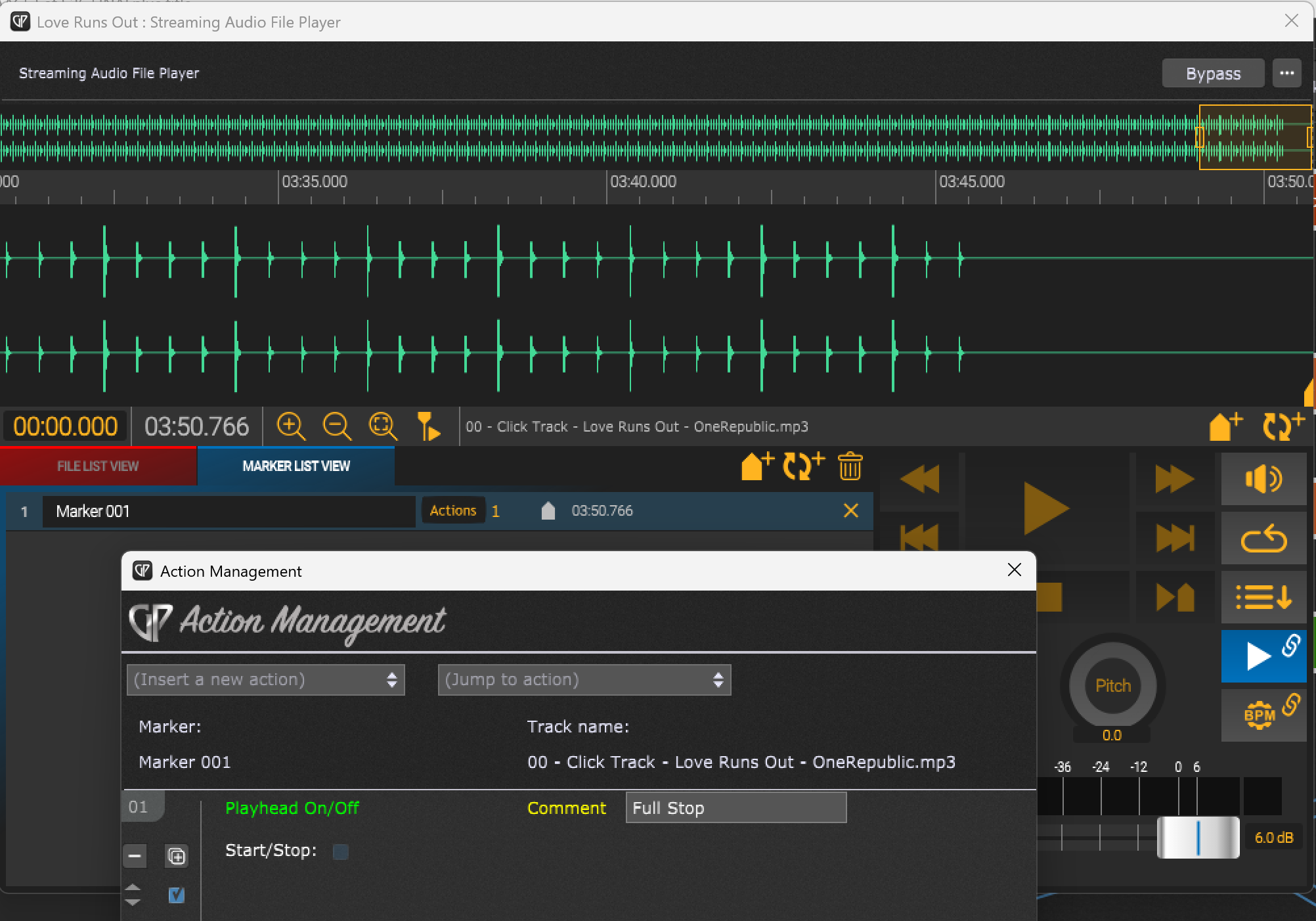
One persistent issue I have had is that if a song on a setlist or rack space starts, and at the end of the song the master play head does not stop after the MIDI, backing tracks, and click track finish, it has a tendency to crash GP. GP will just freeze until I get a GP is not responding message and I have to manually shut down GP. The way around this is to add a marker at the end of the click track in SAFP that stops the master play button. As long as that happens everything runs fine.
The problem is on occasion a marker from one or more of the songs will just disappear when reloading a gig file. I’ll put the marker back, but no matter how many times I save the gig file after, it will on occasion have the marker disappear again. It won’t be for all rack spaces, it seems to be random which songs are affected, and it doesn’t happen every time. I never move the song files once I finalize a rack space and especially once I finalize the setlist. It has gotten to the point where I just double check all the SAFP instances in each rack space before a rehearsal or show - except this last show where I got swamped with a slew of outboard gear problems mostly dealing with our wireless IEMs. The second to last song ended up crashing GP after it was over and between sets. I noticed the play head was still on right after I switched to the next song on my Galaxy Tab S8 and it crashed as the marker had disappeared and did not stop GP at the end of the song. There was some dead time as I reloaded the show, but it my haste I forgot to reload the lyric extension tool as well, and a few of my students forgot about a double chorus at the end of our last song and half ended the song 12 bars too soon while the others carried on.
I would very much like to know more about where markers are saved, and what could cause them to disappear. Every time a marker disappears I redo the marker and then save the gig file. I am trying to figure out what I might be doing to where a marker might disappear. To the best of my knowledge I am not moving any files once I have created the rack space. I do have two rigs - one is a rehearsal rig centered on a Babyface Pro FS with a Behringer ADA8200, and our main rig which is centered on a Digiface USB with a Focusrite Clarette Octo Pre+, Behringer ADA8200, and a Behringer DEQ2496 Ultracurve Pro (which starts the signal chain to FOH). Once I make the rack spaces for each song I will create the setlist and then basically have two identical gig files just wired differently for the two systems. I do export rack spaces so I can load them in a new gig file if needed, but for weeks I use the gig file exclusively for each system. The only thing I can think of is I might reroute audio signal chains in GP, but all the audio and midi files are the same. Another thing I did recently was move the MFP to the global rack space, give it a handle, and had it switch to the correct MIDI file when I switched songs in the setlist view, but I didn’t touch the SAFP in each rack space instance, and this problem has happened before and after that change. I was thinking of doing the same thing in SAFP - putting it in the global rack space and have it switch to the correct click track when I switch songs in a setlist. Would that work better? Again after any change, and especially after I see a marker is gone and I replace it, I always save the gig file. If you’d like more information please let me know. Thank you in advance for your help!