Hello from 30,000 feet in the sky on my way to NAMM
I’m deep in the rabbit hole with GP and I must say I am finding it quite intuitive so far and spent the last three days programming a 30 plus song setlist.
Quite a few of the songs have triggered samples, some have up to 5.
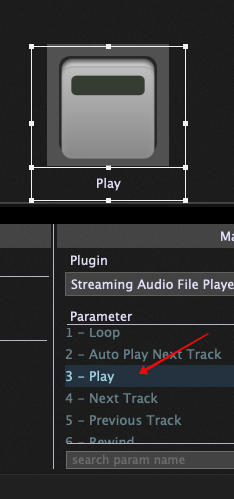
I am trying to map two STOP commands that will work across all instances of the streaming player.
For instance one would be a three button controller on my PK5 that I can hit whilst playing the bass out front. The second would be a pad on my keyboard.
I need to have them work globally to stop any instance of the streaming player from either location.
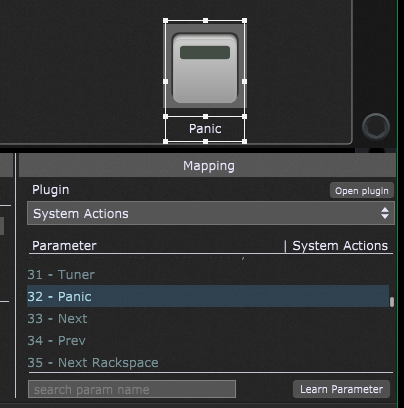
Same scenario for the MIDI PANIC command.
Thank you for putting up with the growing pains as I transition to GP.
Gotcha!
I was trying it in the global midi window.
But still I would need to make two widgets in each song correct?
Pardon me as I’m still a newb. GP is quite different from my previous DAW.
Hoping to debut the GP in Feb for a few northeast dates.
If you put the System Actions plugin in the Global rackspace, then you can put the widgets there as well and they will be accessible no matter which song/rackspace is active.
I can’t write it all for you, but here’s an example of a script that has a condition of reacting to a particular CC message from my controller and instructing two different Streaming Audio File Players to Stop. Perhaps it will be of use to you as you learn more about scripting (which I highly recommend given your setup).
Var // this is where I set my GScript variables
   safp1 : StreamingFilePlayerBlock // GPScript handle for player 1
   safp2 : StreamingFilePlayerBlock // GPScript handle for player 2
   cont1 : MidiInBlock // GPScript handle for my MIDI In block


On ControlChangeEvent(m : ControlChangeMessage) from cont1 // when I press the button on my controller
   If GetCCNumber(m) == 112 then // if the CC number(112) is the one I'm using to activate Stop on the players
    SetParameter(safp1,22,1.0) // set Parameter 22 of the SAFP(which is Stop) to 1 (which means Stop) in player 1
    SetParameter(safp2,22,1.0) // set Parameter 22of the SAFP(which is Stop) to 1(which means Stop) in player 2
   End
End
I guess I’m spoiled.
In my previous DAW when I needed a feature that wasn’t available the developer would add it for me as a beta at first then include it in future updates.
Having to script is what turned me away from GP the last few times I tried it. But I’m more determined this time.
After all I’m just a bass player pretending to play keys. Lol
I understand. I have the same kind of ‘direct-line’ to the developer of the sequenced looping app (LoopToGo) that I use. My requests are for things that would be beneficial in general for the app UI or overall functionality. I still use scripting there as well though.
Scripting is what allows you to tailor the functions of the app to your specific needs. With GP, there is a large groundwork of functions at your disposal, and as you learn more about scripting, chances are you will think of new ways to use those functions for your own use.
What was your previous DAW? (NB - GP is not a DAW )
We are always looking at feature requests but we don’t just blindly add arbitrarily requested features (sorry). We always need to determine what will be the impact of adding such a feature, what percentage of users would benefit from it, how long would it take to implement and test, what might it break, what other feature will we not have time to implement if we take time to implement this feature, etc.
One of the benefits (and indeed the original raison d’etre) of GP Script is that it can often be used to work around a “feature” that is not already baked into the user interface already, as @edm11 demonstrated with that GPScript example.
That said, if your feature request involves just being able to stop the streaming audio file player, I don’t understand why you can’t just attach a widget to the STOP parameter of an SAFP plugin which you can then control remotely from your three button controller (say) and if you have multiple instances in the same rackspace, then just have multiple widgets and link them together.
I assumed he would also want the ability to also stop each player individually, which wouldn’t be possible with linking the widgets----once one of them stopped, they all would.
I assumed he only had one physical button available to dedicate to the task and wanted to stop all of them with that single button but hey, this is why GP Script is useful
@dhj thank you as well
I can STOP the SAFP with a widget that’s not a problem.
But sometimes with my Fred Flintstone feet or an inadvertent tap of a pad or just in case something goes awry I need to stop ALL instances at once.
In my previous program “Cantabile” I was able to assign the same media player stop command to each player (low C on my pk5, button 1 on my logidy, and pad 8 on my controller. All programmed to stop any trigger playing. So no matter where I am on stage I can save the trainwreck. Same for the midi panic.