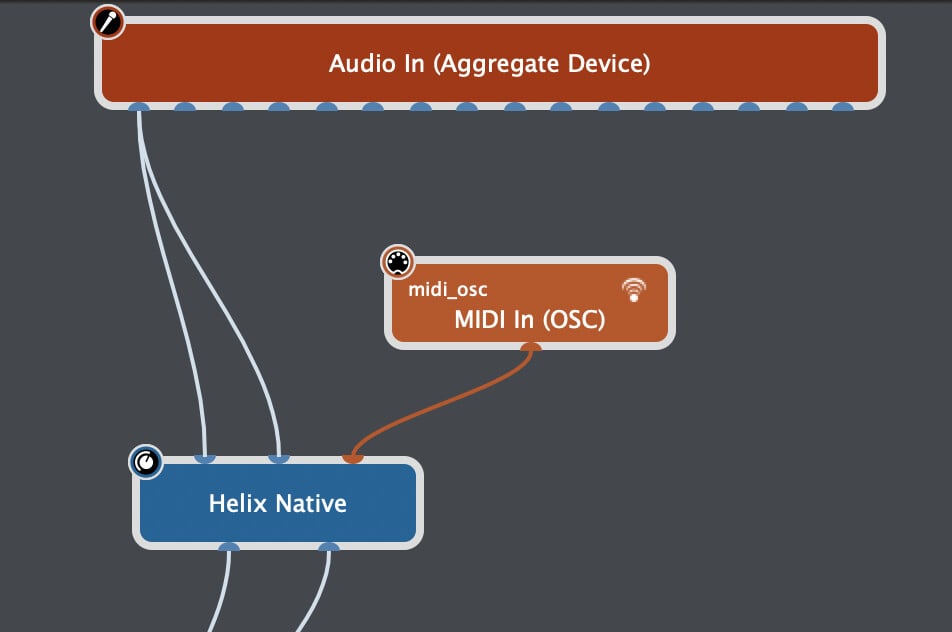
Since I purchased a MacBook Pro M4, I decided to add Helix Native to the Global Rackspace.
I am using a Gig file that works just fine in local rackspaces (without Helix Native).
I send PC and CC messages by tapping on a song name on the Band Helper app, this in turn switch to the correct local rackspaces and the variation. I use the snapshots (CC 69) message to select different variations. That works just fine.
The problem is that the helix native doesn’t get forwarded the PC messages, but it receives the snapshots changes.
Can this be resolved, or it can only work for the local rackspaces?
I want to use Helix Native as a backup setup and Bypassed when using the same gig file with the Helix Floor.
When using the Helix Native, I use the UMC204HD Audio interface, which connects to GP5 through USB and the Band Helper app which I control from my android phone, connects to the interface using WIDI Master.
Mainly I want to tap the song name from Band helper and it send the PC and CC messages to the rackspaces and helix native, or Helix Floor, whatever is on at that time.
Everything works fine when I use the Helix floor, obviously without Native.
Ok , i have tried that before and only one for the pc messages, either Native or Rackspaces…. …Maybe I’ll need to edit Band Helper to add the extra midi channe to send to GP5. I’ll try that next.
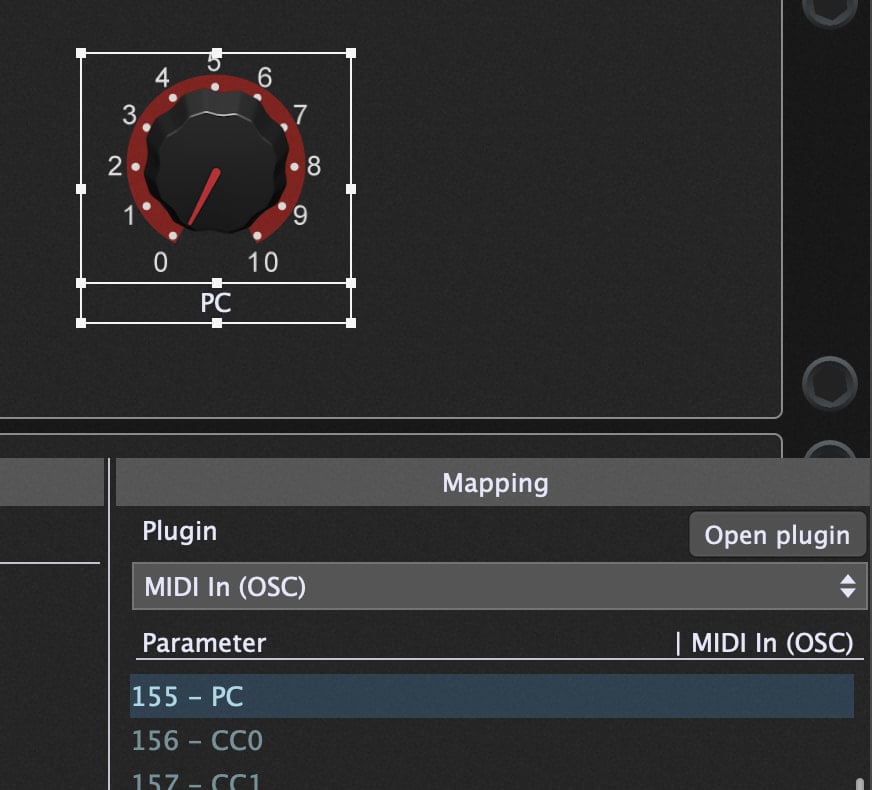
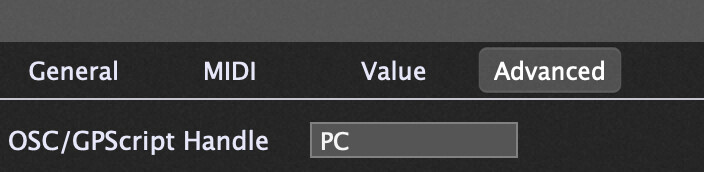
Now open the Global Rackspace Script Editor (Window menu) and paste in this simple script and click Compile:
Var
   PC : Widget

On Rackspace(oldRackspaceIndex : integer, newRackspaceIndex : integer)
    SetWidgetValue(PC,  MidiToParam(newRackspaceIndex))
End
Now the widget will automatically select the Native preset that matches the rackspace number e.g. the first rackspace will select Native preset 000; the second rackspace will select Native preset 001 etc.
Now Helix Native receive the PC messages from Band Helper and the local Rackspaces but unfortunately Helix Native is not receiving the CC69 that normally changes the snapshots. Is there a way to solve that also?
Regarding the PC changes, if I click on a local rack, Helix Native receive the PC message and changes the preset to Helix Native but that doesn’t work the other way around, Native to Rackpaces. Is this normal?
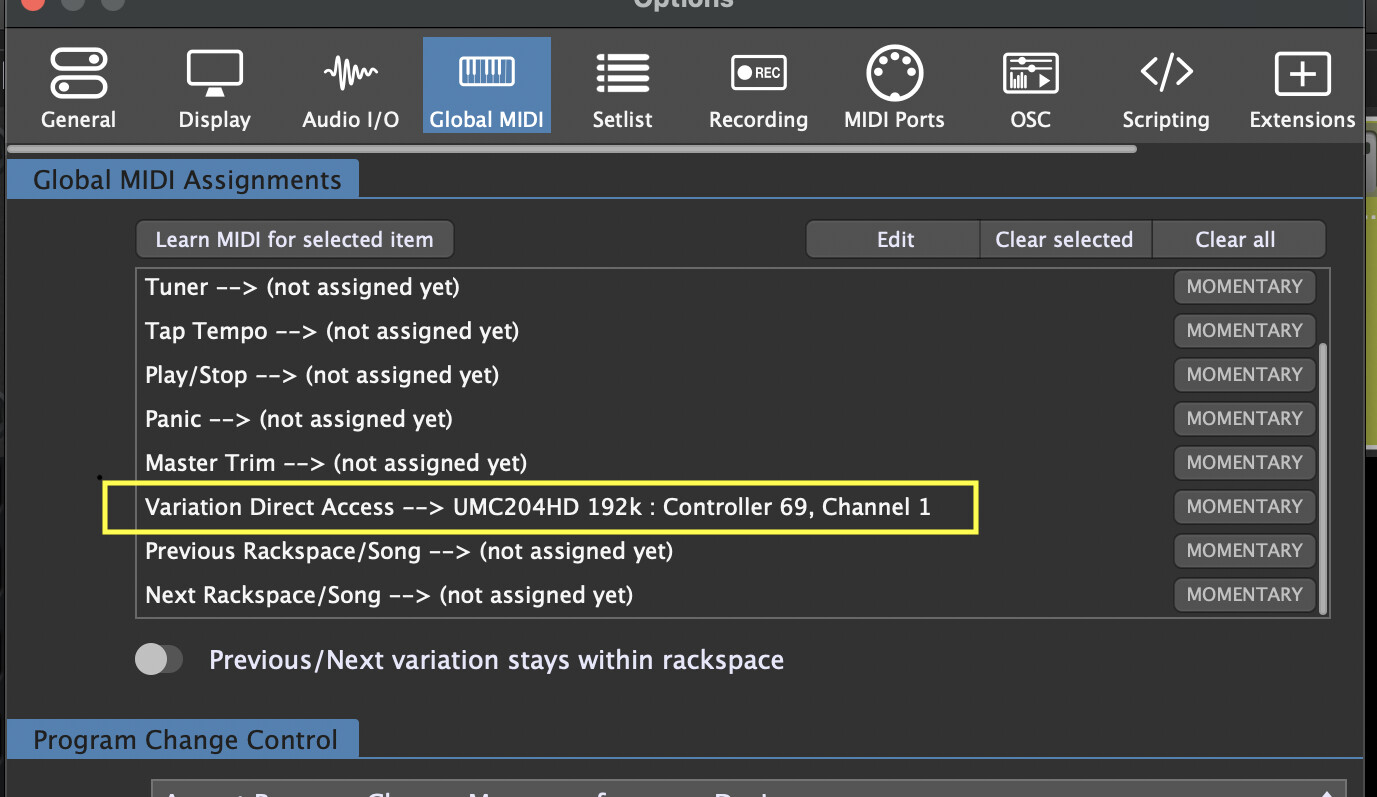
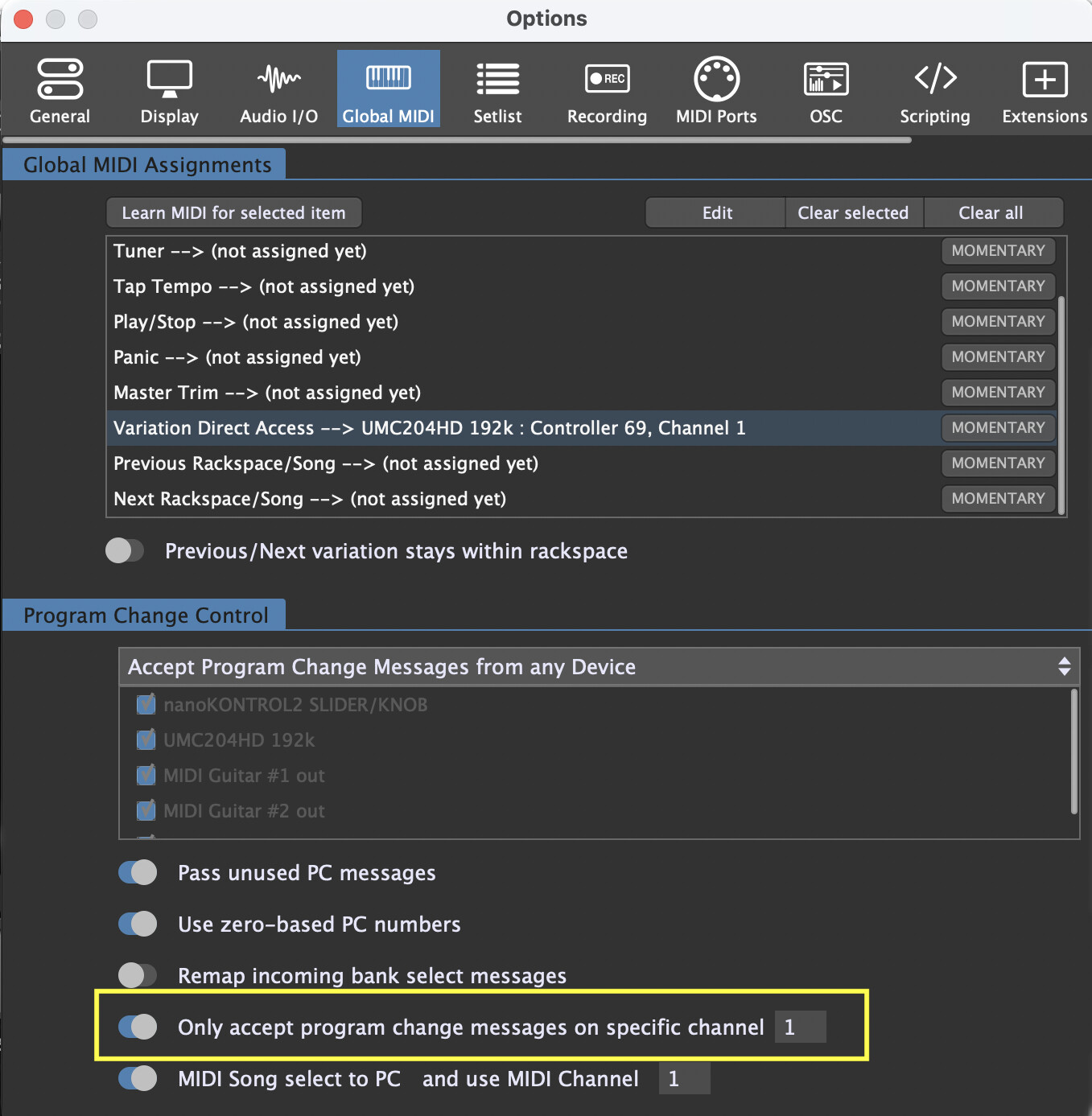
I have also another question. In Global Midi Assignments section inside Global MIDl, The “Variation Direct Access” requires that I point to the current interface, in order to assign the controller to CC69. Without this, the local Rackspaces won’t be able to switch to the correct Variation. Currently the Helix Snapshots reflect different variation.
Is there a way to automatically change the Variation Direct Access interface depending what I am using? If I use the Helix Floor instead of the UMC204HD, I have to manually change this. It’s not a problem if not but I would need to remember that every the snapshots don’t work.
Yes, that’s expected. I’m not aware of any way that GP could be notified that you changed a preset directly within the Native plugin UI. I assume this is what you mean?
It might be because Native can’t change presets AND snapshot based on MIDI messages sent at exactly the same time (meaning that it needs a small delay between the preset change and snapshot change). I’m not 100% on this (I haven’t tested), but I recall this has been raised by another user previously.
I don’t understand this. I thought you were sending CC69 directly into Native. That has nothing to do with variations.
Are you trying to use the CC69 that Helix Floor sends out to select a variation?
I will try extending the time between sending the two separate messages in Band Helper tomorrow.
I am sending the messages to both the Rackspaces and Native.
If I don’t control the “Variation Direct Access”, the Variations in the Local Rackspaces will not change automatically, only the Rackspaces will change.
I have now managed to send the CC 69 snapshot message to the Helix Native from Band Helper. I did this by adding another MIDI Device in Band Helper and assigned it to MIDI channel 3. So, now I have Helix Floor on channel 1 and Helix Native on channel 3. In Band Helper, in the MIDI Presets, I copied the Helix Floor MIDI CC entry to the Helix Native MIDI controller section with the same numbers. I left the PC section of Helix Native blank.
In GP5 Global Midi panel I set it to accept Program Changes messages from MIDI Channel 1.
The Rackspaces and Helix Native both work OK when Band Helper send all of the messages and they update simultaneously, but if I click a Rackspace, only the PC message is sent to Helix Native, No Variations/Snapshots. I am quite happy to use BH for the changes on GP5.
If anyone else manages to solve the Variations/Snapshots synch from the Rackspaces to Helix Native, I am keen to apply the solution.
I’m not following this. Do you want something like: selecting variation 1 should select Native snapshot 1, selecting variation 2 should select Native snapshot 2 etc?
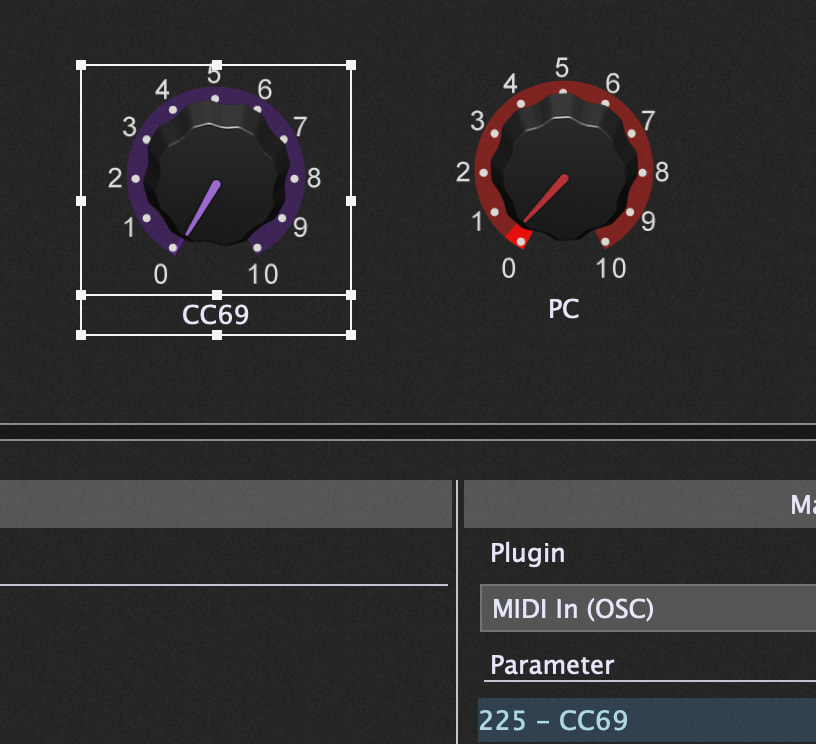
Seeing as though we already have the special OSC midi block passing the PC messages to Native, we can follow a similar approach with CC69 and then do a simple addition to the same script.
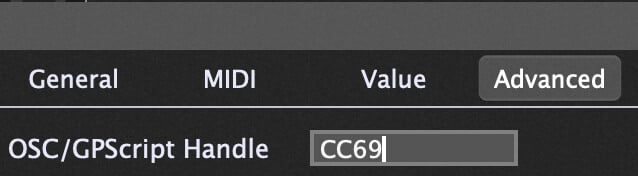
Add another knob widget to the global panel and map it to the CC69 parameter in the midi in block:
This is wonderfull stuff!! Thanks again for your help, I would have never been able to do this on my own. I can confirm that clicking on the Rackspace’s Variation, it will select the correct Snapshot in Helix Native.
So far I have tested this on the UMC204HD interface. Next I will try the same with the Helix Floor (with Helix Native Bypassed).