Hi - first time poster, been using GP for 6 months. My upper keyboard is a Native Instruments Komplete Kontrol S61 (first ver circa 2014). I have set up widgets in GP to simply control volume with one of the knobs on the S61. But I have to turn off this keyboard at night due to those bright blue lights (but I keep my computer and GP running). When I turn back on my Komplete Kontrol S61, GP always recognizes it. But 1/2 of my widgets that I set up don’t work and I have to re-set them up (even when I’m at a gig which is really a problem). For example, I set up say 30 rackspaces, all of which have a volume gain controlled by a widget which I used ‘learn’ and set up that same knob on KK S61 to control. Then I do save that rackspace and save the gig file. Then I turn off my KK 61 of course to get to the gig. When I turn back on and load up the gig file, about 1/2 of my widgets controlling that knob don’t work. This doesn’t happen with my bottom keyboard - Yamaha CP4. All widgets work exactly like they should but not on the KK S61. Granted it’s an older keyboard but in GP, it always recognizes it, and the midi green light is blinking when I move the knob on the KK, but it does not control the widget until I go in and re-learn it. This is not feasible in a gig since I just don’t have the time before we start playing to re-learn about half of all widgets. Granted I’m not using a template so these rackspaces have been ‘manually’ set up by my using ‘learn’ feature. Any suggestions? Thanks in advance.
When you move the knobs of the in controller, what do you see in the global midi monitor window?
Ok on that midi monitor screen, when I move the knob, I see tons of messages (on midi channel 1, maybe 100 or more rows all from Komplete Kontrol) and I do see the green light (top light) blinking on main screen. Thanks
Yeah, no - I think @pianopaul would like you to tell us WHAT messages you’re actually seeing - you know - a screenshot 
Ok well I do see it’s displaying the wrong CC number - that knob on KKS61 is always CC 23 but the volume widgets that don’t work always show a different number even though I used ‘learn’ and when I use learn it shows up correctly as CC23. I guess I’ll re-learn several of them, save those rackspaces, turn off the KK 61 controller and see what happens when I fire it back up.
I now do see when the widget doesn’t work for Vol control, it’s always CC15 (which it should be CC23 on the Komplete Kontrol S61 and I saved and exported each rackspace before turning off the S61. What would cause GP or the S61 to default back to the wrong CC number CC15 vs. when I saved the file with CC23 to control volume? Thank you
yes 2 screenshots attached. First is the global midi when I move knob 1 on the Kontrol S61 (correctly showing it’s CC23). Then second shot is the widget editor, incorrectly showing CC15 so no wonder the knob isn’t working. But if I saved the rackspace and exported it immediately after I assigned Knob 1 using ‘learn’ and it was working and showing CC23 - how does that saved rackspace divert back to the incorrect CC15? Thanks for any advice.
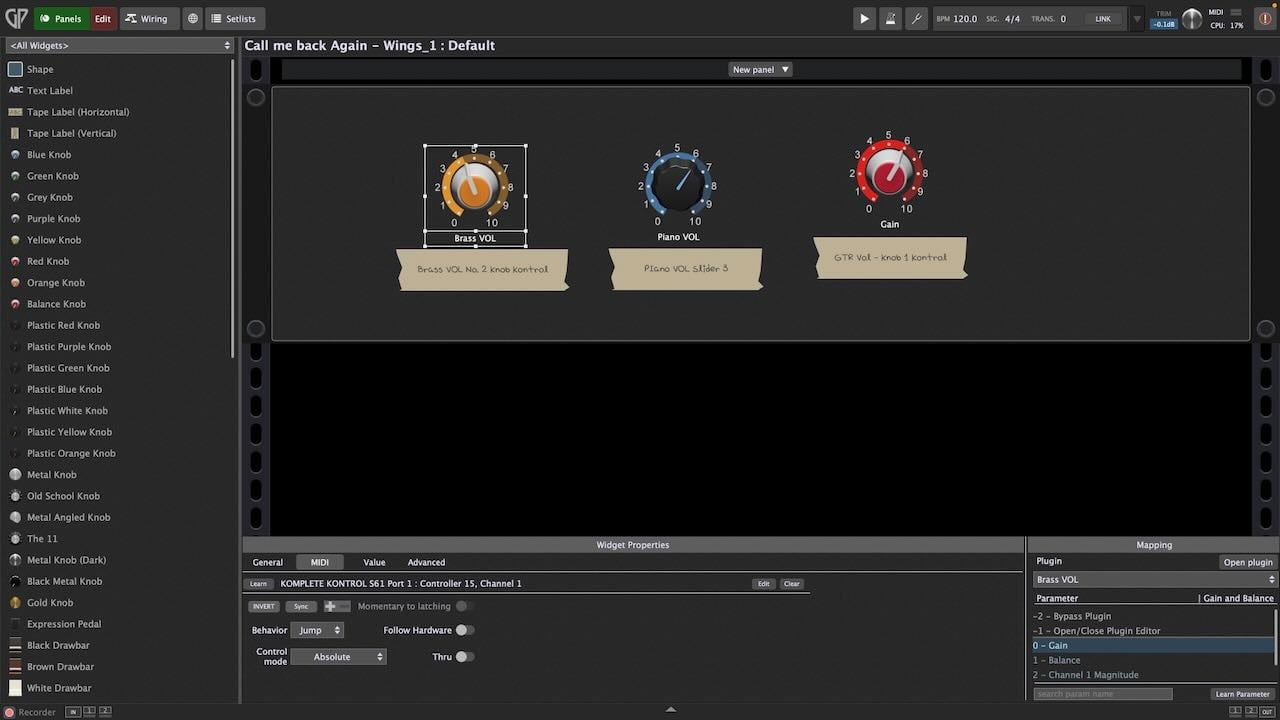
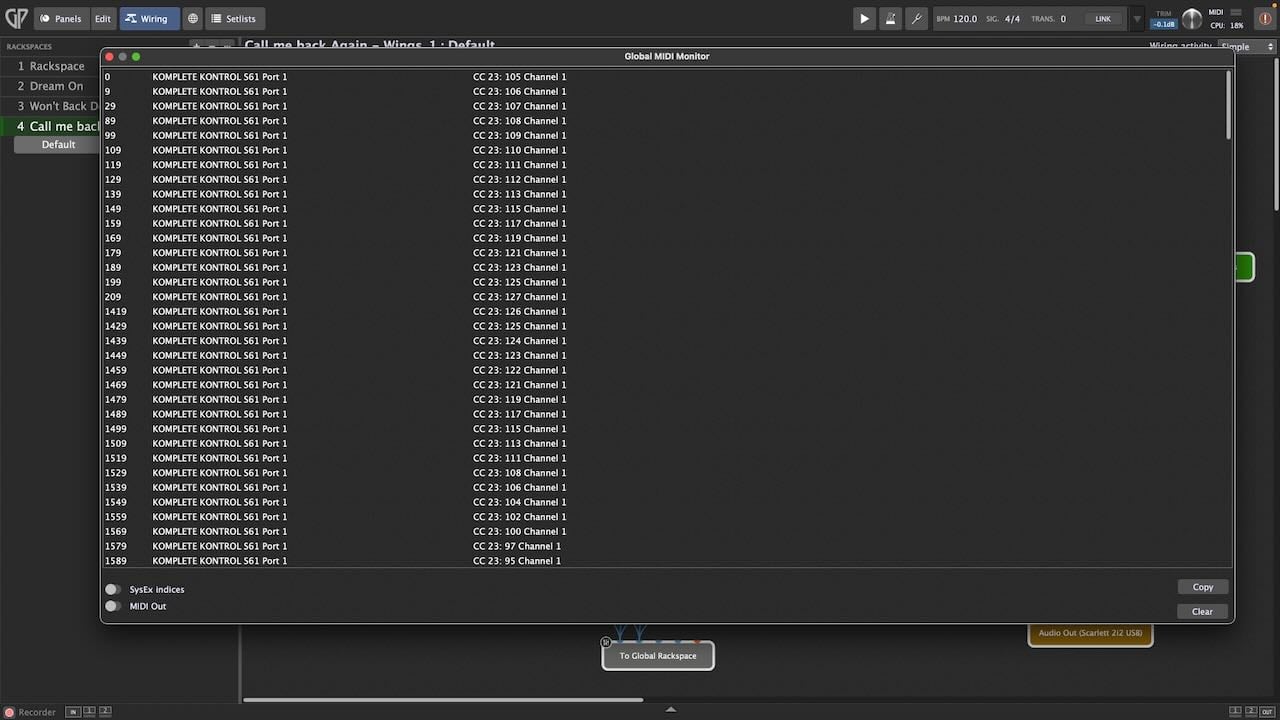
The Widget has learned CC 15 and your keyboard is sending CC 23.
Can you upload a small gig file after you learned correctly CC 23 and saved the gig file?
Yes here is that gig file after learning 3 rackspaces (so all 3 were wrong using CC15 but now I’ve saved this after re-learning all 3 to use CC23. Thanks !
Test cc 15 vs cc 23.gig (3.0 MB)
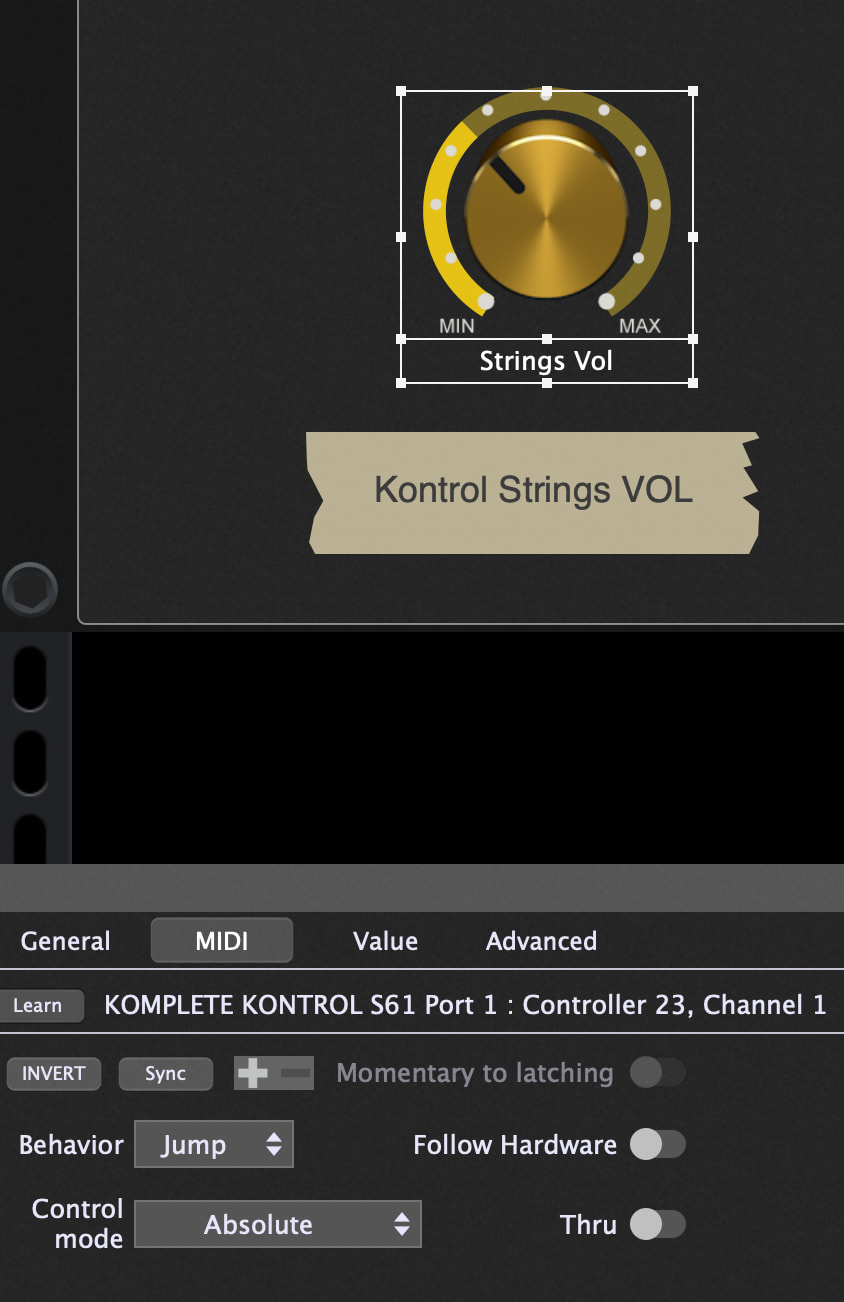
Right now, not an issue but I will keep monitoring it - so after a couple power cycles, turn off/on the KK 61 keyboard, etc. then it may revert back to that file showing Controller 15 again (the wrong CC). That’s been my issue - seems fine when I save (as CC 23) but at some point (probably because of my older controller or powering on/off) it reverts back to CC15 but I’ll monitor my ‘test’ file and do the same on other rackspaces that show the incorrect CC15 (I’d do learn again back to CC23) and I’ll check to see if it changes again over next few days/power cycles. Thanks for the help.
Maybe a possibly running KompleteKontrol software kind of re-configures your keyboard when starting up, or a miss-configured preset is being called? Maybe, maybe… who actually knows?
so after some testing, power cycling the computer and Kontrol S61 on and off, yes Schamass, I now see using the global midi monitor that my S61 keyboard is now sending on CC15. So it’s my keyboard - randomly switching to using either CC15 or CC23. So really not a GP issue but certainly frustrating. So if you have any tips for preventing my keyboard from re-configuring every time, that’s where I am with this issue. Or I may just get another controller keyboard or separate USB midi controller like Korg Nano to just use that for all volume control. Thanks!
I once used a S61 mk2 for some time and i remeber i had to set/configure the keyboard to run in “midi mode”, which could be configured with any settings (CC# for knobs & buttons).
Not sure if this is also true for the older S61 version. That’s something you should check.
Nevertheless you should make yourself familiar with the use of the “Rig Manager” and re-work your rackspaces/widgets to use the Rig-Manager aliases other than learning the “raw” midi signals.
If this has be done correctly, you could set things right again within seconds - just in case your keyboard goes bonkers again, or you might have to use another keyboard (get a new one, have to play someone else’s…).
It’s a bit of a learning curve and might probably look a bit abstract on the first glimpse, but all in all it is quite logical, once you’ve understood the mechanics.
Search for the videos of Marty Wade - as far as i recall, he also made a video featuring the use of “Rig Manager”.
Good luck!
You know that the keyboard has controller pages you can switch?
Did you try the page buttons on your keyboard?
Thanks Shnamass and yes great idea to use rig manager which I will learn. PianoPaul, I purchased my S61 used at Guitar Center and its still registered to the first owner with NI, so NI will not support me downloading and using the software so I have no controller software from NI for this keyboard. Just to complicate matters but good suggestion. For now, I will learn rig manager. Thanks
Try the page buttons and you should see that the keyboard is sending the correct cc messages.
The little blue buttons with the arrows
Ok problem solved Pianopaul and thanks! So it seems those blue buttons on S61 - there’s 2 pages of templates set up - page one has that knob set to CC15 and page 2 same knob set to CC23!! So when it turns off and on, I guess it doesn’t always go back to the same template page. But problem solved now - I’ll just make sure it’s set to the right template page and showing CC23 whenever I start to play a gig, etc. Thanks again!!