Did you create a Global Rackspace text widget to show the current song name and link that to the Streamdeck?
I bought the Streamdeck, set it up with the GP extension and got on stage with it without even rehearsing 
A sold-out crowd got properly beat up by my hands-on space-delay knobs.
1 Like
Sounds like something worth sharing in Stories from the Trenches - Gig Performer Community
I’ll try to remember so I can spice it up with some visuals next time 
2 Likes
Hi Timothy - thanks for your hard work. I just opened GP5 and my Stream Deck isn’t doing anything. It was working perfectly before. Do I have to add it to the Rig Manager? I can’t remember if I added it before! Thanks
How did you add an extension to the Rig Manager?
I’m looking for something similar to a Stream Deck that I can attach to my keyboard to send program changes to GP. My keyboard only has USB power, but I can’t connect a Stream Deck directly to the computer running GP. Does anyone know of a device similar to a Stream Deck, but with Bluetooth functionality?
I have a MIDI Patchbay, so I can use a MIDI Bud to receive and process the MIDI signals from the device.
The purpose is to have very quick access to certain songs in the setlist. I assign certain songs to the keys, so they are immediately available.I don’t want a second iPad with buttons. I want a physical buttons.
Maybe this?
1 Like
I wasn’t familiar with M-Wave. Unfortunately, the buttons aren’t customizable. You can’t have everything.
Here are my links. My search continues. Thanks anyway.
Why not?
My computer is far away from the keyboard. My keyboard is portable. I would have to run an 8-meter-long USB cable. I’d like to avoid that.
on stage?
Yes - on stage. In the rehearsal room and for learning songs, I don’t need the box anyway.
why so far?
I love a transparent stage setup. I have a master keyboard in front of me. The rest of my equipment is housed in my rack, which I always position to the side in front of me. From the audience, they only see the keyboard and me.
It always bothers me when the computer or even an iPad is visible next to the keyboard.
Depending on current draw, you might be able to use small USB hub and connect both your keyboard and a Stream Deck.
I think you misunderstood me.
The laptop is next to me. The Stream Deck is supposed to be permanently mounted on my keyboard. The only cable leading from the keyboard is a multicore cable (MIDI, sustain, footswitch, and power). The power connector for the iPad and Stream Deck is already on the keyboard. But I don’t want an additional cable from the Stream Deck to the computer. My keyboard is rotatable and swivels – that’s why I have a multicore cable.
Photo from 1991 (that’s how I started – terrible)

Photo from 2026 (much better)
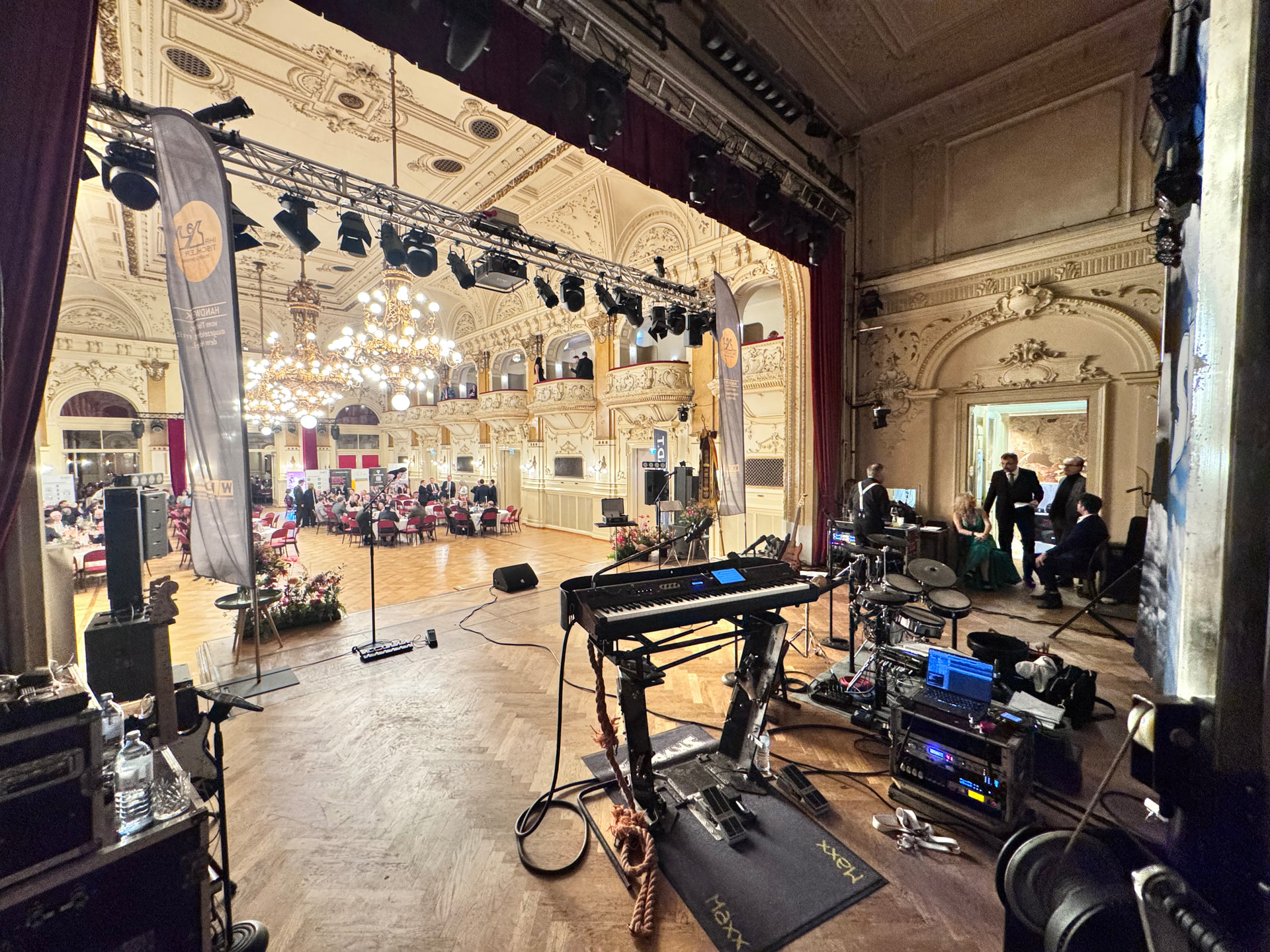
2 Likes
I guess I did. I thought you already had one USB connection to the keyboard as part of your multicore cable.
It sounds like your keyboard is only connected back to your computer by those old fashioned MIDI cables that haven’t made it out of the crate in my basement much since the 80s.
The keyboard also has a USB port for MIDI connection. But I’m still old school and haven’t yet abandoned the old-fashioned DIN socket. It will retire with me.