Gig Performer: Route 2 plugin instances to separate Scarlett 2i2 outputs (Out1=Amp1, Out2=Amp2)

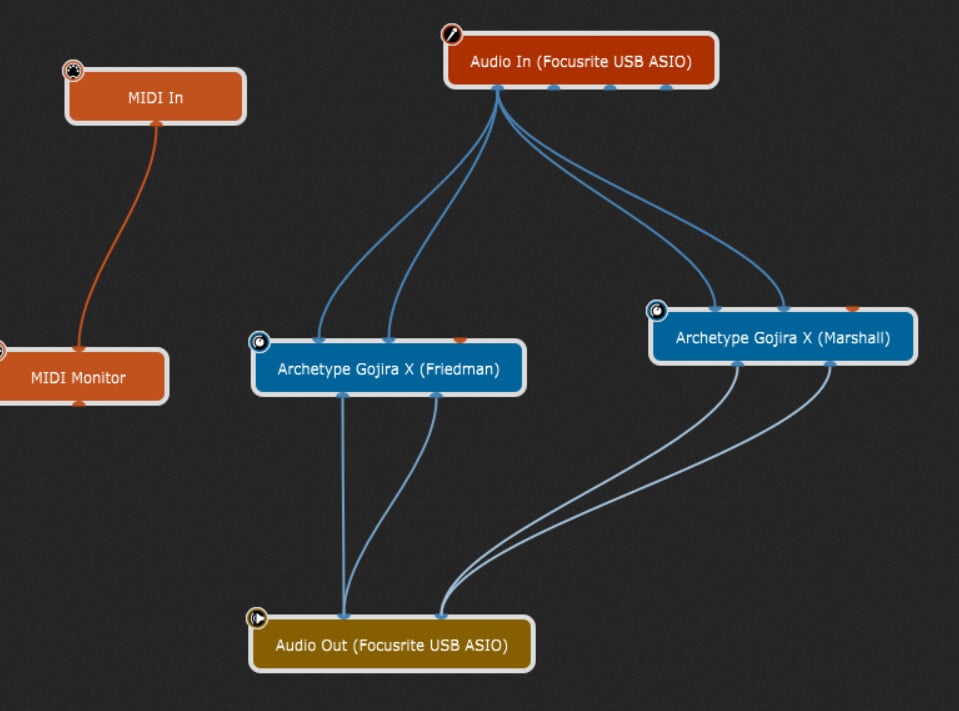
Hi everyone, I’m using Gig Performer + Focusrite Scarlett 2i2 (4th gen) with two speakers:

  • Output 1 (Left) → Friedman ASM-12 (FRFR)

  • Output 2 (Right) → Marshall DSL40CR FX Return (using it as power amp + guitar speaker)

In one rackspace I run two instances of Neural DSP Archetype Gojira:

  • Instance 1 (Friedman): Cab ON

  • Instance 2 (Marshall): Cab OFF

Problem: when I increase the volume of the Marshall Gojira instance, the Friedman also gets louder, so I can’t control them independently.

Question: How do I route each plugin instance to a separate hardware output using the single Audio Out block?
I want:

  • Friedman chain → hardware output 1 only (Left plugin)

  • Marshall chain → hardware output 2 only (Right plugin)

Do I need to connect to specific L/R pins on the Audio Out block, or use a gain/pan plugin, or configure output channels differently?

Many thanks in advance

You can you an Audio Mixer block: Audio Mixer applications

What’s your input source, I’ll assume a guitar so is it plugged into input 1 or input 2? Generally a guitar would be a single input (1 or 2) so the dual inputs look very odd.

Adding mixers would give you control of the signal levels but your outputs should work as the are currently wired.

1 Like

Thanks to both, I will check with the audio mixer block option, meanwhile I made slight adjustments (especially only input 1 for guitar) and sounds good, also independence works, very grateful for your inputs and remarks :folded_hands:

Also check Focusrite Control application, there might be additional independent routings from your inputs to the outputs not related to Gig Performer.

1 Like

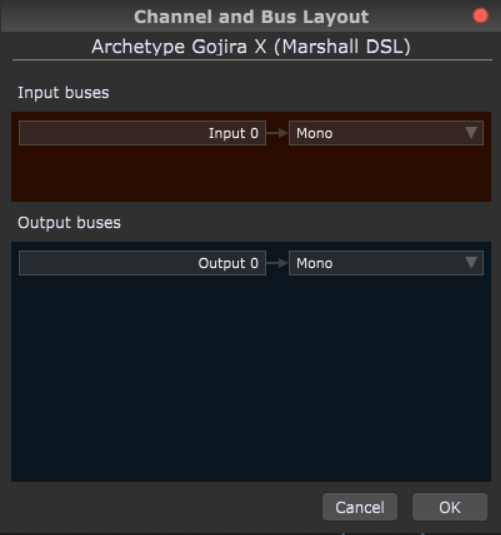
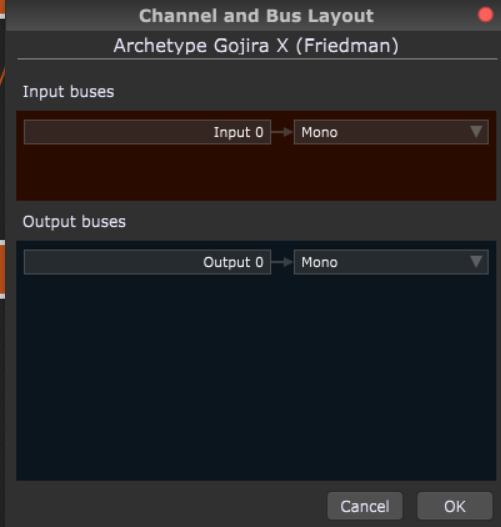
If you right click on the Neural plugins, GP has options to configure the plugin as mono (so you get only one audio port in and out in Wiring view).

This can also have the benefit of reducing CPU usage, as the plugin is only processing a mono signal.

1 Like

Thank you all for the help — solution confirmed and working :+1:

Thanks to everyone for the guidance. I wanted to confirm that the issue is now fully solved and share the key steps that made it work, in case it helps someone else with a similar setup.

Key steps that solved it

  • Used only one mono input (guitar on Input 1)

  • Set both Neural DSP plugins to Mono In / Mono Out via Bus Layout

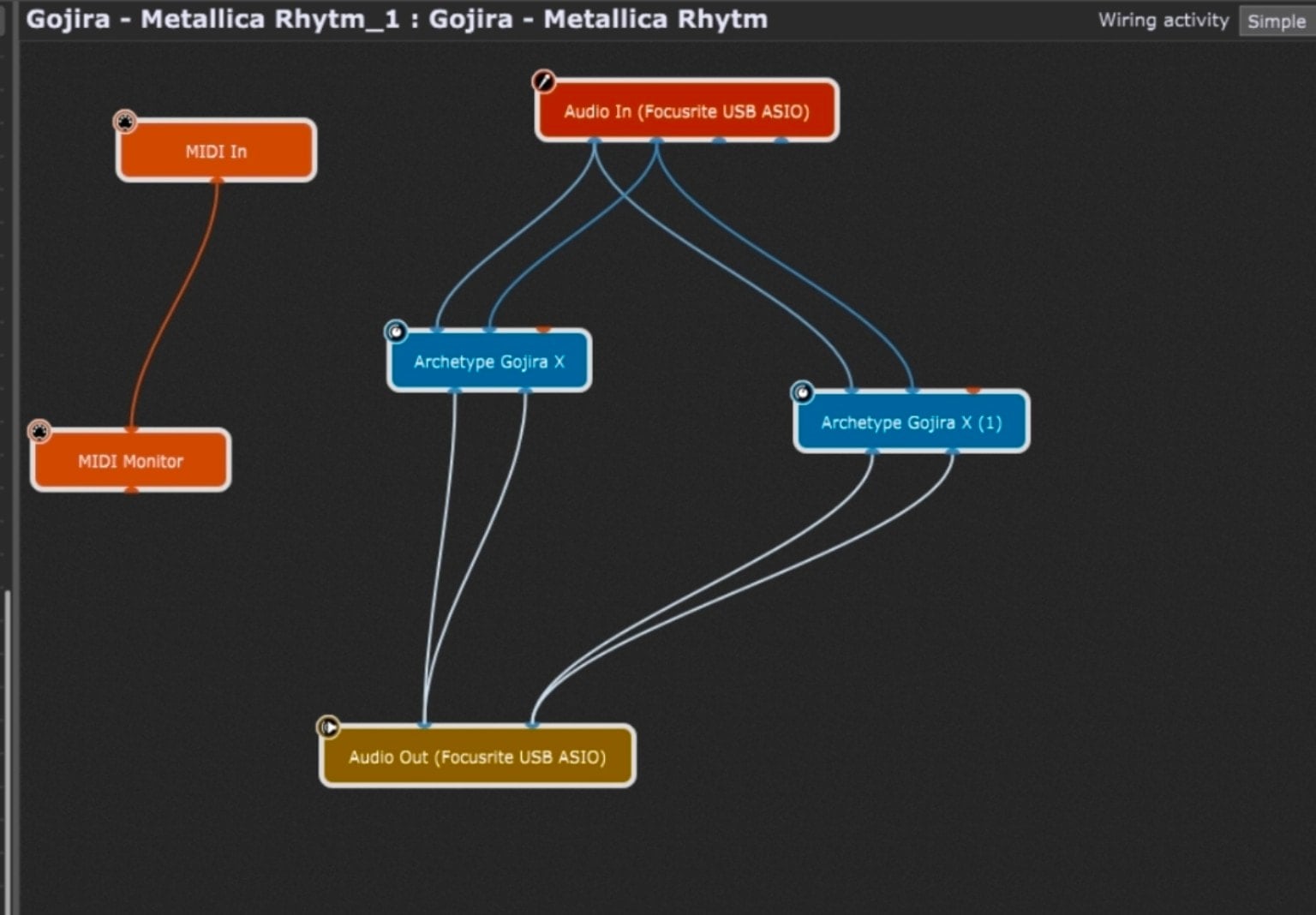
  • Split the mono input to two plugin instances:

    • Friedman FRFR version with Cab ON

    • Marshall TUBE version with Cab OFF

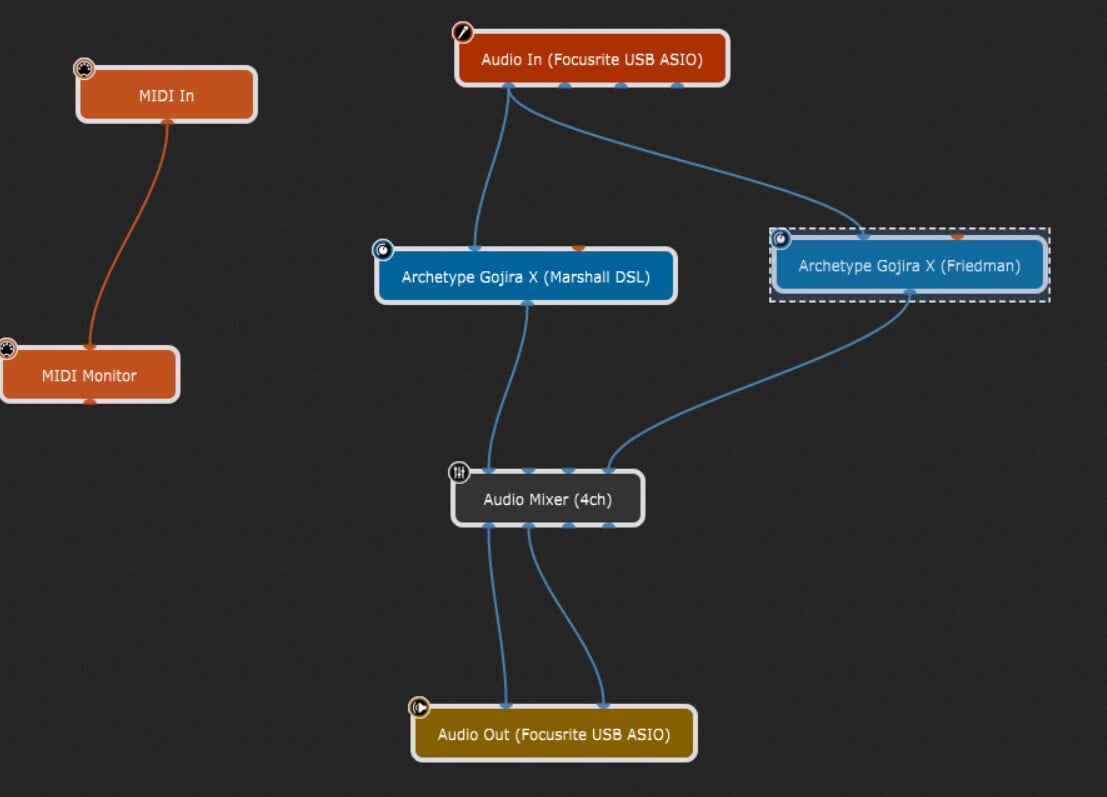
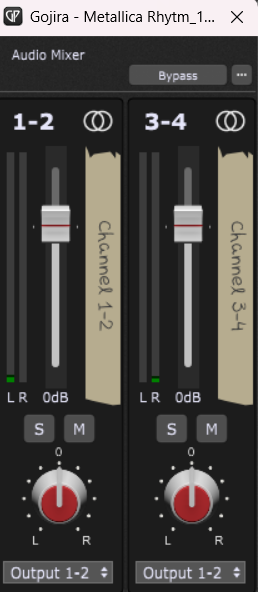
  • Added a 4-channel Audio Mixer after the plugins

    • Friedman routed to mixer channels 1–2 → Output 1 (Friedman ASM-12)

    • Marshall routed to mixer channels 3–4 → Output 2 (Marshall FX Return)

  • Used the mixer for independent level control between Friedman (main tone) and Marshall (punch)

Result

  • Independent volume control per output

  • Clean mono signal path

  • No routing bleed or summing issues

  • Lower CPU usage

  • Much clearer and more predictable behavior

Really appreciate the explanations and tips — especially regarding mono configuration and mixer usage. Thanks again! :folded_hands:

I’ve added screenshots of the final wiring and plugin bus layout in case anyone runs into the same questions — hopefully they help visualize the solution more easily.
5 Likes