Note: This sample was taken on my actual .gig file. So it has ALL my plugs loaded. I did this because i figured it was faster to the root cause. But in the simple test .gig i uploaded for PianoPaul, i only had LostIn70s plugs loaded in that .gig file. There was only one rackspace, containing ONE of the midi player songs causing an issue in my “actual” .gig file.
So in this sample, i played a midi song. let it finish, pressed the play button again to “stop” the song. It stops fine. Then i press global play again to play the song a second time. I let it finish. Now when i press the play button again to “stop” the song, it hangs and i see spinning wheel.
In this song, for example, Mrs Mills Piano plug is not loaded. It’s installed on my MAC, but not loaded. its one of the recent ones i installed, and i see it at the end of this sample process txt file, so i’m suspicous of it now. BUT, it’s not actually loaded on the song that’s hanging it. FWIW.
I had our good buddy Claude anaylze the sample. It doens’t really point to a plug in being directly responsible. It seems to be a race condition between GP’s main UI code and midi player. Somehow, playing this file completely a few times using my mouse gets me into this situation. I’ve done some testing on if i let it loop fully. So far, lettling it loop fully DOESN’T seem to hang. I’m assuming the loop feature just gets back to the start and this obv differs from my mouse(trackpad actually) pressing stop/play. This feels like a bug, but i’m not sure what to do next. Maybe for grins i’ll plug in an actual usb mouse.
Summary:
Plugins are active and waiting, but the deadlock is between the main UI thread and MIDI thread.
Plugin code (such as TH-U, Kontakt, Massive) could be indirectly involved if they interact with shared resources, but the sample does not show a plugin thread as the direct cause.
If the hang occurs after loading or interacting with a specific plugin, that plugin may be contributing to the deadlock.
So, if i enable “loop” on the player, i can play these songs for an hour, NO issues. But if i use the trackpad OR my small Worlde midi controller to toggle the play button of the midi player, i get into this condition after letting the song play fully, between 1 and 3 times. So if it’s NOT GP, and since i’ve swapped plug ins around during several tests, it almost seems that something is watching for the input(be it from the trackpad/HID device, OR USB midi controller, which is also a HID device. And it gets stuck as they both are spinning on some semaphore neither can clear. Since PianoPaul had no issues, i’m thinking something i installed is contributing to this bug. It can’t just be something i’ve loaded because i’ve seemingly ruled that out through experiments. And i agree, it’s prob not a MAC OS/GP bug. It’s prob some callback being registered by one of my installed plugs. Uninstalling them and trying to test, might have too many variables in play to get trusted results tho.
Ok, so i think i found a workaround/solution. Or maybe i’m just designing it in the wrong way. I have rackspaces for several songs. about 5 right now have midi players. One has a midi player AND an audio player. If i change my routing so as to NOT use the global play button/sync feature, i don’t seem to get into the semaphore issue described in this thread. So i’ve rewritten my gig file to have my midi controller play button control the play button of the midi player directly as opposed to having it control tnhe global play button. This seems to work now. I’ve not gotten into a hung state.
I so far have only one issue. In the song with audio AND midi players being used, the audio player has “play/stop” or “Play from beginning”. It doesn’t have a “stop” or “reset the play counter to 0”. I’m using all my midi players as one shot devices. Meaning, i tell the band we’re coming in after 8 counts, and then i just start the song. The midi player always resets/starts from 1:1 when toggling the play button. The audio player does NOT. Anyone suggest how i can get my audio player to always start from 1:1? I want to use the same one “play” button for both audio and midi players. The functionality i want it, i press play and both audio and midi players start from 1:1. If i press the play button again, they both stop. If i press the play button again they both start over from 1:1.
I wanted to chime in to say I am having either the same or very similar issue on my Windows 11 machine (Surface Pro 10 for business, 32gb). I’ve been meaning to write about it but it is not pressing since I discovered a workaround, which might help users and devs alike.
Besides VSTs, GP runs individual backing tracks with AFP, a click track with SAFP, and a MIDI file with MFP. I originally had the click track play through AFP, but SAFP is key to the workaround. Incidentally the MIDI files were created with Cakewalk and used solely to control DMX lights on one channel.
So all three players are synced together and designed to play one time through. I noticed some odd crashes in GP after a song would finish. It was not immediate but on occasion it would crash a few minutes after a song finished. We also use GP for VST drums (BFD3.5) and synths (Kontakt Player, OP-X Pro3, Velvet are often used). When the tracks - backing, click, & MIDI - finished the global playhead would still be engaged. VSTs would still be active, and if anyone was still playing after a song finished during rehearsal (usually drums, but also synths) and the global playhead was still on it would usually crash GP usually in a few minutes.
When I moved the click track to SAFP, I put a marker at the very end of the track that would stop the global playhead (the workaround). As long as the global playhead is off when a song ends GP won’t crash. This pops up from time to time when I am exporting/importing rackspaces into a new setlist and somehow the marker I set does not get copied with it (probably user error on my part). I just have gotten used to triple checking that the marker to stop global playhead at the end of the click track is there for each song and then everything is fine.
I’d be happy to provide more info if needed, but that won’t likely happen until next week (Spring Break). Again, this isn’t a critical issue for me, but since this was similar to my issue I thought it might help or provide troubleshooting insight.
I don’t want to change the topic of this thread, but i feel this might be easier than creating a new one for something that prob already exists. I just can’t find it yet. Currently, i’ve been gigging in rackspace mode, meaning treating each rackspace as a song. This is convenient when using the players for auto accompinament. But now i’ve graduated to wanting song parts for a given song. I can’t work out how to do this at a high level. The setlist template that comes with GP is great and well understood, but there’s no examples of inserting a midi or audio player into one of the songs. How can i keep the player going for the entire song and at the same time switch between song parts without the player being interrupted? Is this described somewhere?
one last one that’s been vexing me promise. I have gain plugs for all my instruments in all my rackspaces. I map them to midi controlled widgets. My nirvana is getting them all close enough that the one main trim control and get me close enought at gig time. But i seem to notice that adjusting the gains in each rack gets saved in rack space mode, but, doesn’t seem to stick in setlist mode. Meaning if i’m going through all my racks trying to get ALL the sounds “close” in volume, do i NEED to do that in rackspace mode if i want those changed saved into the .gig file?
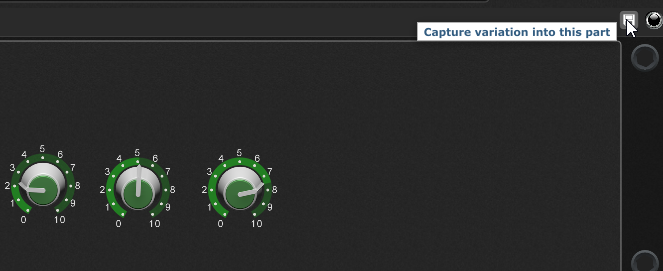
You can do that per song part by using the Capture variation option. Just set your widgets in Setlist mode how you want them for that particular song part and then click the button. That way, the underlying widget values for that song part will be remembered but they won’t affect other song parts that use the same variation.
Thanks, i’ll check that out. But in theory, if i get all my racks instruments volumes “the same”, when i use them in setlist mode, they should be those initial values, correct? And in theory if i’m in a rehearsal and going thru the set and we notice the EP is lower in this song than the piano in the last song, i would switch to rackspace mode, turn up the EP, save the gig file, then go back to setlist mode to continue practice, right? I basically use the headphone out. Left side is my click, right side is all my instruments. I have a midi controller to control the overall trim of GP, but once i get it trimmed properly on my XLIVE mixer channel, in theory, if i’ve set all my rackspaces at close percieved volume, i should be good. Obv, it’s never that perfect, but i’m just trying to get as uniform as i can, and then if i hear anything noticeably loud or quiet at the show, i’ll ride the master trim on my midi controller. At a show i’m not going to try to set individual rackspace levels. Too stressful. But i might be doing this in a stupid way. time and experience will tell. txs.
If you want to save/”fix” the volume issue for that songpart going forward, save it as a snapshot (aka, capture variation) in the song part.
If you just want to raise it for the rehearsal (but may also affect other songs where mixer volume has not been saved as a “snapshot”), increase the mixer volume in the rackspace.
Personally, I try to get the best mix at home. I’ll try to take notes at rehearsal (and at gigs) and make tweaks at home.
But, during a rehearsal or a gig, I only change the master volume (I do not try to “mix” on the fly while I’m performing).
Thanks! Yeah, i want to fix it permanently. Maybe i’m doing it wrong. I’m not using a mixer volume in the rackspace. I’m just using a gain plug after each instrument before it goes out the audio interface. I control those gain faders with midi faders from my controller. We’ll rehearse say 10 songs, and on a given song, if there’s multiple VSTs going off in a rackpsace(played by midi player for example), i’ll adjust the gains for each with my midi controller and then command-S. So starting on song one, i’ll get a reference of how each instrument is hitting the XLIVEs channel trim and how it sounds in our in ears and i get it acceptable. Then for the next song, i’ll hear when the VSTs come in and adjust those the same way until all 10 songs play instruments that sound about right(same) volume wise. This includes any songs without a midi player, where i might be putting down my bass and playing actual keys. I’m gigging in racksapce mode at the moment because using handles/markers for media players in setlist mode is a bit intimidating to me at the moment. The only thing i seem to lose in doing it this way is, i can’t cycle through song parts. But to get around this, i just split up the keyboard if i need different sounds live on a given song. As long as i only need a max of 3 different sounds, 88 keys should be ok for a while.