Gig Performer Pro and Essentials 5.2.2 are now available as a free update for all Gig Performer 5 users. This release expands what song part actions can do, introduces practical tools for building and managing your setup, and brings additional mixer and audio capabilities to Gig Performer Essentials. Many enhancements from user feedback have also been added.
Important Note for GPScript and OSC Users
This release changes the required syntax for OSC addresses in GPScript. If you use GPScript to send or receive OSC messages, OSC addresses must now be enclosed in single or double quotes.
This affects a minority of users, but if it applies to you, you can make and test these changes in your current scripts now before downloading and installing the update. See this announcement for full details.
What’s New
Setlist and Actions
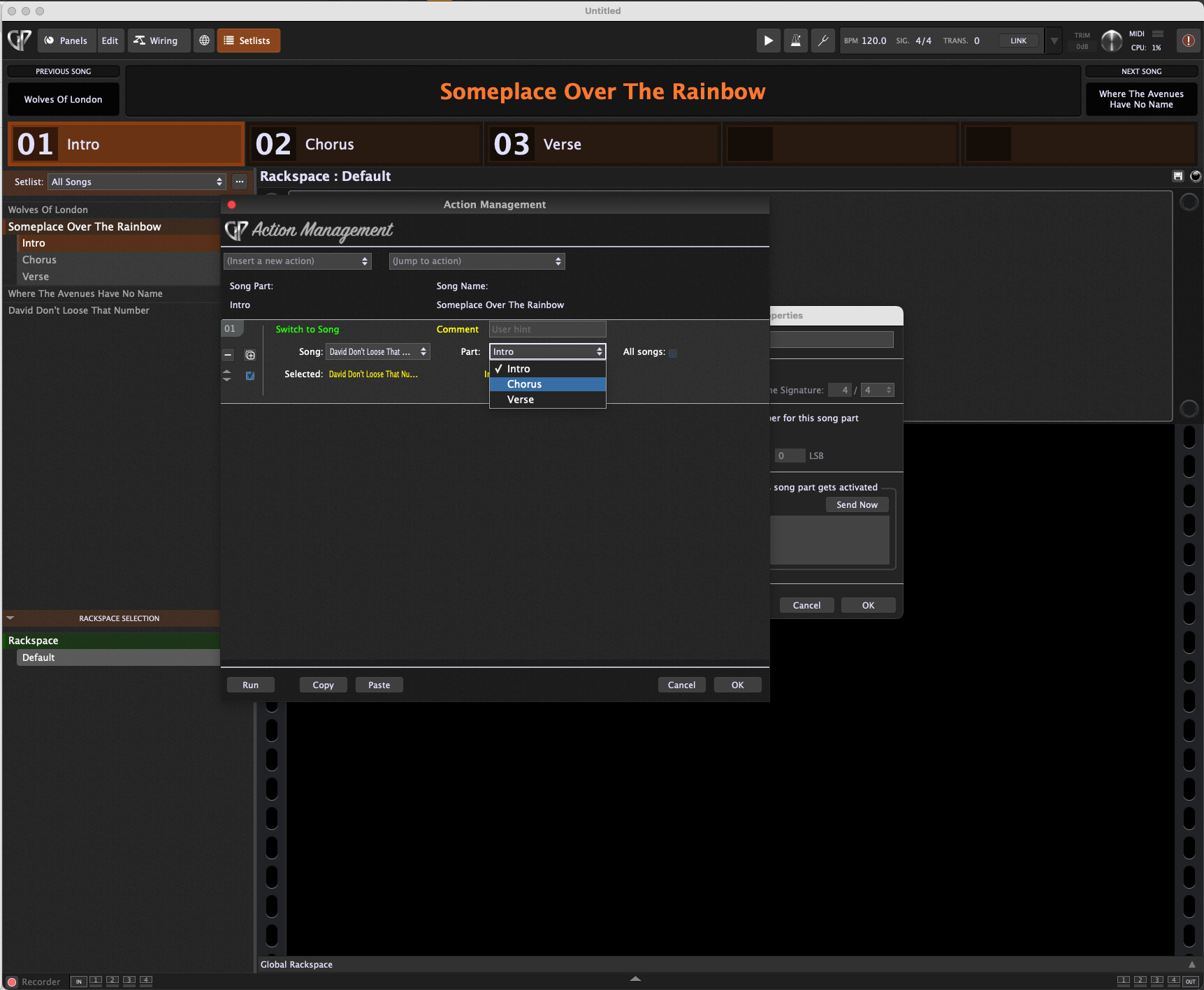
- Song part actions can now switch to a different song or song part, giving you more control over the flow of your setlist.
- If Gig Performer receives a message telling it to switch to the song part that is already active, that song part’s actions will no longer retrigger.
- Hold Ctrl while navigating to a song part to bypass its attached actions. This is useful when you want to check a sound or adjust a level without triggering actions on that part. Actions from other sources are not affected.
- Hold Shift to stop all pending actions, very useful if you accidentally create action in a songpart that causes the part to switch to another part (for example) thereby preventing you from selecting and editing that songpart.
- Hold Shift while double-clicking on a Song Part to open the Action management window as well as the Song Part properties.
Practical Tools
- Copy your current setlist to the clipboard in CSV format for archiving, sharing, or working with it in external tools.
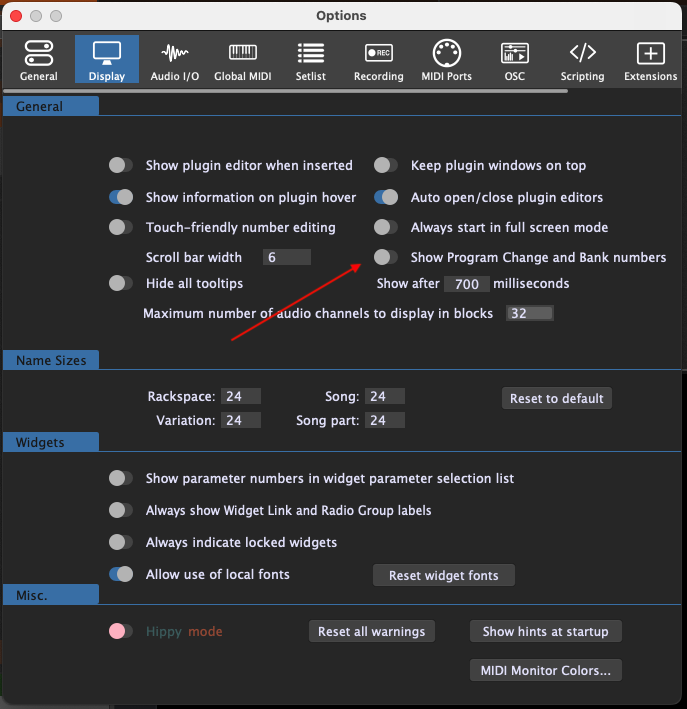
- Hide the display of Program Change and Bank numbers in songs and rackspaces when that information is not essential to your performance.
- If you use the [variation] tag in a widget caption, it now updates automatically when you switch variations, keeping your panel display in sync.
Additional Improvements
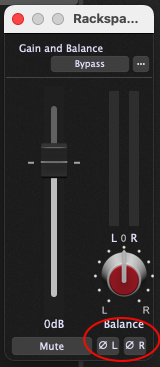
- Gig Performer Essentials now supports phase invert in audio mixers, giving Essentials users a direct way to address phase cancellation when layering sources.
- Gig Performer Essentials now has access to additional audio mixer channel configurations beyond the previous 4 and 8 channel options.
- Touch support has been further refined.
- You can now copy strings to and from the system clipboard directly from your scripts.
- New GPScript functions let you specify the Program Change number for a song part and variation.
- SDK update: extensions can now store local and global state.
Bug Fixes
- VST3 plugin widgets that were not updating correctly will now respond as expected.
- GPScript generators that were not being removed on recompile have been fixed.
- FabFilter plugins no longer cause a crash in Gig Performer.
- Locating an audio file originally defined in a Windows gig file now works correctly on Mac.
How to Update
Current Gig Performer 5 Pro users can update directly from within the application.
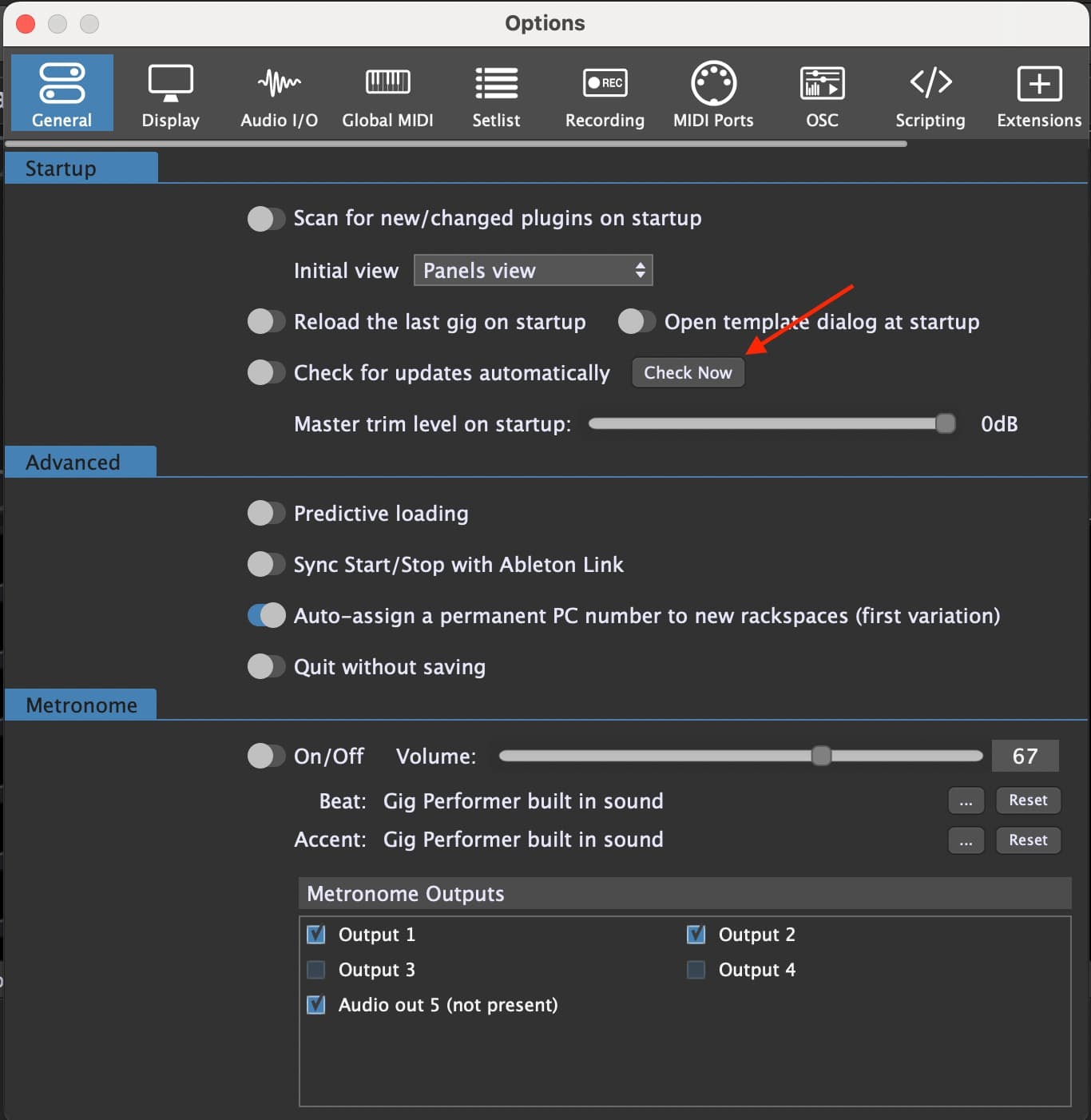
Go to Options → General → Check Now, then click Get Update.
To view the full list of changes, visit the Gig Performer Pro Release Notes Page or the Gig Performer Essentials Release Notes Page.
Own The Stage®
The Gig Performer® Team