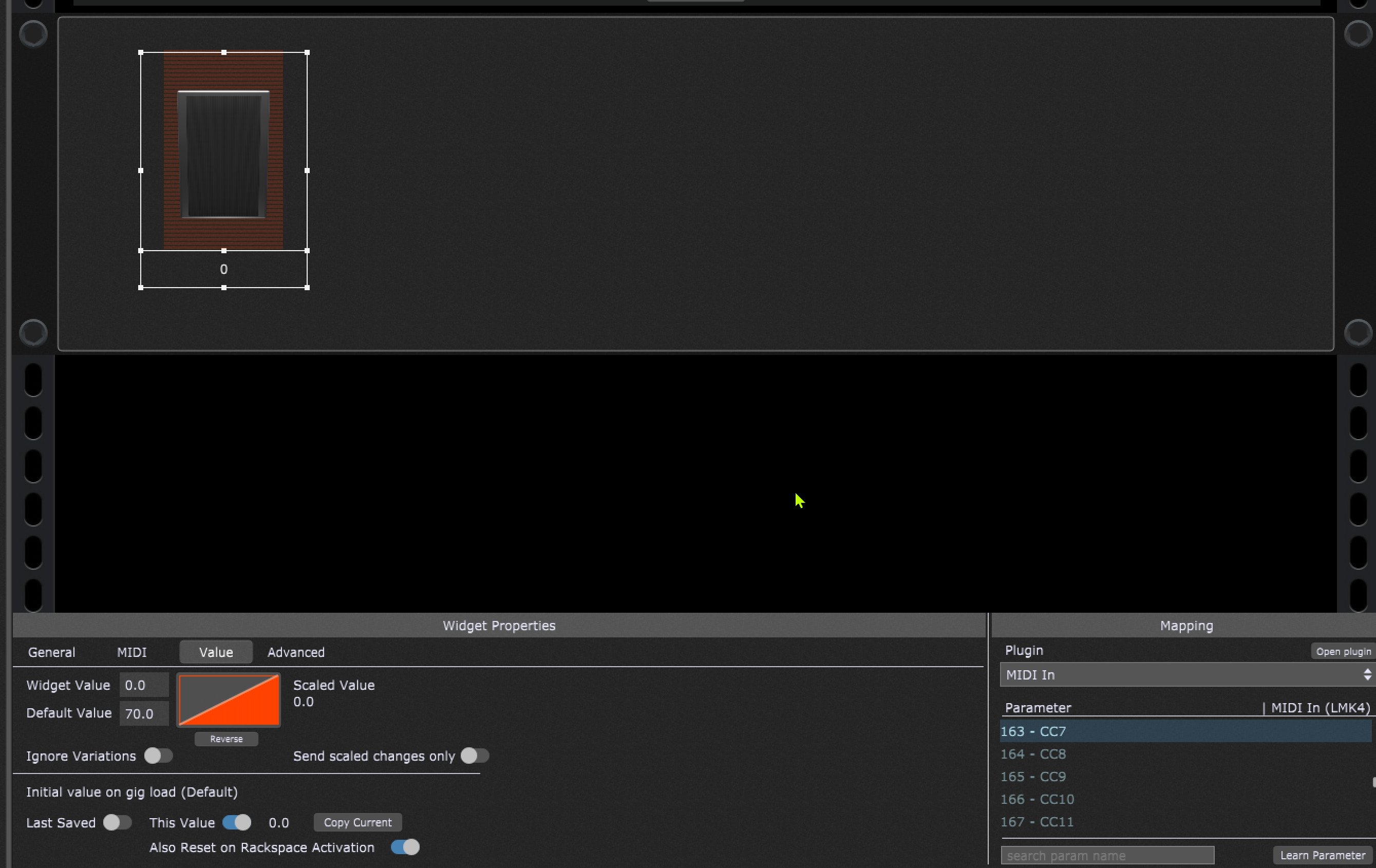
in GigPerformer 5 I’m using the widget “expression pedal” to send MIDI CC7 volume message to an external MIDI sound module (Roland Integra 7).
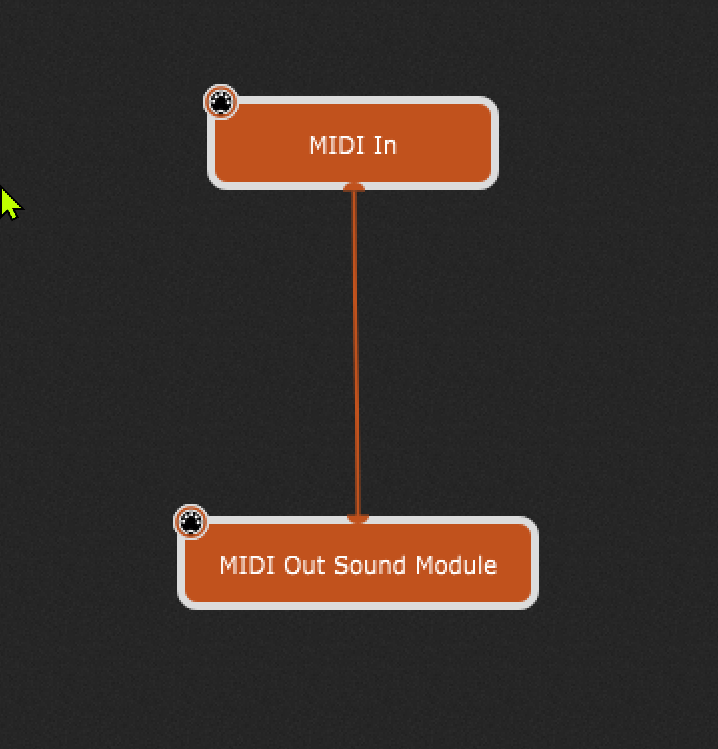
For this I have mapped the widget to send CC7 over the MIDI In block to a MIDI out block.
(To avoid interaction here I did not yet connect the pedal widget with an incoming MIDI controller)
The widget is working fine when acting with the widgets value AFTER rackspace/song selection
dragging to “full” sets MIDI value 127 on the Integra
dragging to “minimum” sets MIDI value 0 on the Integra.
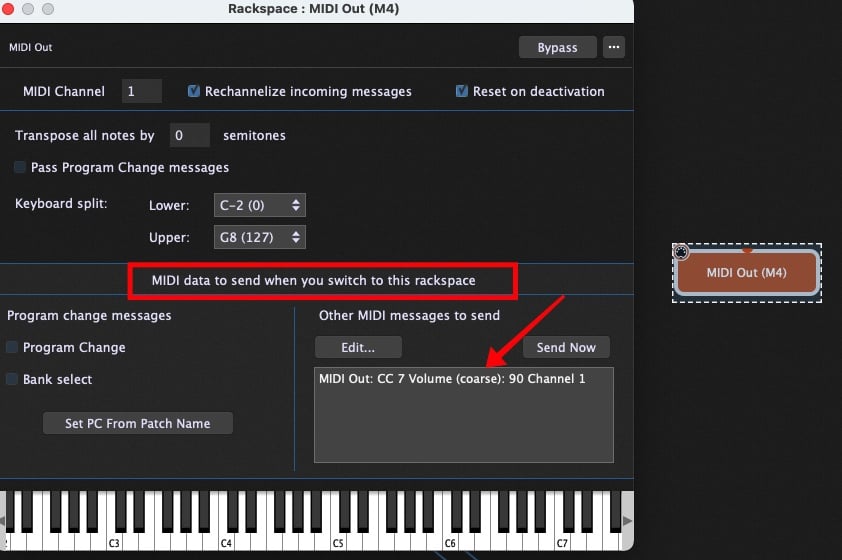
But I can not get it to send a rackspace (or song) individual start value (lets say 90, that should always be sent to the Integra when switch to the rackspace)
I’ve tried several settings in the value tab but no value is sent to the integra when switching to another rackspace/song
I’m a little confused because I think you’re using the word “pedal” to reference both the physical controller on the floor and the widget on the screen. Let’s call them “widget” and “controller” just to be clear.
If I understand you, what you want is:
the widget takes input from the controller (but you don’t have it linked yet?)
the widget re-scales that input based on the scaling curve set in the widget properties
the scaling maximum is defined by a different widget (a slider)
on rackspace entry the widget is automatically set to a default value
the widget sends out the scaled version of that default value to the external gear (the Integra) by midi
Before thinking too much about how to do that I want to make sure that’s what you’re asking for.
I’ll also point out one potential complication. Once you have your widget midi-linked to the physical controller, be aware that expression pedals like that will often create midi-data even when not touched.
In the physical world, those expression pedals work using variable resistors. If your expression pedal is plugged into your Integra the Integra is constantly sending a voltage to the pedal and reading back the resistance that it sees. That resistance can fluctuate based on a lot of factors, so even if you don’t touch your pedal the Integra may think you did. It could think it’s at value “105” one second and “106” the next. That will result in a midi message going to GigPerformer, which will get scaled by whatever you setup with your scaling curve, then sent back out to your Integra.
I bring this up because people here can recommend different approaches to what you are requesting right now, but you may find that’s not what you actually want once you actually establish the midi link to the physical pedal. Specifically, any default value you send on rackspace entry can get overriden unpredictably as soon as one of those “phantom” readings come in from the pedal.
Map the widget to the CC7 parameter to a MIDI Out block that’s connected to the hardware synth
Set the MIDI behavior of the widget to Catch
For each rackspace that has that widget, set the widget value to “This Value” where you pick a value that matches 90 and check the Reset on Rackspace Activation
If you do that, then when you switch rackspaces, the desired CC7 value (90) will be sent to your external device but the expression pedal will not do anything until you move it to where the widget value is set after which the expression pedal will work normally.